
アップル AirPods Pro
Apple AirPods Pro Wireless Earbuds User Manual
導入
Welcome to your Apple AirPods Pro. These advanced wireless earbuds offer Active Noise Cancellation, Transparency Mode, and adaptive equalization for an immersive audio experience. This manual provides essential information for setting up, operating, maintaining, and troubleshooting your device.
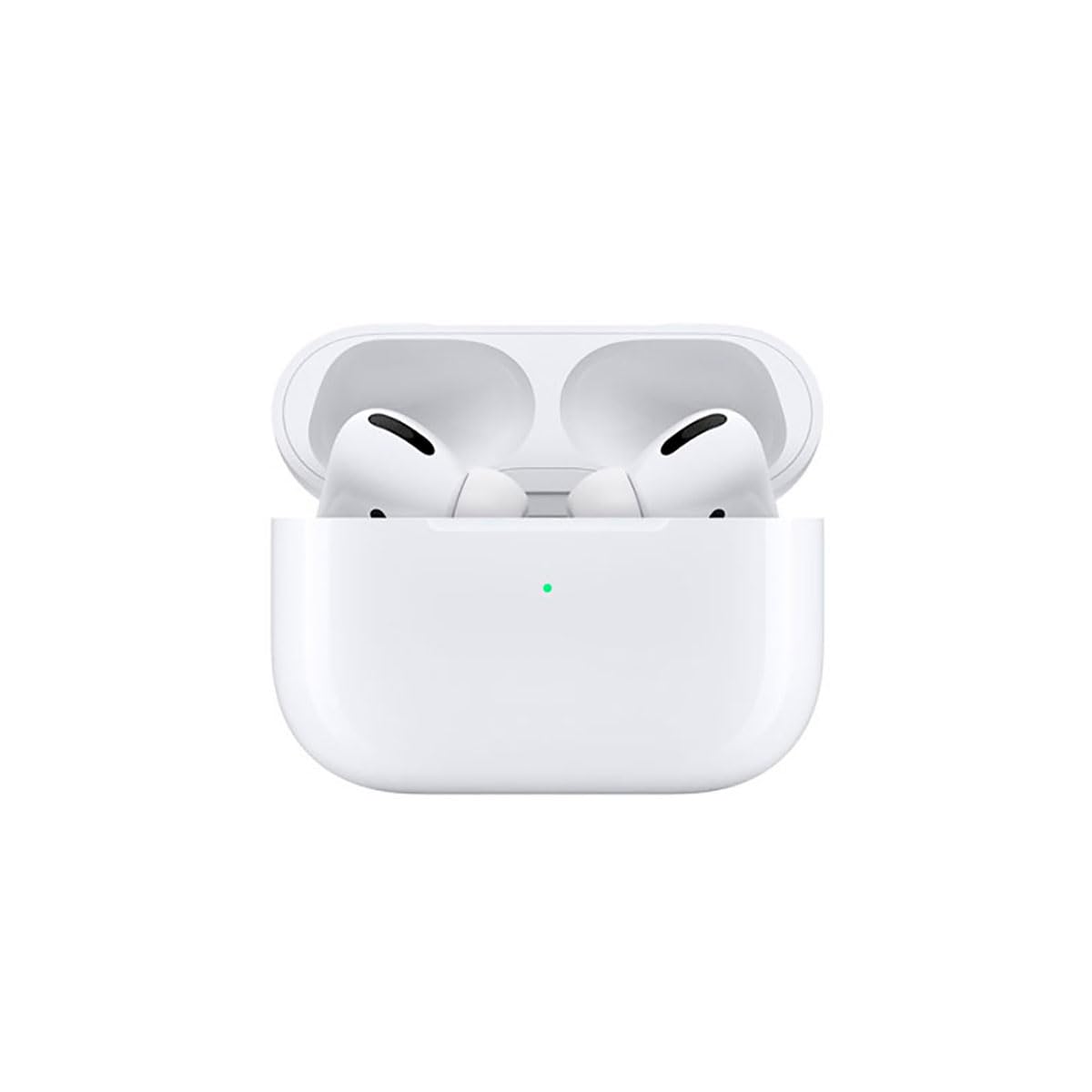
Image: A person wearing Apple AirPods Pro earbuds, demonstrating their use in a daily setting.
1. はじめに
1.1 開梱と充電
Your AirPods Pro come with a Wireless Charging Case, silicone ear tips in three sizes, and a Lightning to USB-C cable.
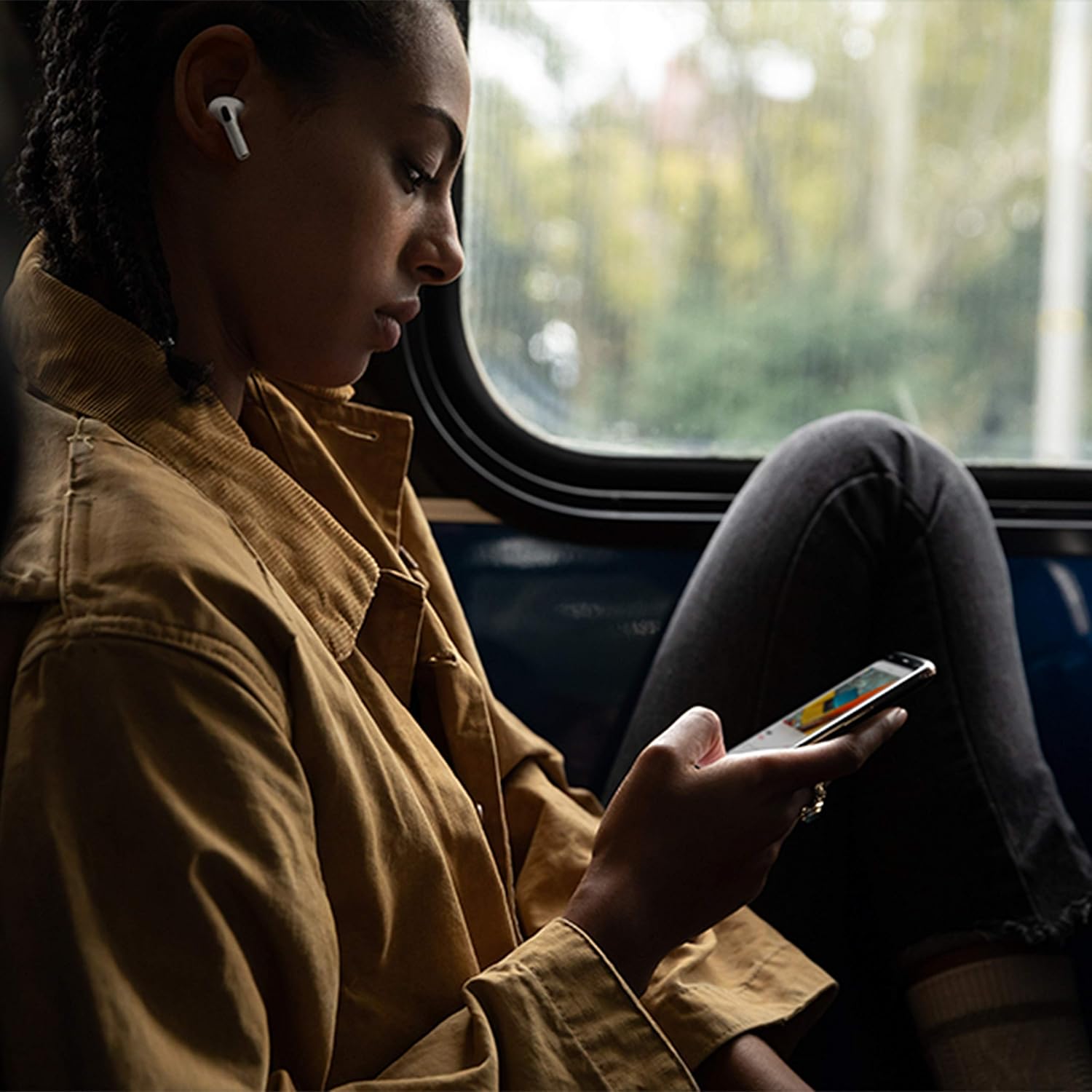
Image: Apple AirPods Pro earbuds inside their wireless charging case, with the status indicator light visible.
Before first use, ensure your AirPods Pro and their charging case are fully charged. Connect the Lightning to USB-C cable to the charging case and a power adapter, or place the case on a Qi-certified wireless charging mat.
1.2 デバイスとのペアリング
To pair your AirPods Pro with an Apple device:
- Ensure your Apple device (iPhone, iPad, or iPod touch) is running the latest iOS version.
- デバイスのロックを解除してホーム画面に移動します。
- Open the charging case lid with your AirPods Pro inside, and hold it near your device.
- デバイスの画面にセットアップアニメーションが表示されます。画面の指示に従ってください。
- 接続されると、AirPods Pro は iCloud アカウントにサインインしているすべてのサポートされているデバイスと自動的にペアリングされます。
To pair with a non-Apple device (e.g., Android phone):
- AirPods Pro を充電ケースに入れた状態で、蓋を開けます。
- ステータスライトが白く点滅するまで、ケースの背面にあるセットアップボタンを押し続けます。
- On your device, go to Bluetooth settings and select "AirPods Pro" from the list of available devices.
1.3 Finding Your Best Fit
Achieving the right fit is crucial for optimal sound quality and Active Noise Cancellation. Your AirPods Pro come with small, medium, and large silicone ear tips.

画像: クローズアップ view of two individual Apple AirPods Pro earbuds, highlighting the silicone ear tips.
- Try each size of ear tip to find the ones that provide the best seal and comfort.
- iPhoneで、 設定 > BluetoothAirPods Proの横にある「i」アイコンをタップし、 "Ear Tip Fit Test." Follow the on-screen instructions to check the seal.
2. Using Your AirPods Pro
2.1 コントロール
The force sensor on the stem of each AirPod Pro allows you to control audio playback and calls.
- 一度押す: 再生、一時停止、または電話に応答します。
- 2回押す: 前にスキップします。
- 3回押してください: スキップして戻ります。
- 長押し: アクティブ ノイズ キャンセリングと透過性モードを切り替えます。
2.2 アクティブノイズキャンセリングと透過モード
Your AirPods Pro offer two primary listening modes:
- アクティブノイズキャンセリング (ANC): Blocks out external sounds, allowing you to focus on your audio.
- 透明モード: 音声を聞きながら周囲の音を聞くことができるので、混雑した環境での注意力に役立ちます。
Switch between these modes by pressing and holding the force sensor on an AirPod stem, or via Control Center on your Apple device.
2.3 Siri Activation
Activate Siri by saying "Hey Siri" or by pressing and holding the force sensor on an AirPod stem (if configured in settings).
2.4 耐水性と耐汗性
AirPods Pro are sweat and water resistant for non-water sports and exercise. They are not waterproof and should not be submerged in water. Resistance may decrease as a result of normal wear.
3. お手入れとメンテナンス
3.1 AirPods Proとケースのクリーニング
Regularly clean your AirPods Pro and their charging case to maintain performance and hygiene.
- Wipe the AirPods and case with a soft, dry, lint-free cloth.
- Do not use abrasive materials, sprays, or solvents.
- イヤーチップはAirPodsから取り外し、水で洗い流してください。完全に乾いてから再度取り付けてください。
3.2 バッテリー情報
The AirPods Pro and charging case contain rechargeable batteries. Battery life is dependent on usage and settings. Over time, the capacity of all rechargeable batteries diminishes. To maximize battery lifespan:
- 極端な温度を避けてください。
- 使用しないときは涼しく乾燥した場所に保管してください。
- Charge regularly, but avoid leaving them fully charged or fully depleted for extended periods.
4. 一般的な問題のトラブルシューティング
4.1 接続の問題
If your AirPods Pro are not connecting:
- デバイスで Bluetooth が有効になっていることを確認してください。
- Place AirPods Pro in the charging case, close the lid, wait 15 seconds, then open the lid.
- If issues persist, try resetting your AirPods Pro: With the lid open, press and hold the setup button on the back of the case for about 15 seconds until the status light flashes amber, then white. Re-pair them with your device.
4.2 音質の問題
If you experience poor sound quality or ineffective noise cancellation:
- Ensure ear tips are clean and properly fitted. Perform the Ear Tip Fit Test.
- Check for debris in the speaker mesh.
- Ensure your device's volume is adjusted correctly.
4.3 充電の問題
If your AirPods Pro or case are not charging:
- Verify the Lightning cable is securely connected to both the case and the power adapter.
- If using wireless charging, ensure the case is correctly positioned on the charging mat.
- ケースの充電ポートを清掃してください。
5. 製品仕様
| 特徴 | 詳細 |
|---|---|
| ブランド | りんご |
| モデル名 | アップル AirPods Pro |
| フォームファクター | インイヤー |
| 騒音制御 | アクティブノイズキャンセリング |
| 接続技術 | ブルートゥース |
| 無線通信技術 | ブルートゥース |
| 色 | 白 |
| 年齢範囲(説明) | アダルト |
5.1 箱の中身
- エアポッドプロ
- ワイヤレス充電ケース
- Silicone Ear Tips (three sizes)
- Lightning - USB-Cケーブル
- ドキュメント
6. 保証とサポート
6.1 保証情報
Apple AirPods Pro come with a standard limited warranty. For detailed warranty terms and conditions, please refer to the documentation included with your product or visit the official Apple support webサイト。
6.2 カスタマーサポート
For further assistance, technical support, or service, please visit the official Apple Support webサイトをご覧いただくか、Apple カスタマー サービスに直接お問い合わせください。
Ask a question about this manual
Ask about setup, troubleshooting, compatibility, parts, safety, or missing instructions. Manuals+ will review the question and use this page’s manual context to help answer it.