
1. はじめに
Thank you for choosing the CREATE NETBOT S15 Robot Vacuum Cleaner. This manual provides essential information for the safe operation, maintenance, and troubleshooting of your device. Please read it thoroughly before first use and retain it for future reference.
製品終了view

The image above displays the CREATE NETBOT S15 Robot Vacuum Cleaner, its dedicated remote control, and a smartphone screen showing the companion application interface. The robot is black with a textured top surface and a central green power button. The remote control features a digital display and various control buttons. The app shows a map of a cleaned area.
The NETBOT S15 is designed to simplify your cleaning routine, offering multiple cleaning modes and smart features for efficient floor maintenance.
2. 安全に関する注意事項
安全な操作を確保し、損傷を防ぐために、次の安全上の注意事項を守ってください。
- 機器を使用する前にすべての説明書をお読みください。
- お子様にロボット掃除機を操作させないでください。ロボット掃除機が作動中は、お子様やペットから目を離さないでください。
- Ensure the charging base is placed against a wall on a hard, level surface, with adequate clear space around it.
- 髪の毛、ゆったりとした衣服、指、および体のすべての部分を開口部や可動部分から遠ざけてください。
- 大きな物、鋭利な物、液体、燃えている物や煙が出ている物を拾わないでください。
- ロボットを濡れた環境や濡れた表面で使用しないでください。
- 絡まりや損傷を防ぐため、操作前に電源コード、小さな物体、壊れやすい物を床から取り除いてください。
- 製造元が提供するオリジナルの充電器とバッテリーのみを使用してください。
- Do not modify or attempt to repair the robot vacuum yourself. Contact qualified service personnel for repairs.
3. パッケージ内容
パッケージにすべてのコンポーネントが含まれていることを確認します。

The image shows the retail box for the CREATE NETBOT S15 Robot Vacuum Cleaner, indicating the product and its key features.
- NETBOT S15ロボット掃除機を作成する
- 充電ベース
- 電源アダプター
- リモートコントロール
- Dustbin (600 ml capacity)
- 水タンク(容量400ml)
- Side Brushes (2 + 2 replacements)
- HEPA Filter (1 + 1 replacement)
- Cleaning Mop (1 + 1 replacement)
- クリーニングブラシ
- 磁気ストリップ
- ユーザーマニュアル
4. セットアップ
4.1 充電ベースの設置

The image shows the CREATE NETBOT S15 Robot Vacuum Cleaner correctly docked on its charging station, indicating proper placement for recharging.
- 充電ベースを、開けた場所の壁に沿って置きます。
- Ensure there is at least 1 meter (3 feet) of clear space on both sides of the charging base and 2 meters (6 feet) in front of it.
- 電源アダプターを充電ベースに接続し、壁のコンセントに差し込みます。
- Ensure the power indicator light on the charging base is illuminated.
4.2 初期充電

This image depicts the CREATE NETBOT S15 Robot Vacuum Cleaner positioned near its charging dock in a room, ready for or undergoing charging.
Before first use, fully charge the robot vacuum. Place the robot onto the charging base, ensuring the charging contacts align. The indicator light on the robot will show charging status. A full charge typically takes 4-5 hours.
4.3 アプリのインストールと接続
The CREATE NETBOT S15 can be controlled via a smartphone application, compatible with Alexa and Google Home.
- Download the official CREATE app from your smartphone's app store.
- アカウントを登録してログインします。
- Follow the in-app instructions to add your NETBOT S15 device. This typically involves putting the robot into pairing mode and connecting it to your home Wi-Fi network.
- Once connected, you can program cleaning schedules, select cleaning modes, and monitor the robot's status from your phone.
- For voice control, link the CREATE app with your Alexa or Google Home account through their respective applications.
5. 操作手順
5.1つのクリーニングモード
The NETBOT S15 offers four cleaning functions:
- 掃く: Uses side brushes to gather debris.
- 真空: Utilizes suction power to collect dust and dirt. Features up to 1500 Pa suction power with adjustable levels.
- モップ: Wipes floors with a damp cloth from the water tank.
- 洗濯: Combines sweeping, vacuuming, and mopping for comprehensive cleaning.

This image illustrates the CREATE NETBOT S15 Robot Vacuum Cleaner actively cleaning under a sofa, demonstrating its ability to reach confined spaces. Two dogs are visible in the foreground, suggesting a pet-friendly environment.
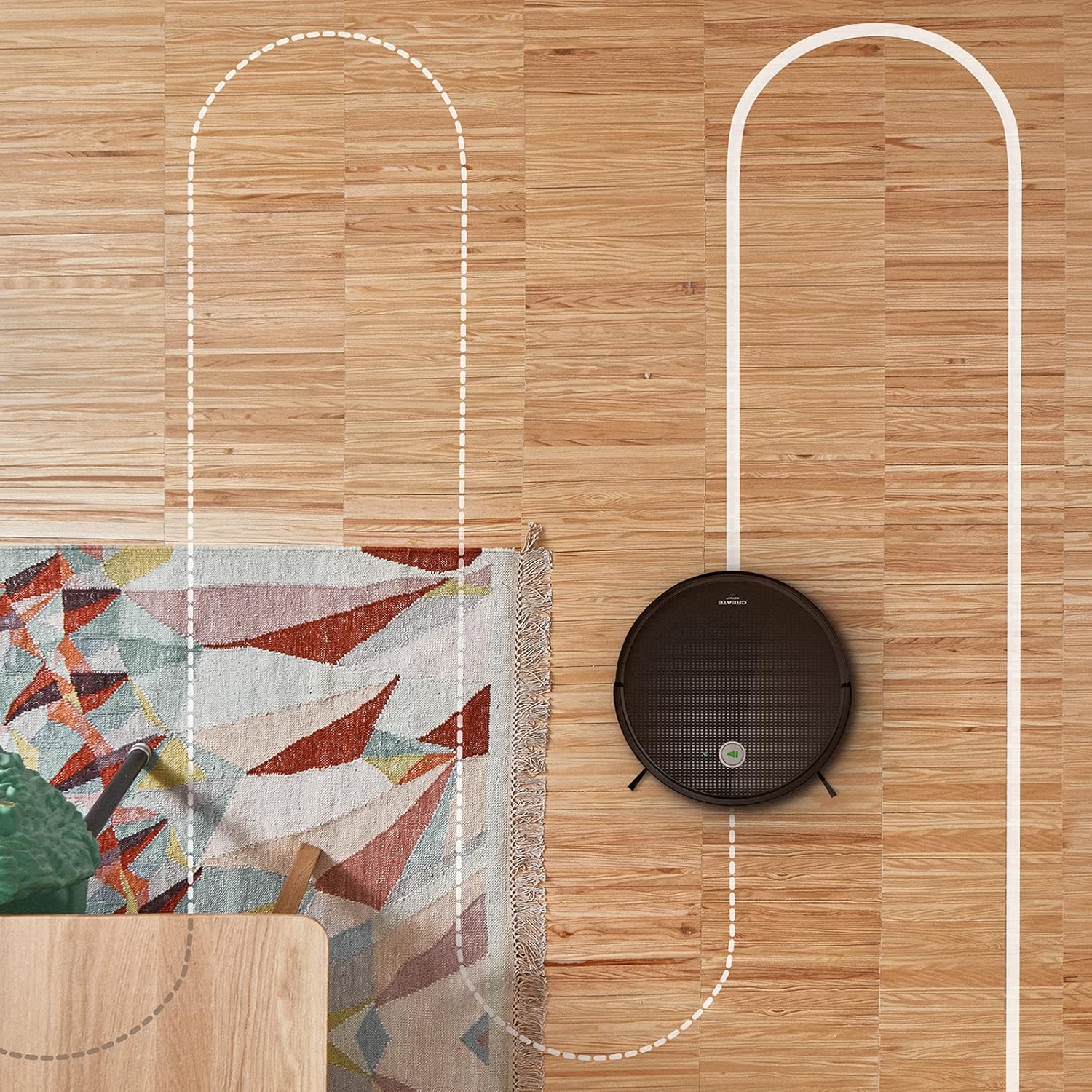
空中写真 view shows the CREATE NETBOT S15 Robot Vacuum Cleaner moving across a wooden floor, with a dotted line indicating its systematic cleaning path, highlighting its gyroscopic navigation.
5.2 リモコンの使用
The included remote control allows for direct operation of the robot vacuum. Refer to the remote control diagram in your quick start guide for button functions. Common functions include:
- クリーニングの開始/一時停止
- 充電ベースに戻る
- Directional Control (manual steering)
- スポットクリーニング
- エッジクリーニング
- スケジュール設定
5.3 磁気ストライプの使用
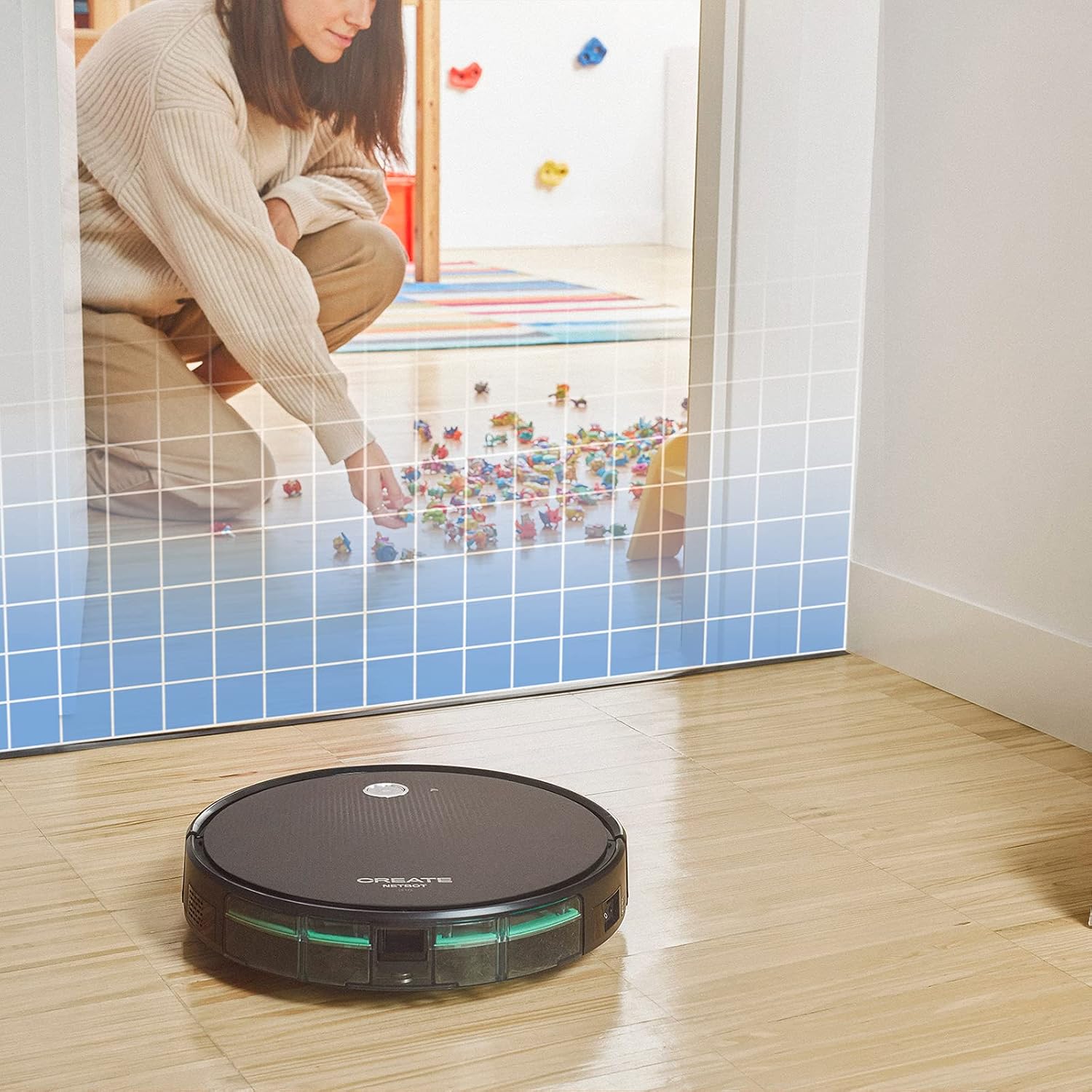
This illustration demonstrates the CREATE NETBOT S15 Robot Vacuum Cleaner approaching a virtual boundary, represented by a grid, which prevents it from entering a specific area, such as where toys are located.
Use the provided magnetic strip to create virtual boundaries that the robot will not cross. Place the strip on the floor to delimit areas where the robot should not enter, such as pet feeding zones or areas with delicate items.
5.4 バッテリー寿命
The NETBOT S15 is equipped with a long-lasting LG Lithium battery, providing up to 120 minutes of cleaning autonomy on a single charge, depending on the selected power mode.
6. メンテナンス
定期的なメンテナンスにより、最適なパフォーマンスが確保され、ロボット掃除機の寿命が延びます。
6.1 ゴミ箱と水タンクの清掃
Empty the dustbin after each use. The 600 ml dustbin is easily removable. If using the mopping function, empty and rinse the 400 ml water tank after each use to prevent mold or odors.
6.2 ブラシの洗浄

クローズアップ view of the CREATE NETBOT S15 Robot Vacuum Cleaner's side brush, showing its design for sweeping debris into the main suction path.
- サイドブラシ: Regularly check for hair or debris entanglement. Remove and clean as needed. Replace worn brushes with the provided spares.
- メインブラシ: メインブラシカバーを取り外し、ブラシを持ち上げます。クリーニングツールを使用して、絡まった髪の毛やゴミを取り除きます。
6.3 フィルターの清掃/交換
The robot uses a double filter system: a sponge filter and a HEPA filter. Tap the filters to remove loose dirt. Do not wash HEPA filters with water. Replace filters every 3-6 months, or more frequently with heavy use, to maintain suction performance.
6.4 センサーのクリーニング
Wipe the cliff sensors (located on the bottom of the robot) and the bumper sensors (on the front) with a clean, dry cloth to ensure proper navigation and obstacle detection.
7。 トラブルシューティング
If you encounter issues with your NETBOT S15, refer to the following common problems and solutions:
| 問題 | 考えられる原因 | 解決 |
|---|---|---|
| ロボットが起動しない、または応答しません。 | バッテリー残量が少ない。電源スイッチがオフ。ロボットが動かない。 | ロボットを充電し、電源スイッチがオンになっていることを確認し、障害物を取り除きます。 |
| 洗浄性能が悪い。 | ゴミ箱がいっぱい、ブラシ/フィルターが詰まっている、ブラシが摩耗している。 | Empty dustbin; Clean brushes and filters; Replace brushes/filters. |
| ロボットが充電ベースを見つけることができません。 | 充電ベースが妨害されている;ロボットがベースから遠すぎる;ベースに電源が入っていない。 | Ensure clear space around base; Manually place robot closer; Check power connection to base. |
| ロボットが頻繁に動けなくなります。 | Cables/small objects on floor; Uneven surfaces; Dark colored carpets. | Clear floor of obstacles; Use magnetic strips for problem areas; Robot may struggle on very dark surfaces. |
| Wi-Fi接続の問題。 | Wi-Fi パスワードが間違っています。ルーターが遠すぎます。5GHz ネットワークです。 | Verify password; Move robot closer to router; Ensure connection to a 2.4GHz Wi-Fi network. |
8. 仕様
Key technical specifications for the CREATE NETBOT S15 Robot Vacuum Cleaner:
- ブランド: 作成する
- モデル番号: ネットボットS15
- 色: Black - Turquoise
- 寸法(長さ×幅×高さ): 33 x 33 x 7.5 cm
- 重さ: 3キログラム
- 力: 25ワット
- 吸引力: 最大1500Pa
- 騒音レベル: 62デシベル
- 電池のタイプ: リチウムイオン
- バッテリー寿命: 最大120分
- ゴミ箱容量: 600ml
- 水タンク容量: 400ml
- フィルターシステム: Double sponge Clean + HEPA filter
- 接続性: Wi-Fi, App Control
- 音声アシスタントの互換性: Google Home、Alexa
- 特別な機能: Gyroscopic navigation, Magnetic strip boundary, 4 cleaning modes (sweep, vacuum, mop, wash)
9. 保証とサポート
For warranty information, technical support, or service inquiries, please refer to the warranty card included with your product or visit the official CREATE webサイトでご確認ください。購入証明として購入レシートを保管してください。