
Microsoft PUV-00016
Microsoft Surface Pro 7 ユーザーマニュアル
Model: PUV-00016
1. はじめに
The Microsoft Surface Pro 7 is a versatile 2-in-1 device designed to adapt to various work and lifestyle needs. It combines the power of a laptop with the flexibility of a tablet, making it suitable for a wide range of tasks from productivity to creative work. This manual provides essential information for setting up, operating, and maintaining your Surface Pro 7.
2. 箱の中身
Upon unboxing your Microsoft Surface Pro 7, you will find the following items:
- Microsoft Surface Pro 7 タブレット
- 電源
- クイックスタートガイド(QSG)
- Warranty and Compliance Guide (WACG)
Please note: Accessories such as the Type Cover keyboard, Surface Pen, and mouse are sold separately and are not included in the standard package.

Image: The Microsoft Surface Pro 7 tablet, power supply, and placeholders for separately sold accessories like the Type Cover, Surface Pen, and mouse.
3.製品オーバーview
The Surface Pro 7 features a sleek, ultra-slim design, weighing approximately 1.70 pounds, making it highly portable. Its integrated kickstand allows for flexible positioning in various modes.
3.1 物理的特徴とポート
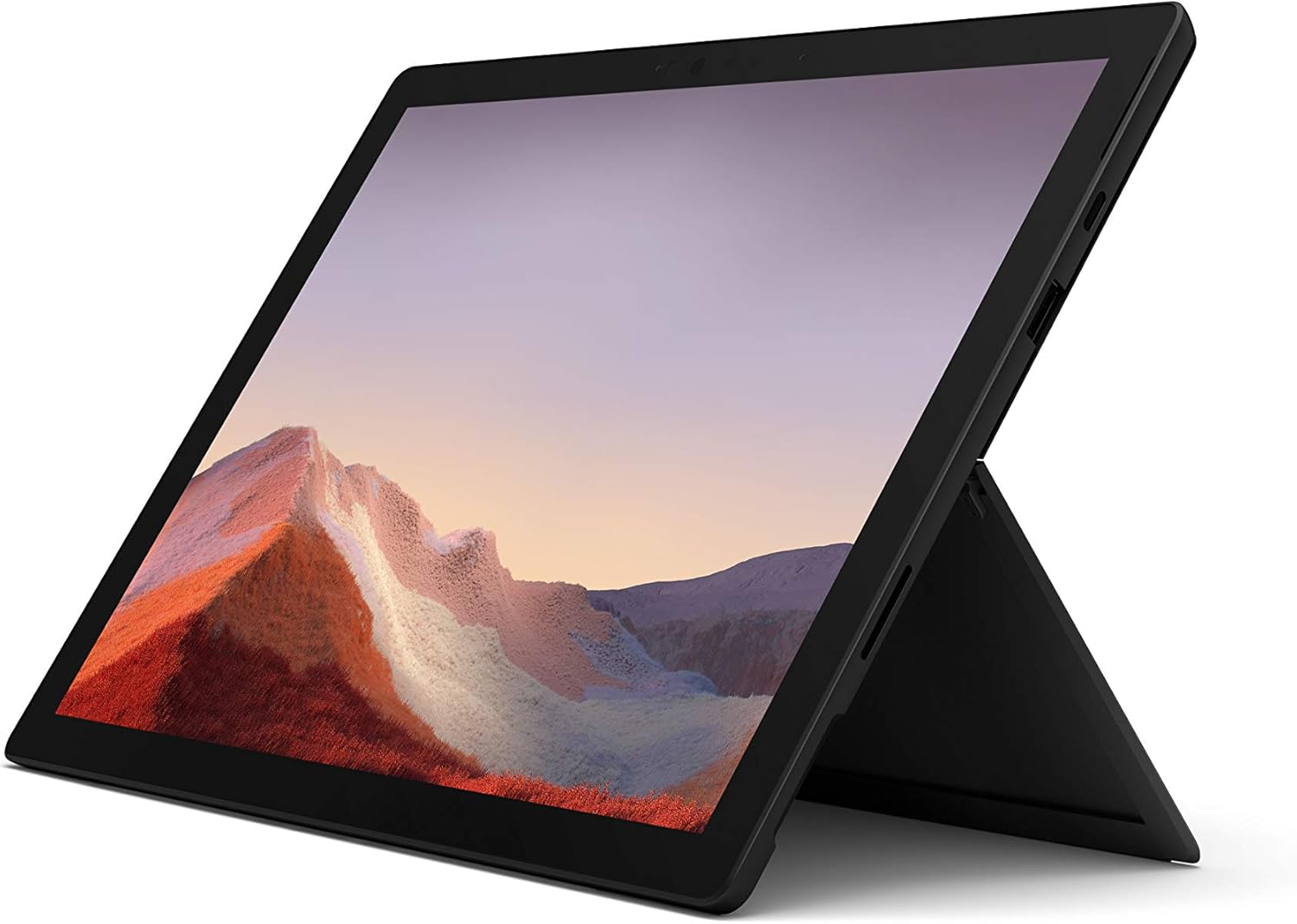
画像: 正面 view of the Microsoft Surface Pro 7 in an upright position, showcasing its display and kickstand.
- 電源ボタン: 上端にあります。
- 音量ロッカー: 電源ボタンの隣。
- USB-Cポート: A versatile port for data transfer, video output, and charging.
- USB-A ポート: 周辺機器を接続するための標準 USB ポート。
- Surface Connect ポート: Surface Dock アクセサリの充電および接続に使用します。
- MicroSD カードリーダー: Located under the kickstand for expandable storage.
- フロントカメラ: For video calls and Windows Hello facial recognition.
- リアカメラ: 8 MP camera for capturing photos and 1080p video.
- スタジオマイク: Dual array microphones for enhanced audio input.

画像: サイドプロfile of the Surface Pro 7, showing the placement of its USB-C and USB-A ports.

画像: 背面 view of the Surface Pro 7 with its kickstand deployed, revealing the Microsoft logo.
4. セットアップ
4.1 初回電源投入とWindowsのセットアップ
- デバイスを充電します。 Before first use, connect the Surface Pro 7 to the power supply using the included charger. The device supports fast charging.
- 電源オン: Press and hold the Power button located on the top edge of the device until the Microsoft logo appears.
- 画面上の指示に従ってください: Windows 10 Home will guide you through the initial setup process. This includes selecting your region and language, connecting to a Wi-Fi network, accepting the license agreement, and creating a user account or signing in with a Microsoft account.
- Windows アップデート: After initial setup, it is recommended to check for and install any available Windows updates to ensure optimal performance and security. Your device is eligible for a free upgrade to Windows 11 when available.
5. 基本操作
5.1 ラップトップモードとタブレットモード
The Surface Pro 7 seamlessly transitions between a full-powered laptop and a versatile tablet. Simply attach the optional Type Cover to use it as a laptop, or detach it for tablet functionality.

Image: The Surface Pro 7 with its Type Cover keyboard, demonstrating its laptop configuration.

Image: The Surface Pro 7 in tablet mode, with the optional Surface Pen positioned beside it.
5.2 Touch, Pen, and Keyboard Input
- タッチスクリーン: Interact directly with the 12.3-inch PixelSense display using multi-touch gestures.
- Surface Pen (Optional): For precise writing, drawing, and navigation. The pen offers natural ink flow and tilt support.
- Type Cover (Optional): Provides a full-size backlit keyboard and a large glass trackpad for comfortable typing and navigation.
6. 接続性
6.1 ワイヤレス接続
- Wi-Fi: Connect to wireless networks using the integrated 802.11ax Wi-Fi for high-speed internet access.
- ブルートゥース: Pair Bluetooth-enabled devices such as headphones, mice, and keyboards.
6.2 有線接続
- USB-C: Use this port for connecting modern peripherals, external displays, or for charging the device.
- USB-A: Connect traditional USB devices like flash drives, external hard drives, or older peripherals.
7. パフォーマンスとバッテリー
The Surface Pro 7 is powered by a 10th Gen Intel Core processor, offering enhanced performance for multitasking and demanding applications. It features improved graphics performance for a smoother visual experience.
Video: An official Microsoft video showcasing the Surface Pro 7's features, including faster multitasking, improved graphics, instant-on capability, and all-day battery life.
Video: An official Microsoft sizzle reel highlighting the Surface Pro 7's 2-in-1 design, high-speed USB-C, PixelSense display, faster processor, Studio Mics, and accessories.
7.1 バッテリー寿命と充電
The Surface Pro 7 offers up to 10.5 hours of typical device usage. It supports fast charging, allowing you to charge approximately 80% of the battery in just over an hour. For optimal battery longevity, avoid extreme temperatures and fully discharging the battery frequently.
8. メンテナンス
- クリーニング: Use a soft, lint-free cloth to clean the screen and exterior. For stubborn smudges, a slightly damp cloth with water or a mild screen cleaner can be used. Avoid abrasive materials or harsh chemicals.
- ソフトウェアアップデート: Regularly check for and install operating system and driver updates to ensure your device runs smoothly and securely.
- ストレージ管理: 定期的に再view and manage your storage to free up space. Utilize the microSD card slot for additional storage if needed.
- 環境条件: 損傷を防ぐために、推奨される温度と湿度の範囲内でデバイスを操作してください。
9。 トラブルシューティング
If you encounter issues with your Surface Pro 7, try the following basic troubleshooting steps:
- デバイスが応答しない: Press and hold the Power button for about 10 seconds until the device turns off, then press it again to restart.
- 表示の問題: Ensure all cables are securely connected if using an external display. Try adjusting display settings in Windows.
- 接続の問題: For Wi-Fi or Bluetooth issues, try turning the respective feature off and on again, or restart your device. Check your router or Bluetooth accessory.
- バッテリーの消耗が早い: Adjust power settings to battery saver mode, reduce screen brightness, and close unnecessary applications.
- ソフトウェアの不具合: Ensure your Windows operating system is up to date. If problems persist, consider running Windows Troubleshooters or performing a system restore.
10. 仕様
| 特徴 | 詳細 |
|---|---|
| ブランド | マイクロソフト |
| モデル名 | サーフェスプロ7 |
| 商品型番 | PUV-00016 |
| 画面サイズ | 12.3インチ |
| 画面解像度 | 2736x1824 (Max 1920x1080) |
| プロセッサ | 第10世代インテルCore i5 |
| ラム | 8GB DDR4 |
| ハードドライブ | 256GB SSD |
| グラフィックスコプロセッサ | 統合されたIntelグラフィックス |
| ワイヤレスタイプ | ブルートゥース、802.11ax |
| USBポート | USB-C、USB-A |
| 平均バッテリー寿命 | 最大10.5時間 |
| オペレーティング·システム | Windows 10 Home(Windows 11にアップグレード可能) |
| アイテム重量 | 1.7ポンド |
| 製品寸法 | 12.74 x 9.09 x 1.91インチ |
| 色 | マットブラック |
11. 保証とサポート
For detailed warranty information and technical support, please refer to the Warranty and Compliance Guide included in your product packaging or visit the official Microsoft support website. Microsoft provides resources for troubleshooting, driver downloads, and service options.