導入
Thank you for choosing the TIMEMORE Basic 2.0 Digital Coffee Scale. This manual provides detailed instructions for the setup, operation, and maintenance of your new coffee scale. Designed for precision and versatility, this scale features accurate weighing, an integrated timer, automatic tare, and flow rate display, making it ideal for various coffee brewing methods including espresso and pour-over.
主な特徴
- Precise Weighing: Equipped with a high-precision sensor, offering measurements up to 2000g (70oz) with 0.1g (0.01oz) accuracy.
- 統合タイマー: Allows simultaneous measurement of weight and brewing time for consistent results.
- Multiple Brewing Methods: Suitable for pour-over, espresso, French press, Aeropress, and more, thanks to its high capacity, accuracy, and flow rate display.
- ユーザーフレンドリーなインターフェース: Features a clear LCD screen for instant and accurate readings, intuitive controls, automatic tare, and auto-off function.
- ポータブルで充電式: Compact design with a built-in rechargeable battery and Type-C charging port for convenience at home or on the go.
設定
- 開梱: スケールとすべての付属品をパッケージから慎重に取り出します。
- 初期費用: Before first use, fully charge the scale using the provided Type-C cable. The battery indicator on the display will show charging status.
- 配置: 正確な測定を行うために、スケールを平らで安定した面に置いてください。
- 電源オン: Press the Power ON/OFF switch button (usually labeled ⏻ or similar) to turn on the scale.

Image: The TIMEMORE Basic 2.0 Coffee Scale, ready for use.
操作手順
1. 電源のオン/オフ
を押す 電源オン/オフ button (usually on the side or bottom) to turn the scale on. Press and hold the same button to turn it off.
2. Unit Conversion (g/oz)
を押す "U" button to switch between grams (g) and ounces (oz).

Image: The scale displaying weight in grams, with an option to switch to ounces.
3. 風袋機能
空の容器を秤の上に置き、 「T」 button (often integrated with the power button) to reset the weight to zero before adding ingredients.
4. Manual Timer Mode
In manual timer mode, press the 再生/一時停止 button (often labeled with a triangle icon) to start or pause the timer. Press the 「T」 button to reset the timer and weight to zero.
Video: Demonstrating the manual timer mode and tare function on the coffee scale.
5. Automatic Timer Mode (Espresso/Pour-Over)
The scale can automatically detect when water is poured and start the timer. Place your brewing setup (e.g., portafilter with cup, pour-over dripper with server) on the scale. After taring, the timer will start automatically once liquid is detected. The display will show both time and weight, and for some models, flow rate.

Image: The scale automatically starting the timer when water is poured for pour-over coffee.
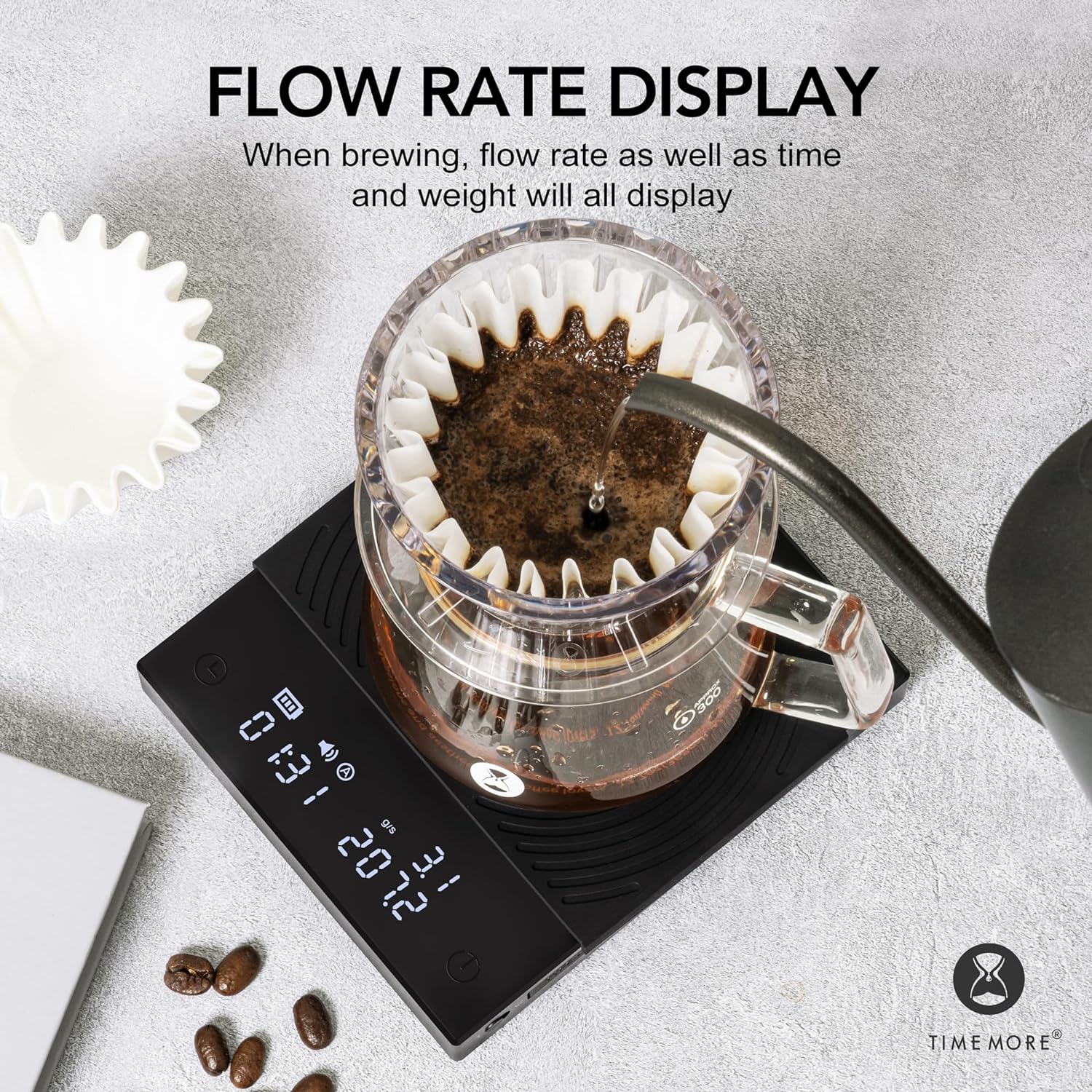
Image: The scale displaying flow rate, time, and weight during brewing.
メンテナンス
- クリーニング: スケールの表面を柔らかくて乾いた布で拭きます。amp 布で拭いてください。研磨剤入りの洗剤を使用したり、スケールを水に浸したりしないでください。
- シリコンパッド: The heat-resistant and waterproof silicone pad can be removed for cleaning. Ensure it is dry before placing it back on the scale.
- ストレージ: Store the scale in a dry place away from extreme temperatures and direct sunlight.
- バッテリーのケア: Recharge the battery when the low battery indicator appears. Avoid fully draining the battery frequently to prolong its lifespan.

Image: The removable heat-resistant and waterproof silicone pad for easy cleaning.

Image: The Type-C charging port and built-in rechargeable battery for convenience.
トラブルシューティング
| 問題 | 考えられる原因 | 解決 |
|---|---|---|
| スケールがオンにならない | 電池残量が少ない、または電源ボタンが正しく押されていません。 | Charge the scale using the Type-C cable. Press and hold the power button firmly. |
| 不正確な測定値 | Uneven surface, scale overloaded, or external interference. | Place on a flat, stable surface. Ensure weight does not exceed 2000g. Avoid strong vibrations or air currents. |
| Timer not starting automatically | Not in automatic timer mode or insufficient liquid flow detected. | Ensure the scale is in the correct mode. Pour liquid steadily to trigger the sensor. |
| ディスプレイに「Lo」と表示される | バッテリー残量が少なくなりました。 | 体重計を充電してください。 |
| ディスプレイに「O-Ld」と表示される | オーバーロード。 | Remove items from the scale immediately to prevent damage. Do not exceed 2000g. |
仕様
| 特徴 | 詳細 |
|---|---|
| ブランド | タイムモア |
| モデル番号 | TM56 |
| 製品寸法 | 14.99 x 14.99 x 3.94 cm(約5.9 x 5.9 x 1.55インチ) |
| アイテム重量 | 391.22グラム(約13.8オンス) |
| 色 | Basic 2.0 (Black) |
| 推奨用途 | コーヒー醸造 |
| 特集 | 自動シャットオフ、タイマー |
| 表示タイプ | 液晶 |
| 重量制限 | 2キログラム(2000g) |
| フォームファクター | Handheld (Portable) |
| 材料 | アクリル |
| 読み取り精度 | +/- 0.1グラム |
保証とサポート
For warranty information or technical support, please refer to the warranty card included with your product or contact TIMEMORE customer service directly. Keep your purchase receipt as proof of purchase.
For further assistance, you may visit the official TIMEMORE webサイトをご覧いただくか、お近くの販売店にお問い合わせください。


