
1. 重要な安全上の注意事項
ご使用前にこの取扱説明書をよくお読みになり、大切に保管してください。これらの指示に従わない場合、感電、火災、または重傷を負う可能性があります。
- カバーしないでください: Never cover the heater. Covering the heater can lead to overheating and fire. The appliance has a warning label indicating this.
- ボリュームを確保するtag定格ラベルに表示されているeは主電源電圧に対応しますtagあなたの家に。
- この機器は家庭用としてのみご使用ください。業務用または工業用には使用しないでください。
- Do not use the heater in bathrooms, near water, or in damp 環境。
- Always place the heater on a stable, flat, and heat-resistant surface.
- Keep the heater at a safe distance from flammable materials such as furniture, curtains, and paper.
- Do not insert any objects into the heater's openings.
- 使用していないときや清掃する前には、ヒーターを電源コンセントから抜いてください。
- コードやプラグが損傷している状態でヒーターを使用しないでください。コードが損傷している場合は、危険を避けるため、製造元、サービス代理店、または同等の資格を持つ担当者に交換を依頼してください。
- This appliance is equipped with an overheat protection system. If the heater overheats, it will automatically shut off. Unplug the heater, allow it to cool down, and then check for any obstructions before restarting.
- ヒーターが作動しているときは、子供やペットを監視してください。
2.製品オーバーview
The Mesko MS7719 is a portable electric fan heater designed to provide quick heating or cooling for various indoor spaces. It features two power settings for heating, a cold air function, and a thermostat for temperature control. Its compact size and lightweight design make it easy to move and position where needed.
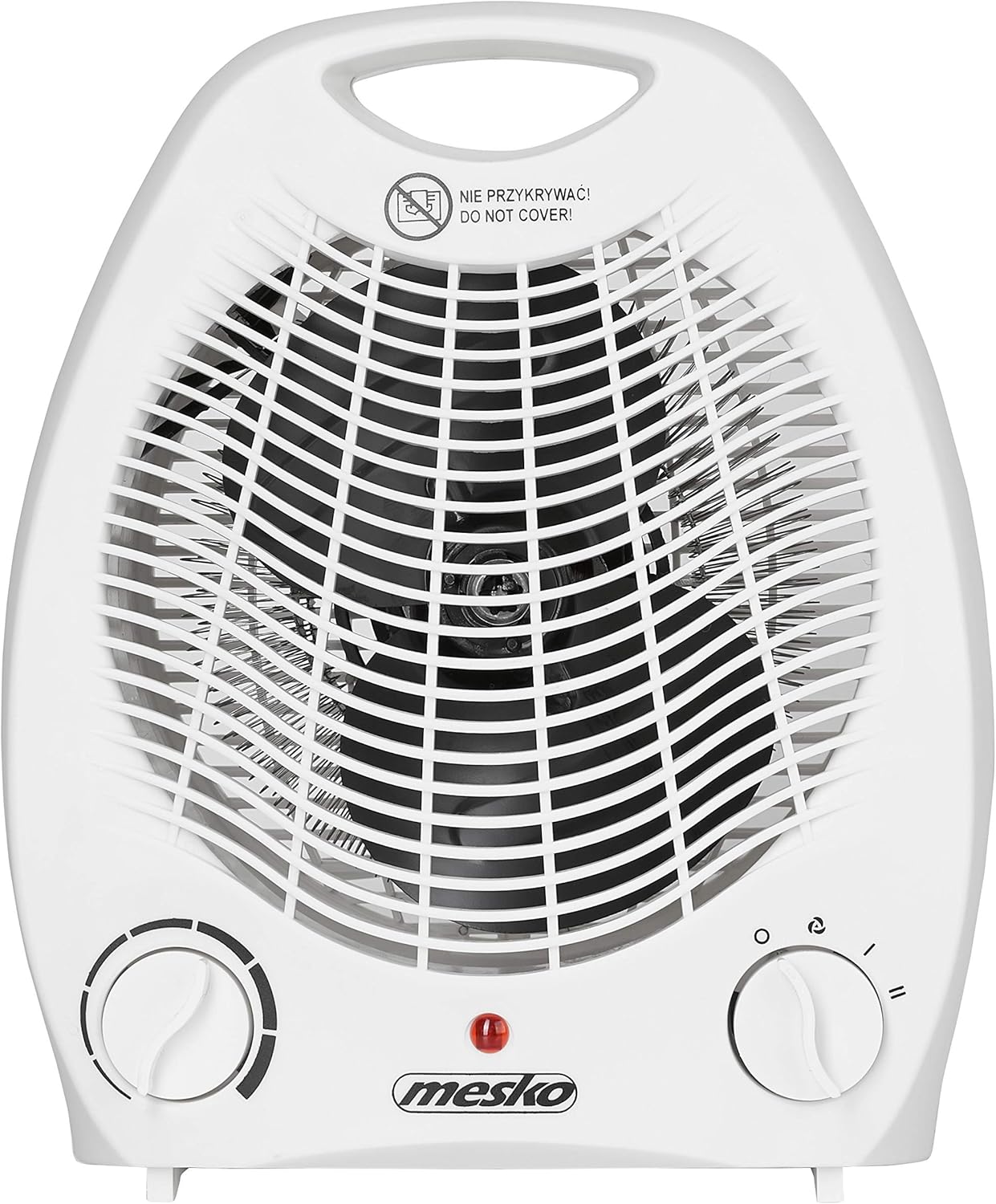
図1: 前面 view of the Mesko MS7719 Portable Electric Fan Heater, showing the fan grille, control knobs, and indicator light.
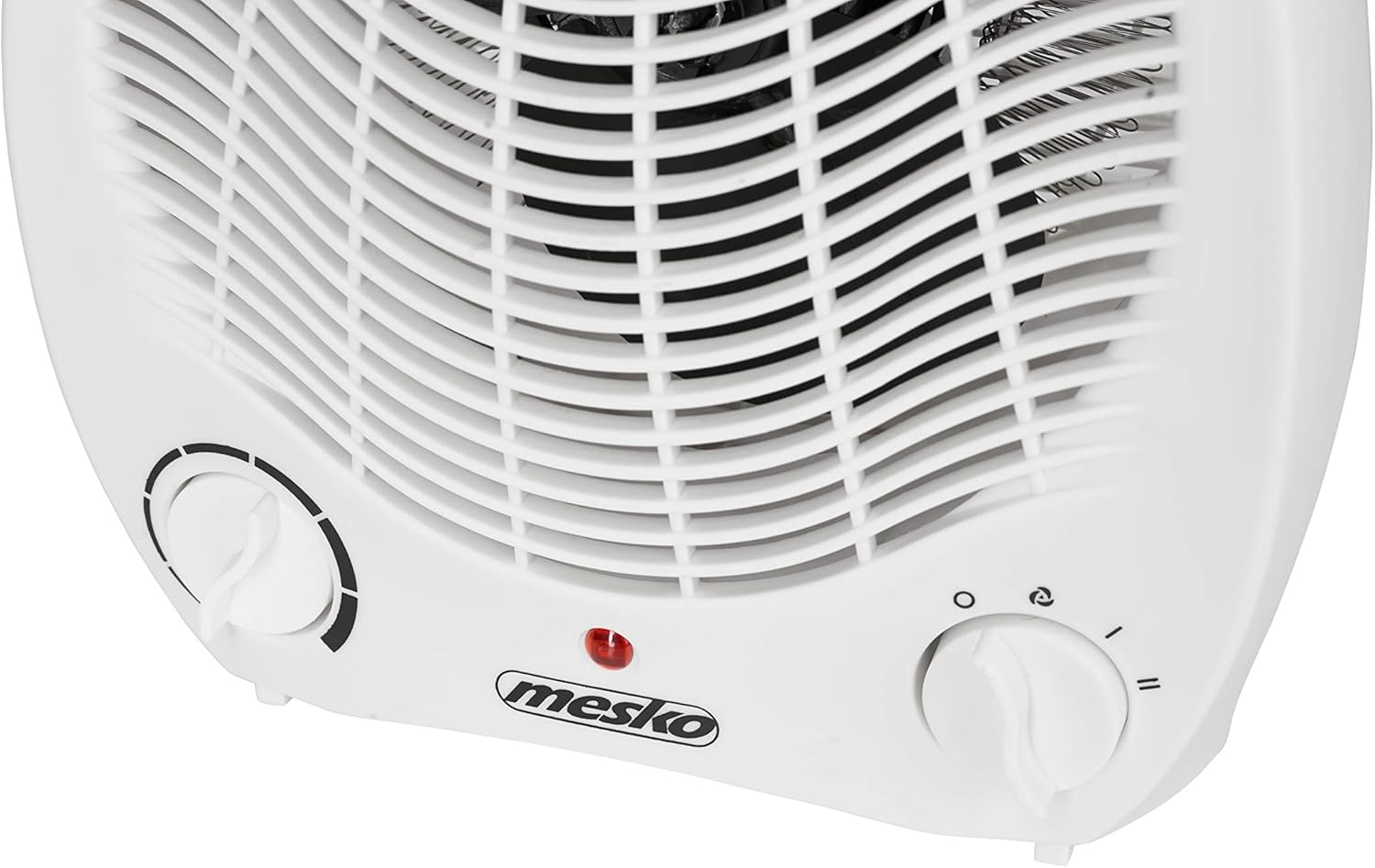
Figure 2: Close-up of the control panel, highlighting the thermostat knob (left) and mode selector knob (right).
3. セットアップ
- 開梱: Carefully remove the heater from its packaging. Retain the packaging for storage or disposal according to local regulations.
- 配置: Place the heater on a firm, level, and stable surface. Ensure there is at least 1 meter (3 feet) of clear space around the heater from walls, furniture, and other objects to allow for proper airflow and prevent fire hazards.
- 電源接続: Ensure the heater is switched off (mode selector knob set to 'O' or 'OFF'). Plug the power cord into a suitable electrical outlet (220-240V, 50Hz).
4. 操作手順
The Mesko MS7719 heater features two control knobs on its front panel:
- 左ノブ: サーモスタット制御。
- 右ノブ: Mode selector (Power/Airflow).
4.1.モードの選択
Turn the right knob (mode selector) to choose the desired operating mode:
- O (OFF): ヒーターをオフにします。
- Fan Only (Cold Air): Activates the fan without heating, providing a cool airflow. This mode is indicated by a fan icon.
- Heat Setting I (1000W): Provides low-level heating. This mode is indicated by a single wave icon.
- Heat Setting II (2000W): Provides high-level heating. This mode is indicated by a double wave icon.
4.2. 温度制御(サーモスタット)
Once a heating mode (Heat Setting I or II) is selected, use the left knob (thermostat) to set the desired room temperature:
- サーモスタットのノブを時計回りに回して、希望する温度を上げます。
- 希望する温度を下げるには、サーモスタットのノブを反時計回りに回します。
- ヒーターは設定温度を維持するためにオンとオフを繰り返します。
4.3. インジケーターライト
A red indicator light on the front panel illuminates when the heater is operating (fan or heating modes).
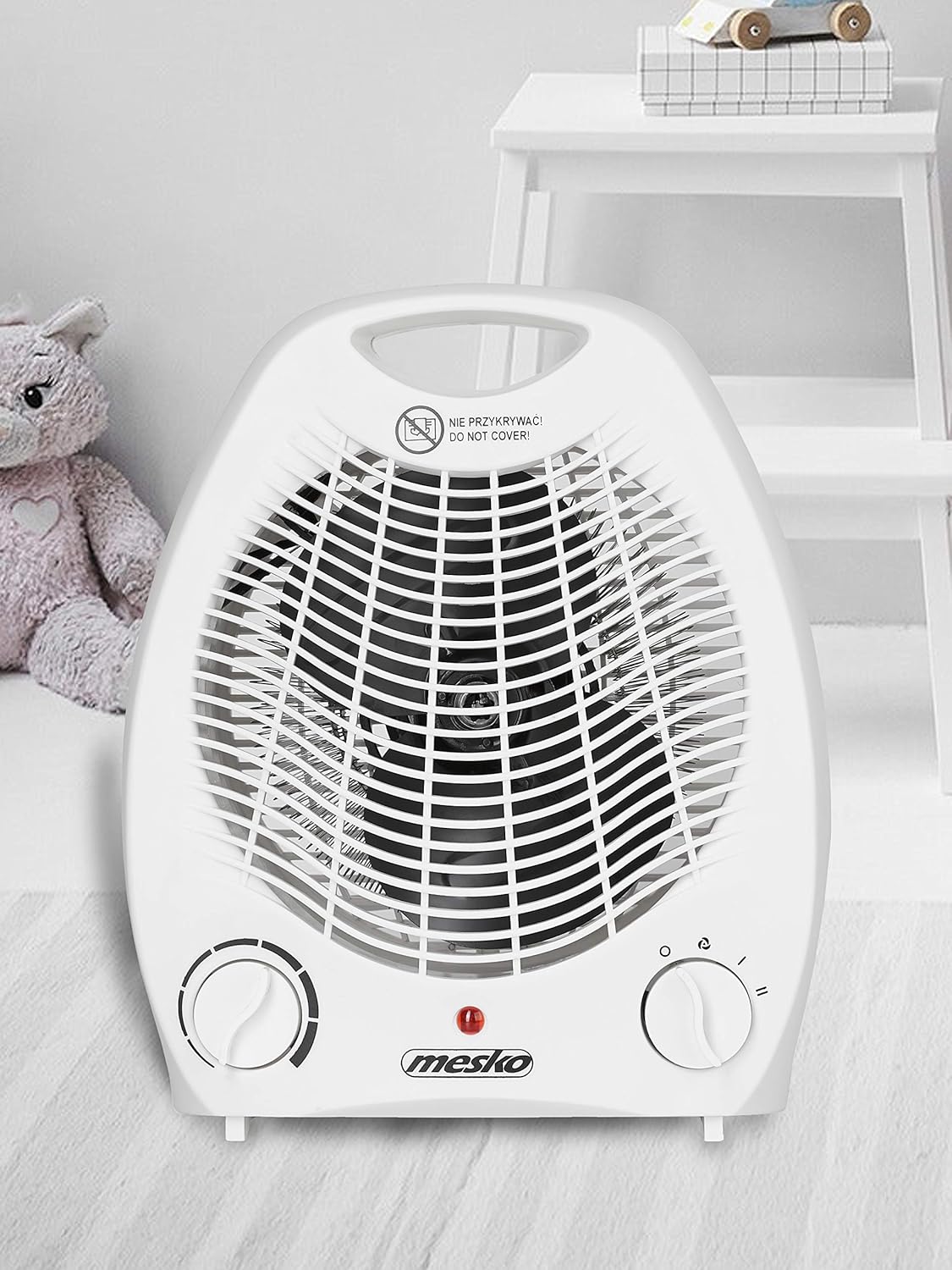
Figure 3: The fan heater positioned in a room, demonstrating its compact and portable nature.
5. メンテナンス
定期的な清掃とメンテナンスは、ヒーターの寿命を延ばし、効率的に動作させるのに役立ちます。
- 洗浄前: 清掃する前に必ずヒーターを電源コンセントから抜き、完全に冷めるまで待ってください。
- 外装清掃: ヒーターの外側の表面を柔らかくて乾いた布で拭いてください。amp cloth. Do not use abrasive cleaners, solvents, or harsh chemicals, as these can damage the plastic housing.
- 空気入口/出口: Use a vacuum cleaner with a brush attachment to gently remove dust and debris from the air inlet and outlet grilles. Ensure these areas are clear of obstructions.
- ストレージ: When not in use for extended periods, store the heater in its original packaging or a clean, dry place.
- 浸漬しないでください: Never immerse the heater or its power cord in water or any other liquid.
6。 トラブルシューティング
If you encounter issues with your Mesko MS7719 heater, please refer to the following common troubleshooting steps:
- ヒーターがオンにならない:
- 電源コードが機能しているコンセントにしっかりと差し込まれているかどうかを確認します。
- Ensure the mode selector knob is set to a heating or fan mode, not 'O' (OFF).
- サーモスタットのノブが現在の室温よりも高い温度に設定されていることを確認します。
- 家庭内のブレーカーまたはヒューズボックスを確認してください。
- Heater turns off unexpectedly (Overheat Protection):
- The heater has an automatic overheat protection system. If it shuts off, unplug it immediately.
- Allow the heater to cool down for at least 10-15 minutes.
- Inspect the air inlet and outlet grilles for any obstructions (dust, lint, objects). Clear any blockages.
- Ensure the heater is placed on a stable surface and has adequate clearance around it.
- Plug the heater back in and restart. If the issue persists, contact customer support.
- No heat in heating mode:
- Ensure the mode selector is set to Heat Setting I or II.
- サーモスタットをより高い設定に調整します。
If these steps do not resolve the issue, please contact Mesko customer support or your retailer for assistance.
7. 仕様
Technical specifications for the Mesko MS7719 Portable Electric Fan Heater:
| 特徴 | 仕様 |
|---|---|
| ブランド | メスコ |
| モデル番号 | MS7719 |
| 色 | 白 |
| 製品寸法(長さ x 幅 x 高さ) | 14 x 17 x 22 cm |
| 材料 | プラスチック |
| 電源設定 | 2(1000W / 2000W) |
| エアフローモード | Cold Air (Fan Only), Warm Air (1000W), Hot Air (2000W) |
| サーモスタット | はい |
| 過熱保護 | はい |
| 自動シャットオフ | No (but has overheat protection) |
| 製品重量 | 1キロ |
| 電源 | 電気ケーブル |
| 加熱方法 | 強制空気 |
| 推奨用途 | ホーム(屋内) |
| 取り付けタイプ | テーブルトップ |

Figure 4: Dimensions of the Mesko MS7719 Portable Electric Fan Heater.
8. 保証とサポート
For warranty information, please refer to the warranty card included with your purchase or consult the retailer where the product was purchased. Mesko provides a standard manufacturer's warranty against defects in materials and workmanship.
For technical support, spare parts, or service inquiries, please contact your local Mesko distributor or the retailer from whom you purchased the product. Please have your model number (MS7719) and proof of purchase ready when contacting support.