
1. はじめに
This manual provides detailed instructions for the proper use and maintenance of your Zerone AYNEFY0oxm4abc37 USB Endoscope. This device is designed for visual inspection in hard-to-reach areas, offering compatibility with Android smartphones and various computer operating systems. Please read this manual thoroughly before operating the endoscope to ensure optimal performance and longevity.
2.製品オーバーview
2.1 主な特徴
- コンパクトなデザイン: Features a slim 5.5mm diameter lens for accessing narrow spaces.
- 防水等級: IP67 waterproof-rated, suitable for moist or underwater inspections.
- 調節可能な照明: Equipped with 6 adjustable LED lights to enhance visibility in dark environments.
- 高精細イメージング: 2.0MP CMOS HD camera provides clear and detailed images and videos.
- 耐久性のある構造: Crafted from high-quality materials for reliability and extended use.
- 幅広い互換性: 3-in-1 USB connector supports Android smartphones (with OTG function) and computers (Windows XP/W7/W8/VISTA/W10).
- 拡張範囲: Includes a 5-meter USB cable for flexible inspection tasks.
2.2 コンポーネント

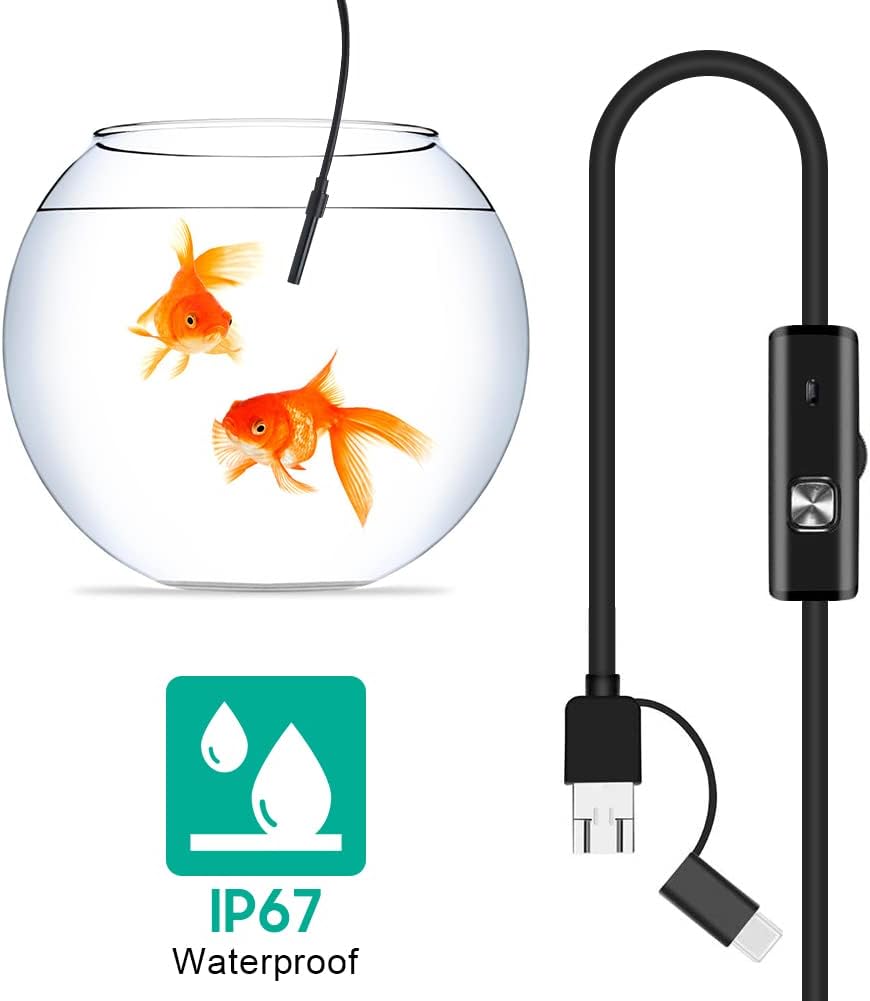


3. セットアップ
3.1 システム要件
- Android デバイス: Android 4.4 or higher with OTG (On-The-Go) and UVC (USB Video Class) support.
- コンピューター: Windows XP, Windows 7, Windows 8, Windows Vista, Windows 10.
3.2 ソフトウェアのインストール
For Android devices, download and install a compatible camera application from the Google Play Store that supports USB OTG endoscopes. Recommended applications include 'USB Camera', 'AN98', or 'CameraFi'. For Windows computers, the device typically functions with the built-in 'Camera' application or other webcam software. Drivers are usually installed automatically upon connection.
3.3 内視鏡の接続
- Androidの場合: Connect the appropriate connector (Micro-USB or USB-C) of the endoscope cable to your smartphone. Ensure your phone's OTG function is enabled in settings if it doesn't automatically detect the device.
- PCの場合: Connect the standard USB-A connector of the endoscope cable to an available USB port on your computer.
- Open the installed camera application on your device. The endoscope feed should appear.
4. 操作手順
4.1 LEDの明るさの調整
The control unit on the cable features a wheel or button to adjust the brightness of the 6 LED lights at the camera tip. Rotate the wheel or press the button to increase or decrease illumination as needed for clear viewさまざまな環境で動作します。
4.2 アクセサリの使用
- サイドミラー: Attach the side mirror to the camera tip to view objects at a 90-degree angle. This is useful for inspecting walls of pipes or tight corners.
- 磁石: Attach the magnet to the camera tip to retrieve small metallic objects from inaccessible areas.
- フック: Attach the hook to the camera tip to retrieve small non-metallic objects.
4.3 画像とビデオのキャプチャ
Use the functions within your chosen camera application to capture still images or record video footage from the endoscope. Refer to your application's specific instructions for these features.

5. メンテナンス
5.1 クリーニング
- After each use, gently wipe the camera lens and probe with a soft, dry cloth.
- 頑固な汚れには、軽くamp cloth can be used, ensuring no liquid enters the control unit or connectors.
- Do not use abrasive cleaners or solvents, as these can damage the lens or casing.
5.2 ストレージ
- 内視鏡は直射日光や極端な温度を避け、涼しく乾燥した場所に保管してください。
- 内部の損傷を防ぐため、ケーブルをねじったり、急激に曲げたりしないでください。
- Keep the lens cap on when not in use to protect the lens from dust and scratches.
6。 トラブルシューティング
- No Image/Device Not Detected:
- Ensure the endoscope is securely connected to your device.
- For Android, verify that OTG function is enabled in your phone's settings.
- コンピュータの別のUSBポートを試してください。
- Ensure the correct camera application is open and selected (if multiple cameras are detected).
- デバイスを再起動してもう一度お試しください。
- ぼやけた画像:
- The endoscope has a fixed focal length. Ensure the object being viewed is within the optimal focal range (typically a few centimeters from the lens).
- Clean the camera lens for any smudges or debris.
- Adjust the LED brightness to prevent overexposure or underexposure.
- LED ライトが動作しない:
- Check the LED brightness adjustment wheel/button on the control unit.
- 内視鏡が正しく接続され、電源が供給されていることを確認してください。
- Application Crashes/Freezes:
- Try a different compatible camera application.
- デバイスのオペレーティング システムが最新であることを確認してください。
- システム リソースを解放するには、他のバックグラウンド アプリケーションを閉じます。
7. 仕様
| 特徴 | 仕様 |
|---|---|
| モデル番号 | AYNEFY0oxm4abc37 |
| レンズ径 | 5.5mm |
| カメラ解像度 | 2.0MP CMOS HD (Video Capture Resolution: 1080p) |
| LEDライト | 6 つの調整可能な LED |
| ケーブル長さ | 5メートル |
| 防水等級 | IP67 |
| 接続性 | 3-in-1 USB (USB-A, Micro-USB, USB-C) |
| 互換性 | Android (OTG/UVC support), Windows XP/7/8/VISTA/10 |
| 製品寸法 | 4.72 x 4.72 x 1.38インチ |
| アイテム重量 | 4.6オンス |
| 色 | 黒 |
| メーカー | ゼロネ |
8. 保証とサポート
For warranty information or technical support, please refer to the product packaging or contact the retailer from whom the product was purchased. You may also visit the official Zerone webさらにサポートが必要な場合は、サイトをご覧ください。