
導入
Thank you for choosing the TOPVISION 120-inch 16:9 HD 4K Foldable Projector Screen. This manual provides essential information for the proper setup, operation, and maintenance of your projector screen. Please read these instructions carefully before use to ensure optimal performance and longevity of your product.
安全情報
- Keep the screen away from open flames and high heat sources.
- Avoid using sharp objects on the screen surface to prevent damage.
- Ensure the screen is securely mounted to prevent it from falling.
- Do not expose the screen to direct sunlight for extended periods when not in use, as this may affect material integrity.
- この製品は玩具ではありません。お子様の手の届かないところに保管してください。
パッケージ内容
パッケージに以下の項目が含まれているか確認してください。
- 1 x TOPVISION 120-inch 16:9 Projector Screen
- 取り付けフック
- Ropes (for alternative mounting)
セットアップとインストール
The TOPVISION projector screen is designed for easy installation, suitable for both indoor and outdoor use.
1. Unfolding the Screen
Carefully unfold the screen. Due to its anti-crease polyester fabric, it should flatten out smoothly. If minor creases are present from packaging, they typically disappear after hanging for a short period or with gentle stretching.
2. 取り付けオプション
The screen offers versatile mounting options:
- Adhesive Hooks: Peel the backing from the adhesive hooks and firmly press them onto a clean, dry, smooth surface (e.g., wall, window). Ensure even spacing. Hang the screen by its grommets onto these hooks.
- ロープ: Thread the provided ropes through the screen's grommets. Tie the ropes to suitable anchor points such as trees, poles, or existing fixtures. Adjust tension to ensure the screen is taut.
- 爪: For a more permanent installation on appropriate surfaces, use nails through the grommets.
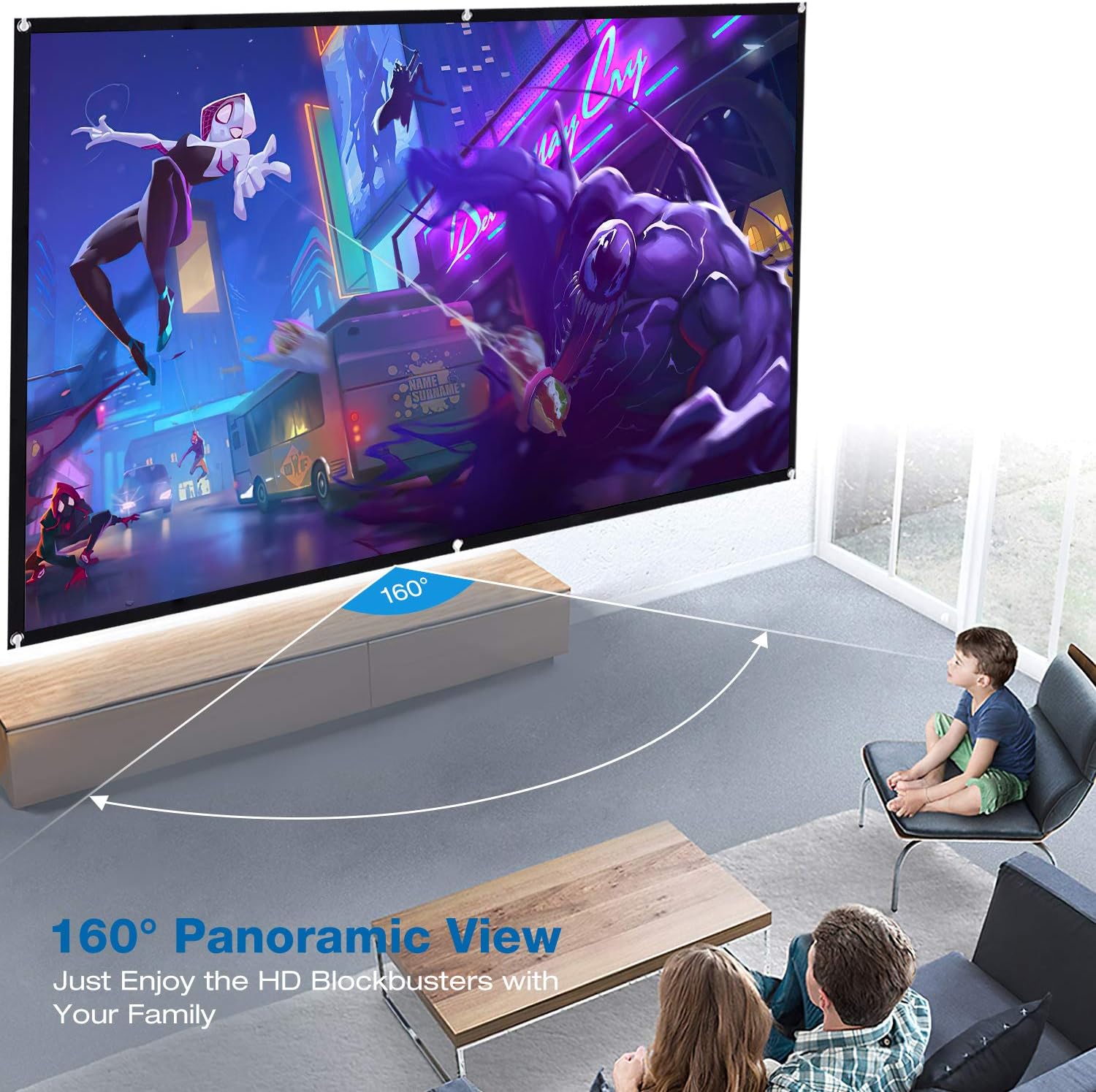
Image: The TOPVISION projector screen installed in a living room, illustrating the wide 160-degree panoramic viewing angle for an immersive experience.

Image: The TOPVISION projector screen set up outdoors, demonstrating its portability and suitability for outdoor movie nights and gatherings.
Ensure the screen is stretched evenly and taut to achieve the best projection surface. The 16:9 aspect ratio is ideal for widescreen content.
操作手順
Once installed, the TOPVISION projector screen is ready for use with your projector.
1. プロジェクターの配置
Position your projector directly in front of the screen. Adjust the projector's distance and zoom settings to fill the screen completely without overshooting the edges.
2. Image Alignment and Focus
Use your projector's keystone correction and focus adjustments to achieve a perfectly rectangular and sharp image on the screen. The screen's smooth surface is optimized for clear 4K/HD projection.
3. View角度
The screen offers a wide 160-degree viewing angle, ensuring a clear and vibrant image from various positions within the room or outdoor space. This allows multiple viewers to enjoy the content without significant loss of image quality.

Image: The TOPVISION projector screen displaying a vibrant movie scene, showcasing its ability to render high-definition content with clarity.

Image: A family enjoying a football match on the TOPVISION projector screen, highlighting its suitability for home theater and entertainment.
メンテナンス
Proper care will extend the life and maintain the quality of your projector screen.
1. 画面のクリーニング
The screen is made of durable polyester fabric. To clean, gently wipe the surface with a soft, damp cloth. Use mild soap and water if necessary, then wipe with a clean, damp cloth to remove any residue. Avoid harsh chemicals, abrasive cleaners, or scrubbing, as these can damage the screen surface.
2. 折りたたみと保管
When not in use, the screen can be folded for compact storage. Its anti-crease design minimizes wrinkles, even after being folded. Store the screen in a cool, dry place, away from direct sunlight and extreme temperatures.
トラブルシューティング
プロジェクター スクリーンで問題が発生した場合は、次の一般的な解決策を参照してください。
- Image Appears Distorted or Unfocused: Ensure your projector is properly aligned and focused. Adjust keystone correction settings on your projector.
- Screen Not Flat: Ensure the screen is stretched taut during installation. Re-adjust mounting points if necessary. Minor creases typically disappear over time.
- Hooks Not Sticking: Ensure the surface is clean, dry, and smooth before applying adhesive hooks. For rough or uneven surfaces, use ropes or nails for mounting.
- 画像の明るさ/コントラストが低い: While the screen helps improve contrast, ensure your projector's settings are optimized for your viewing environment. Reduce ambient light if possible.
仕様
| 特徴 | 仕様 |
|---|---|
| ブランド | トップビジョン |
| モデル番号 | TYYMB0010 |
| 画面サイズ | 120インチ |
| アスペクト比 | 16:9 |
| View角度 | 160度 |
| 材質タイプ | ポリエステル |
| スクリーン表面の説明 | Smooth, Anti-Crease |
| 取り付けタイプ | Wall Mount (Hooks, Ropes, Nails) |
| 欧州連合 | 681013250479 |
保証とサポート
TOPVISION offers a 1年間のメーカー保証 この製品については、ご購入日から材料および製造上の欠陥を保証いたします。さらに、 30日間の返品ポリシー が提供されます。
For any questions, technical assistance, or warranty claims, please contact our customer service team. Our 24-hour customer service team is available to assist you.
連絡先: Please refer to the contact details provided with your purchase or visit the official TOPVISION webサポートサイト。