
1. はじめに
This manual provides detailed instructions for the installation, operation, and maintenance of your GAMDIAS Aeolus M2-1204R RGB Fan. This 120mm fan is designed to enhance cooling performance and aesthetics within your computer enclosure. Please read this manual thoroughly before installation and use to ensure proper function and longevity of the product.
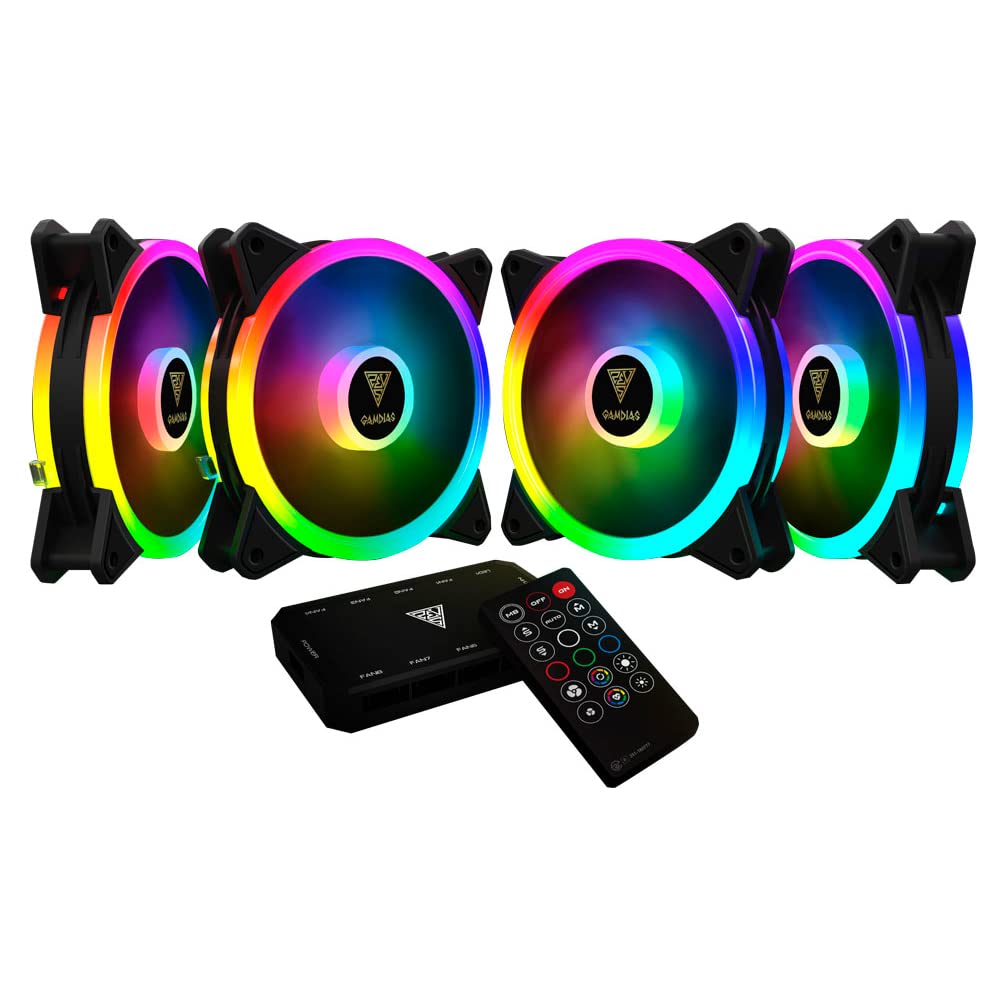
画像1.1:正面 view of the GAMDIAS Aeolus M2-1204R RGB Fan, showcasin鮮やかな RGB 照明を備えています。
2. 安全情報
製品の損傷や怪我を防ぐために、次の安全ガイドラインを守ってください。
- インストールまたはメンテナンスを行う前に、コンピュータ システムの電源がオフになっており、主電源から切断されていることを確認してください。
- Handle the fan by its frame to avoid touching the blades, which can be delicate.
- Do not attempt to modify the fan or its components. Unauthorized modifications may void the warranty and pose safety risks.
- ファンを液体や過度の湿気から遠ざけてください。
- Ensure all cables are properly connected and routed to avoid interference with moving parts or other components.
3. パッケージ内容
パッケージにすべてのアイテムが含まれていることを確認します。
- GAMDIAS Aeolus M2-1204R RGB Fan (1 unit)
- 取り付けネジ
- ユーザーマニュアル(このドキュメント)
4. セットアップとインストール
Follow these steps to properly install your GAMDIAS Aeolus M2-1204R RGB Fan:
4.1物理的な設置
- PC を準備します。 Power off your computer and unplug it from the wall outlet. Open your computer case.
- 取り付け場所を特定します: Locate an available 120mm fan mounting position in your PC case (e.g., front, rear, top, or bottom).
- ファンの位置: Place the fan in the desired mounting location, ensuring the airflow direction is correct. Typically, fans are installed to draw cool air into the case or exhaust hot air out. Arrows on the fan frame usually indicate airflow direction.
- ファンを固定する: Use the provided mounting screws to secure the fan to the case. Tighten screws evenly but do not overtighten to avoid stripping or damaging the fan frame.
4.2配線接続
- 接続電源: Locate the 4-pin power connector on the fan cable. Connect this to an available 4-pin fan header on your motherboard or a fan controller. Ensure the connector is oriented correctly before pushing it firmly into place.
- Connect RGB (if applicable): The Aeolus M2-1204R features RGB lighting. Connect the RGB cable from the fan to a compatible RGB header on your motherboard (e.g., 5V 3-pin addressable RGB header) or to a dedicated GAMDIAS RGB controller. Refer to your motherboard or controller manual for specific RGB connection instructions.
- ケーブル管理 Route all cables neatly to prevent interference with other components and to maintain good airflow within the case.

画像4.1: 各種 views of the GAMDIAS Aeolus M2-1204R RGB Fan, illustrating its design and connection points.
5. 操作手順
Once installed, the GAMDIAS Aeolus M2-1204R fan will begin operating when your computer is powered on. Its primary function is to provide airflow for cooling your PC components.
5.1 ファン速度制御
If connected to a 4-pin PWM (Pulse Width Modulation) fan header on your motherboard, the fan speed can be controlled via your motherboard's BIOS/UEFI settings or through compatible software provided by your motherboard manufacturer. This allows for dynamic adjustment of fan speed based on system temperature, optimizing for either performance or quiet operation.
5.2 RGB照明制御
The RGB lighting of the Aeolus M2-1204R can be controlled in one of two ways, depending on your setup:
- マザーボードソフトウェア: If connected to a compatible addressable RGB header on your motherboard, you can use your motherboard's RGB synchronization software (e.g., ASUS Aura Sync, MSI Mystic Light Sync, Gigabyte RGB Fusion, ASRock Polychrome Sync) to customize lighting effects and colors.
- Dedicated Controller: If you are using a GAMDIAS RGB controller (often included with multi-fan packs or sold separately), the lighting can be controlled via the controller's buttons or remote control. Refer to the controller's specific manual for detailed instructions.
6. メンテナンス
定期的なメンテナンスを行うことで、最適なパフォーマンスが確保され、ファンの寿命が延びます。
6.1 クリーニング
- 頻度: It is recommended to clean your fan every 3-6 months, or more frequently in dusty environments.
- 手順:
- Power off your computer and disconnect it from the power supply.
- Carefully open your computer case.
- Use compressed air to blow dust off the fan blades and frame. Hold the fan blades gently to prevent them from spinning rapidly during cleaning, which can damage the bearings.
- For stubborn dust, use a soft, dry cloth or a cotton swab to wipe the blades and frame. Do not use liquid cleaners.
- Ensure the fan is completely dry before closing the case and powering on the computer.
6.2一般的なケア
- Avoid placing your computer in excessively dusty or humid environments.
- Ensure adequate space around your computer case for proper airflow.
7。 トラブルシューティング
If you encounter issues with your GAMDIAS Aeolus M2-1204R fan, refer to the following common problems and solutions:
| 問題 | 考えられる原因 | 解決 |
|---|---|---|
| ファンが回転しない | 電源接続なし ファンヘッダーの故障 ファンの故障 | Check if the 4-pin power connector is securely plugged into the motherboard/controller. ファンをマザーボード上の別のファン ヘッダーに接続してみてください。 それでも回転しない場合は、ファンが故障している可能性があります。 |
| RGB照明が機能しない | Incorrect RGB connection ソフトウェアの問題 Faulty RGB component | Ensure the RGB cable is correctly connected to a compatible 5V 3-pin addressable RGB header or controller. Verify that your motherboard's RGB software or dedicated controller is properly configured and running. Check for any physical damage to the RGB cable or LEDs. |
| ファンが異常な音を立てる | 妨害 緩んだ取り付けネジ ベアリングの問題 | Power off and check for any cables or objects obstructing the fan blades. すべての取り付けネジがしっかりと締められていることを確認してください。 If the noise persists and there are no obstructions, the fan bearings may be worn. Consider replacement. |
8. 仕様
Key technical specifications for the GAMDIAS Aeolus M2-1204R RGB Fan:
- モデル: アイオラス M2-1204R
- ファンの寸法: 120mm x 120mm x 25mm (長さ4.72インチ x 幅2.36インチ x 高さ4.72インチ)
- 材料: ポリカーボネート
- 電源コネクタ: 4ピンPWM
- 巻tage: 12ボルト
- ワットtage: 13.2ワット
- 冷却方法: 空気
- 最大回転速度: 2000 回転
- 気流容量: 56 立方フィート/分 (CFM)
- 騒音レベル: 20 デシベル (dB)
- 対応デバイス: デスクトップ
- 商品の重量: 5.6オンス

画像8.1: 側面 view of the GAMDIAS Aeolus M2-1204R RGB Fan, highlighting its profile.
9. 保証とサポート
9.1 保証情報
The GAMDIAS Aeolus M2-1204R RGB Fan comes with a manufacturer's warranty. Please refer to the warranty card included with your product or visit the official GAMDIAS web保証条件の詳細については、ウェブサイトをご覧ください。保証請求の際は、購入証明書を保管してください。
9.2 テクニカルサポート
For technical assistance, troubleshooting beyond this manual, or warranty inquiries, please contact GAMDIAS customer support through their official website or the retailer from whom you purchased the product. Provide your product model number (AEOLUS M2-1204R) and a detailed description of the issue when seeking support.