
Xtrem Bots Robbie 2.0
Xtrem Bots Robbie ロボット玩具の取扱説明書
Model: Robbie 2.0 (843659803)
Brand: Xtrem Bots
1. はじめに
Welcome to the world of Xtrem Bots! This manual provides detailed instructions for setting up, operating, and maintaining your Robbie Robot Toy. Robbie is an interactive, programmable robot designed to provide hours of educational fun, featuring gesture control, programmable movements, and expressive LED lights.
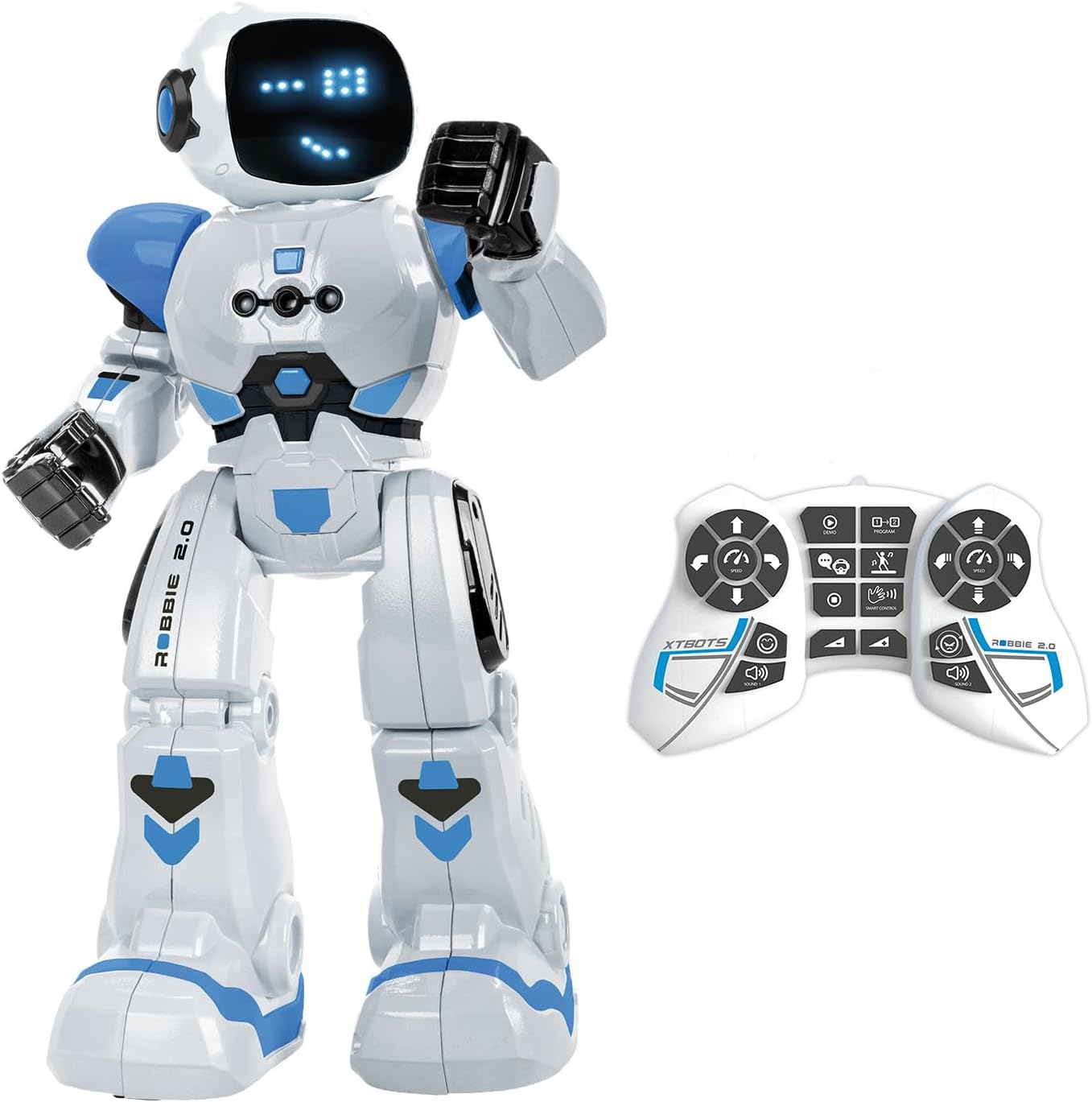
Image: The Robbie Robot in white and blue, standing next to its white remote control.
2. 箱の中身
- 1 x Robbie Robot
- リモコン x 1
- 取扱説明書(本書)1部
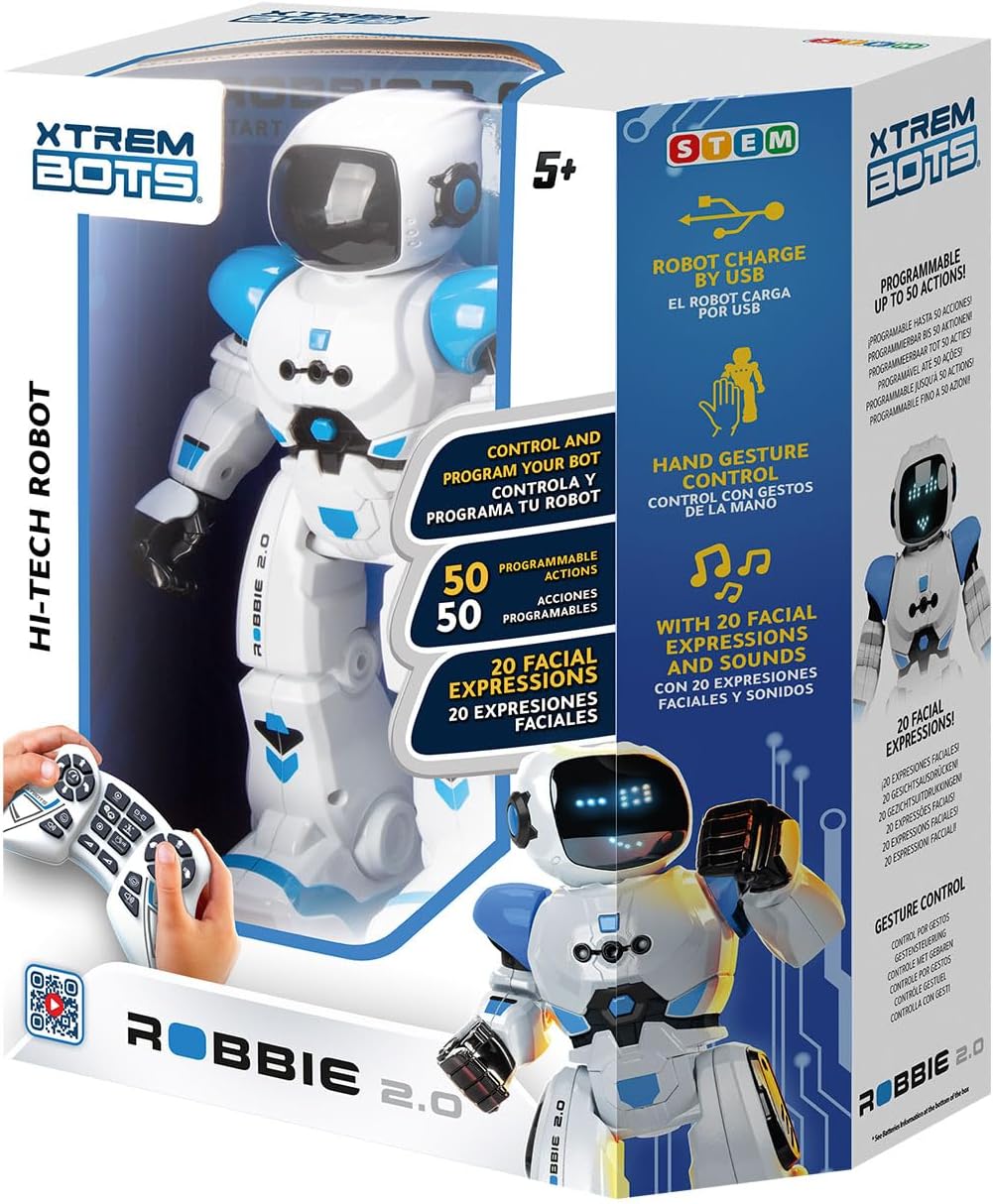
Image: The retail box for the Xtrem Bots Robbie Robot, showing the robot and remote control inside.
3. セットアップ
3.1 バッテリーの取り付け
The Robbie Robot requires 1 Lithium Polymer battery (included and rechargeable via USB). The remote control requires 2 x 1.5V AA batteries (not included).
- ロボット: The robot's internal Lithium Polymer battery is pre-installed.
- リモートコントロール: Locate the battery compartment on the back of the remote control. Open the cover, insert 2 x 1.5V AA batteries, ensuring correct polarity (+/-), and close the cover.
3.2 ロボットの充電
Robbie Robot is equipped with a rechargeable battery. Use the provided USB charging cable to charge the robot.
- Connect the small end of the USB cable to the charging port on the robot (usually located on the back or side).
- USB ケーブルの大きい方の端を標準の USB 電源 (コンピューターの USB ポート、USB 壁アダプターなど) に接続します。
- The robot's indicator light will show charging status (refer to robot's specific light indicators for full/charging status).

Image: The Robbie Robot connected via a USB cable to a laptop for charging.
4. 操作手順
4.1 電源のオン/オフ
- To power on Robbie, locate the power switch (usually on the back) and slide it to the 'ON' position.
- 電源を切るには、スイッチを「OFF」の位置にスライドします。
4.2リモコン機能
リモコンで様々な動きや操作が可能です。ボタンの使い方を覚えておきましょう。
- 方向制御: Use the left joystick/buttons for forward, backward, left, and right movements.
- Slide Movement: Buttons for sliding forward, backward, left, and right.
- スピードコントロール: ロボットの移動速度を調整します。
- 音量調整: Control the robot's sound volume.
- ダンスモード: Activates pre-programmed dance routines.
- デモモード: Initiates a demonstration of Robbie's capabilities.
- プログラミングモード: Used to record and play back custom sequences of movements (see 4.4).
- Gesture Control Activation: Toggles gesture control (see 4.3).

Image: A close-up of the remote control for Robbie Robot, with labels indicating various functions like walk, slide, speed, volume, dance, and program.
4.3 ジェスチャーコントロール
Robbie can respond to hand gestures for basic movements. Activate this mode using the remote control, then use your hand to direct Robbie.
- フォワード: Move your hand forward in front of Robbie.
- 後方: Move your hand backward.
- 左/右に曲がる: Move your hand to the left or right.

Image: The Robbie Robot with a hand gesturing to its side, illustrating the gesture control feature.
4.4 Programming Movements
Robbie can be programmed with a sequence of up to 50 movements.
- リモコンの「プログラム」ボタンを押して、プログラミング モードに入ります。
- Input your desired sequence of movements using the directional and action buttons on the remote.
- Press the 'Program' button again to save the sequence.
- Press the 'Play' button (often the same as 'Program' or a dedicated play button) to execute the programmed sequence.

Image: The Robbie Robot with an overlay showing a sequence of programmed movements on a grid, demonstrating its programmability.
4.5 音と光
Robbie features various robot sounds and expressive LED lights on its face, allowing for up to 20 different facial expressions that change with its actions and mood.
4.6 Dancing Mode
Activate the dance mode via the remote control to watch Robbie perform pre-programmed dance routines with music and movements.

Image: The Robbie Robot dancing in a living room with a family, illustrating its dancing mode.
5. メンテナンス
- クリーニング: ロボット本体とリモコンは、柔らかく乾いた布で拭いてください。刺激の強い化学薬品や研磨剤入りの洗剤は使用しないでください。
- ストレージ: Store the robot and remote control in a cool, dry place away from direct sunlight when not in use.
- バッテリーのケア: If storing for an extended period, remove the AA batteries from the remote control to prevent leakage. Ensure the robot's internal battery is charged periodically if not used for a long time.
6。 トラブルシューティング
- ロボットが応答しない:
- ロボットとリモコンの両方の電源がオンになっていることを確認します。
- Check if the remote control batteries are correctly installed and not depleted. Replace if necessary.
- ロボットのバッテリーが充電されていることを確認してください。
- Make sure there are no obstructions between the remote and the robot.
- Robot falls over frequently:
- Ensure the robot is operating on a flat, smooth surface. Uneven surfaces can affect balance.
- Avoid rapid or extreme directional changes, especially at high speeds.
- No sound or lights:
- Check the volume setting on the remote control.
- Ensure the robot's battery is sufficiently charged.
- If the issue persists, try powering off and on both the robot and remote control.
- Remote control buttons not working:
- リモコンの電池を交換してください。
- Ensure the remote control is pointed directly at the robot.
7. 仕様
| 特徴 | 詳細 |
|---|---|
| 製品寸法 | 10.5 x 11 x 31.05 cm |
| 重さ | 700グラム |
| ロボットバッテリー | リチウムポリマー電池 1 個(付属、充電式) |
| リモコン電池 | 2V AA電池1.5本(別売) |
| メーカー推奨年齢 | 5ヶ月~8歳 |
| モデル番号 | 843659803 |
| 材質タイプ | プラスチック |
| 色 | ホワイト、ブルー |
| プログラム可能なアクション | Up to 50 movements |
| 表情 | 20 (via blue LEDs) |
8. 安全情報
WARNING: Do not wet the product. Keep away from water and other liquids.
This product contains small parts that could be swallowed or inhaled by a child and that can cause choking. Keep packaging for reference as it contains important information. Read instructions first before operation. For use under adult supervision. Right to effect changes in color and technical details. Manufactured in China.
9. 保証とサポート
For warranty information or technical support, please contact Xtrem Bots customer service. You can find more information and contact details on the official Xtrem Bots webサイト:
また、 Xtrem Bots Store on Amazon 追加の製品情報とサポートについては、こちらをご覧ください。
Ask a question about this manual
Ask about setup, troubleshooting, compatibility, parts, safety, or missing instructions. Manuals+ will review the question and use this page’s manual context to help answer it.