
PIXAPRO ORTA600B (C-030805)
PIXAPRO ORTA600B ビデオ照明パネル ユーザーマニュアル
Model: ORTA600B (C-030805)
1. 導入と製品の説明view
The PIXAPRO ORTA600B Video Lighting Panel is a versatile and powerful LED lighting solution designed for various applications, including video conferencing, photography, studio work, and content creation. This kit includes the circular ORTA600B LED panel, two LINEAR80 LED panels, light stands, a boom arm, and a clamshell reflector, providing a comprehensive lighting setup for professional and amateur users alike.
This manual provides detailed instructions for the safe and effective setup, operation, and maintenance of your PIXAPRO ORTA600B lighting system.
2. 安全情報
製品を使用する前に、すべての安全に関する指示をよくお読みください。指示に従わない場合、感電、火災、または重傷を負う可能性があります。
- 電気安全:
- Always use the provided power adapters and cables.
- Do not operate the lights with wet hands or in wet conditions.
- 電源がボリュームと一致していることを確認してくださいtageデバイスの要件。
- 使用していないときや清掃する前には、ユニットを電源コンセントから抜いてください。
- 熱:
- The LED panels can become warm during extended use. Avoid direct contact with the light surface when operating.
- Ensure adequate ventilation around the light panels to prevent overheating.
- 取り扱いと配置:
- Handle the equipment with care. Avoid dropping or subjecting it to strong impacts.
- Place light stands on a stable, level surface to prevent tipping.
- Do not block the ventilation openings on the light panels.
- Keep the equipment away from water, flammable liquids, and corrosive materials.
- 目の保護:
- Do not stare directly into the LED lights when they are on, as this may cause eye strain or damage.
3. パッケージ内容
以下にリストされているすべてのアイテムがパッケージに含まれていることを確認してください。
- 1x PIXAPRO ORTA600B Circular LED Panel
- 2x PIXAPRO LINEAR80 LED Panels
- 3x Light Stands (typically 2 for LINEAR80, 1 for ORTA600B)
- 1x Boom Arm with Counterweight
- 1x Clamshell Reflector/Diffuser
- Power Adapters and Cables for all LED Panels
- Carry Bag (for kit components)
4. セットアップ手順
4.1 ライトスタンドの組み立て
Extend the legs of each light stand until they are fully spread and stable. Secure the legs using the locking knob. Extend the central column to the desired height and tighten the locking collars.

Figure 4.1: An assembled light stand with legs extended for stability.
4.2 Attaching the ORTA600B LED Panel
Mount the ORTA600B circular LED panel onto the top spigot of one of the light stands. Ensure it is securely fastened using the panel's mounting knob. Adjust the tilt angle as needed.
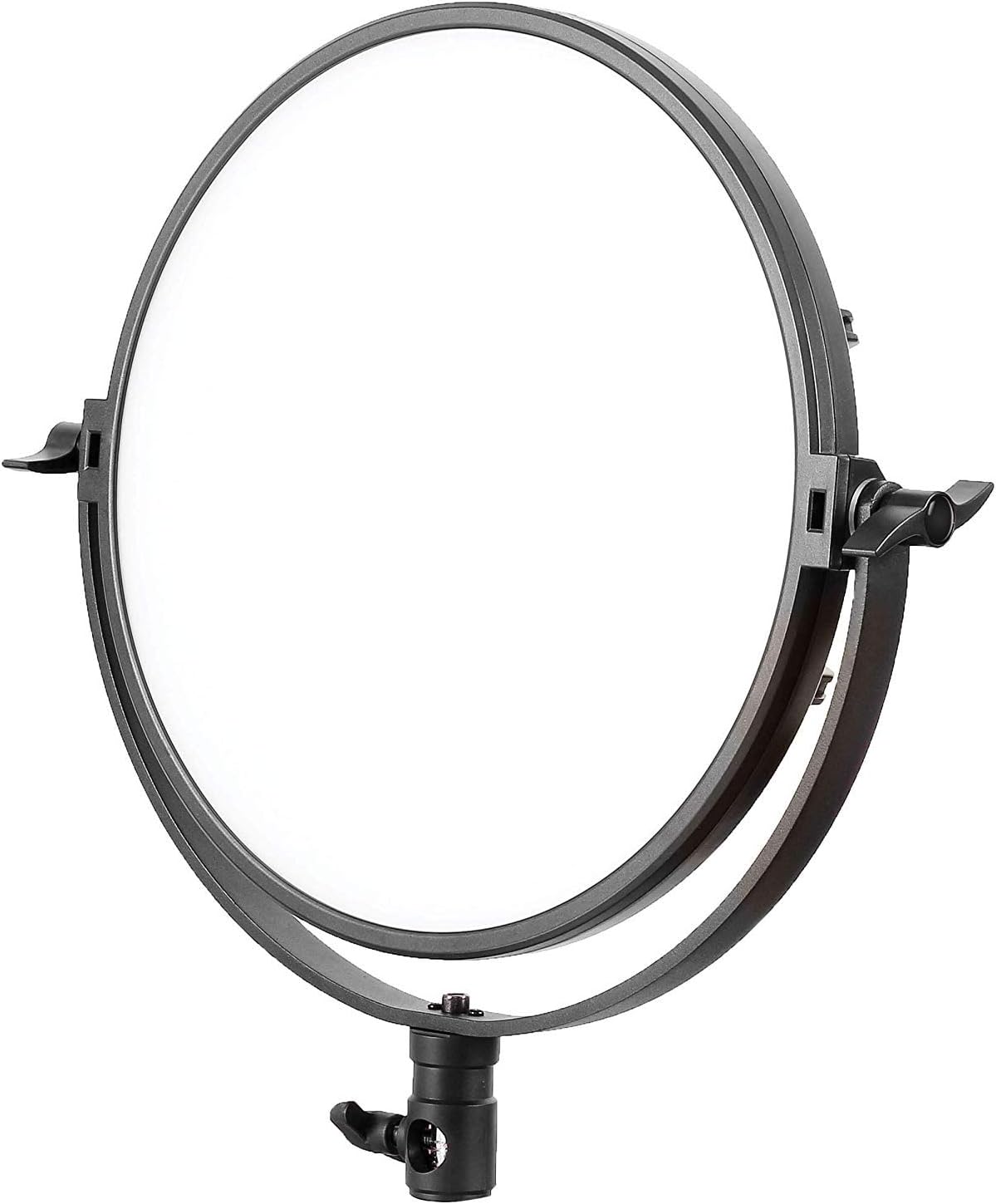
Figure 4.2: The PIXAPRO ORTA600B circular LED panel.
4.3 Attaching the LINEAR80 LED Panels
Attach each LINEAR80 LED panel to the remaining two light stands. Secure them firmly. These panels are often used as side or fill lights.
4.4 Assembling and Positioning the Boom Arm
The boom arm allows for overhead lighting or precise positioning. Attach the boom arm to a heavy-duty light stand or C-stand. Secure the counterweight to the opposite end of the arm to balance the weight of the light fixture.
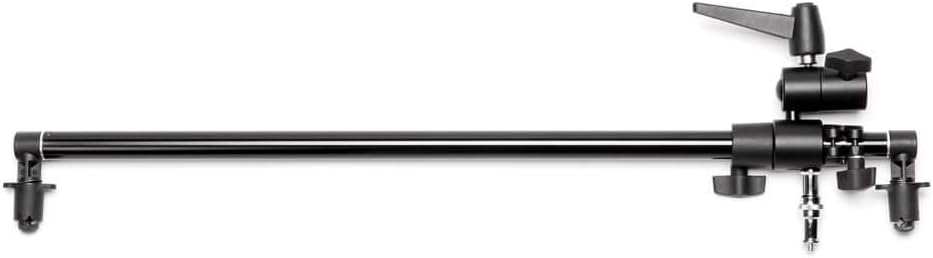
Figure 4.3: A boom arm, used for extending light placement.

Figure 4.4: A light stand with an attached boom arm, demonstrating typical setup.
4.5 Setting up the Clamshell Reflector
The clamshell reflector can be mounted on a stand or held to shape and direct light, often used for portrait photography to create a flattering catchlight in the eyes.

Figure 4.5: A clamshell reflector mounted on a stand.
4.6 電源の接続
Connect the power adapters to each LED panel and then plug them into a suitable power outlet. Ensure all connections are secure before powering on.

図 4.6: 元ample of the full PIXAPRO ORTA600B kit setup, including the ORTA600B, LINEAR80 panels, stands, and clamshell reflector.
5. 操作手順
5.1 電源のオン/オフ
Locate the power switch on each LED panel (ORTA600B and LINEAR80). Flip the switch to the "ON" position to power on the light. Flip it to "OFF" to power off.
5.2 明るさの調整(調光)
Each panel features a control knob or buttons to adjust the light intensity. Rotate the knob or press the buttons to increase or decrease the brightness output to your desired level.
5.3 Adjusting Color Temperature (ORTA600B)
The ORTA600B panel allows for adjustment of color temperature (CCT) to match ambient light or create specific moods. Use the dedicated control knob or buttons to cycle through or fine-tune the color temperature, typically ranging from warm (e.g., 3200K) to cool (e.g., 5600K).
5.4 Using the LINEAR80 Panels
The LINEAR80 panels are ideal for edge lighting, hair light, or creating a broad, soft light source. Adjust their position and angle to complement the main light from the ORTA600B.
6. メンテナンス
- クリーニング:
- Before cleaning, ensure the unit is powered off and unplugged.
- Use a soft, dry cloth to wipe down the exterior of the light panels and stands.
- 頑固な汚れには、軽くamp cloth with mild detergent can be used, followed by a dry wipe.
- 研磨剤入りの洗剤、溶剤、または刺激の強い化学薬品は使用しないでください。
- ストレージ:
- When not in use, store the lighting kit in its original packaging or the provided carry bag.
- 直射日光や極端な温度を避け、涼しく乾燥した場所に保管してください。
- ケーブル管理
- Regularly inspect power cables for any signs of damage. Replace damaged cables immediately.
- Avoid kinking or bending cables excessively.
7。 トラブルシューティング
| 問題 | 考えられる原因 | 解決 |
|---|---|---|
| ライトが点灯しません。 | 電源が入らない、接続が緩んでいる、電源アダプターに障害がある。 | Check if the power cable is securely plugged into the light and the outlet. Try a different outlet. Ensure the power switch is "ON". |
| ライトが突然ちらついたり暗くなったりする。 | 不安定な電源、緩い接続、過熱。 | Ensure stable power. Check all cable connections. Allow the unit to cool down if it has been in continuous use. |
| コントロールが応答しません。 | Temporary software glitch, control panel issue. | Power off the unit, wait 30 seconds, then power it back on. If the issue persists, contact customer support. |
| ライトスタンドが不安定です。 | Legs not fully extended, locking knob not tightened. | Ensure all legs are fully extended and spread. Tighten all locking knobs on the stand. Use sandbags or weights for added stability, especially with boom arms. |
8. 仕様
| 特徴 | 詳細 |
|---|---|
| ブランド | ピクサプロ |
| モデル | ORTA600B (C-030805) |
| 製品タイプ | LED Video Lighting Panel Kit |
| 光源 | 導かれた |
| 色温度 | Adjustable (specific range not provided, typical for LED panels) |
| 減光 | はい |
| ASIN | B07TKCF5MY |
| 初回利用可能日 | 17年2019月XNUMX日 |
9. 保証とサポート
PIXAPRO products are designed for reliability and performance. For warranty information, please refer to the warranty card included with your purchase or visit the official PIXAPRO website. If you encounter any issues not covered in the troubleshooting section, or require further assistance, please contact PIXAPRO customer support.
連絡先: Please refer to the PIXAPRO official website or your purchase documentation for the most up-to-date contact details for customer service and technical support.
Ask a question about this manual
Ask about setup, troubleshooting, compatibility, parts, safety, or missing instructions. Manuals+ will review the question and use this page’s manual context to help answer it.