
1. はじめに
This manual provides essential information for setting up, operating, and maintaining your NEBULA by Anker Capsule Max Mini Projector. Please read it thoroughly before using the device to ensure optimal performance and longevity.
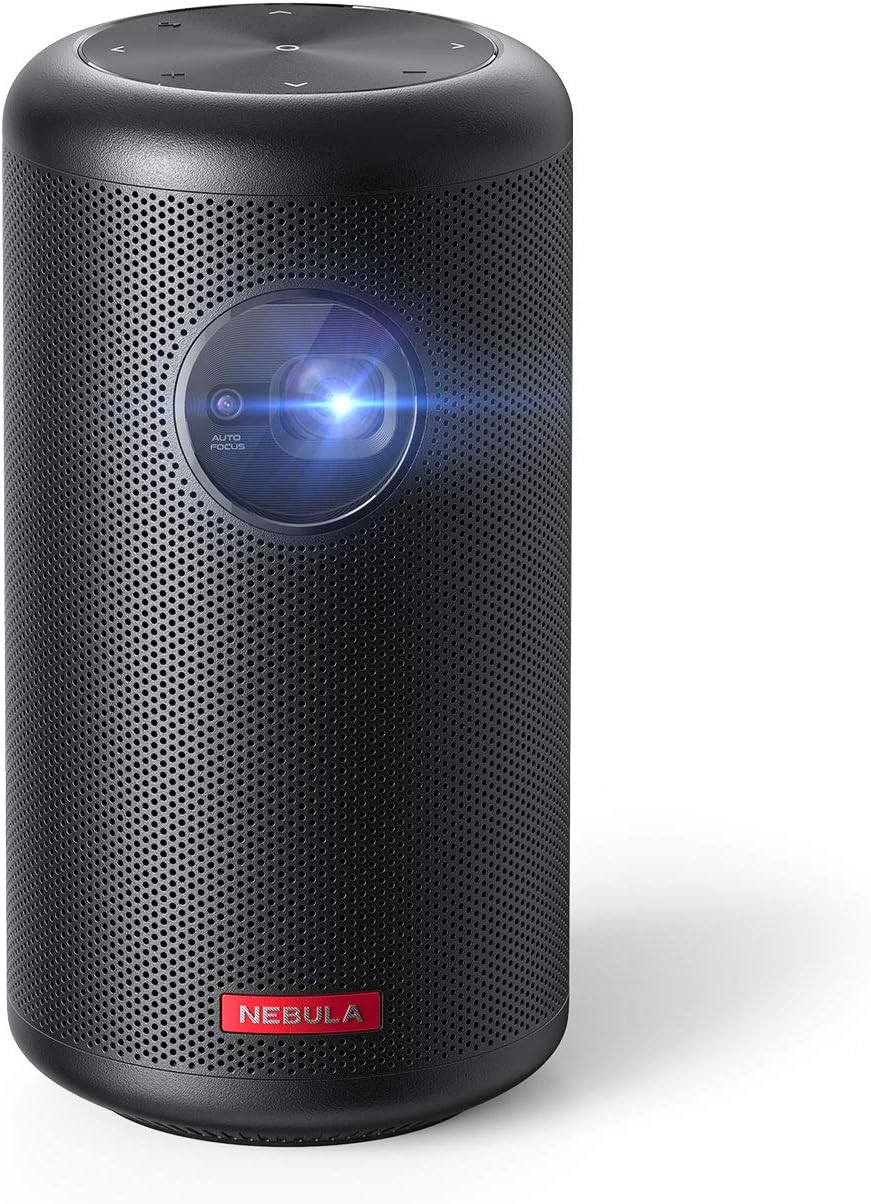
Image 1.1: NEBULA by Anker Capsule Max Mini Projector. This image displays the compact, cylindrical black projector with its lens visible on the front, highlighting its portable design.
2. 箱の中身
開梱したら、以下の品目がすべて揃っていることを確認してください。
- NEBULA Capsule Max ミニプロジェクター
- リモートコントロール
- クイックスタートガイド
- DC-in Charger (15V/3A)
3.製品オーバーview
3.1 デバイスのレイアウト

画像3.1:リア view of the NEBULA Capsule Max showing the input/output ports. From left to right, the ports include AUX, HDMI, USB Type-A, and DC-in.
- フロント: 投影レンズ、オートフォーカスセンサー
- トップ: Touch Buttons (D-pad, Volume ±, Back)
- 後方: AUX Out, HDMI Input, USB Type-A Port, DC-in Port
- 底: 三脚マウントネジ
4. セットアップ
4.1 電源のオン/オフ
- To power on, press and hold the Power button on the device or remote control.
- 電源を切るには、もう一度電源ボタンを長押しします。
4.2 充電
Connect the provided DC-in charger (15V/3A) to the DC-in port on the projector. The device supports approximately 4 hours of local video playtime on a full charge, with a charging time of 2.5 hours.
4.3 初期設定
The Capsule Max runs on Android 8.1 with Nebula UI. Follow the on-screen instructions for initial setup, including language selection and network connection.
4.4ネットワーク接続
移動 設定 > ネットワーク to connect to a Wi-Fi network. The device supports 802.11b/g/n/ac dual frequency (2.4/5GHz).
4.5 Bluetooth接続
For connecting external Bluetooth devices, go to 設定 > Bluetooth. The projector supports BT4.2 Dual Mode/A2DP.
5. プロジェクターの操作
5.1ナビゲーションと制御
- Physical/Touch Buttons: Use the D-pad, Volume ±, and Back buttons on the device for basic navigation.
- IRリモート: The included remote control offers Power, D-pad, Volume ±, Mouse Mode, Home, Back, and Menu (for autofocus) functions.
- Bluetooth Remote App: Download the 'Nebula Connect' app for Android and iOS devices for enhanced control, especially for apps like Netflix.
5.2 画像調整

Image 5.1: Diagram illustrating optimal projection distances for various screen sizes (40, 80, 100 inches) with the NEBULA Capsule Max.
- オートフォーカス: The projector features 1-second autofocus. You can also trigger it by slightly moving the device or long-pressing the 'Menu' button on the remote.
- キーストーン補正: Automatic vertical keystone correction (±40°) is available. Manual horizontal (±40°) and quadrilateral keystone correction can be adjusted via Settings > Projector.
- 画像モード: Select between 'Auto', 'Standard Mode' (for maximum brightness), and 'Battery Mode' (for extended battery life) in Settings > Projector > Image Mode.
- 投影モード: Adjust the projection orientation (Front, Rear, Front Ceiling, Rear Ceiling) based on your setup in Settings > Projector > Projector Mode.
5.3 コンテンツの再生

Image 5.2: The Android 8.1 user interface of the NEBULA Capsule Max, displaying various streaming app icons like Amazon, YouTube, and Netflix.
- 内蔵アプリ: The projector comes with Android 8.1 and Nebula UI, allowing you to download and stream apps like YouTube, Netflix, and Amazon from the Nebula Manager Store.
- Important Note on Copyrighted Content: Copyrighted content from services like Netflix cannot be mirrored or screencast. Download and use the apps directly through the Capsule Max to view such content. Chromecast is not supported.
- HDMI入力: Connect external devices such as gaming consoles, Blu-ray players, or other media players via the HDMI 1.4 input (supports up to 1080p).
- USB再生: Insert USB flash drives into the USB Type-A port to play local video and audio files.
- オーディオ出力: The projector features an 8W speaker. For external audio, use the AUX Out port to connect to a sound system.
6. メンテナンス
To ensure the longevity and optimal performance of your Capsule Max, follow these maintenance guidelines:
- クリーニング: Use a soft, dry cloth to clean the exterior of the projector. Avoid using liquid cleaners or abrasive materials.
- レンズケア: Gently clean the projection lens with a lens cleaning cloth. Do not touch the lens directly with your fingers.
- ファームウェアの更新: For peak performance and access to the latest features, regularly check for and install firmware updates via the device's settings.
- ストレージ: 使用しないときは、プロジェクターを直射日光や極端な温度を避け、涼しく乾燥した場所に保管してください。
7。 トラブルシューティング
If you encounter any issues with your Capsule Max, refer to the following common solutions:
- 画像なし/画質が悪い:
- Ensure the projector is powered on and fully charged or connected to power.
- Adjust focus using the autofocus feature or manually.
- 画像が歪んでいる場合は、キーストーン補正設定を確認してください。
- Ensure the projection surface is suitable and the room lighting is appropriate (ideal in low-light environments).
- 音が出ない:
- プロジェクターおよび接続されている外部オーディオ デバイスの音量レベルを確認します。
- If using external speakers, ensure they are correctly connected via AUX or Bluetooth.
- Wi-Fi/Bluetoothに接続できない:
- プロジェクターとルーター/Bluetooth デバイスを再起動します。
- Wi-Fi パスワードが正しいことを確認してください。
- Keep the projector within range of the Wi-Fi router or Bluetooth device.
- App Issues (e.g., Netflix not playing):
- アプリが最新バージョンに更新されていることを確認してください。
- Remember that copyrighted content from certain services cannot be mirrored; use the apps directly on the projector.
- Update the projector's firmware to the latest version for optimal compatibility.
8. 仕様
| 特徴 | 仕様 |
|---|---|
| モデル番号 | D2423 |
| ディスプレイ技術 | 0.3-in HD DLP |
| ネイティブ解像度 | 1280 x 720 (720p) |
| 輝度 | 200 ANSIルーメン |
| Lamp 人生 | 30,000時間 |
| アスペクト比 | 16:9 |
| 投射比 | 100 in@2.87m; 80 in@2.29m; 60 in@1.72m; 40 in@1.14m |
| オフセット | 100% |
| フォーカス調整 | 1-second autofocus |
| キーストーン補正 | Auto (Vertical ±40°), Manual (Horizontal ±40°) |
| HDMI入力 | HDMI 1.4 (up to 1080p) |
| USBポート | USB Type-A (for Flash Drives) |
| DC入力 | 15V/3A |
| AUX出力 | はい |
| スピーカー | 8W |
| Wi-Fi | 802.11b / g / n / ac(2.4 / 5GHz) |
| ブルートゥース | BT4.2 Dual Mode/A2DP |
| OS | Android 8.1 with Nebula UI |
| ラム | 2GB DDR3 |
| ロム | 16GB eMMC |
| バッテリー | 9,700mAh 3.7V |
| Video Playtime | 4 Hours (Local Video Playtime) |
| 充電時間 | 2.5 Hours (with DC-in 15V/3A) |
| 製品寸法 | 3.15 x 3.15 x 5.91インチ |
| アイテム重量 | 1.6ポンド |
9. 保証とサポート
The NEBULA by Anker Capsule Max comes with a 12-month warranty. For any product inquiries, technical assistance, or warranty claims, please contact our friendly customer service.