
導入
This manual provides detailed instructions for the assembly, operation, and maintenance of your Cooler Master MasterBox CM694 TG Middle Tower PC Case. Please read this manual thoroughly before beginning installation to ensure proper setup and optimal performance.
主な特徴
- Curved Mesh Panels: Front and top mesh panels with a diamond pattern for optimal breathability and dust filtration.
- 強化ガラスサイドパネル: 明確な view 内部コンポーネントの。
- Modular Drive Cage: Updated design for enhanced storage expandability, supporting 2.5" SSDs and 3.5" HDDs.
- Dual 5.25" Bays: Accommodates optical drives or other 5.25" devices.
- Graphics Card Stabilizer: Arm mechanism to support large graphics cards, preventing motherboard distortion and ensuring safe transport.
- マザーボードの互換性: Supports E-ATX, ATX, microATX, and Mini-ITX motherboards.
- 液体冷却のサポート: Accommodates up to 360mm water cooling radiators.
- Expansion Card Clearance: Space for expansion cards up to 410 mm (16.1 inches).
- Power Supply Cover: Integrated cover to conceal the power unit for a cleaner build.
- Full I/O Ports: Features 2 x USB 3.0, 1 x USB 3.1 (Gen 2) Type-C, and a 4-pole headset jack with rubber dustproof caps.
設定
1. ケースの開梱
PCケースを梱包から慎重に取り出してください。輸送中に損傷がないか確認してください。将来の輸送や保証請求に備えて、梱包材はすべて保管してください。

図1: 前面 view of the Cooler Master MasterBox CM694 TG PC Case.
2. サイドパネルの取り外し
Locate the thumbscrews on the rear of the case securing the tempered glass side panel. Unscrew them and carefully remove the panel. Repeat for the opposite steel side panel if necessary.
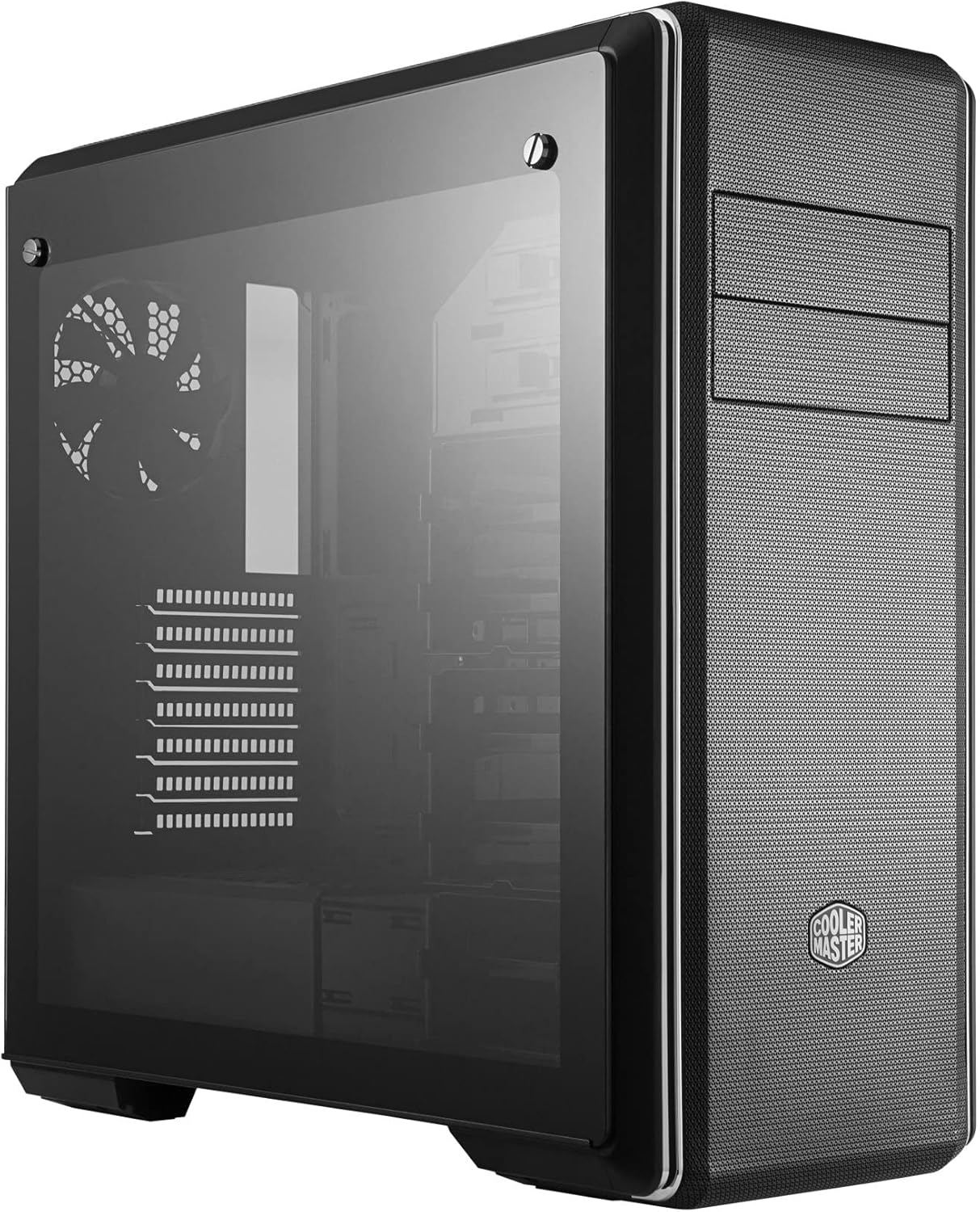
図2:側面 view of the PC case featuring the tempered glass panel.
3. マザーボードの取り付け
Install the appropriate standoffs for your motherboard form factor (E-ATX, ATX, microATX, Mini-ITX). Carefully place your motherboard onto the standoffs and secure it with screws.

図3: 内部 view of the PC case, showing the motherboard tray and drive bays.
4.電源装置の設置
Mount your ATX power supply in the designated compartment at the bottom rear of the case. Secure it with screws from the exterior.
5. ドライブのインストール
Utilize the modular drive cages for 2.5" SSDs and 3.5" HDDs. The case also features two 5.25" bays for optical drives or other accessories. Refer to the specific drive cage mechanism for tool-less or screw-based installation.

図4: 詳細な内部 view highlighting the modular drive cages.
6. グラフィックカードと拡張カードの取り付け
Install your graphics card and other expansion cards into the PCIe slots on the motherboard. Use the included graphics card stabilizer for larger cards to prevent sagging.
7. 冷却システムのセットアップ
The MasterBox CM694 TG supports various cooling configurations. Install additional fans or liquid cooling radiators as needed. The case supports up to 360mm radiators.

Figure 5: Diagram illustrating fan and radiator mounting locations and sizes.
8.ケーブル管理
Utilize the cable routing cutouts and tie-down points behind the motherboard tray to manage cables for improved airflow and a clean aesthetic.
オペレーティング
すべてのコンポーネントを取り付けて固定したら、周辺機器と電源ケーブルを接続します。フロントI/Oパネルの電源ボタンを押してシステムを起動します。
フロントI/Oパネル
- 電源ボタン: Initiates system startup.
- リセットボタン: システムを再起動します。
- USB 3.0 ポート (x2): 対応デバイスとの高速データ転送を実現します。
- USB 3.1 (Gen 2) Type-C Port (x1): For fast data transfer and device connectivity.
- 4-Pole Headset Jack: Supports simultaneous audio input and output for headsets.

図6:上 view of the PC case, showing the front I/O panel with various ports and buttons.
メンテナンス
ダストフィルターの清掃
The MasterBox CM694 TG features mesh panels that act as dust filters. Regularly clean these panels to maintain optimal airflow and prevent dust buildup inside the case. Gently remove the panels and use compressed air or a soft brush to clear dust.
一般的な清掃
柔らかくてamp cloth to wipe down the exterior of the case. Avoid abrasive cleaners or solvents that could damage the finish. For the tempered glass panel, use a glass cleaner and a microfiber cloth.
トラブルシューティング
- システムが電源オンにならない:
- 電源がオンになっており、壁のコンセントとマザーボードに正しく接続されていることを確認します。
- すべてのフロントパネルコネクタ(電源スイッチ、リセットスイッチ)がマザーボードに正しく接続されていることを確認します。
- ディスプレイ出力なし:
- Verify that your monitor is connected to the graphics card (not the motherboard integrated graphics, unless intended).
- グラフィック カードと RAM モジュールを装着し直します。
- 過熱:
- Ensure all case fans are spinning and properly oriented for optimal airflow.
- ダストフィルターと内部コンポーネントを定期的に清掃してください。
- Verify CPU cooler and thermal paste application.
仕様
| 特徴 | 詳細 |
|---|---|
| ブランド | クーラーマスター |
| モデル番号 | MCB-CM694-KG5N-S00 |
| ケースタイプ | ミドルタワー |
| マザーボードの互換性 | E-ATX、ATX、Micro-ATX、Mini-ITX |
| 材料 | スチール、強化ガラス |
| 寸法(長さ×幅×高さ) | 19.41 x 8.66 x 19.92インチ |
| アイテム重量 | 4.4 ポンド (2 キログラム) |
| I/O ポート | 2x USB 3.0, 1x USB 3.1 (Gen 2) Type-C, 1x 4-Pole Headset Jack |
| 5.25インチドライブベイ | 2 |
| Graphics Card Clearance | 最大410mm |
| 液体冷却サポート | Up to 360mm radiators |
保証とサポート
保証情報とテクニカルサポートについては、Cooler Masterの公式ウェブサイトをご覧ください。 webご購入の際は、サイトをご覧いただくか、お近くの販売店にお問い合わせください。保証請求の際に必要となりますので、購入証明書を保管してください。
オンラインリソース: www.coolermaster.com