
1. はじめに
Thank you for choosing the Megadream Wireless Mobile Game Controller. This device is designed to enhance your mobile gaming experience on both Android and iOS smartphones and tablets. It features wireless connectivity, customizable button mapping, and a comfortable ergonomic design for extended play sessions. Please read this manual carefully to ensure proper setup and operation.
2. パッケージ内容
- Megadream Wireless Mobile Game Controller
- USB充電ケーブル
- ユーザーマニュアル
3.製品オーバーview
The Megadream controller features a standard gamepad layout with dual analog sticks, a D-pad, action buttons (A, B, X, Y), shoulder buttons (L1, L2, R1, R2), and function buttons (BACK, MENU, START, Power). It includes an adjustable phone holder to securely mount your device.

画像3.1:正面 view of the Megadream Mobile Game Controller highlighting its components including the D-Pad, action buttons, joysticks, and power indicators. It also shows an 18-hour battery life and 400mA rechargeable battery.

Image 3.2: The controller with a smartphone mounted, illustrating its compatibility with iOS and Android devices, and its key customization feature.
4. セットアップ手順
4.1 コントローラの充電
Before first use, fully charge the controller. Connect the supplied USB charging cable to the controller's charging port and to a USB power source (e.g., computer, USB wall adapter). The power indicators will show charging status and turn off when fully charged. A full charge provides extended playtime.
4.2Bluetoothペアリング
- コントローラーが十分に充電されていることを確認してください。
- Power on the controller by pressing and holding the Power button until the indicator lights flash.
- スマートフォンまたはタブレットで Bluetooth を有効にし、利用可能なデバイスを検索します。
- Select "Megadream Controller" or a similar name from the list of devices to pair.
- ペアリングされると、インジケーター ライトが点灯します。
Note: Pairing procedures may vary slightly between Android and iOS devices. Refer to your device's Bluetooth settings for specific instructions.
4.3 Key Mapping Application
For optimal performance and customizable controls, download the dedicated key mapping application. This application allows you to assign controller buttons to specific touch screen areas in your games. The controller does not require rooting or jailbreaking your device.

Image 4.1: The controller in use, emphasizing that no jailbreak or root is required, and a free key mapping app is available.
4.4 Customizing Key Mappings
After installing the key mapping application, launch it and follow the on-screen instructions to configure your desired button layouts for individual games. This process typically involves overlaying virtual buttons on your game's interface and assigning them to physical buttons on the controller.

画像4.2: 元ample of the key mapping interface, demonstrating how to customize button assignments for games.

Image 4.3: Key mapping in action within a game, illustrating how controller inputs translate to in-game actions.
5. 操作手順
5.1 電源オン/オフ
- 電源オン: Press and hold the Power button for 2-3 seconds until the indicator lights illuminate.
- 電源を切る: Press and hold the Power button for 3-5 seconds until the indicator lights turn off. The controller will also automatically power off after a period of inactivity to conserve battery.
5.2 ゲームの互換性
The Megadream controller is compatible with a wide range of mobile games, including popular titles like PUBG Mobile and Fortnite, as well as various racing, fighting, and shooting games. Compatibility often relies on the key mapping application for games that do not natively support external controllers.

Image 5.1: The controller is compatible with popular mobile games such as PUBG and Fortnite.
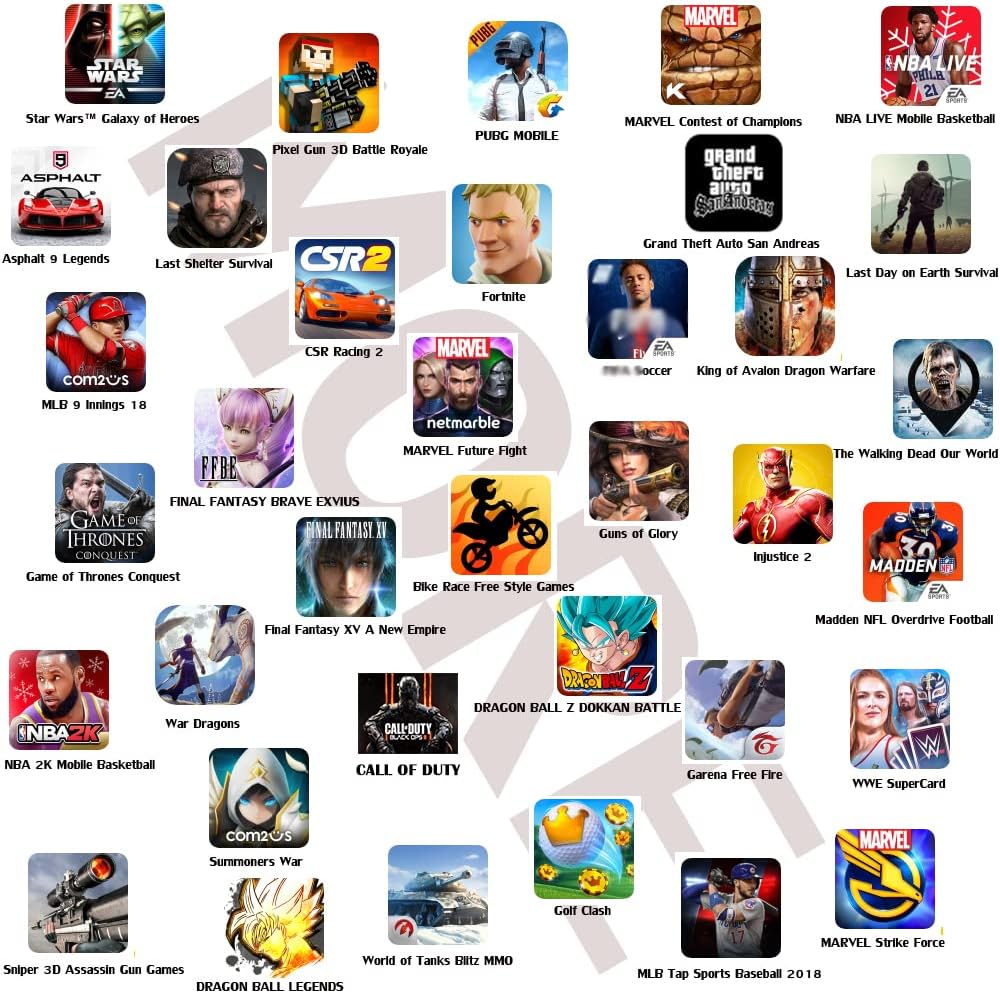
Image 5.2: A selection of mobile games compatible with the Megadream controller.
6. メンテナンス
- クリーニング: コントローラーの清掃には、柔らかく乾いた布をご使用ください。刺激の強い化学薬品や研磨剤は使用しないでください。
- ストレージ: コントローラーは、直射日光や極端な温度を避け、涼しく乾燥した場所に保管してください。
- バッテリーのケア: バッテリーの寿命を延ばすには、コントローラーを頻繁に完全に放電させないでください。長期間使用しない場合でも、定期的に充電してください。
7。 トラブルシューティング
| 問題 | 考えられる原因 | 解決 |
|---|---|---|
| コントローラの電源が入らない。 | バッテリー残量が少なくなりました。 | コントローラーを完全に充電します。 |
| Bluetooth経由でペアリングできません。 | Controller not in pairing mode; Bluetooth interference; previously paired device conflict. | Ensure controller is in pairing mode (flashing lights). Turn off and on your device's Bluetooth. Forget the device in Bluetooth settings and try pairing again. Move closer to the device. |
| Buttons are unresponsive in game. | Incorrect key mapping; game does not support controller; controller not in correct mode (iOS/Android). | Verify key mappings in the application. Ensure the controller is set to the correct operating mode for your device. Some games may not support external controllers. |
| コントローラーの接続が頻繁に切断されます。 | Low battery; too far from device; Bluetooth interference. | Charge the controller. Keep the controller within close range of your device. Avoid sources of strong wireless interference. |
| Issues after iOS/Android update. | Operating system updates can sometimes affect peripheral compatibility. | Check the Megadream website or app for potential firmware updates or compatibility patches. Re-pair the device. |
8. 仕様
- ブランド: メガドリーム
- モデル: B07SPJM7NS
- 接続性: ワイヤレス(Bluetooth)
- 対応デバイス: Smartphones (Android, iOS), Tablets, PC, Mac
- コントローラタイプ: ゲームパッド
- 電源: 電池駆動
- 商品の重量: 約8.8オンス(250グラム)
- 製品寸法: 約6.1 x 2.1 x 4.5インチ(15.5 x 5.3 x 11.4 cm)
- 特集: Customizable Button Mapping
9. 保証とサポート
Megadream products are manufactured with quality and performance in mind. For warranty information or technical support, please refer to the contact details provided on the product packaging or visit the official Megadream webサイトでご確認ください。保証請求の際は購入証明として領収書を保管してください。