
導入
The SanDisk Ultra Flair USB 3.0 Flash Drive provides high-speed data transfer and reliable storage in a durable metal casing. Designed for efficiency, it allows you to move files quickly and securely. This manual will guide you through the setup, operation, maintenance, and troubleshooting of your flash drive.
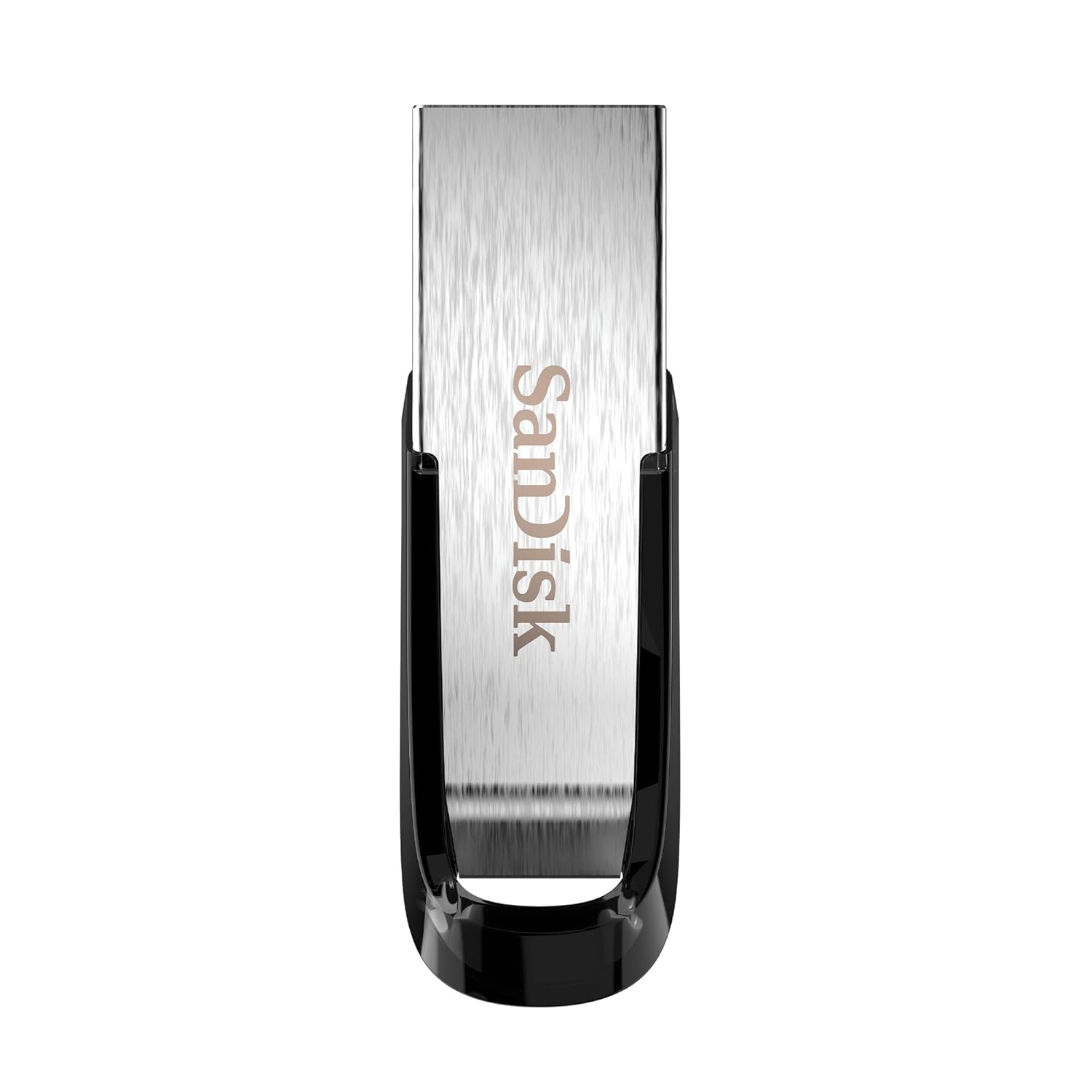
Image: The SanDisk Ultra Flair USB 3.0 Flash Drive, showcasing its sleek metal design and USB 3.0 connector.
設定
- フラッシュドライブを挿入します: Locate an available USB port on your computer (desktop, laptop, or compatible device). Gently insert the SanDisk Ultra Flair USB 3.0 Flash Drive into the USB port. For optimal performance, use a USB 3.0 port (often identified by a blue interior). The drive is also backward compatible with USB 2.0 ports.
- 自動認識: Your operating system (Windows, macOS, Linux) should automatically detect and install the necessary drivers for the flash drive. A notification may appear indicating that the device is ready for use.
- ドライブへのアクセス:
- ウィンドウズ: Open "This PC" or "My Computer." The flash drive will appear as a removable disk (e.g., "SanDisk Ultra Flair" or a drive letter like E: or F:).
- MacOSの: The flash drive icon will appear on your desktop or in the Finder sidebar under "Locations."
- Pre-loaded Software: The drive may come with pre-loaded software, such as SanDisk SecureAccess. You can choose to install and use this software for password protection and file 暗号化。
操作手順
転送中 Files
転送するには files to or from your SanDisk Ultra Flair flash drive:
- ドライブを開きます: Double-click the flash drive icon in "This PC" (Windows) or on your desktop/Finder (macOS) to open its contents.
- ドラッグアンドドロップ:
- コピーするには files に フラッシュドライブ: ドラッグアンドドロップ files or folders from your computer into the flash drive's window.
- コピーするには files から フラッシュドライブ: ドラッグアンドドロップ files or folders from the flash drive's window to a location on your computer.
- コピーペースト: または、目的の files/folders, select "Copy," then navigate to the destination, right-click, and select "Paste."

Image: A person working on a computer, illustrating the fast data transfer capabilities of the SanDisk Ultra Flair USB 3.0 Flash Drive.
SanDisk SecureAccessソフトウェアの使用
The SanDisk SecureAccess software allows you to create a password-protected folder (vault) on your flash drive to secure sensitive file128 ビット AES 暗号化を採用しています。
- インストール: If not already installed, run the SecureAccess installer found on the drive. Follow the on-screen instructions to set up your vault and password.
- 追加 Files: ドラッグアンドドロップ files into the SecureAccess vault window to encrypt them.
- アクセス Files: 暗号化された files, open the SecureAccess application and enter your password.

Image: A person using a computer, representing the ease of backup and organization with SanDisk software.
Safely Removing the Flash Drive
Always safely remove the flash drive to prevent data corruption:
- ウィンドウズ: Click the "Safely Remove Hardware and Eject Media" icon in the system tray (bottom-right corner), then select your flash drive. Wait for the "Safe to Remove Hardware" message before physically disconnecting.
- MacOSの: Drag the flash drive icon from your desktop to the Trash, or click the Eject icon next to the drive name in Finder. Wait for the icon to disappear before physically disconnecting.
メンテナンス
- 身体ケア: The SanDisk Ultra Flair features a durable metal casing. While robust, avoid exposing the drive to extreme temperatures, moisture, or strong magnetic fields. Keep the USB connector clean and free from dust or debris.
- データのバックアップ: Regularly back up important data from your flash drive to another storage device to prevent data loss.
- ソフトウェアアップデート: 定期的にサンディスクの公式ウェブサイトをチェックしてください website for any available firmware updates or new versions of SanDisk SecureAccess software.
トラブルシューティング
- ドライブが認識されません:
- ドライブをコンピューターの別の USB ポートに挿入してみてください。
- Test the drive on another computer to rule out a port or system issue.
- ドライブが USB ポートに完全に挿入されていることを確認します。
- コンピュータを再起動します。
- 転送速度が遅い:
- Ensure you are using a USB 3.0 port for maximum speed. USB 2.0 ports will result in slower transfers.
- 多くの小さな filesは、いくつかの大きなデータを転送するよりも遅くなることがあります files.
- システム リソースを使用している可能性のある他のアプリケーションを閉じます。
- 使用中にドライブが熱くなる:
It is normal for the metal casing of the SanDisk Ultra Flair to become warm during prolonged data transfers, especially with USB 3.0 speeds. The metal design helps dissipate heat efficiently. This typically does not affect performance or durability.
- Lost or Corrupted Files:
Your SanDisk Ultra Flair includes a one-year subscription to RescuePRO software. Visit the SanDisk website to download and activate RescuePRO for data recovery attempts.
仕様

画像: 詳細 view of the SanDisk Ultra Flair USB 3.0 Flash Drive, showing its physical dimensions.
| 特徴 | 詳細 |
|---|---|
| ブランド | サンディスク |
| モデル名 | SanDisk Ultra Flair |
| モデル番号 | SDCZ73-032G-I35 |
| メモリストレージ容量 | 32ギガバイト |
| ハードウェアインターフェイス | USB 3.0(USB 2.0との下位互換性) |
| 読み取り速度 | 最大150MB/秒 |
| 特集 | 耐久性のある金属casing, Fast Data Transfer, Sleek design, Password Protected (with SecureAccess software), Data Encryption, Easy File Recovery (with RescuePRO software) |
| 対応デバイス | Devices with USB 3.0 or USB 2.0 port |
| 色 | 銀 |
| 寸法(長さ×幅×高さ) | 約43mm x 13mm x 7mm(1.69インチ x 0.51インチ x 0.28インチ) |
| アイテム重量 | 4グラム |
| 欧州連合 | 619659173975 |
| 原産国 | 台湾 |
| 箱の内容 | 1x SanDisk Ultra Flair Flash Drive |
保証情報
The SanDisk Ultra Flair USB 3.0 Flash Drive comes with a 5年間の限定保証 provided by SanDisk. This warranty covers manufacturing defects under normal use. Please retain your proof of purchase for warranty claims.
For detailed terms and conditions, or to initiate a warranty claim, please visit the official SanDisk support webサイト。
サポート
For further assistance, technical support, or to download software like SanDisk SecureAccess or RescuePRO, please visit the official SanDisk support webサイト:
FAQやコミュニティフォーラムもご覧いただけます。 web一般的な問題とヒントのサイト。