
導入
This manual provides detailed instructions for the Ctronics 1080P HDR WiFi Indoor Security Camera, model CTIPC-4C. It covers essential information for setting up, operating, maintaining, and troubleshooting your camera to ensure optimal performance for home surveillance. This camera features 1080P HDR video, 25 frames per second recording, advanced night vision, two-way audio, and intelligent motion and sound detection with a 355° pan and 50° tilt view角度。
箱の中身
パッケージの内容をチェックして、すべてのアイテムが揃っていることを確認してください。
- 1 x Ctronics Indoor Security Camera
- 充電器 x 1
- 取扱説明書 x 1
- 壁掛けマウント x 1
設定
Follow these steps for a quick and easy setup of your Ctronics security camera:
- CloudEdge アプリをダウンロード: 検索する スマートフォンのアプリストア(iOS または Android)で「CloudEdge」を検索し、インストールしてください。
- カメラの電源をオンにする: Connect the camera to the provided charger and plug it into a power outlet. The camera will power on and indicate its status.
- Connect to 2.4GHz WiFi & Scan QR Code: Open the CloudEdge app, create an account, and follow the in-app instructions to add your device. You will be prompted to connect the camera to your 2.4GHz WiFi network and scan a QR code displayed on your phone with the camera lens. A successful connection will be confirmed by an audible tone from the camera.

Image: Quick 3-step setup process for the Ctronics camera.
操作手順
Video Quality and Frame Rate
The camera records in 1080P HDR (High-Dynamic Range) at 25 frames per second (fps). This ensures smoother video streaming and clearer details in both brightly lit and poorly illuminated areas.
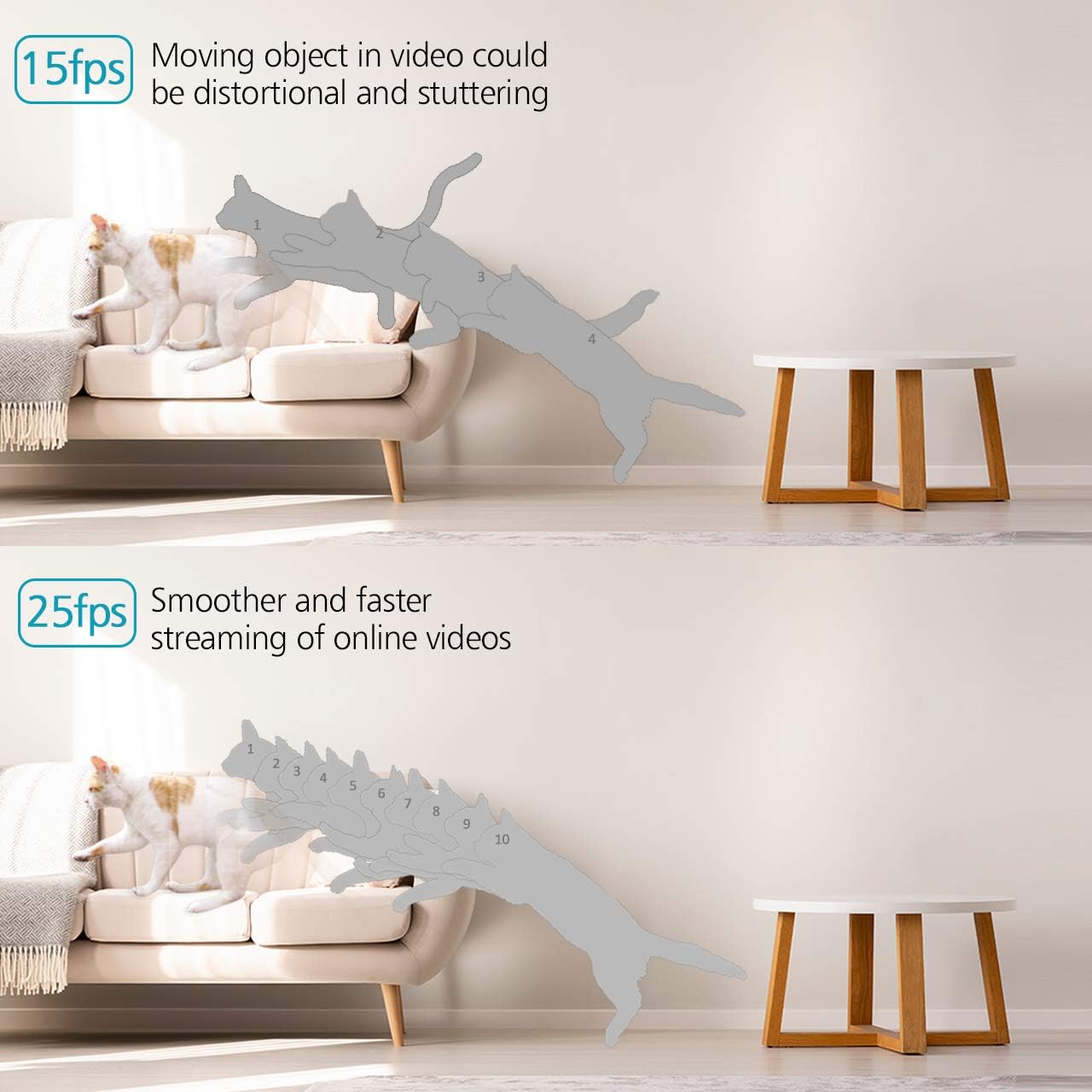
Image: Visual comparison of 15fps versus 25fps video quality, demonstrating smoother motion at 25fps.

Image: Demonstration of High-Dynamic Range (HDR) capability, capturing clear details in varied lighting conditions.
Pan, Tilt, and Digital Zoom
カメラの viewing angle remotely via the CloudEdge app. The camera offers a 355° horizontal pan and a 50° vertical tilt, allowing you to monitor a wide area. The unique sound-free motor ensures quiet operation during movement. Digital zoom is also available for closer inspection.

Image: Illustrates the camera's pan (355°) and tilt (50°) capabilities for wider view カバレッジ。
双方向オーディオ
The camera is equipped with dual, noise-cancelling microphones for clear two-way communication. Use the app to speak through the camera and listen to audio from its surroundings.
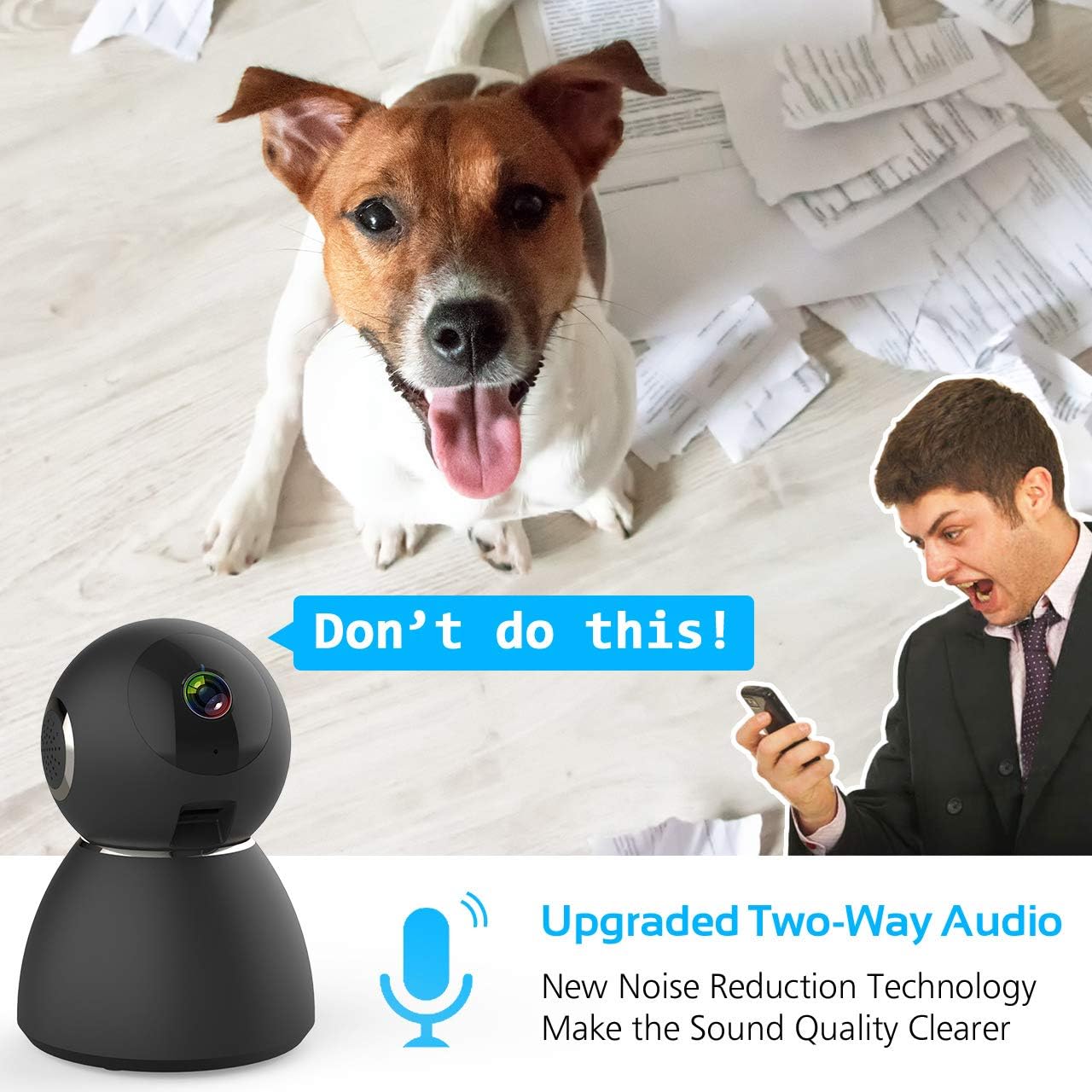
Image: Highlights the upgraded two-way audio feature with noise reduction technology.
ナイトビジョン
The camera features upgraded auto-IR night vision, providing clear visibility in pitch dark conditions up to 33 feet (10 meters). This ensures continuous surveillance even at night.

Image: Demonstrates the upgraded auto-IR night vision for clear view暗い場所で。

Image: Further illustration of the camera's advanced night vision capabilities.
動きと音の検出
The camera intelligently analyzes sound and motion, sending instant push alerts to your smartphone. Adjustable sensitivity settings help reduce false notifications, making it ideal for home security, baby monitoring, or pet surveillance.

Image: Shows accurate motion and sound detection with instant push alerts to a smartphone.
ストレージオプション
The camera supports local storage via a Micro SD card (up to 128GB, not included) for continuous recording or event-triggered recordings. Cloud storage is also available with a 7-day free trial.
アプリリモートコントロール
The user-friendly CloudEdge app allows you to control all camera functions remotely, view ライブフィード、録画されたフィードにアクセスtage, and receive alerts. You can also share camera access with up to 5 other users.
メンテナンス
To ensure the longevity and optimal performance of your Ctronics security camera, consider the following maintenance tips:
- クリーニング: カメラのレンズと本体は、柔らかく乾いた布で優しく拭いて、ほこりや汚れを取り除いてください。刺激の強い化学薬品や研磨剤の使用は避けてください。
- ファームウェアの更新: Regularly check the CloudEdge app for available firmware updates. Keeping your camera's firmware up-to-date ensures you have the latest features and security enhancements.
- 電源: Use only the provided charger and power adapter to prevent damage to the camera.
- 配置: カメラは直射日光、極端な温度、高湿度を避け、安定した場所に設置してください。
トラブルシューティング
If you encounter issues with your Ctronics security camera, refer to the following common solutions:
- カメラがWiFiに接続できない:
- Wi-Fiネットワークが2.4GHzであることを確認してください。カメラは5GHz Wi-Fiをサポートしていません。
- アプリに入力した WiFi パスワードが正しいことを確認してください。
- Place the camera closer to your WiFi router during setup.
- Reset the camera using the reset pin and try the setup process again.
- ビデオ品質が悪い:
- インターネット接続速度をご確認ください。1080Pストリーミングには、安定した高速接続が必要です。
- カメラのレンズがきれいで、障害物がないことを確認してください。
- Adjust the video quality settings within the CloudEdge app if your network bandwidth is limited.
- モーション/サウンドアラートなし:
- Verify that motion and sound detection are enabled in the CloudEdge app settings.
- Adjust the sensitivity levels for motion and sound detection.
- Check your phone's notification settings to ensure the CloudEdge app is permitted to send alerts.
- 双方向オーディオの問題:
- Ensure your phone's microphone is enabled for the CloudEdge app.
- 携帯電話とアプリの両方で音量設定を確認してください。
- Avoid placing the camera and your phone too close to each other during two-way audio to prevent feedback.
For further assistance, please refer to the support section or contact Ctronics customer service.
仕様
| 特徴 | 仕様 |
|---|---|
| モデル名 | CTSC-4C |
| ビデオキャプチャ解像度 | 1080p、25fps |
| 有効なビデオ解像度 | 8 MP |
| フレームレート | 25fps |
| 接続技術 | ワイヤレス(Wi-Fi) |
| 接続プロトコル | Wi-Fi |
| 無線通信技術 | Wi-Fi |
| 電源 | Battery Powered (Note: Product description indicates charger included, implying mains power with potential battery backup) |
| ワットtage | 5ワット |
| 商品の寸法 (長さ x 幅 x 高さ) | 4.6 x 3.4 x 3.4インチ |
| フォームファクター | ドーム |
| フォーカスタイプ | オートフォーカス |
| ズームタイプ | デジタルズーム |
| 低照度テクノロジー | 夜の色 |
| 光源の種類 | 赤外線 |
| アラートの種類 | オーディオとモーション |
| 制御方法 | アプリ |
| 製品の具体的な用途 | 監視 |
| 含まれるコンポーネント | 1 x Charger, 1 x Ctronics Indoor Security Camera, 1 x Instruction, 1 x Wall Mount |
保証とサポート
All Ctronics security cameras are covered by a 60-Day Money-Back Guarantee, a 2-Year Worry-Free Warranty, and Life-Time Technical Support.
For warranty claims, technical assistance, or any product-related inquiries, please contact Ctronics customer support through their official webサイトまたは購入書類に記載されている連絡先情報をご覧ください。