
1. はじめに
This manual provides essential information for the safe and efficient use of your TCL 32B400 32-inch HD LCD TV. Please read it thoroughly before operating the television and retain it for future reference.
The TCL 32B400 features a direct-lit LED backlight for uniform high brightness and image quality. Its VA panel technology delivers superior contrast, allowing for natural expression of subtle light and dark details. Equipped with a dual tuner, this TV supports terrestrial digital, BS digital, and 110-degree CS digital broadcasts, enabling simultaneous recording of one program while watching another. It supports various recording functions including instant, scheduled, daily/weekly repeat, and event recording. Connectivity options include two HDMI Ver1.4a input terminals (Port 1 supports ARC) and one USB2.0 input/output terminal, allowing connection to Blu-ray/DVD players/recorders and external speakers via ARC.

図1: 前面 view of the TCL 32B400 TV.
2. セットアップ
2.1 開梱とコンポーネントの確認
すべての部品をパッケージから慎重に取り出してください。以下のすべての部品が揃っていることを確認してください。
- リモコンx1
- 単2乾電池xXNUMX
- miniB-CAS card x1
- 電源コード x1
- Tip-over prevention parts set x1
- スタンドx2
- Screws (ST4, 20mm) x4 (for 32-inch model)
- 取扱説明書
- クイックガイド
- 保証書

図 2: 付属アクセサリ。
2.2 スタンドの取り付け
- 損傷を防ぐため、テレビ画面を下にして柔らかく平らな面に置いてください。
- スタンドをテレビの下部にある対応するスロットに合わせます。
- Secure each stand using the provided screws (ST4, 20mm).
2.3接続ケーブル
Connect the necessary cables to the appropriate ports on the TV. Refer to the connection diagram below.
- 電源コード: 電源コードをテレビの電源入力に接続し、次に壁のコンセントに接続します。
- アンテナ: Connect your terrestrial digital antenna cable to the 'Antenna Input' port. For BS/CS broadcasts, connect the satellite antenna cable to the 'BS/CS 110°' port.
- HDMIデバイス: Connect external devices like Blu-ray players or game consoles to the HDMI input ports. HDMI Port 1 supports Audio Return Channel (ARC).
- USB デバイス: Connect external USB storage devices for recording to the USB port.
- miniB-CAS Card: Insert the miniB-CAS card into its dedicated slot.

Figure 3: Connection terminals overview.
2.4 初期設定
After connecting all cables and powering on the TV, follow the on-screen instructions to complete the initial setup, including channel tuning and network configuration (if applicable).
3. 操作手順
3.1 基本操作
- 電源オン/オフ: リモコンまたはテレビの電源ボタンを押します。
- チャンネル選択: Use the 'CH +/-' buttons or number buttons on the remote control.
- 音量調整: Use the 'VOL +/-' buttons on the remote control.
- 入力ソース: Press the 'Input' button on the remote to select between HDMI, TV, and other connected sources.
3.2 プログラムの記録
Your TCL 32B400 TV supports recording to an external USB Hard Disk Drive (HDD) thanks to its dual tuner. This allows you to record one program while watching another.
- Connect a compatible external USB HDD to the TV's USB port.
- Format the HDD if prompted by the TV.
- To record, select the desired program and use the recording options in the TV menu (e.g., instant recording, scheduled recording via EPG).

Figure 4: Dual tuner allows watching one program while recording another.
3.3 画像とサウンドの設定
Access the TV's menu to adjust picture (brightness, contrast, color, sharpness) and sound (bass, treble, balance, sound mode) settings to your preference.
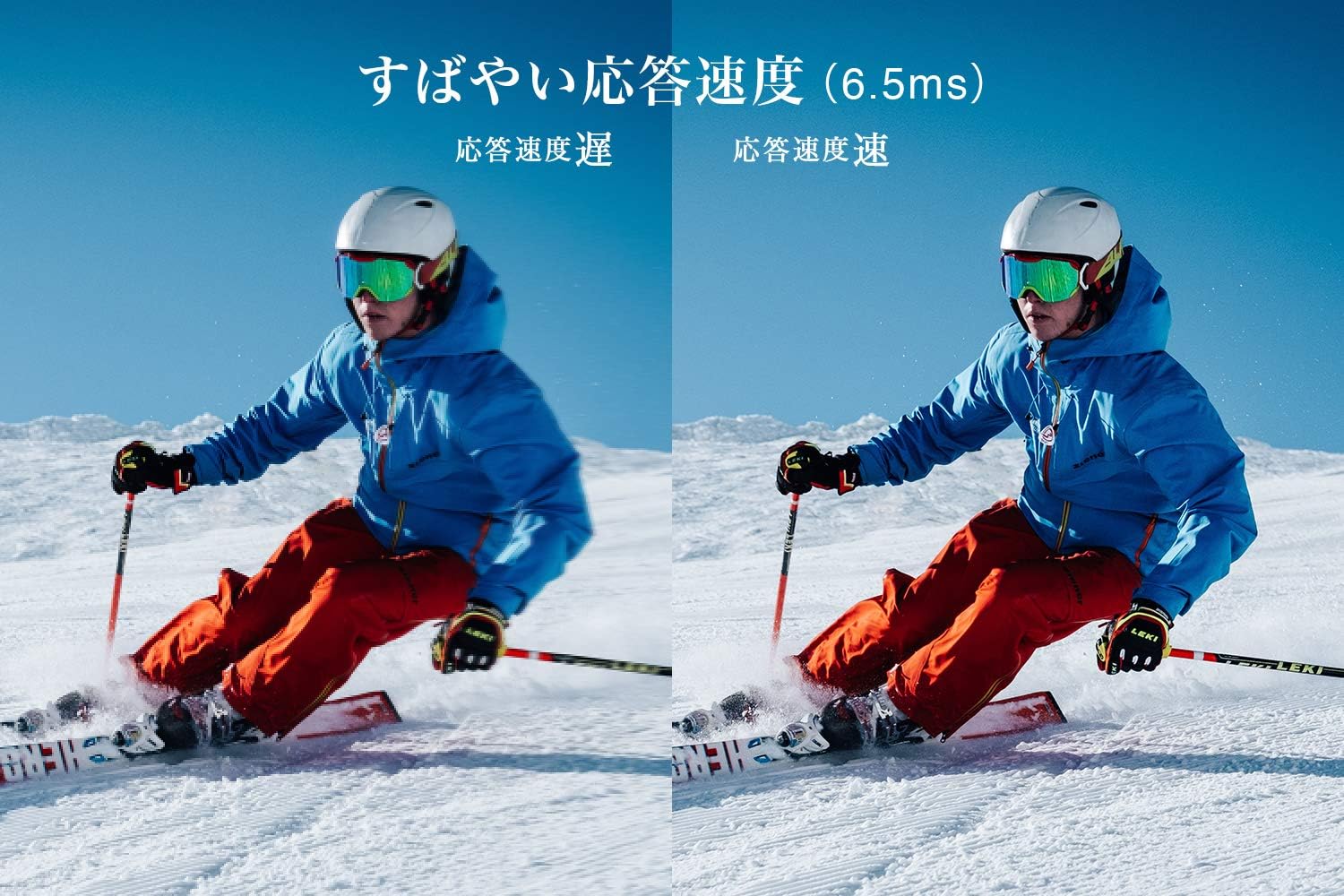
Figure 5: The TV features a fast response speed of 6.5ms for clear motion.
4. メンテナンス
4.1 画面のクリーニング
柔らかく乾いた、糸くずの出ない布で画面を優しく拭いてください。頑固な汚れには、軽くampen the cloth with water or a specialized screen cleaner (ensure it's suitable for LCD screens) and wipe carefully. Avoid applying excessive pressure.
4.2 テレビ本体の掃除
Wipe the TV body with a soft, dry cloth. Do not use abrasive cleaners, waxes, or solvents as they can damage the finish.
4.3一般的なケア
- テレビを直射日光や極端な温度にさらさないでください。
- 過熱を防ぐために、テレビの周囲に十分な換気を確保してください。
- 雷雨のときや長期間使用しない場合は、テレビを電源コンセントから抜いてください。
5。 トラブルシューティング
If you encounter issues with your TV, refer to the following common troubleshooting steps. If the problem persists, contact customer support.
5.1 電源なし
- 電源コードがテレビと壁のコンセントの両方にしっかりと接続されているかどうかを確認してください。
- 別のデバイスを接続して、壁のコンセントが機能していることを確認します。
- リモコンだけでなく、テレビ本体の電源ボタンを押してください。
5.2 画像なし/信号なし
- 正しい入力ソース(例:HDMI 1、TV)が選択されていることを確認します。
- すべてのケーブル接続(HDMI、アンテナ)に緩みや損傷がないか確認してください。
- 外部デバイスを使用する場合は、電源がオンになっていて正しく機能していることを確認してください。
- Perform a channel scan if you are watching broadcast TV.
5.3 音が出ない
- 音量レベルを確認し、テレビがミュートされていないことを確認してください。
- 外部スピーカーを使用する場合は、正しく接続され、電源がオンになっていることを確認してください。
- テレビメニューでオーディオ設定を確認してください。
5.4 リモコンが動作しない
- 電池を新しいものと交換してください。
- リモコンとテレビの赤外線センサーの間に障害物がないことを確認してください。
6. 仕様
| 特徴 | 仕様 |
|---|---|
| 表示サイズ | 32インチ |
| ディスプレイ技術 | 液晶 |
| 解決 | 高解像度(1366×768) |
| リフレッシュレート | 60Hz |
| アスペクト比 | 16:9 |
| コントラスト比 | 3000:1 |
| View角度 | 178/178 degrees (JEITA standard, CR>=10) |
| バックライトタイプ | 直射日光LED |
| 応答速度 | 6.5ミリ秒 |
| 寸法(スタンド付き) | 幅731×高さ491×奥行186mm |
| 寸法(スタンドなし) | 幅731×高さ436×奥行76mm |
| 重量(スタンド付き) | 4.4 キロ |
| 重量(スタンドなし) | 4.3 キロ |
| Wall Mount (VESA) | 100x100mm |
| 年間消費電力 | 45kWh/年 |
| HDMIポート | 2 (HDMI Ver1.4a, Port 1 supports ARC) |
| USBポート | 1(USB2.0) |
| チューナータイプ | Terrestrial Digital, BS Digital, 110-degree CS Digital (Dual Tuner) |
| モデル年 | 2019 |

Figure 6: TV dimensions and recommended view距離。

Figure 7: VA panel technology provides superior contrast and depth.
7. 保証とサポート
7.1 製造元の保証
This product comes with a 1-year manufacturer's warranty from the date of purchase. Please retain your proof of purchase for warranty claims.
7.2 カスタマーサポート
For any inquiries, technical assistance, or repair requests, please contact TCL customer support. Our dedicated Japanese staff are available to assist you.
- 電話: 0120-955-517
- 営業時間: 9:00 - 18:00 (Weekdays and Holidays, excluding year-end and New Year holidays)
- Webサイト: https://www.tcl.com/jp/ja/services.html
Nationwide repair service is available.
Figure 8: TCL Customer Support details.