
1. はじめに
This manual provides instructions for the proper setup, operation, and maintenance of your Ohaus CR5200 Compass Series Portable Balance. Please read this manual thoroughly before using the balance to ensure correct operation and to prevent damage.
The Ohaus CR5200 is a portable digital balance designed for accurate weighing with a capacity of 5200 grams and a readability of 1 gram. It supports multiple weighing units including grams (g), ounces (oz), pounds:ounces (lb:oz), troy ounces (ozt), and pennyweights (dwt).

画像1.1: 上 view of the Ohaus CR5200 Compass Series Portable Balance, showing the display and control buttons.
2. 安全情報
- Operate the balance on a stable, level surface free from vibrations and drafts.
- 天秤を極端な温度、湿度、または直射日光にさらさないでください。
- Do not overload the balance beyond its maximum capacity of 5200 grams.
- 天秤を清潔に保ち、ほこりやごみが付かないようにしてください。
- Use only the specified power source (3 AA batteries or compatible AC adapter).
3. セットアップ
3.1 開梱
Carefully remove the balance from its packaging. Inspect the balance for any signs of damage. Retain the packaging for future transport or storage.
3.2 Powering the Balance
The Ohaus CR5200 can be powered by three AA alkaline batteries or an external AC adapter (not included, but compatible with the side power port).
バッテリーの取り付け:
- Locate the battery compartment on the underside of the balance.
- 電池ボックスのカバーを開きます。
- Insert three AA alkaline batteries, ensuring correct polarity (+/-).
- 電池カバーをしっかりと閉じてください。

画像3.1: 下側 view of the balance with the battery compartment open, showing three AA batteries installed.
外部電源接続:
If using an AC adapter, connect it to the power input port located on the side of the balance. Ensure the adapter meets the specified voltage and current requirements (e.g., 12V 0.5A).

画像3.2: 側面 view of the balance, highlighting the external power input port.
3.3 配置
Place the balance on a firm, level, and stable surface. Avoid locations near air vents, windows, or equipment that generates vibrations or electromagnetic interference.
4. 操作手順
4.1 電源オン/オフ
- 電源を入れるには: [オン/オフ] button. The display will show a self-test sequence and then settle at 0.0 g.
- 電源を切るには: [オン/オフ] ディスプレイが消えるまでボタンを押し続けます。
4.2 Selecting Weighing Units
The balance supports multiple weighing units: grams (g), ounces (oz), pounds:ounces (lb:oz), troy ounces (ozt), and pennyweights (dwt).
- To change the weighing unit: Press the [単位] button (often labeled with 'g' and an arrow). Each press cycles through the available units.
4.3風袋機能
The tare function allows you to zero out the weight of a container, so only the weight of the contents is measured.
- 空の容器を計量皿に置きます。ディスプレイに重量が表示されます。
- を押す [TARE/ゼロ] button (often labeled with '→0←'). The display will reset to 0.0.
- 計量する材料を容器に入れます。ディスプレイに材料の正味重量が表示されます。
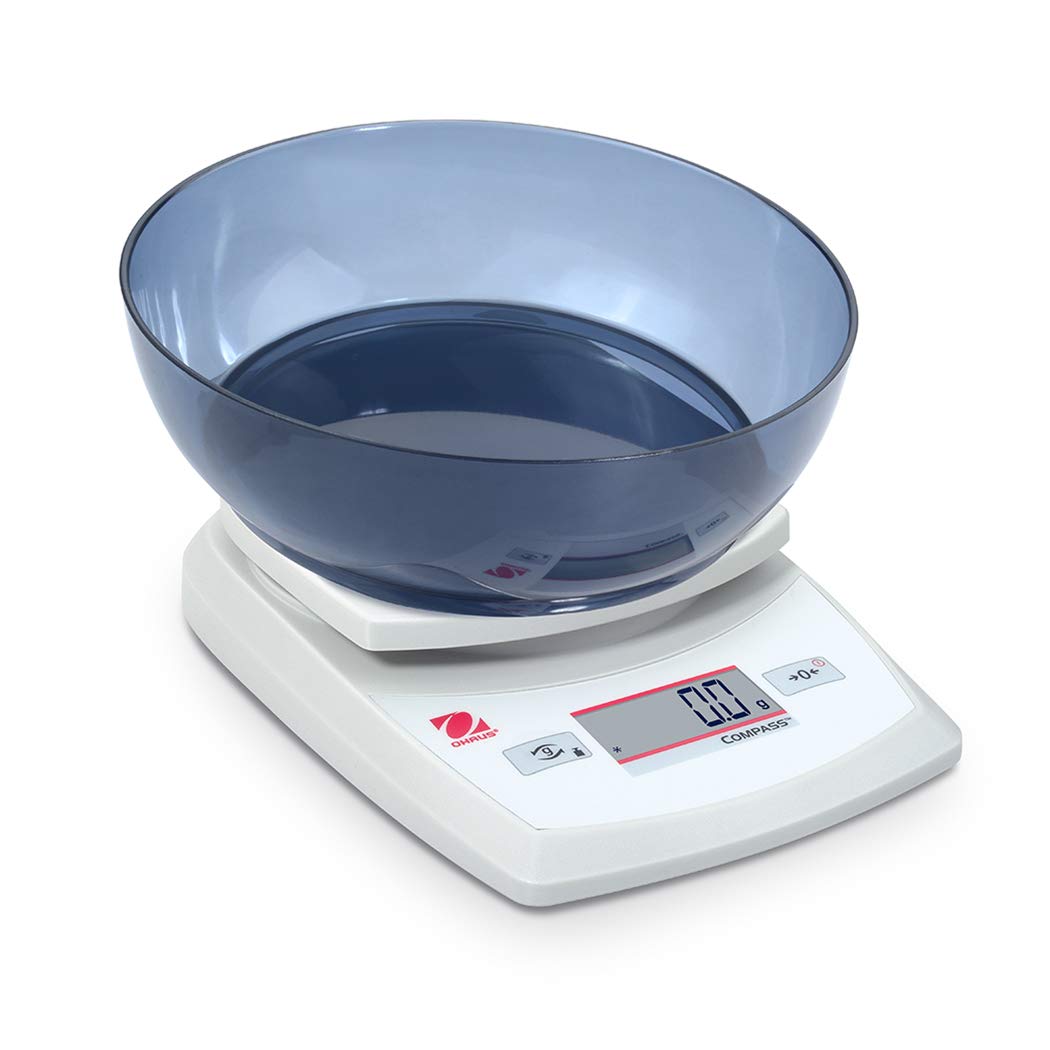
Image 4.1: The balance with an empty bowl on the weighing pan, ready for the tare function.
4.4 基本的な計量
- Ensure the balance is powered on and the display shows 0.0 in the desired weighing unit.
- 計量する物を計量皿の中央に慎重に置きます。
- 表示が安定するまでお待ちください。安定した重量が表示されます。
- フライパンからアイテムを取り出します。
4.5 外部キャリブレーション
The Ohaus CR5200 features external calibration. This process requires a known calibration weight (not included) to ensure accuracy. Refer to the full Ohaus CR Series manual for detailed calibration procedures specific to your model.

Image 4.2: The balance with a cylindrical calibration weight placed on the weighing pan.
5. メンテナンス
5.1 クリーニング
- バランスの外側を柔らかくて乾いた布で拭いてください。amp 布で拭いてください。研磨剤や溶剤は使用しないでください。
- 天秤のハウジングやディスプレイに液体が入らないようにしてください。
- Keep the weighing pan clean to ensure accurate readings.
5.2 電池の交換
When the battery indicator appears on the display, replace the three AA alkaline batteries as described in Section 3.2.
5.3 ストレージ
When not in use for extended periods, remove the batteries to prevent leakage. Store the balance in a dry, dust-free environment. The Ohaus CR5200 is designed for portability and can be stored in a protective case (if available).

Image 5.1: The Ohaus CR5200 balance shown alongside its protective carrying case.
6。 トラブルシューティング
| 問題 | 考えられる原因 | 解決 |
|---|---|---|
| バランスがオンになりません。 | Dead or incorrectly installed batteries; no AC power. | Replace batteries or check AC adapter connection. Ensure correct battery polarity. |
| 不正確または不安定な読み取り。 | Unstable surface; drafts; electromagnetic interference; balance needs calibration. | Move balance to a stable, level surface. Shield from drafts. Recalibrate the balance (refer to Section 4.5). |
| ディスプレイに「Err」またはエラー コードが表示されます。 | 過負荷; 内部エラー。 | Remove excess weight if overloaded. Power cycle the balance. If error persists, contact Ohaus support. |
| Tare function not working. | Balance not stable; button not pressed correctly. | Ensure balance is stable and display is settled. Press the TARE/ZERO button firmly. |
7. 仕様
| 特徴 | 仕様 |
|---|---|
| モデル番号 | CR5200 |
| 容量 | 5200グラム(5.2キログラム) |
| 読みやすさ | 1グラム |
| 計量単位 | g, oz, lb:oz, ozt, dwt |
| 校正タイプ | 外部の |
| 電源 | 3 AA alkaline batteries (included) or AC adapter (not included) |
| 表示タイプ | デジタル |
| 材料 | プラスチック |
| 製品寸法(長さ x 幅 x 高さ) | 23.62 x 17.02 x 5.59 cm |
| アイテム重量 | 408.23 g(約14.4オンス) |
| 特集 | ポータブル |
8. 保証とサポート
保証情報、技術サポート、またはサービスに関するお問い合わせについては、Ohausカスタマーサービスにお問い合わせいただくか、Ohausの公式ウェブサイトをご覧ください。 webサイトでご確認ください。購入証明として購入レシートを保管してください。