
1. はじめに
This manual provides essential information for setting up, operating, maintaining, and troubleshooting your Samsung Galaxy A20e smartphone. Please read this manual carefully to ensure proper use and to maximize the device's features.
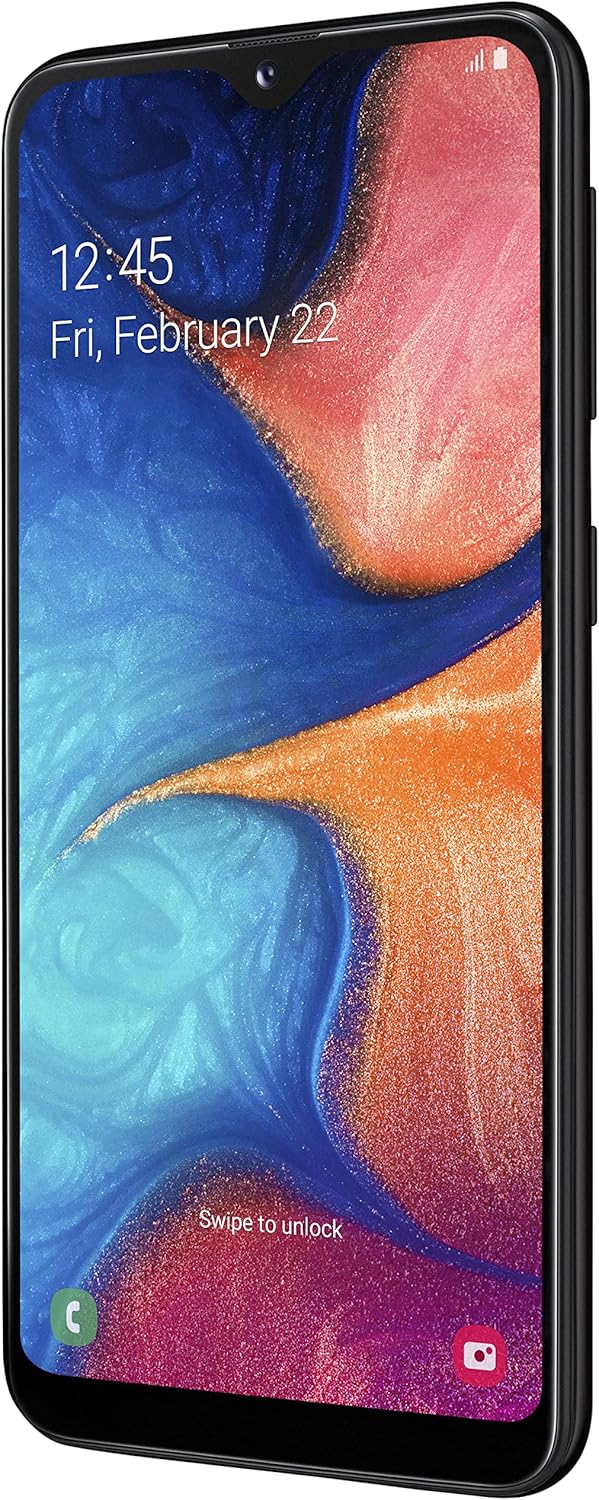
The Samsung Galaxy A20e offers an immersive 5.8-inch Infinity-V display, a versatile dual rear camera system, and a secure fingerprint reader. It is designed for everyday use with expandable storage and fast charging capabilities.
2. 箱の中身
Upon unboxing your Samsung Galaxy A20e, verify that all the following components are included:
- Samsung Galaxy A20e Smartphone
- 充電アダプター
- USB Type-Cケーブル
- Audio Headphones with Microphone
- SIM取り出しピン
- クイック スタート ガイドと保証情報
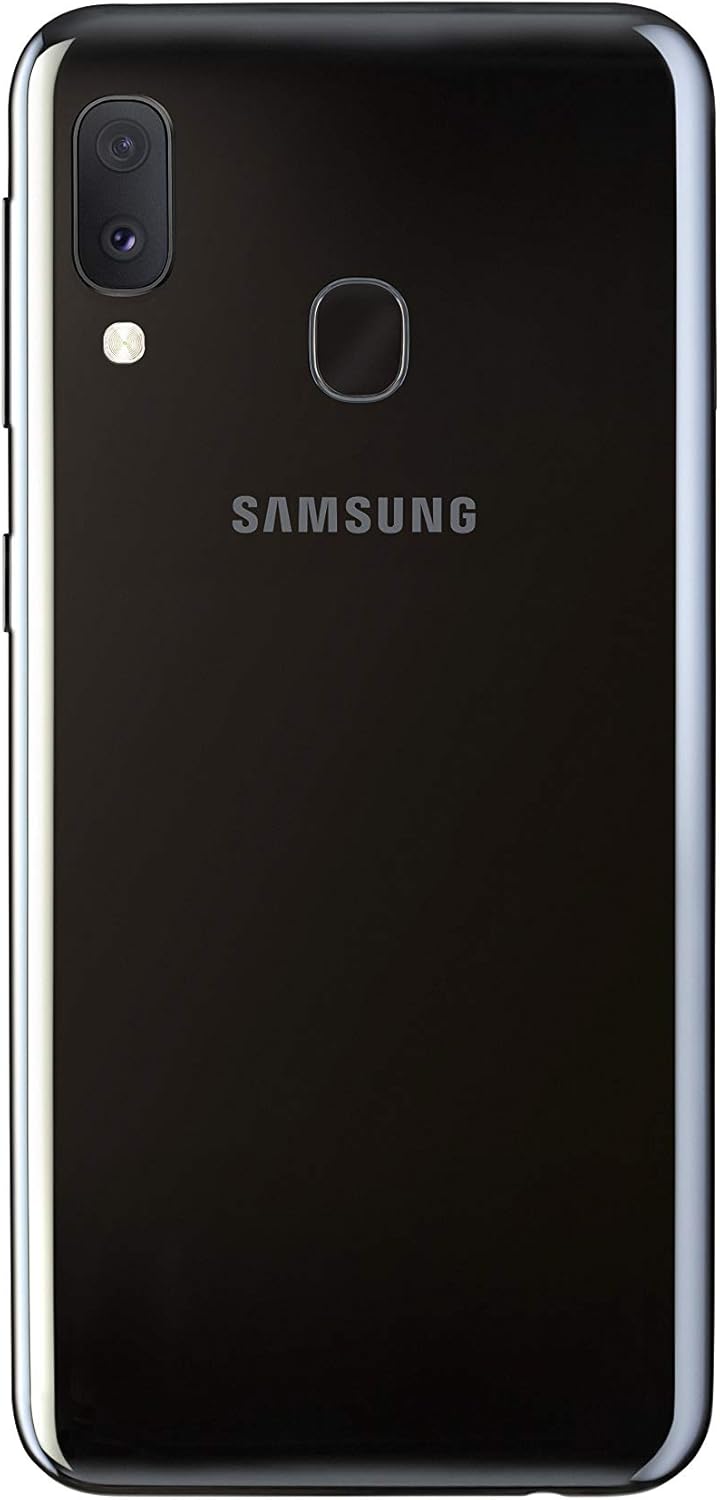
Image: Samsung Galaxy A20e smartphone and its standard accessories.
3. 初期設定
3.1 SIMカードとMicroSDカードの挿入
- デバイスの側面にある SIM カード トレイを見つけます。
- SIM取り出しピンをトレイの小さな穴に挿入して開きます。
- Place your Nano-SIM card(s) and/or microSD card into the tray with the gold contacts facing down. The Galaxy A20e supports two SIM cards and one microSD card simultaneously.
- カチッと音がするまで、トレイを慎重にスロットに戻します。

Image: SIM and microSD card tray for the Galaxy A20e.
3.2 バッテリーの充電
Before first use, fully charge the device battery. Connect the USB Type-C cable to the charging adapter and then to the phone's charging port. Plug the adapter into a power outlet. The device supports 15W fast charging.
3.3 電源のオン/オフ
- 電源をオンにするには: Samsung ロゴが表示されるまで電源キーを押し続けます。
- 電源を切るには: 電源キーを長押しし、画面上の「電源を切る」をタップします。
4. 基本操作
4.1 インターフェースの操作
The Galaxy A20e runs on Android 9.0 (Pie). Use touch gestures to navigate:
- タップ: 項目を選択するか、アプリを開きます。
- スワイプ: 画面間を移動したり、リストをスクロールしたりします。
- ピンチ: 写真を拡大または縮小したり、 web ページ。
4.2 通話とメッセージの送信
Use the Phone app to make calls and the Messages app to send and receive text messages. Ensure your SIM card is properly inserted and activated.
4.3 Wi-FiとBluetoothへの接続
Access the Quick Settings panel by swiping down from the top of the screen. Tap the Wi-Fi or Bluetooth icons to enable/disable and connect to available networks or devices.
5. カメラ機能
The Galaxy A20e is equipped with a dual rear camera system and a front camera for capturing various moments.
- デュアルリアカメラ: Capture detailed photos and wider landscapes with the ultra-wide-angle lens. The main optical sensor resolution is 13 MP.
- フロントカメラ: The front camera is ideal for selfies and video calls.
- ビデオ録画: Record videos in 1080p resolution.
画像: 背面 view of the Galaxy A20e, showing the dual camera.
6. 表示機能
The device features a 5.8-inch Infinity-V HD+ display, providing an immersive viewing experience for your content.
- 表示タイプ: アモルファス
- 画面サイズ: 5.8インチ
- 解決: 720 x 1520 ピクセル

画像: 正面 view of the Galaxy A20e display.
7. バッテリーと充電
The Galaxy A20e is equipped with a 3000 mAh Lithium-ion battery and supports 15W fast charging.
- バッテリー容量: 3000mAh
- 急速充電: The 15W fast charging technology allows for quick recharging of your device.
8. セキュリティ機能
Protect your valuable content with the integrated fingerprint reader, offering fast and secure unlocking.
- 指紋センサー: Located on the rear of the device for convenient and secure access.
- 顔認識: Set up facial recognition for an alternative unlocking method.
9. ストレージと接続性
The Galaxy A20e provides ample storage and various connectivity options.
- 内部メモリ: 32 GB, with 3 GB RAM.
- 拡張可能なストレージ: Expandable via microSD card up to 512 GB.
- デュアルSIM: Supports two Nano-SIM cards for flexible usage.
- ワイヤレス接続: Wi-Fi 802.11 b/g/n and Bluetooth 5.0.
- セルラー技術: 4G LTE.
10. メンテナンス
To ensure the longevity and optimal performance of your Samsung Galaxy A20e, follow these maintenance guidelines:
- ソフトウェアアップデート: セキュリティとパフォーマンスを強化するために、ソフトウェアの更新を定期的に確認してインストールしてください。
- クリーニング: 画面と本体の清掃には、柔らかく糸くずの出ない布をご使用ください。刺激の強い化学薬品の使用は避けてください。
- バッテリーのケア: Avoid extreme temperatures and do not allow the battery to fully discharge frequently.
- ストレージ管理: 定期的に不要なものをクリアする files とアプリをアップグレードしてストレージ容量を解放し、パフォーマンスを維持します。
11。 トラブルシューティング
デバイスで問題が発生した場合は、次の一般的なトラブルシューティング手順を試してください。
- デバイスが応答しない: デバイスを再起動するには、電源キーと音量ダウンキーを同時に 7 秒以上押し続けます。
- バッテリーの消耗が早い: Check background app usage, reduce screen brightness, and disable unused features like Wi-Fi or Bluetooth.
- 接続の問題: Restart your device, toggle Wi-Fi/Bluetooth on and off, or reset network settings.
- アプリがクラッシュする: アプリのキャッシュとデータを消去するか、アプリをアンインストールして再インストールしてください。
- パフォーマンスが遅い: Close unused apps, clear cache, or perform a factory reset (back up your data first).
12. 技術仕様
| 特徴 | 仕様 |
|---|---|
| ブランド | サムスン |
| モデル名 | A20e |
| 商品型番 | SM-A202FZKDITV |
| 製品寸法 | 14.74 x 6.97 x 0.84 cm; 141 グラム |
| オペレーティング·システム | アンドロイド9.0 |
| プロセッサ速度 | 1.6GHz帯 |
| プロセッサタイプ | Aシリーズ デュアルコア A4-3420 |
| インストールされているRAMサイズ | 3ギガバイト |
| メモリ容量 | 32ギガバイト |
| Maximum RAM Size | 512 GB(MicroSDで拡張可能) |
| 画面サイズ | 5.8インチ |
| 表示タイプ | アモルファス |
| 解決 | 720×1520 |
| 光学センサー解像度 | 13 MP |
| ビデオ解像度 | 1080p |
| バッテリー容量 | 3000ミリamper-hour (mAh) |
| ワイヤレスタイプ | 802.11a、802.11b、802.11g |
| セルラーテクノロジー | 4G |
| Bluetooth サポート | はい(Bluetooth 5.0) |
| オートフォーカス | はい |
13. 製品ビデオ
Samsung Galaxy A20e Features Overview
このビデオでは、view of the Samsung Galaxy A20e's key features, including its display, camera capabilities, and security options. (Duration: 0:37)
14. 保証とサポート
Your Samsung Galaxy A20e smartphone comes with a standard manufacturer's warranty. Please refer to the warranty card included in the product packaging for detailed terms and conditions, including coverage period and service procedures.
技術サポート、サービス、その他のサポートについては、Samsungの公式サポートをご覧ください。 web公式サイトをご覧いただくか、カスタマーサービスまでお問い合わせください。サポートをご利用の際は、購入証明書をご用意ください。
重要な注意: To use this [Italian Version] smartphone in a non-European country, you must first make at least 5 minutes of calls with a European SIM card.