
1.製品オーバーview
This manual provides essential information for the safe and efficient operation of your AmazonBasics 564 L Frost Free Side-by-Side Refrigerator with Water Dispenser, Model AB2019RF002. This appliance features a generous 564-liter capacity, suitable for large families, and incorporates Auto Defrost technology to prevent ice buildup. The side-by-side configuration offers convenient access to both the freezer and refrigerator compartments, complemented by a built-in water dispenser.

画像1:正面 view of the AmazonBasics 564 L Side-by-Side Refrigerator with Water Dispenser.
主な特徴:
- Auto Defrost Technology: Automatically prevents excess ice buildup.
- 564 L Gross Capacity: Ideal for families with 5 or more members.
- Multi Airflow System: Ensures uniform cooling throughout the compartments.
- デジタルインバーターコンプレッサー: Provides silent operation and high durability.
- ウォーターディスペンサー: Convenient access to chilled water.
- Quick Freeze & Quick Cool: Features to help preserve food longer.
- 正確な温度制御: Allows setting and maintaining desired temperatures.
ビデオ1: オーバーview of the AmazonBasics 564 L Side-by-Side Refrigerator, highlighting its key features and benefits.
2. セットアップ手順
2.1開梱と配置
Carefully unpack the refrigerator and remove all packaging materials. Ensure the appliance is placed on a firm, level surface to prevent vibrations and ensure proper door alignment. Allow adequate space around the refrigerator for proper ventilation (at least 10 cm on sides and back, 30 cm on top) to ensure efficient cooling and prevent overheating.
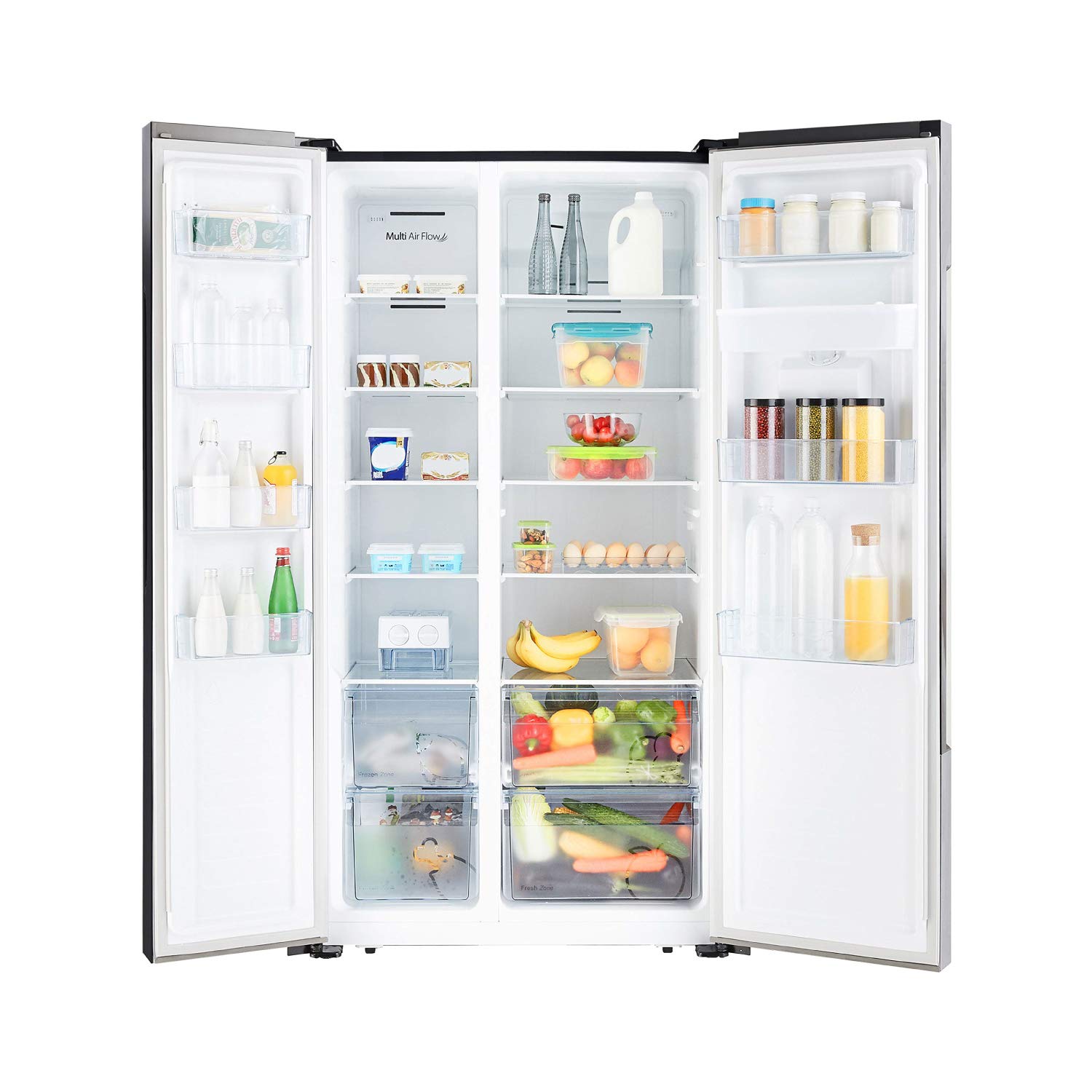
Image 2: Refrigerator dimensions for proper placement and installation.
2.2 電気接続
この製品には15が必要です Amp power supply. If only a 5 Amp socket is available, use a suitable conversion adapter. After delivery and placement, it is recommended to wait at least 5 hours before switching on the refrigerator. This allows the refrigerant to settle, preventing potential damage to the compressor.
2.3 初期洗浄
Before first use, clean the interior and exterior of the refrigerator with a soft cloth dampened with a mild detergent solution. Wipe dry thoroughly. Ensure all shelves and drawers are properly installed.
3. 操作手順
3.1 温度制御
The refrigerator is equipped with an in-built LED Display Panel for instant control and access to temperature settings. The freezer operates between -14°C and -24°C, while the main refrigerator unit operates between 2°C and 8°C. Adjust the temperature using the controls on the LED panel to suit your storage needs.

Image 3: LED Display Panel for temperature and feature control.
3.2 Quick Freeze and Quick Cool Features
Utilize the Quick Freeze feature to rapidly turn water into ice or freeze fresh food items quickly. The Quick Cool feature helps food last longer by rapidly chilling the refrigerator compartment. These functions can be activated via the control panel.
3.3 Multi Airflow System
The integrated Multi Airflow System ensures smooth and uniform airflow into all storage compartments. This consistent cooling helps maintain optimal temperatures and freshness for your food items.
3.4ウォーターディスペンサー
To use the water dispenser, ensure the internal water tank is filled with potable water. Place a glass or container under the dispenser nozzle and press the lever. Regularly clean the water tank and dispenser area.
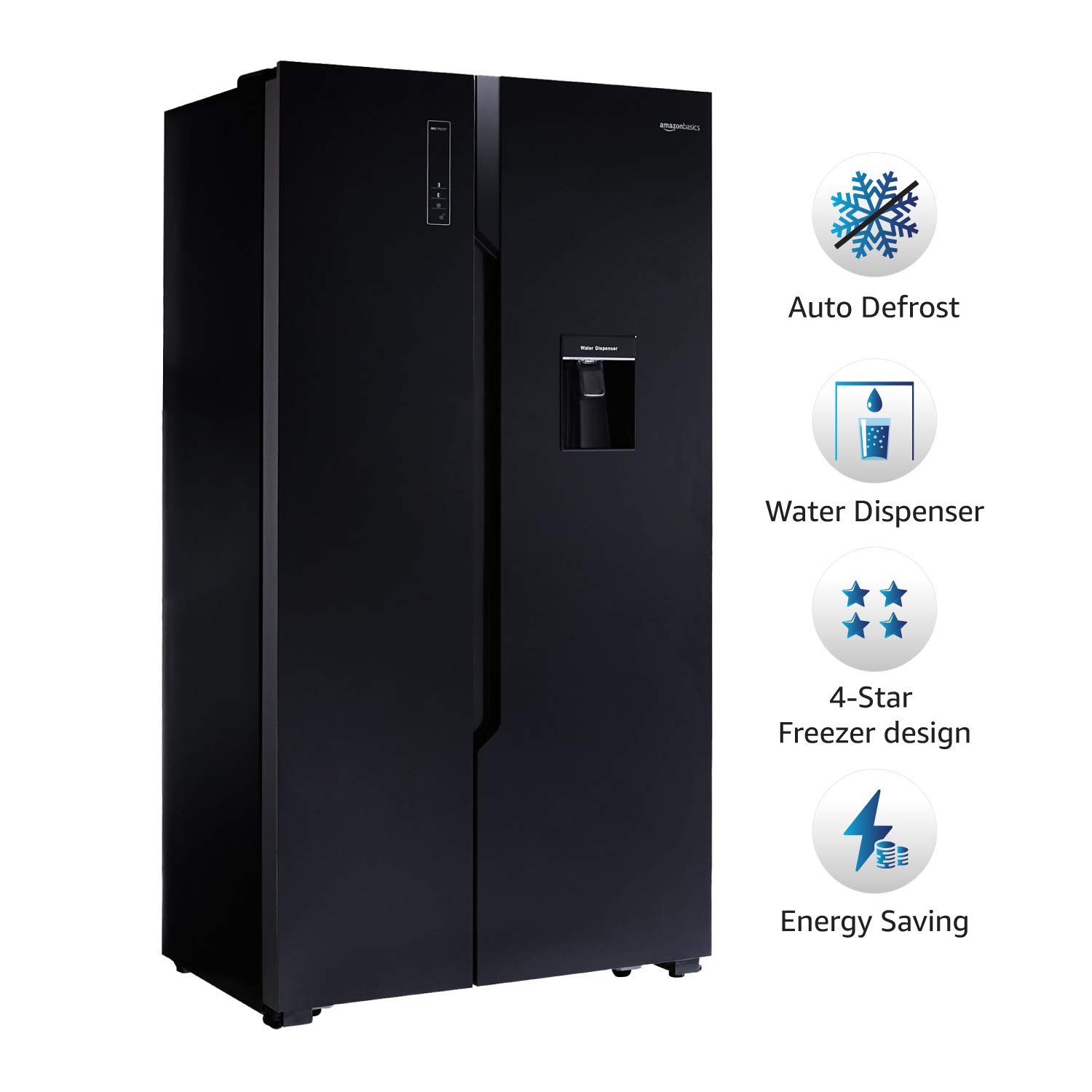
Image 4: Visual representation of key features including the water dispenser.
4. メンテナンス
4.1 クリーニング
Regular cleaning is crucial for hygiene and efficiency. Unplug the refrigerator before cleaning. Clean the interior with a solution of mild soap and water. For the exterior, use a soft cloth and a non-abrasive cleaner. Pay attention to door seals to ensure they are clean and free from debris, maintaining an airtight seal.

Image 5: Interior layout of the refrigerator, illustrating storage compartments for cleaning.
4.2 省電力のヒント
- Do not open the doors frequently or leave them open for extended periods.
- Ensure the refrigerator is not placed near heat sources or in direct sunlight.
- Allow hot food to cool down before placing it inside.
- Keep the condenser coils at the back clean for optimal performance.
5。 トラブルシューティング
一般的な問題と解決策:
- 冷蔵庫が冷えない: Check if the power cord is securely plugged in. Ensure the temperature settings are correct. Verify that the doors are closing properly.
- 異常なノイズ: Minor noises are normal during operation. Ensure the refrigerator is level and not touching walls or other appliances.
- 水漏れ: Check the water dispenser tank for proper seating. Ensure the drain pan is not overflowing or blocked.
- 冷凍庫内の霜が多すぎる場合: Although equipped with Auto Defrost, ensure the freezer door is not left open frequently and door seals are intact.
If problems persist after attempting these solutions, please refer to the warranty and support section for contact information.
6. 仕様
| 特徴 | 詳細 |
|---|---|
| ブランド | アマゾンベーシック |
| モデル番号 | AB2019RF002 |
| 容量 | 564リットル |
| 構成 | サイドバイサイド |
| 色 | 黒 |
| 霜取りシステムタイプ | 自動 |
| 棚タイプ | 強化ガラス |
| 冷却方法 | Compressor (Digital Inverter) |
| 温度調節可能 | はい |
| インストールタイプ | フリースタンディング |
| BEEスター評価 | エネルギースター |
| 寸法(約) | Height: 178 cm, Depth: 64 cm, Width: 91 cm |
7. 保証とサポート
7.1 保証の詳細
Your AmazonBasics refrigerator comes with a 製品には1年間の保証が付いています そして コンプレッサーの5年間保証. This warranty covers malfunctions arising from manufacturing defects.

Image 6: Warranty information for the product and compressor.
7.2 Claiming Warranty
保証を請求するには、次の手順に従ってください。
- Go to the 'Your orders' section on Amazon.in.
- Select the AmazonBasics refrigerator product.
- Click on 'Get product support'.
- Schedule an appointment for service.
This process is designed to be hassle-free and paperless, providing complete visibility to every step of your warranty claim.
7.3 Gas Refill Policy
One gas refill/top-up will be provided free of cost during the first year of warranty. Subsequent refills will be chargeable.
7.4連絡先情報
For any support or queries, you may contact:
- 輸入業者: Dawntech Electronics Private Limited, Salarpuria Windsor, 3, Ulsoor Rd, Halasuru, Yellappa Chetty Layout, Sivanchetti Gardens, Bengaluru, Karnataka 560042
- カスタマーケア連絡先: Toll Free no. 18004190416
- メールアドレス: amazonbrands@blubirch.com
- メーカー: Hisense Ronshen (Yangzhou) Refrigerator Co., Ltd., No. 8 Haixin Road, Nancun, Pingdu