
1.製品オーバーview
The Picun UW05 Wireless Gaming Headsets offer a versatile audio solution for gaming and multimedia. These over-ear headphones feature Active Noise Cancelling (ANC), a detachable boom microphone, and support for both 2.4Ghz wireless and Bluetooth connectivity. Designed for comfort and immersive sound, they are compatible with various devices including PC, PS5/PS4, laptops, and cellphones.

Image: Picun UW05 Headsets demonstrating multi-platform compatibility.
2. 箱の中身
Upon unboxing your Picun UW05 Wireless Gaming Headsets, you should find the following items:
- Picun P28S Bluetooth headphones (UW05 model)
- ユーザーマニュアル(このドキュメント)
- USB-Micro充電ケーブル
- 3.5mmオーディオケーブル
- USB-A dongle for 2.4Ghz wireless connection
- Detachable 2.5mm microphone
ビデオ: オーバーview of the Picun P28S (UW05) Wireless Stereo Headphones, highlighting features like EQ Bass Mode, LED Battery Indicator, advanced battery life, and dual driver speaker units.
3. セットアップ
3.1 ヘッドセットの充電
Before initial use, fully charge your Picun UW05 headsets. Connect the provided USB-Micro Charging Cable to the headset's charging port and a compatible USB power source. The LED Battery Indicator will show charging status.
- 充電時間: フル充電には約1.5〜2時間かかります。
- 急速充電: 10 minutes of charging can provide up to 4 hours of music playback.
- バッテリー寿命: Up to 40 hours of music enjoyment or 40 hours of clear talking on a full charge. Standby time up to 300 hours.
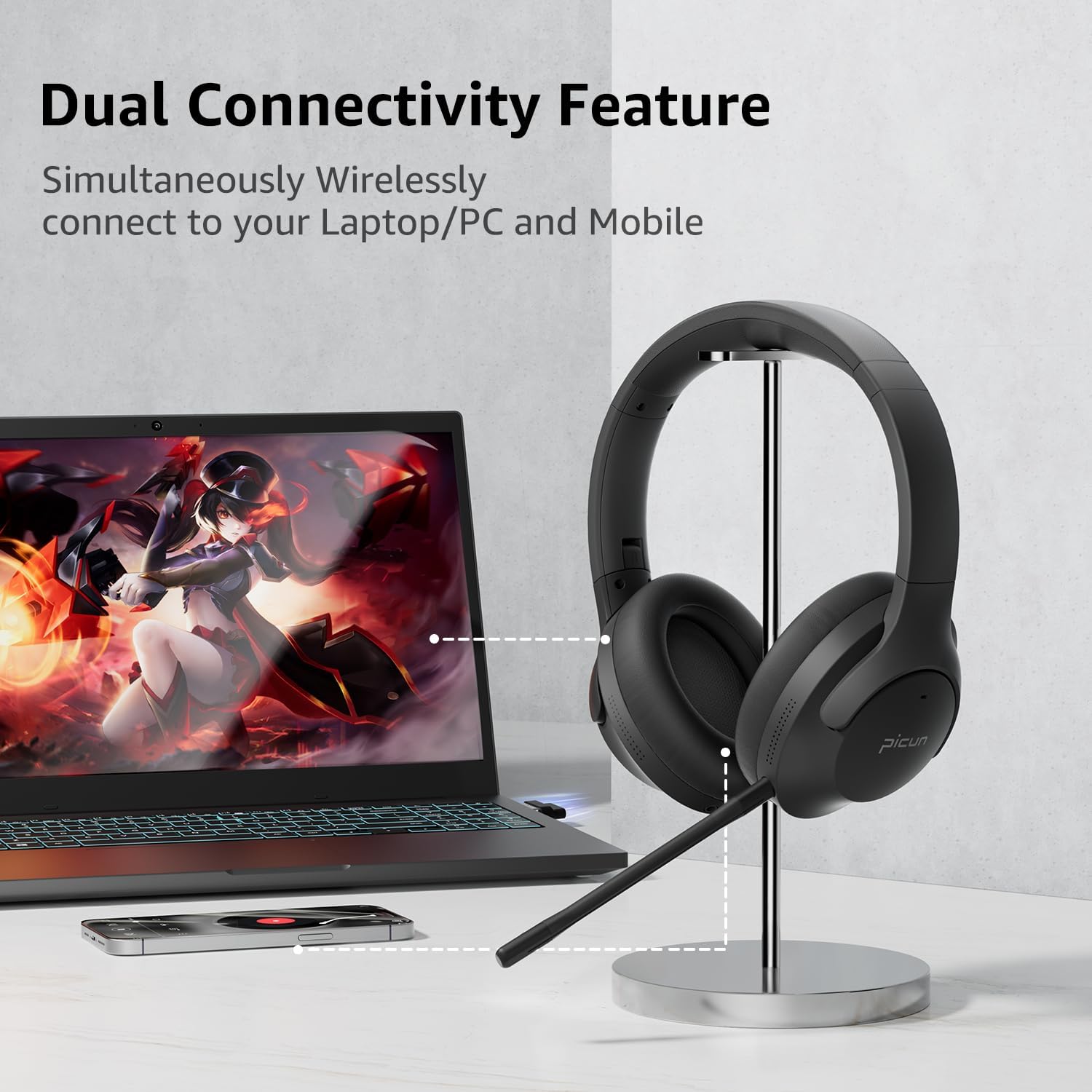
Image: Picun UW05 Headsets demonstrating dual connectivity with a laptop and mobile phone.
3.2 電源のオン/オフ
- 電源オン: Long press the Power/M button for 3-5 seconds. The indicator light will show red and blue, and you will hear "power on".
- 電源を切る: Long press the Power/M button until the headset powers off.
3.3Bluetooth経由で接続する
- Ensure the headset is powered on (see 3.2). The indicator light should be flashing red and blue, indicating pairing mode.
- デバイス(スマートフォン、タブレット、ラップトップ)で Bluetooth を有効にし、利用可能なデバイスを検索します。
- Select "P28S" from the list of available devices.
- Once connected, you will hear "Connected."
3.4 Connecting via 2.4Ghz Wireless (USB Dongle)
For PC or PS5/PS4, insert the USB-A wireless dongle into an available USB port on your device. The headset should automatically connect to the dongle. Refer to your device's settings if a connection is not established automatically.
3.5 3.5mmオーディオケーブルで接続する
To use the headsets in wired mode, connect one end of the 3.5mm audio cable to the headset's audio jack and the other end to your device's 3.5mm audio output. Note that the detachable microphone only functions in wireless mode.
4. 操作手順
4.1コントロールオーバーview
ヘッドセットには、イヤーカップに直感的なコントロールが備わっています。
- Power/M Button: Long press for Power ON/OFF.
- ボリュームダウン (-): Short press for volume decrease. Long press for previous song.
- ボリュームアップ(+): Short press for volume increase. Long press for next song.
- 再生/一時停止/応答/切断ボタン: 押すと音楽の再生/一時停止、または通話の応答/終了ができます。
- EQモードスイッチ: Short press "V+" and "V-" buttons together to switch the EQ mode (e.g., for powerful HiFi stereo bass sound).

Image: Picun UW05 Headsets showcasing 3D Virtual Spatial Surround Audio.
4.2 アクティブノイズキャンセリング(ANC)
The Picun UW05 features hybrid Active Noise Cancelling technology. Locate the ANC button on the earcup to toggle this feature on or off. ANC helps reduce ambient noise for a more focused listening experience.

Image: Picun UW05 Headsets illustrating Hybrid Active Noise Cancelling with internal and external microphones.
4.3 Detachable Boom Microphone
Attach the boom microphone to the designated port on the headset for clear voice communication during gaming or calls. The microphone utilizes ENC (Environmental Noise Cancellation) technology to pick up your voice clearly. A mute button is available on the microphone itself.
Note: The detachable microphone only works in wireless (Bluetooth or 2.4Ghz dongle) mode, not when connected via the 3.5mm audio cable.

Image: Picun UW05 Headsets highlighting the detachable ENC Noise Reduction Microphone.
5. メンテナンス
- クリーニング: ヘッドセットのクリーニングには、柔らかく乾いた布をご使用ください。研磨剤入りの洗剤や溶剤の使用は避けてください。
- ストレージ: ヘッドセットは、直射日光や極端な温度を避け、涼しく乾燥した場所に保管してください。
- イヤーパッド: While the earpads are designed for comfort, they are not explicitly stated as replaceable. Handle with care to prolong their lifespan.
- 耐水性: The headsets are water-resistant. Avoid submerging them in water or exposing them to heavy rain.
6。 トラブルシューティング
If you encounter issues with your Picun UW05 headsets, refer to the following common solutions:
- 電源なし: ヘッドセットが完全に充電されていることを確認してください。USB充電ケーブルを使用して電源に接続してください。
- Bluetooth経由でペアリングできない:
- Ensure the headset is in pairing mode (flashing red and blue indicator light).
- デバイスの Bluetooth をオフにしてからオンにします。
- ヘッドセットをデバイスに近づけます(10 メートル以内)。
- Forget "P28S" from your device's Bluetooth list and attempt to pair again.
- 音が出ない:
- ヘッドセットと接続されたデバイスの両方の音量レベルを確認します。
- Ensure the headset is properly connected (Bluetooth, 2.4Ghz dongle, or 3.5mm cable).
- If using the 3.5mm cable, ensure it is fully inserted into both the headset and the audio source.
- マイクが機能しない:
- 取り外し可能なブーム マイクがしっかりと取り付けられていることを確認します。
- Verify that the microphone is not muted (check the mute button on the mic).
- Confirm the headset is in wireless mode (Bluetooth or 2.4Ghz dongle), as the mic does not work in wired mode.
- デバイスのオーディオ入力設定をチェックして、ヘッドセットのマイクが選択されていることを確認してください。
- 音質が悪い/接続が切れる:
- ヘッドセットとデバイスの間に障害物がないことを確認してください。
- 干渉を減らすには、デバイスに近づいてください。
- Avoid using the headset near strong electromagnetic fields.
7. 仕様
| 特徴 | 詳細 |
|---|---|
| モデル名 | UW05 (P28S) |
| 接続技術 | Wireless (Bluetooth, 2.4Ghz) |
| 無線通信技術 | ブルートゥース4.0 |
| Bluetooth範囲 | 10メートル |
| 騒音制御 | アクティブノイズキャンセリング |
| オーディオドライバータイプ | Dynamic Driver (Dual Driver Unit per earcup) |
| バッテリー寿命 | 35-40 Hours (Music/Talk) |
| 充電時間 | 1.5~2時間 |
| 待機時間 | 最大300時間 |
| 制御方法 | ボタン |
| 耳の位置 | オーバーイヤー |
| フォームファクター | オーバーイヤー |
| 特集 | 折りたたみ可能 |
| アイテム重量 | 9.12オンス |
| 製品寸法 | 8.66 x 8.26 x 3.53インチ |
| 耐水性レベル | 耐水性 |
| 対応デバイス | Bluetooth-enabled devices (PC, PS5/PS4, Laptop, Cellphones) |
8. 保証とサポート
For warranty information and customer support, please refer to the product packaging or visit the official Picun webサイトでご確認ください。保証請求の際は購入証明として領収書を保管してください。
メーカー: ピクン