
1. はじめに
This manual provides essential instructions for the safe and efficient use of your Vivibright F30 Projector. Please read this manual thoroughly before operating the device and retain it for future reference. The Vivibright F30 is a Full HD 1080p LED projector designed for home theater, education, and business presentations, offering 4200 lumens brightness and multiple connectivity options.
2. 安全情報
- 電源: 指定された電源アダプタのみを使用してください。tageはプロジェクターの要件に適合します。
- 換気: 通気口を塞がないでください。プロジェクターの周囲に十分なスペースを確保し、適切な空気の流れを確保して過熱を防いでください。
- 熱: プロジェクターlamp generates heat. Avoid touching the lens or vents immediately after use.
- 目の保護: プロジェクターレンズを直接見ないでください。amp 点灯しています。明るい光は目の疲れや損傷を引き起こす可能性があります。
- 配置: プロジェクターは安定した水平な場所に設置してください。直射日光の当たる場所、熱源の近く、湿度や埃の多い場所に置かないでください。
- クリーニング: 清掃する前に電源を切ってください。柔らかく乾いた布を使用してください。液体洗剤やエアゾール洗剤は使用しないでください。
- サービス: Do not attempt to service the projector yourself. Refer all servicing to qualified personnel.
3. パッケージ内容
パッケージにすべてのアイテムが揃っていることを確認します。
- Vivibright F30 Projector
- 電源ケーブル
- リモートコントロール
- ユーザーマニュアル(このドキュメント)
- HDMIケーブル(地域/パッケージによって異なる場合があります)
4.製品オーバーview
プロジェクターのコンポーネントとインターフェースについて理解しておきましょう。
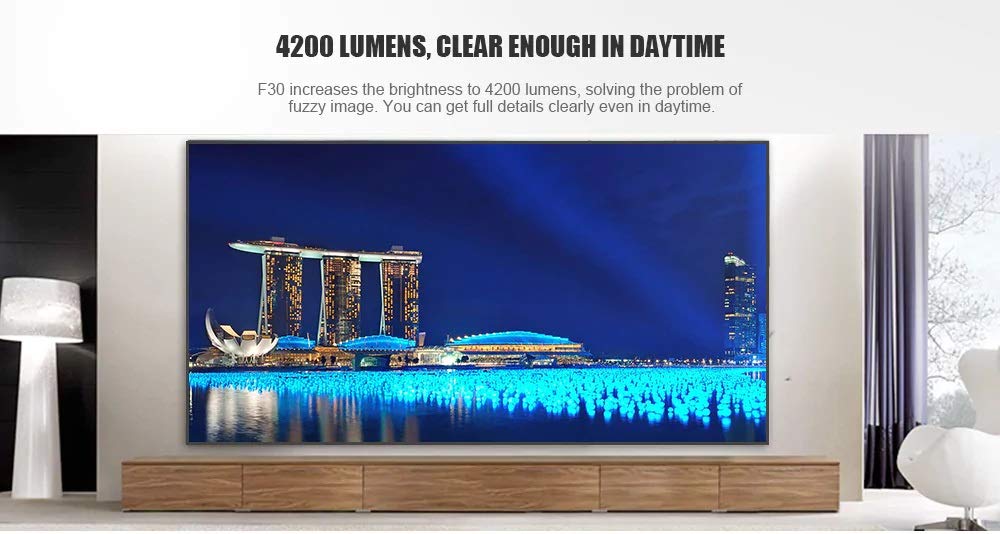
図4.1: フロント view of the Vivibright F30 Projector, showing the lens and ventilation.

図4.2: 側 view of the Vivibright F30 Projector, highlighting the various input ports.
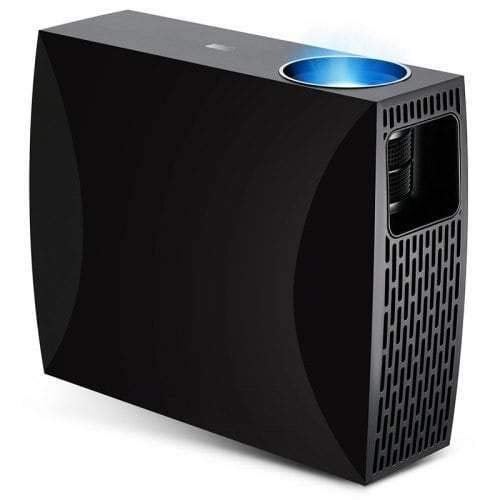
図4.3: Top or rear view of the Vivibright F30 Projector, showing control buttons or additional vents.
4.1. インターフェース
- HDMI ポート: For connecting devices like laptops, gaming consoles, Blu-ray players, and media players.
- VGAポート: For connecting older computers or other VGA-compatible devices.
- USB ポート: USB ストレージ デバイスを接続してメディアを直接再生します。
- オーディオ出力: 外部スピーカーやヘッドホンを接続します。
- 電源入力: 電源ケーブルを接続します。
5. セットアップ
5.1.配置
Position the projector on a stable surface or mount it appropriately. Ensure the projector is perpendicular to the projection screen for optimal image geometry. The projection distance can range from 1.2 to 6.8 meters, depending on the desired screen size.
5.2. 電源接続
- 電源ケーブルをプロジェクターの電源入力ポートに接続します。
- 電源ケーブルのもう一方の端をアースされた電源コンセントに差し込みます。
5.3. 入力デバイスの接続
Connect your desired source device (e.g., laptop, media player) to the projector using an appropriate cable (HDMI, VGA, USB). Ensure the cable is securely connected to both the projector and the source device.
5.4. フォーカスとキーストーン調整
- 集中: プロジェクター レンズのフォーカス リングを回して、画面上の画像が鮮明に表示されるまで調整します。
- キーストーン: If the projected image is trapezoidal (wider at the top or bottom), use the keystone correction feature (manual or digital, depending on model) to adjust the image to a rectangular shape.
6. 操作手順
6.1.電源のオン/オフ
- 電源オン: Press the power button on the projector or the remote control. The indicator light will change, and the lamp 点灯します。
- 電源を切る: Press the power button again. Confirm shutdown if prompted. Allow the projector to cool down before unplugging it.
6.2. 入力ソースの選択
Press the "Source" button on the remote control or the projector's control panel to cycle through available input sources (HDMI1, HDMI2, VGA, USB). Select the input corresponding to your connected device.
6.3. メニューナビゲーション
Use the arrow buttons on the remote control or projector to navigate through the on-screen display (OSD) menu. Press "OK" or "Enter" to select an option and "Exit" or "Menu" to go back or close the menu.
6.4. 画像と音声の設定
Adjust picture settings such as brightness, contrast, color, and aspect ratio via the OSD menu to optimize image quality. Adjust volume levels for the built-in speaker or connected external audio devices.
7. メンテナンス
7.1. レンズのクリーニング
プロジェクターレンズは、光学面専用の柔らかく糸くずの出ない布で優しく拭いてください。研磨剤や刺激の強い化学薬品は使用しないでください。
7.2. プロジェクター本体のクリーニング
プロジェクターの外側は、柔らかく乾いた布で拭いてください。頑固な汚れには、軽くこすった布で拭いてください。amp 布で拭いた後、乾いた布で拭いてください。通気口に液体が入らないようにしてください。
7.3. ルamp 人生
The Vivibright F30 Projector utilizes an LED lamp with an estimated lifespan of up to 50,000 hours, requiring no regular replacement under normal usage conditions.
8。 トラブルシューティング
| 問題 | 考えられる原因 | 解決 |
|---|---|---|
| 画像が表示されない |
|
|
| 画像がぼやけている |
|
|
| 画像は台形(キーストーン効果)です |
|
|
| 音が出ない |
|
|
| プロジェクターが過熱したりシャットダウンしたりする |
|
|
9. 仕様
| 特徴 | 詳細 |
|---|---|
| ブランド | Vivibright |
| モデル | F30 |
| ネイティブ解像度 | 1920 x 1080 (フルHD) |
| サポートされている解像度 | 最大4K |
| 輝度 | 4200 Lumens (LED Luminous) |
| コントラスト比 | 2200:1 |
| ディスプレイ技術 | 液晶 |
| Lamp タイプ | 導かれた |
| Lamp 人生 | 最大50,000時間 |
| 投影距離 | 1.2~6.8メートル |
| 騒音レベル | 29デシベル |
| 接続性 | HDMI、VGA、USB |
| 特集 | Portable, Built-in Speaker |
| アイテム重量 | 3キロ |
| 取り付けタイプ | 卓上マウント |
10. 保証とサポート
10.1. 保証情報
The Vivibright F30 Projector comes with a 1年間保証 ご購入日から1年間有効です。本保証は、通常の使用における製造上の欠陥および故障を対象としています。保証請求の際は、購入証明書を保管してください。
保証は、誤用、事故、無許可の修理、または通常の消耗によって生じた損傷には適用されません。
10.2. カスタマーサポート
For technical assistance, warranty claims, or further inquiries, please contact Vivibright customer support through their official website or the contact information provided with your purchase documentation. When contacting support, please have your product model (F30) and purchase details ready.