
PPLEE PPLEE-1008I-GN
PPLEE Extra Loud Vibrating Alarm Clock
ユーザーマニュアル
導入
Thank you for choosing the PPLEE Extra Loud Vibrating Alarm Clock. This alarm clock is designed to provide effective wake-up solutions for heavy sleepers, individuals who are deaf or hard of hearing, and anyone needing a reliable alarm. It features a large LED display, multiple wake-up modes including a powerful bed shaker, adjustable brightness and volume, a multi-color night light, and convenient USB charging ports. Please read this manual thoroughly to ensure proper setup and operation of your new alarm clock.
箱の中身
- 1 x PPLEE Alarm Clock
- ベッドシェイカー1個
- 電源アダプター x 1
- USBケーブル1本
- ユーザーマニュアル x 1
製品終了view
目覚まし時計のコンポーネントとコントロールについて理解しておきましょう。

フロント view of the PPLEE alarm clock with its large green LED display and the connected bed shaker.

Diagram illustrating the clock's dimensions and key features such as vibrator, volume control, adjustable brightness, night light, memorized battery, 12H/24H time format, USB charging port, and 9-minute snooze.
The alarm clock features a large 7-inch LED display for clear visibility. On the top, you will find buttons for setting time, alarms, snooze, and controlling the night light. The back of the unit includes dual USB charging ports and connections for the power adapter and bed shaker.
設定
- 電源接続: 付属の電源アダプターを目覚まし時計の背面にあるDC INポートに接続し、標準の壁コンセントに差し込みます。ディスプレイが点灯します。
- バッテリーバックアップ(オプション): 停電時のバッテリーバックアップ機能tages, insert 2 AAA batteries (not included) into the battery compartment on the bottom of the clock. These batteries will preserve time and alarm settings and trigger the alarm during power failure, but will not power the display or USB charging.
- ベッドシェイカーを接続する: Plug the bed shaker's cable into the designated port on the back of the alarm clock. Place the bed shaker under your pillow or mattress for optimal vibration.
操作手順
時刻と日付の設定
- 時間設定: Press and hold the "SET TIME" button. Use the "HOUR" and "MINUTE" buttons to adjust the time. Press "SET TIME" again to confirm.
- 12/24時間形式: Slide the "12H/24H" switch button on the back of the clock to select your preferred time format.
- 夏時間 (DST): Press and hold the "SET TIME" button to activate or deactivate the DST function.
アラームを設定する

Visual representation of the three available wake-up modes: vibration only, buzzer only, or both combined.
- アラーム時間の設定: Press and hold the "ALARM SET" button. Use the "HOUR" and "MINUTE" buttons to set your desired alarm time. Press "ALARM SET" again to confirm.
- Select Alarm Mode: After setting the alarm time, press the "ALARM MODE" button repeatedly to cycle through the three wake-up modes:
- Bed Shaker Only: ベッドシェイカーが作動します。
- ブザーのみ: The alarm sound will play.
- Bed Shaker & Buzzer: Both the bed shaker and alarm sound will activate.
- アラームのアクティブ化/非アクティブ化: Press the "ALARM ON/OFF" button to turn the alarm on or off. An alarm icon will appear on the display when the alarm is active.
スヌーズ機能
When the alarm sounds, press the large "SNOOZE" button on the top of the clock to temporarily silence the alarm for 9 minutes. The alarm will resume after 9 minutes. To stop the alarm completely, press the "ALARM PAUSE" button.
ディスプレイの明るさを調整する

Illustration showing the adjustable brightness levels of the LED display, from 0% (off) to 100% (full brightness).
The display brightness can be adjusted from 0% to 100%. Use the "DIMMER" button to cycle through brightness levels or hold it to smoothly adjust the brightness to your preference.
アラーム音量の調整

Diagram indicating three adjustable volume levels for the alarm, ranging from 70dB to 90dB.
The alarm volume has 3 levels (Low-Medium-High). Use the "VOLUME" button to select the desired alarm volume.
ナイトライト操作

Image displaying the alarm clock with its top night light illuminated in various colors, highlighting the 7-color feature.
The alarm clock features a built-in night light with 7 color options. Press the "LIGHT" button to turn the night light on/off and cycle through the available colors.
USB充電ポート
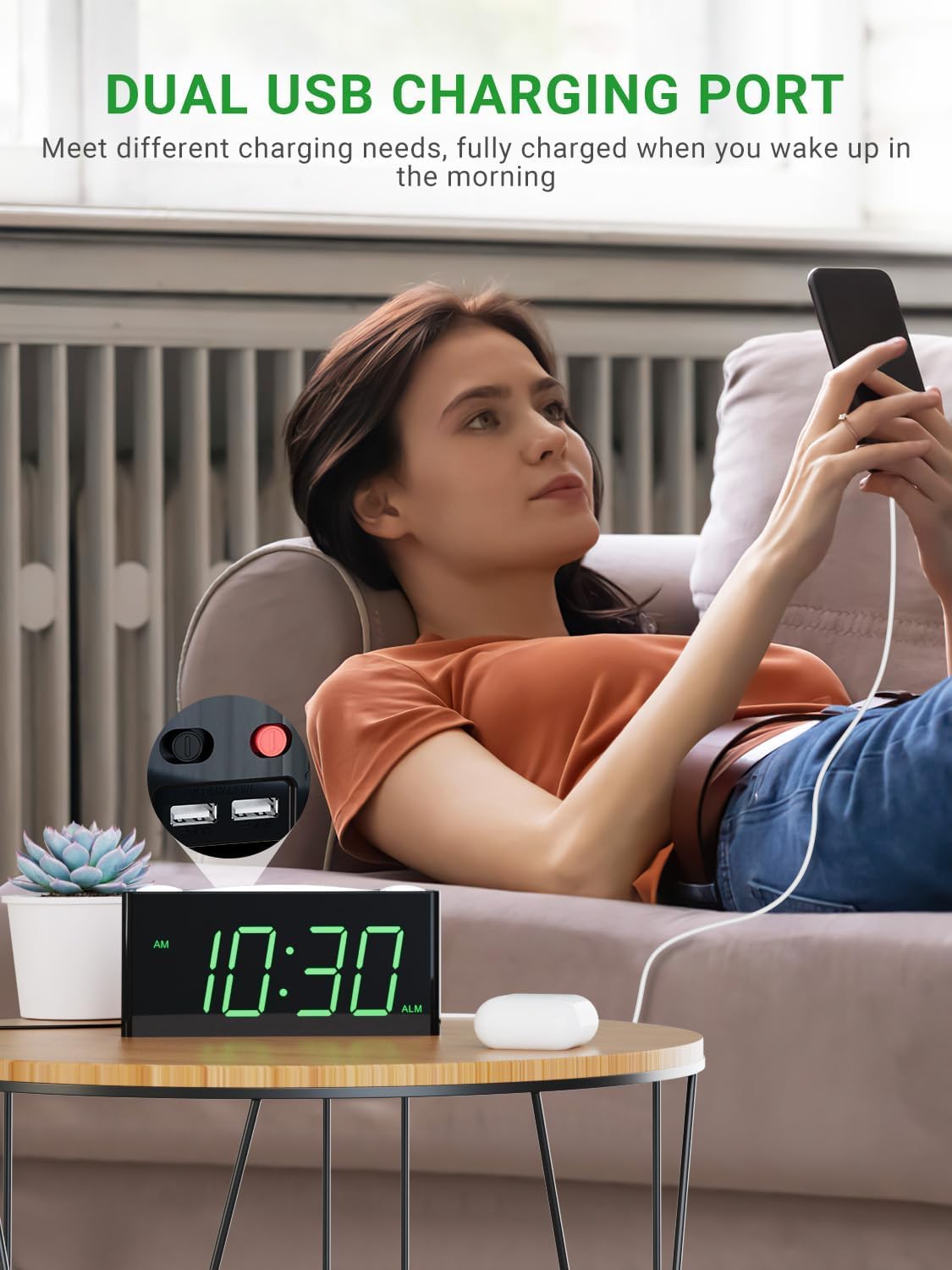
A user charging a mobile phone using one of the dual USB ports located on the back of the alarm clock.
Two USB charging ports are located on the back of the alarm clock. You can use these ports to charge your mobile devices overnight. Note that these ports are for charging only and do not transfer data.
メンテナンス
- クリーニング: Use a soft, dry cloth to clean the surface of the alarm clock. Do not use liquid cleaners or abrasive sprays.
- 配置: 目覚まし時計は、直射日光、熱源、過度の湿気を避け、安定した平らな場所に置いてください。
- 力: 必ず本体に付属の純正電源アダプターを使用してください。
トラブルシューティング
| 問題 | 考えられる原因 | 解決 |
|---|---|---|
| 時計の表示がオフになっているか、機能していません。 | 電源が入らない、接続が緩んでいる、または電源が切れているtage. | 電源アダプタがしっかりと差し込まれていることを確認してください。コンセントを確認してください。バッテリーバックアップを使用している場合は、バッテリーが新品で正しく挿入されていることを確認してください。 |
| アラームは鳴らず、振動もしません。 | Alarm is not set, alarm mode is incorrect, or volume is too low. | Verify alarm time is set and activated (alarm icon visible). Check that the correct alarm mode (buzzer, shaker, or both) is selected. Increase alarm volume. Ensure bed shaker is properly connected. |
| 電源を切ると時間/設定がリセットされますtage. | バッテリー バックアップがインストールされていないか、バッテリーが切れています。 | Install 2 new AAA batteries (not included) for backup. Ensure they are inserted with correct polarity. |
| USB充電が機能しません。 | Device not properly connected or clock not powered. | Ensure the USB cable is securely connected to both the clock and your device. Confirm the alarm clock is powered by the AC adapter. |
| ディスプレイが暗すぎるか明るすぎます。 | 明るさ設定を調整する必要があります。 | Press or hold the "DIMMER" button to adjust the display brightness to your desired level. |
仕様
| 特徴 | 詳細 |
|---|---|
| ブランド | プリー |
| モデル番号 | PPLEE-1008I-GN |
| 表示タイプ | 導かれた |
| 色 | Green Digits + Bed Shaker |
| 製品寸法 | 幅1.57インチ x 高さ7インチ |
| アイテム重量 | 0.7 ポンド (11.2 オンス) |
| 電源 | Corded Electric with Battery Backup Settings |
| バッテリー要件 | 単2電池XNUMX本(別売) |
| 特集 | Digital LED display, easy to set, large display for vision impaired, outlet operated, USB phone charger, bed shaker, night light, snooze, 12/24H format, DST. |
保証とサポート
PPLEE Vibrating Loud Alarm Clock with Bed Shaker provides a 1年間の保証 from the date of purchase. Additionally, it includes a One-Month Money Back Guarantee そして 24-Hour Response for customer inquiries.
If you have any questions or require support regarding your product, please contact us via Amazon. We are committed to responding within 24 hours to assist you.
This product is designed for durability and ease of use, making it an excellent choice for personal use or as a gift.
Ask a question about this manual
Ask about setup, troubleshooting, compatibility, parts, safety, or missing instructions. Manuals+ will review the question and use this page’s manual context to help answer it.