
1. はじめに
This manual provides detailed instructions for the installation, operation, and maintenance of your Time2 Oscar 2 Twin Pack Outdoor Security Cameras. The Oscar 2 cameras are designed for outdoor surveillance, offering 1080p Full HD video, night vision, motion and sound detection, and two-way audio communication. Please read this manual thoroughly before using the product to ensure proper setup and functionality.
2. 箱の中身
開梱したら、以下の品目がすべて含まれていることを確認してください。
- 2 x Time2 Oscar WiFi Camera
- 電源アダプター x 2
- 2 x Wall Mounting Kit (screws and wall plugs)
- クイックスタートガイド x 1

Image: The Time2 Oscar 2 camera shown with its retail packaging, indicating the contents of the box.
3 製品の特徴
The Time2 Oscar 2 cameras are equipped with advanced features for comprehensive outdoor security:
- 1080p フル HD ビデオ: 鮮明で詳細な映像を撮影tag昼も夜も。
- 優れた夜間視力: Automatic infrared night vision with IR cut for clear images in low light or darkness.
- 100°の視野 View: Provides a wide coverage area for monitoring your property.
- モーションとオーディオの検出: Advanced sensors detect unusual movement or sounds, sending instant alerts.
- 双方向オーディオ: 内蔵マイクとスピーカーにより、リアルタイムのコミュニケーションが可能になります。
- ローカルおよびクラウドストレージ: Supports local storage via MicroSD card (up to 128GB, not included) and optional cloud storage via CLAN CLOUD subscription.
- 耐候性設計: 屋外使用に適したIP65定格で、雨やほこりに耐性があります。
- 主電源: Ensures continuous operation without battery recharging.
- アクティビティゾーン: Customize detection areas to reduce false alerts.
- Alexaの統合: 音声制御用の Amazon Alexa と互換性があります。
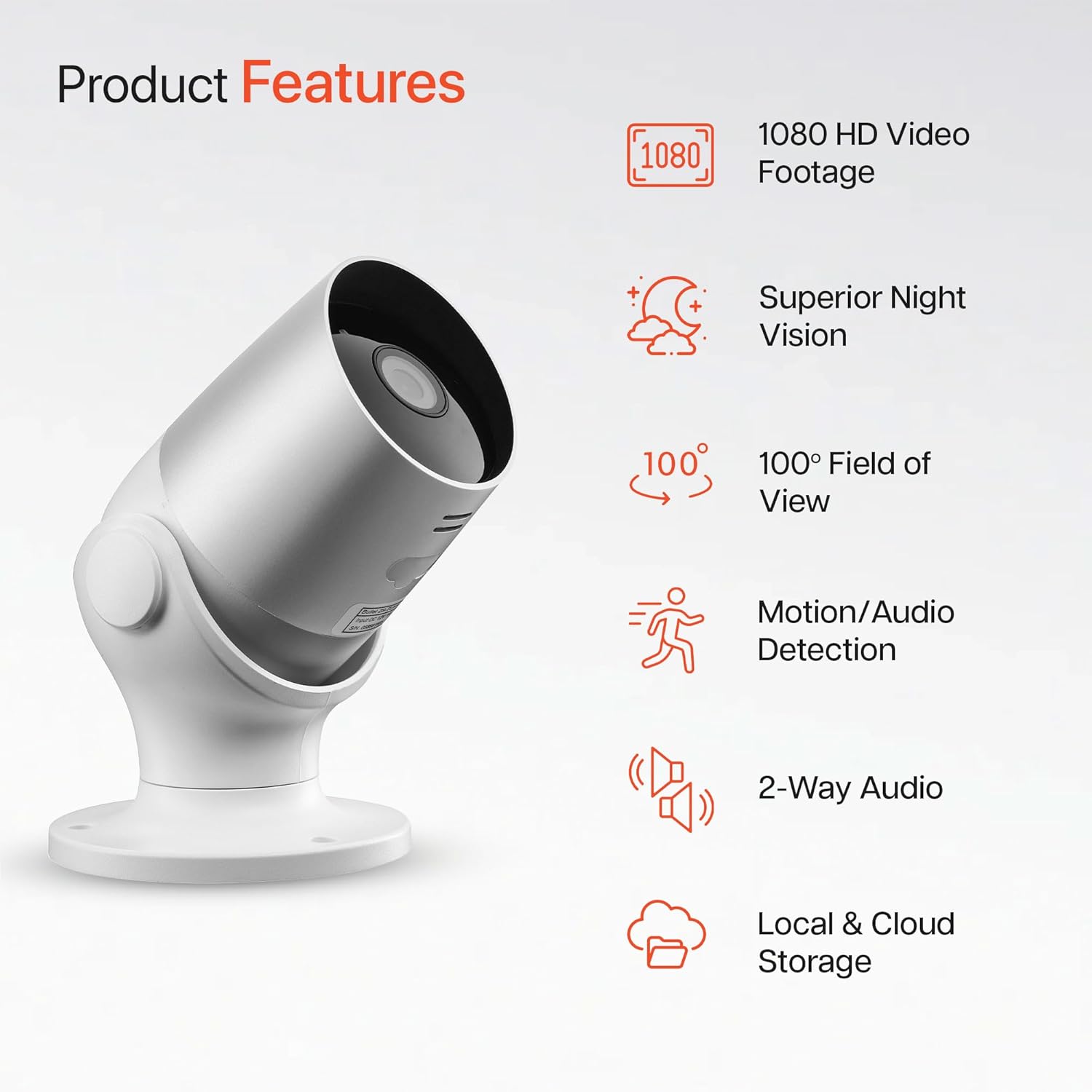
Image: An illustration highlighting the main features of the Oscar 2 camera, including 1080p HD video, night vision, 100° field of view, motion/audio detection, two-way audio, and storage options.
4. セットアップ
4.1 アプリのダウンロードとアカウント作成
- Download the "CLAN" app from your smartphone's app store (iOS or Android).
- アプリを開き、画面の指示に従って新しいアカウントを作成するか、既にアカウントをお持ちの場合はログインします。
4.2 MicroSDカードの取り付け(オプション)
For local video storage, you can install a MicroSD card (up to 128GB, not included) into the camera.
- Locate the MicroSD card slot on the camera (refer to the Quick Start Guide for exact location).
- カチッと音がするまで、MicroSD カードをスロットに慎重に挿入します。
- MicroSD カードを挿入または取り外す前に、カメラの電源がオフになっていることを確認してください。
4.3 Camera Installation and Power Connection
The Oscar 2 cameras are designed for wall mounting and require a mains power connection.
- 場所を選択: 希望する屋外の場所を選択してください viewing angle and is within reach of a power outlet. Consider the 100° field of view.
- カメラを取り付ける: Use the provided wall mounting kit (screws and wall plugs) to securely attach the camera to a wall or suitable surface. The camera housing allows for rotation to adjust the lens angle.
- 接続電源: Plug the power adapter into the camera and then into a mains power outlet. The camera will power on automatically.
4.4 Pairing with the CLAN App
- スマートフォンが 2.4GHz Wi-Fi ネットワークに接続されていることを確認してください (5GHz ネットワークはサポートされていません)。
- Open the CLAN app and tap the "+" icon to add a new device.
- Select "Oscar 2" from the list of devices.
- Follow the in-app instructions, which typically involve scanning a QR code displayed on your phone with the camera lens or listening for a sound prompt.
- Once paired, you can name your camera and begin configuring settings.
5. Operating Your Oscar 2 Camera
5.1 ライブ View および監視
From the CLAN app home screen, tap on your camera's name to access the live video feed. You can view multiple cameras simultaneously if you have more than one Oscar 2 device.

Image: A smartphone displaying the CLAN app interface, showing a live view from the Oscar 2 camera and various control options.
5.2 動きと音の検出
The Oscar 2 camera can detect movement and sound, sending instant alerts to your smartphone or tablet.
- アラートを有効にする: Navigate to the camera settings in the CLAN app and enable motion and sound detection alerts.
- 感度の調整: You can adjust the sensitivity level of both motion and sound detection to minimize false alarms.
- Set Activity Zones: カメラの視野内の特定の領域を定義する view where you want motion detection to be active. This helps focus on critical areas and ignore irrelevant movements.
5.3 双方向オーディオ
双方向通信には内蔵マイクとスピーカーをご利用ください。
- ライブ中 viewアプリ内のマイクのアイコンをタップすると、カメラのスピーカーから話すことができます。
- スピーカーアイコンをタップすると、カメラのマイクからの音声を聞くことができます。
- This feature is useful for interacting with visitors or deterring intruders.
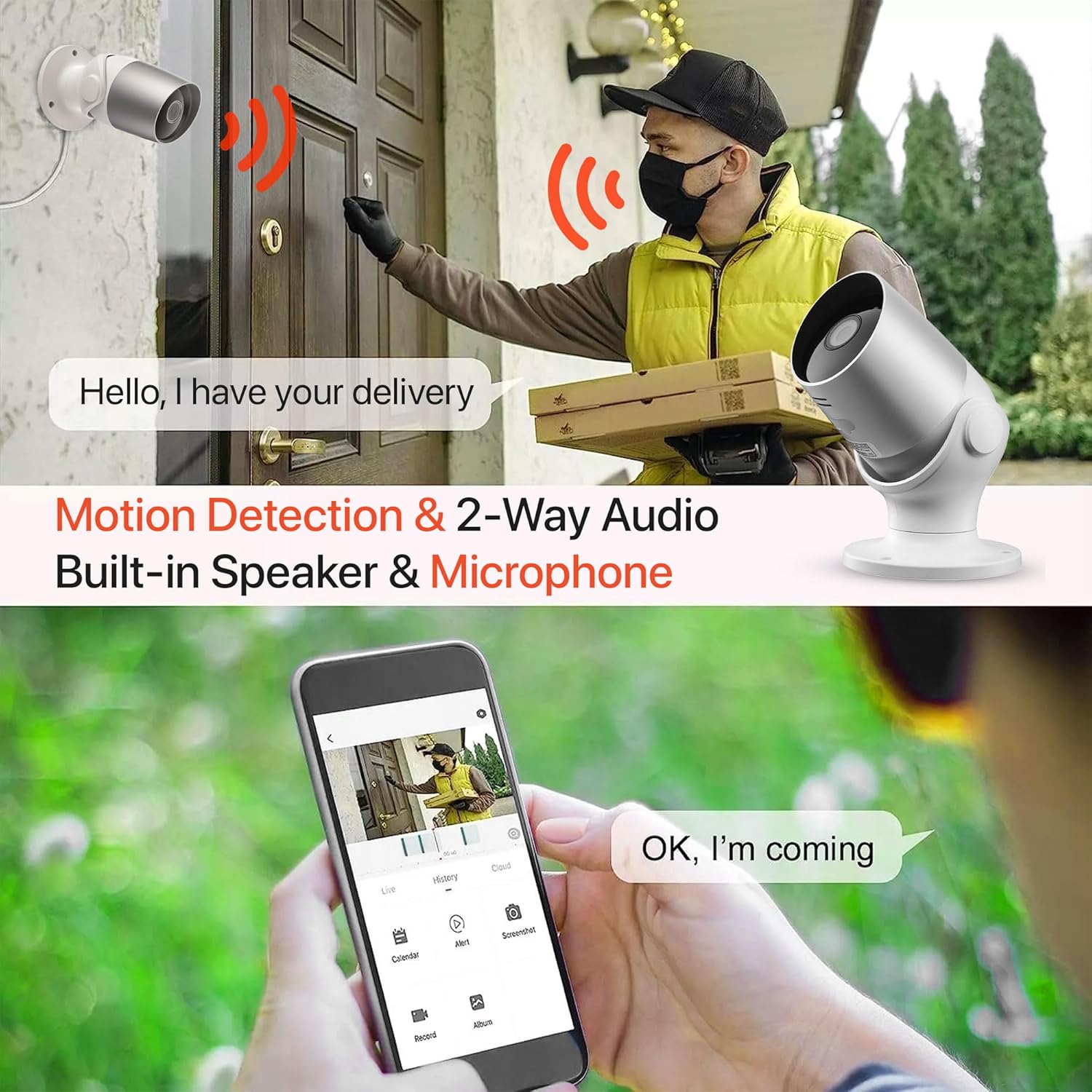
Image: An illustration demonstrating the two-way audio feature, showing a user communicating with a delivery person via the Oscar 2 camera and smartphone app.
5.4 録音と再生
The Oscar 2 cameras offer flexible recording options:
- 連続記録: If a MicroSD card is installed, the camera can record continuously for up to 21 days (with a 128GB card).
- モーション検知録画: The camera can be set to record only when motion or sound is detected. Recordings include 5 seconds of pre-event footage.
- Local Storage (MicroSD): 記録された foo にアクセスするtage directly from the MicroSD card via the CLAN app.
- Cloud Storage (CLAN CLOUD): Subscribe to CLAN CLOUD for secure off-site storage of your recordings, accessible from anywhere.
- 再生: Use the playback feature in the CLAN app to review 記録されたイベント。
5.5 ナイトビジョン
The camera automatically switches to infrared night vision in low-light conditions, providing clear black and white images. The integrated IR cut filter ensures accurate color representation during the day.

Image: A visual representation of the camera's 24/7 monitoring capability, showing how the view changes from morning (color) to afternoon (color) to night (infrared night vision).
5.6 Alexa統合
The Oscar 2 cameras are compatible with Amazon Alexa. To enable this feature, link your CLAN account within the Alexa app. You can then use voice commands to view 互換性のある Alexa 対応デバイスにカメラフィードを表示します。
6. メンテナンス
- クリーニング: カメラのレンズは定期的に柔らかくてきれいな布で拭いてください。amp cloth to ensure optimal image clarity. Do not use harsh chemicals or abrasive materials.
- ファームウェアの更新: Ensure your camera's firmware is up to date. The CLAN app will typically notify you of available updates. Follow the in-app instructions to perform updates, which can improve performance and add new features.
- 電源サイクル: カメラに問題が発生した場合は、電源プラグを数秒間抜いてから再度差し込み、電源を入れ直してみてください。
7。 トラブルシューティング
- カメラが Wi-Fi に接続していない:
- Wi-Fiネットワークが2.4GHzであることを確認してください。カメラは5GHzネットワークをサポートしていません。
- カメラが Wi-Fi ルーターの範囲内にあることを確認してください。
- アプリに Wi-Fi パスワードが正しく入力されていることを確認します。
- ルーターとカメラを再起動します。
- Frequent Motion Detection Alerts:
- Adjust the motion detection sensitivity settings in the CLAN app to a lower level.
- Define specific activity zones to exclude areas with frequent irrelevant movement (e.g., trees swaying, busy roads).
- Environmental factors like heavy rain or snow can sometimes trigger alerts; consider adjusting sensitivity during adverse weather.
- 画質が悪い:
- カメラのレンズを清掃して、汚れやシミを取り除きます。
- カメラの視野内に障害物がないことを確認してください view.
- インターネット接続速度を確認してください。接続速度が遅いとライブ ストリームの品質に影響する可能性があります。
- 双方向オーディオの問題:
- 携帯電話の音量が上がっていること、アプリにマイクの権限があることを確認してください。
- Check the camera's speaker and microphone settings in the app.
- 背景ノイズを最小限に抑えて、よりクリアなコミュニケーションを実現します。
- Recordings Not Saving:
- If using a MicroSD card, ensure it is correctly inserted and formatted within the app. Check if the card is full.
- If using cloud storage, verify your CLAN CLOUD subscription is active.
8. 仕様
| 特徴 | 詳細 |
|---|---|
| モデル名 | オスカー2 |
| 製品寸法 | 8.9 x 17.8 x 19.1 cm |
| 重さ | 720グラム |
| メーカー | 時間2 |
| 接続技術 | ワイヤレス(Wi-Fi) |
| 特集 | Motion and Sound Alerts |
| 屋内/屋外での使用 | 屋外 |
| 対応デバイス | パソコン、スマートフォン、タブレット |
| 電源 | Electric Cable (Mains Powered) |
| コントローラータイプ | アマゾンアレクサ |
| 取り付けタイプ | 壁掛け |
| 色 | 白 |
| フォームファクター | 弾丸 |
| 耐水性レベル | 防水(IP65) |
| 巻tage | 12ボルト |
| ワットtage | 5ワット |
| ビデオキャプチャフォーマット | MP4 |
| 有効なビデオ解像度 | 1080ピクセル(1080p) |
| View角度 | 100度 |
| アイテム数 | 2(ツインパック) |
| 欧州連合 | 045912296356 |
9. 保証とサポート
9.1 保証情報
Your Time2 Oscar 2 cameras come with a manufacturer's warranty. Please refer to the warranty card included in your product packaging or visit the official Time2 web詳細な保証条件については、サイトをご覧ください。
9.2 カスタマーサポート
If you encounter any issues or have questions not covered in this manual, please contact Time2 customer support. Contact details can typically be found on the Time2 webサイトまたは製品に付属のクイック スタート ガイドをご覧ください。
For the latest information, FAQs, and support resources, please visit the official Time2 webサイト。