
1.製品オーバーview
The Eyoyo COMFAST CF-E130N is a high-power 2.4GHz WiFi Outdoor CPE (Customer Premises Equipment) designed for stable, long-range wireless transmission. It functions as a versatile networking device, capable of operating as a wireless bridge, access point, repeater, or a simple router. Its robust design and IP65 outdoor waterproof rating make it suitable for various outdoor networking applications, extending network coverage over significant distances.
2. パッケージ内容
下記のすべての品目がパッケージに含まれていることをご確認ください。不足品や破損品がある場合は、販売店までご連絡ください。
- 2x Eyoyo COMFAST CF-E130N CPE Bridges
- 2x PoE Power Supply Units
- 2x Stainless Steel Mounting Rings
- ユーザーマニュアル2部
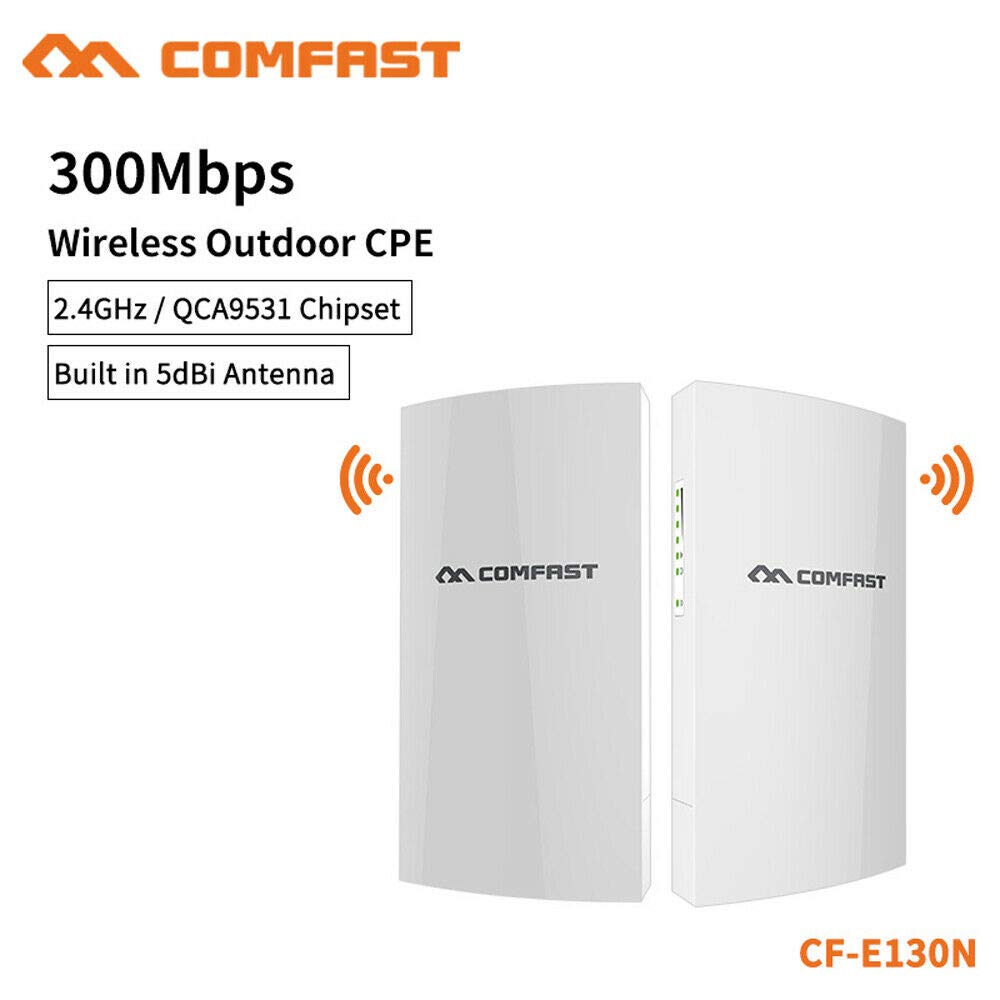
Image 1: Contents of the Eyoyo COMFAST CF-E130N package, showing two CPE units, two PoE adapters, and mounting rings.
3. 主な特徴
- 高速ワイヤレス: Supports 300Mbps data transfer rates on the 2.4GHz frequency band.
- 長距離伝送: Capable of stable wireless transmission up to 1 kilometer.
- 屋外耐久性: Features an IP65 outdoor waterproof rating, protecting against dust and water ingress.
- 複数の動作モード: Functions as a wireless bridge, access point, repeater, or simple router.
- 多用途なアプリケーション: Ideal for extending network coverage in homes, schools, communities, elevators, parking lots, warehouses, and driving schools.
4.セットアップガイド
4.1. 物理的な設置
- 取り付け: Use the provided stainless steel rings to securely mount the CPE unit to a pole or suitable outdoor structure. Ensure the device is positioned for optimal line-of-sight with the other CPE unit or target area.
- 電源接続: Connect an Ethernet cable from the LAN port of the CPE unit to the PoE port on the PoE power supply. Then, connect another Ethernet cable from the LAN port of the PoE power supply to your network device (e.g., router, switch, or computer). Plug the PoE power supply into an electrical outlet.
Image 2: Illustration of the Eyoyo COMFAST CF-E130N CPE unit mounted outdoors, showing cable connections to the PoE injector.
4.2. Initial Configuration (Bridge Mode Example)
For CPE functionality and optimal signal effect, it is recommended to use two units. One unit will be configured as an Access Point (AP) and the other as a Client (Station).
- PCに接続: Connect your computer directly to the LAN port of the PoE power supply for one CPE unit.
- Set PC IP: Configure your computer's IP address to be in the same subnet as the CPE's default IP (e.g., if CPE is 192.168.1.1, set PC to 192.168.1.100).
- アクセス Web インタフェース: 開く web browser and enter the default IP address of the CPE (refer to the included mini-manual for the exact default IP, commonly 192.168.1.1 or 192.168.10.1). Enter the default username and password (e.g., admin/admin).
- Configure AP Unit: Navigate to the 'Wireless' or 'Network' settings. Set the operating mode to 'Access Point'. Configure the SSID (network name), channel, and security settings (WPA2-PSK recommended).
- Configure Client Unit: Repeat steps 1-3 for the second CPE unit. Set its operating mode to 'Client' or 'Station'. Scan for the SSID broadcasted by the AP unit and connect to it using the configured security key.
- ネットワーク統合: Once both units are configured and linked, connect the AP unit's PoE LAN port to your main network router/switch. The Client unit will then provide network access to devices connected to its PoE LAN port or wirelessly if configured as a repeater.
5. 操作手順
5.1. アクセス Web 管理インターフェース
To manage your CF-E130N device, connect a computer to the CPE's network (either directly via Ethernet through the PoE injector or wirelessly if configured as an AP). Open a web browser and enter the device's IP address. Log in with your credentials.
5.2. Changing Operating Modes
内で web interface, navigate to the 'Operation Mode' or 'Wireless Mode' section. Here you can select between:
- アクセスポイント(AP): Broadcasts a Wi-Fi signal for devices to connect to.
- Client (Station): Connects to an existing Wi-Fi network.
- リピータ: 既存のWi-Fiネットワークの範囲を拡張します。
- ルーター: Provides basic routing functions, including NAT and DHCP.
After selecting a mode, follow the on-screen prompts to configure the specific settings for that mode and save your changes. The device will typically reboot after applying new settings.
6. メンテナンス
- 定期点検: Periodically check the physical condition of the CPE unit and cables for any signs of wear, damage, or corrosion, especially in harsh outdoor environments.
- ファームウェアの更新: メーカーの website for firmware updates. Keeping the firmware updated ensures optimal performance, security, and access to new features. Follow the instructions provided with the firmware update carefully.
- クリーニング: デバイスの外側は、柔らかく乾いた布で優しく拭いてください。液体クリーナーや溶剤は使用しないでください。
- リセット中: If the device becomes unresponsive or you forget the login credentials, you can perform a factory reset by pressing and holding the reset button (usually located near the Ethernet ports) for approximately 10-15 seconds while the device is powered on. This will restore all settings to their factory defaults.
7。 トラブルシューティング
7.1. 電源が入らない/デバイスが起動しない
- Ensure the PoE power supply is correctly connected to a working electrical outlet.
- Verify that the Ethernet cable from the CPE to the PoE injector's PoE port is securely connected.
- Check the power LED on the PoE injector and the CPE unit.
7.2. アクセスできない Web 管理インターフェース
- Confirm your computer's IP address is in the same subnet as the CPE's IP address.
- Verify the Ethernet cable connection between your computer and the PoE injector's LAN port.
- Try pinging the CPE's IP address from your computer's command prompt.
- ブラウザのキャッシュをクリアするか、別のブラウザを試してください。
- If you suspect the IP address has changed or you forgot the password, perform a factory reset.
7.3. Poor Signal or Connection Issues
- Ensure there is a clear line-of-sight between the two CPE units (if in bridge mode) or between the CPE and the client device. Obstacles like trees or buildings can significantly degrade performance.
- 干渉源(他の 2.4GHz デバイス、電子レンジなど)を確認します。
- Adjust the alignment of the CPE units for optimal signal strength.
- Verify that the wireless channel is not congested. You may need to change the channel in the web インタフェース。
8. 仕様
| 特徴 | 仕様 |
|---|---|
| ブランド | エヨヨ |
| モデル | CF-E130N |
| 周波数帯域 | 2.4GHz(シングルバンド) |
| ワイヤレス速度 | 最大300Mbps |
| 伝送距離 | Up to 1 kilometer |
| 防水等級 | IP65 |
| 電源 | PoE (パワーオーバーイーサネット) |
| 動作モード | AP, Client, Repeater, Router |
9. 保証とサポート
For warranty information and technical support, please refer to the documentation provided with your purchase or visit the official Eyoyo webサイトでご確認ください。保証請求の際は購入証明として領収書を保管してください。