
Five Star ES-IT18-EM24
Five Star Outdoor 150 Mile Motorized 360 Degree Rotation Amp高画質HDTVアンテナ ユーザーマニュアル
Model: ES-IT18-EM24
1. はじめに
This manual provides detailed instructions for the installation, operation, and maintenance of your Five Star Outdoor 150 Mile Motorized 360 Degree Rotation Amplified HDTV Antenna. This antenna is designed to receive free over-the-air (OTA) digital television signals, supporting resolutions up to 4K, 1080p, 1080i, and 720p, as well as VHF and UHF frequencies. Its motorized rotation and built-in amplifier enhance signal reception and flexibility.
2. パッケージ内容
Please verify that all components listed below are included in your package. If any items are missing or damaged, please contact customer support.
- 屋外HDTVアンテナ
- コントロールボックス
- ワイヤレスリモコン
- Power Supply (AC/AC Adapter)
- 40 ft RG6 Coaxial Cable
- 取扱説明書
Note: A mounting pole is not included and must be purchased separately.

Image 2.1: All components included in the Five Star Outdoor HDTV Antenna package.
3. 安全情報
Read all instructions carefully before installation and use. Keep this manual for future reference.
- 屋外設置: Ensure the antenna is securely mounted to prevent falling due to wind or other weather conditions.
- 雷保護: This antenna is designed with lightning protection. However, for added safety, consider installing a lightning arrestor and proper grounding according to local electrical codes.
- 電源: Use only the provided power supply. Do not expose the power supply or control box to moisture.
- ケーブル管理 Route coaxial cables safely to avoid tripping hazards and damage.
- 電気安全: Do not attempt to open or repair the control box or power supply. Refer all servicing to qualified personnel.
4. セットアップとインストール
4.1 アンテナアセンブリ
The antenna features a snap-on installation design, requiring no tools for assembly of the main elements. Follow the visual instructions provided in the package for connecting the antenna elements to the main unit.

画像4.1: クローズアップ view of the antenna elements, designed for snap-on assembly.
4.2取り付け位置
For optimal reception, install the antenna in an elevated outdoor location with a clear line of sight to broadcasting towers. Avoid obstructions such as buildings, trees, or hills. The antenna is weather-resistant and designed for outdoor use.
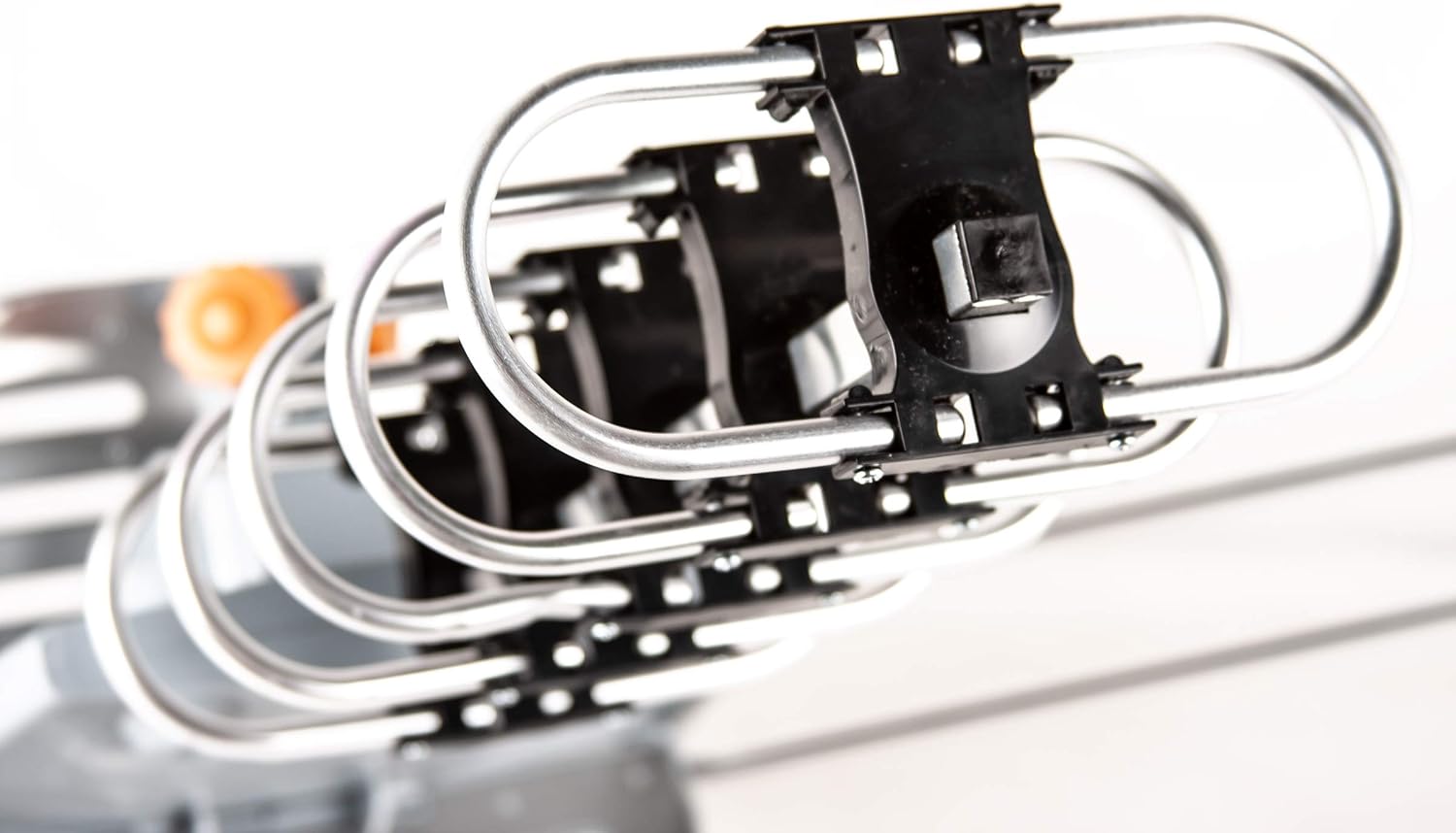
図4.2: 例ample of the Five Star Outdoor HDTV Antenna mounted on a residential roof for optimal signal reception.
4.3 Connecting the Antenna System
- アンテナをコントロールボックスに接続します。 Attach one end of the provided 40ft RG6 coaxial cable to the antenna's output port. Connect the other end of this cable to the "ANT IN" port on the control box.
- コントロールボックスをテレビに接続します:
- For a single TV: Connect a coaxial cable (not included) from the "TV1" port on the control box to the "ANT/IN" or "CABLE/IN" port on your television.
- For two TVs: Connect a coaxial cable from the "TV1" port to the first TV and another coaxial cable from the "RF IN/TV2" port to the second TV.
- 接続電源: Plug the AC/AC adapter into the "AC IN" port on the control box, then plug the adapter into a standard electrical outlet. The power indicator on the control box should illuminate.
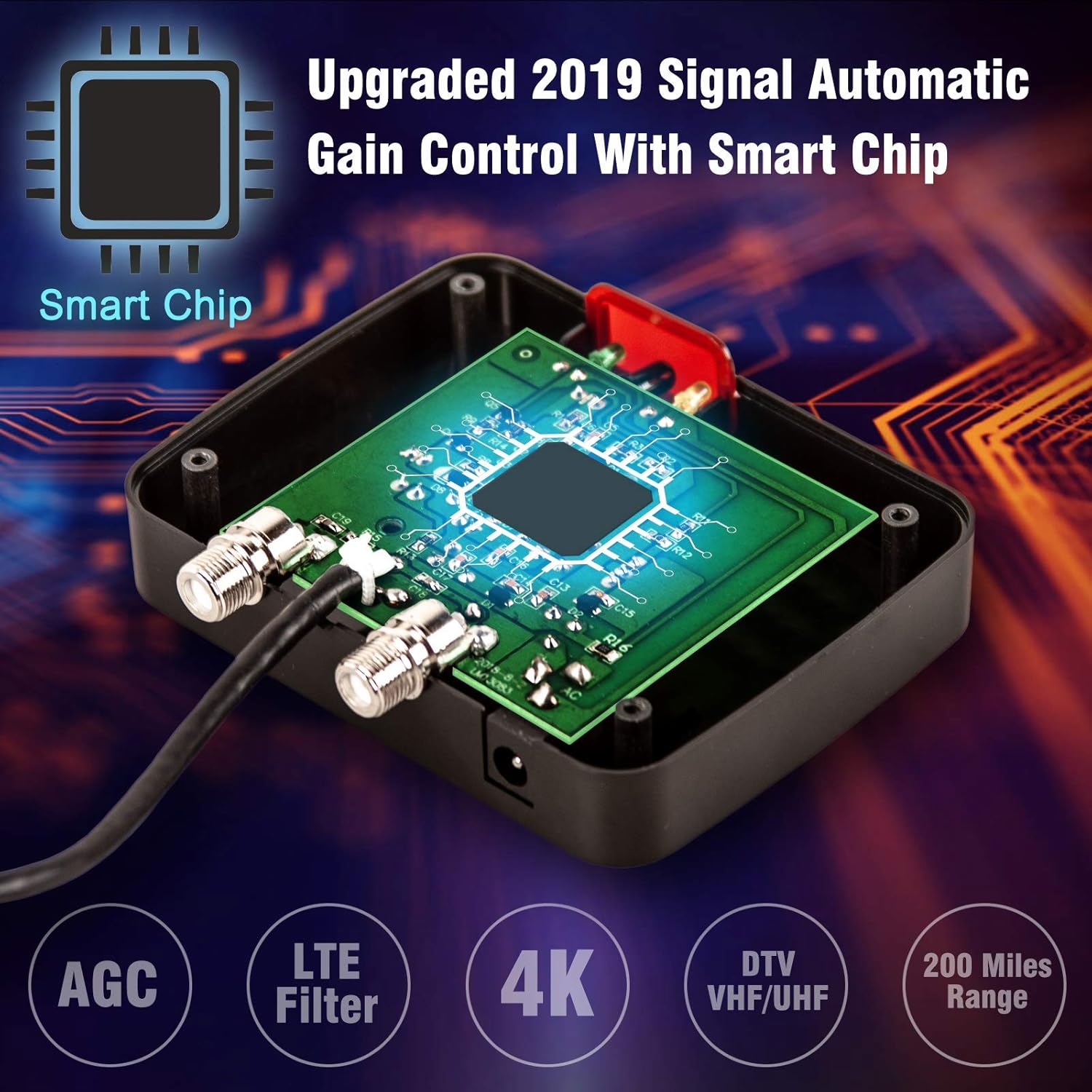
Image 4.3: Connection diagram illustrating how to connect the antenna, control box, and up to two televisions.
5. 操作手順
5.1チャンネルスキャン
After connecting the antenna system, perform a channel scan on your television to find available digital channels.
- Turn on your television and select the correct input source (e.g., "TV," "Antenna," or "Air").
- Navigate to your TV's menu, usually labeled "Settings," "Setup," or "Channel."
- Select "Channel Scan," "Auto Program," or "Auto Tune." Ensure the input type is set to "Antenna" or "Air," not "Cable."
- Allow the TV to complete the scan. This process may take several minutes.
The antenna's built-in super low noise amplifier and automatic gain control (AGC) technology optimize signal reception for clear HD image quality across VHF (170-230MHz) and UHF (470-860MHz) frequencies.
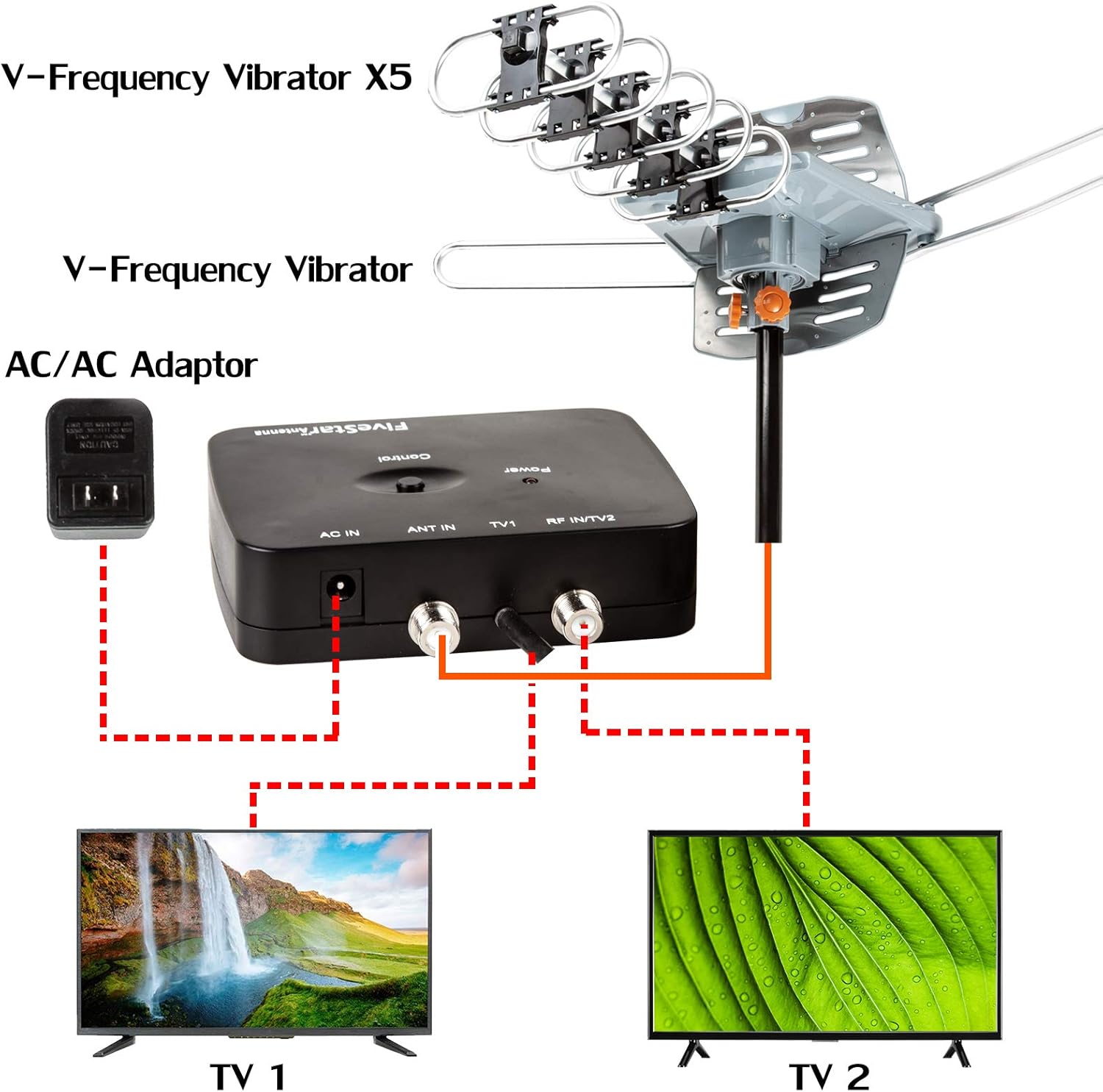
Image 5.1: The control box features an upgraded smart chip with Automatic Gain Control (AGC) and an LTE filter for enhanced signal quality.
5.2 Using the Remote Control for Antenna Rotation
The included wireless remote control allows you to rotate the antenna 360 degrees to optimize signal reception for different broadcasting towers.
- Point the remote control towards the control box.
- Press the "Control" buttons on the remote to rotate the antenna clockwise or counter-clockwise.
- While rotating, monitor your TV screen for signal strength and picture quality. Stop rotating when you achieve the best possible reception for your desired channels.

Image 5.2: The wireless remote control enables 360-degree motorized rotation of the antenna for precise signal targeting.
6. メンテナンス
- 定期点検: Periodically check the antenna and its mounting hardware for any signs of wear, corrosion, or damage, especially after severe weather.
- ケーブルの完全性: Ensure all coaxial cable connections are tight and free from damage. Replace any frayed or damaged cables.
- クリーニング: アンテナ素子を柔らかくて柔らかい布で優しく拭いてください。amp 汚れやゴミがたまったら布で拭き取ってください。刺激の強い化学薬品や研磨剤入りの洗剤は使用しないでください。
7。 トラブルシューティング
| 問題 | 考えられる原因 | 解決 |
|---|---|---|
| 信号がない、または画質が悪い |
|
|
| リモコンが動作しない |
|
|
| Antenna not rotating |
|
|
8. 仕様
| モデル番号 | ES-IT18-EM24 |
| ブランド | 5つ星 |
| アンテナタイプ | 屋外 AmplifiedHDTVアンテナ |
| 周波数範囲 | VHF 170~230MHz、UHF 470~860MHz |
| 最大範囲 | Up to 150 Miles (actual range may vary) |
| 回転 | 360 Degree Motorized with Wireless Remote Control |
| Ampリファイアゲイン | 25-35dB (with Automatic Gain Control) |
| 出力サポート | Dual TV Outputs |
| HDTVサポート | 720p, 1080i, 1080p, 4K |
| インピーダンス | 75オーム |
| 製品寸法 | 17 x 14 x 5インチ |
| アイテム重量 | 4.59ポンド |
| 欧州連合 | 840449112441 |
9. 保証とサポート
For warranty information or technical assistance, please contact Five Star customer support. Refer to the contact information provided on the product packaging or the official Five Star webサイト。
保証請求のために購入証明書を保管してください。