
1. はじめに
This manual provides comprehensive instructions for the Huawei P Smart Plus 2019 smartphone. It covers essential information regarding product features, setup, operation, maintenance, and troubleshooting to ensure optimal use of your device. Please read this manual thoroughly before using your smartphone.
2.製品オーバーview
Familiarize yourself with the physical components of your Huawei P Smart Plus 2019 smartphone.
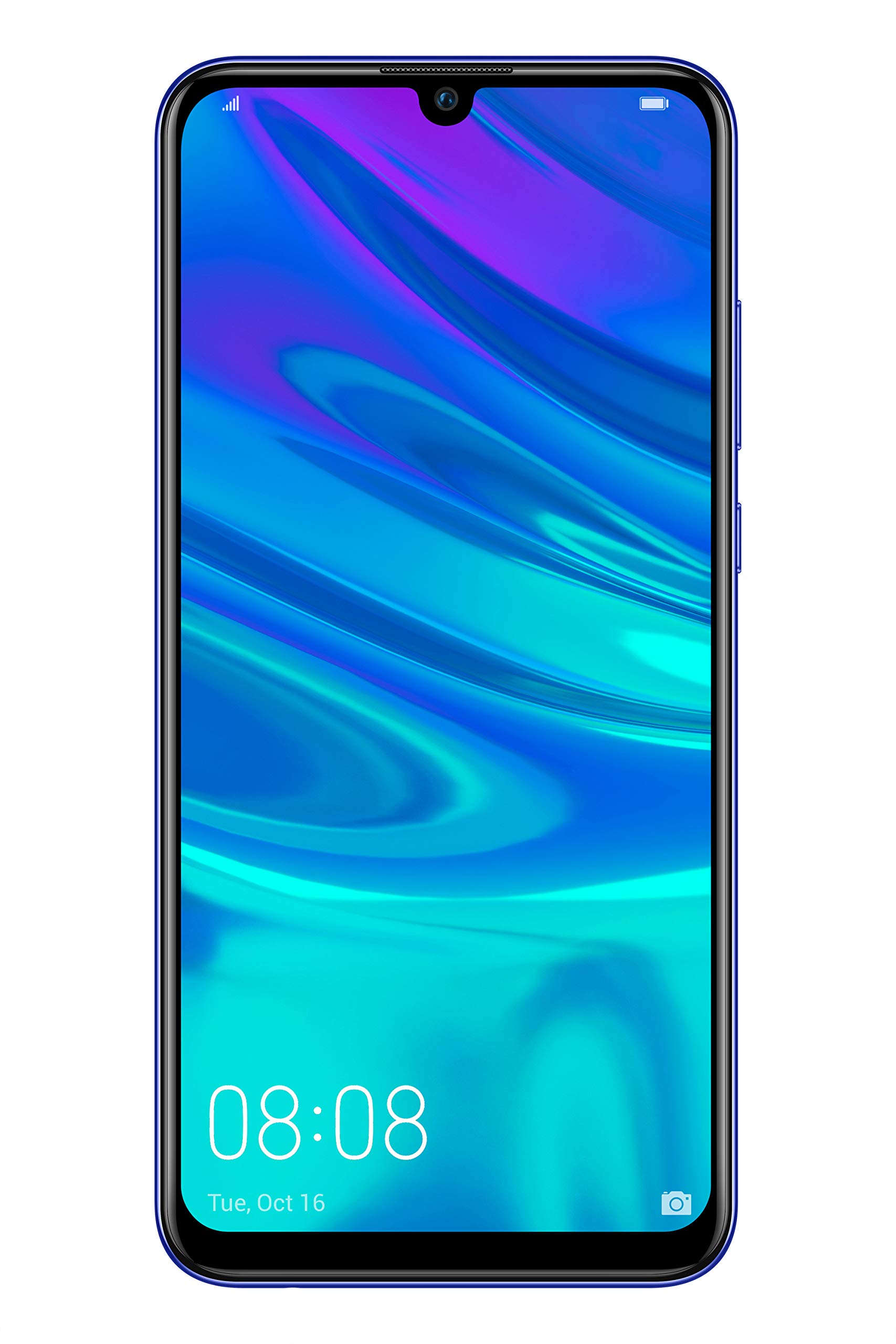
図2.1: 後方 view of the Huawei P Smart Plus 2019 smartphone, showing the triple camera module, fingerprint sensor, and HUAWEI branding.
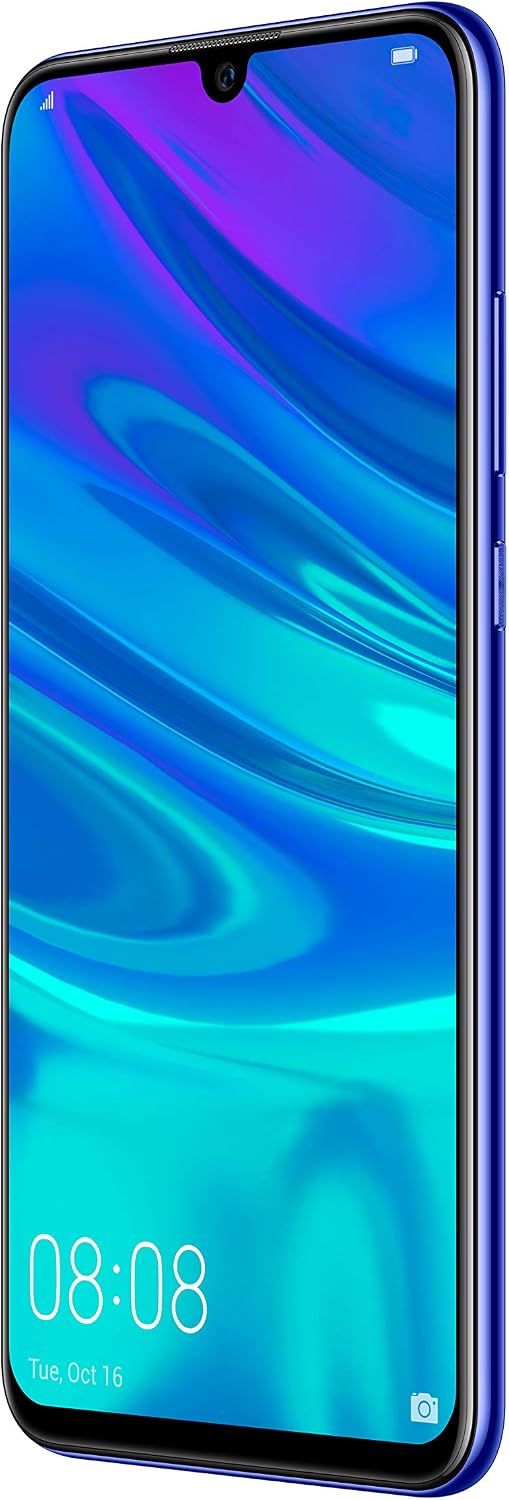
図2.2: フロント view of the Huawei P Smart Plus 2019 smartphone, displaying the 6.21-inch screen with a small notch for the front camera.

図2.3: 側 view of the Huawei P Smart Plus 2019 smartphone, highlighting the power and volume buttons.
主要コンポーネント:
- 画面: 6.21-inch FHD+ LCD screen.
- フロントカメラ: ディスプレイノッチ内にあります。
- リアカメラ: Triple camera module on the back.
- 指紋センサー: Circular sensor on the rear panel.
- 電源ボタン: デバイスの右側面にあります。
- 音量ボタン: 右側面の電源ボタンの上。
- SIM/MicroSDカードスロット: Typically on the left side or top edge.
- 充電ポート: USB Type-C, usually at the bottom.
- スピーカー/マイク: 下部にあります。
3. セットアップ
3.1 SIMカードとMicroSDカードの挿入
- デバイスの側面にある SIM カード トレイを見つけます。
- トレイの横にある小さな穴に SIM イジェクタ ツールを挿入して開きます。
- Place your Nano-SIM card(s) and/or microSD card into the tray, ensuring correct orientation as indicated on the tray. This device supports Dual SIM functionality and expandable storage up to 512GB.
- トレイがデバイスと面一になるまで、慎重にスロットに押し戻します。
3.2 初回電源投入と充電
- To power on, press and hold the Power button until the HUAWEI logo appears.
- 画面上の指示に従って、言語の選択、Wi-Fi 接続、Google アカウントの設定などの初期設定を完了します。
- Before first use, it is recommended to fully charge the device. Connect the provided USB Type-C cable to the phone's charging port and the other end to a power adapter.
4. 操作手順
4.1 基本機能
- Power On/Off/Restart: Press and hold the Power button. Select the desired option from the menu.
- 画面のロック/ロック解除: Press the Power button to lock/unlock the screen. Use Face Recognition or the Fingerprint Sensor for secure unlocking.
- 通話とメッセージ: Use the Phone and Messaging applications for communication.
- ネットワーク接続: Access Wi-Fi settings from the Quick Settings panel or Settings app. Enable mobile data for internet access via your SIM card.
4.2 カメラの使用
The Huawei P Smart Plus 2019 features a versatile camera system.
- リアカメラ: The triple camera setup includes a 24MP main sensor, a 16MP ultra-wide sensor, and a 2MP bokeh sensor. Open the Camera app and select modes like Automatic, Portrait, or Sport.
- フロントカメラ: An 8MP front camera is available for selfies and video calls. Switch to the front camera within the Camera app.
- AI機能: The camera utilizes AI to optimize scene recognition and enhance photo quality.
4.3 ストレージとメモリ
Your device comes with 64GB of internal storage, which can be expanded up to 512GB using a microSD card. It has 3GB of RAM for smooth multitasking.
4.4 バッテリー管理
The device is equipped with a 3400 mAh Lithium-Polymer battery. To optimize battery life, manage background apps, adjust screen brightness, and utilize power-saving modes available in the Settings app.
4.5オペレーティングシステム
The smartphone runs on Android 9 (Pie) with Huawei's EMUI 9 interface, offering a range of features and customization options.
5. メンテナンス
5.1 デバイスのクリーニング
Use a soft, lint-free cloth to gently wipe the screen and body of your phone. Avoid using harsh chemicals or abrasive materials, which can damage the device's finish or screen coating.
5.2ソフトウェアアップデート
Regularly check for and install software updates to ensure your device has the latest features, security patches, and performance improvements. You can usually find this option in Settings > System > Software update.
5.3バッテリーケア
To prolong battery lifespan, avoid extreme temperatures. Do not leave the phone fully charged or fully discharged for extended periods. Use only approved chargers and cables.
5.4 データのバックアップ
データの損失を防ぐために、重要なデータ(写真、連絡先、ドキュメント)をクラウド サービスまたはコンピューターに定期的にバックアップしてください。
6。 トラブルシューティング
This section addresses common issues you might encounter with your Huawei P Smart Plus 2019.
6.1 デバイスの電源が入らない
- バッテリーが充電されていることを確認してください。充電器を接続し、数分間待ってから電源を入れてください。
- 強制的に再起動するには、電源ボタンを 10 ~ 15 秒以上押し続けます。
6.2 バッテリー寿命が短い
- バックグラウンドで実行されている未使用のアプリケーションを閉じます。
- 画面の明るさを下げ、画面のタイムアウトを短く設定します。
- 使用していないときは、Wi-Fi、Bluetooth、GPS を無効にします。
- 設定でバッテリーの使用状況を確認し、電力を大量に消費するアプリを特定します。
6.3 Network Issues (No Signal/Wi-Fi Disconnection)
- デバイスを再起動します。
- Ensure your SIM card is correctly inserted and your mobile data plan is active.
- For Wi-Fi, try restarting your router. Forget the network on your phone and reconnect.
6.4 アプリがクラッシュまたはフリーズする
- アプリを強制的に閉じて、再度開きます。
- 「設定」>「アプリ」でアプリのキャッシュとデータを消去します。
- アプリが最新バージョンに更新されていることを確認してください。
- 問題が解決しない場合は、アプリをアンインストールして再インストールすることを検討してください。
6.5 工場出荷時設定へのリセット(最後の手段)
If other troubleshooting steps fail, a factory reset may resolve persistent issues. 警告: This will erase all data on your device. Back up your data before proceeding. Go to Settings > System > Reset > Factory data reset.
7. 仕様
| 特徴 | 詳細 |
|---|---|
| モデル番号 | POT-LX1T, 51093RVX |
| 画面 | 6.21 inches, LCD, FHD+ (2340 x 1080 pixels), 415 PPI |
| プロセッサ | Kirin 710 Octa-core (4 x 2.2 GHz, 4 x 1.7 GHz) |
| ラム | 3ギガバイト |
| 内部ストレージ | 64ギガバイト |
| 拡張可能なストレージ | 最大512GBのMicroSD |
| リアカメラ | Triple: 24 MP (main) + 16 MP (ultra-wide) + 2 MP (bokeh) |
| フロントカメラ | 8 MP |
| バッテリー | 3400mAhリチウムポリマー |
| オペレーティング·システム | Android 9 (Pie) with EMUI 9 |
| SIMカードタイプ | Nano-SIM(デュアルSIM対応) |
| 接続性 | LTE, GSM, Wi-Fi, Bluetooth, USB Type-C |
| 生体認証セキュリティ | Fingerprint Sensor, Face Recognition |
| 寸法 | 8 x 155 x 73 ミリメートル |
| 重さ | 160グラム |
| 平均バッテリー寿命 | 25時間 |
8. 安全情報
怪我やデバイスの損傷を防ぐために、次の安全ガイドラインを守ってください。
- デバイスを極端な温度、直射日光、湿気にさらさないでください。
- 承認された充電器とアクセサリのみを使用してください。
- デバイスを落としたり、強い衝撃を与えたりしないでください。
- ご自身でデバイスの分解や修理を試みないでください。認定されたサービス担当者にご相談ください。
- 干渉を避けるため、デバイスを医療機器から遠ざけてください。
- デバイスとそのバッテリーは、地域の規制に従って責任を持って廃棄してください。
9. 保証とサポート
Your Huawei P Smart Plus 2019 smartphone is covered by a limited warranty. For detailed warranty terms and conditions, please refer to the warranty card included in the product packaging or visit the official HUAWEI webサイト。
For technical support, service, or further assistance, please contact HUAWEI customer service or visit an authorized service center. Contact information can typically be found on the official HUAWEI support webサイト。


