
1. はじめに
This manual provides instructions for the Zerone Universal Remote Control, designed as a replacement for various Haier TV models. It is compatible with Haier HTR-A18M, 55D3550, 40D3500M, and 48D3500 series televisions. This remote control offers direct access to digital TV functions without complex programming.

Image 1.1: The Zerone Universal Remote Control in use, demonstrating its compatibility with Haier HTR-A18M, 55D3550, 40D3500M, and 48D3500 TV models.
2. セットアップ
2.1 バッテリーの取り付け
リモコンの動作には単4電池2本(別売)が必要です。電池の取り付けは以下の手順に従ってください。
- リモコンの背面にある電池収納部を見つけます。
- ラッチを押し下げて、バッテリーカバーをスライドさせて外します。
- 単 4 電池 2 本を挿入し、プラス (+) とマイナス (-) の端子がコンパートメント内のマークと正しく揃っていることを確認します。
- バッテリーカバーをカチッと音がするまで所定の位置に戻します。
The remote is ready for use immediately after battery installation; no additional programming is required for compatible Haier TV models.

画像2.1: 詳細 view of the remote control, highlighting the battery compartment for AAA battery installation.
3. 操作手順
3.1 基本機能
This remote control provides standard functions for your Haier TV. Point the remote directly at your television's infrared receiver for optimal performance.
- 電源スイッチ (U): テレビの電源をオンまたはオフにします。
- 入力: Selects video input sources (HDMI, AV, etc.).
- 数字ボタン(0-9): 直接チャンネル選択。
- ボリューム +/-: 音量を上げたり下げたりします。
- チャンネル +/-: チャンネルを上または下に変更します。
- ミュート: テレビの音声をミュートまたはミュート解除します。
- メニュー: テレビのメインメニューにアクセスします。
- ナビゲーション ボタン (上、下、左、右、OK): メニューを移動し、選択を確定します。
- 戻る / 終了: 前の画面に戻るか、現在のメニューを終了します。
- 画面: Shows current channel information.
- SAP / AUDIO: オーディオ言語またはモードを選択します。
- 寝る: スリープタイマーを設定します。
- PICTURE / WIDE: Adjusts picture mode or aspect ratio.
- CH.LIST / FAVORITE: Accesses channel list or favorite channels.
- Media Control Buttons (Play, Pause, Fast Forward, Rewind): メディアの再生を制御します。
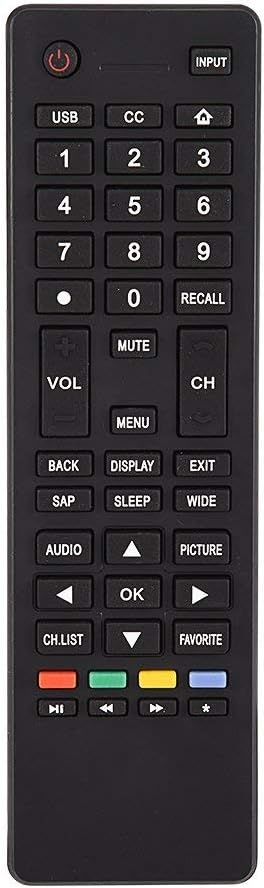
画像3.1: 以上view of the remote control's button layout for easy identification of functions.
3.2 動作範囲
The remote control has a stable signal transmission distance of up to 10 meters (33 feet). Actual remote distance may vary depending on environmental factors and the specific model of your TV.
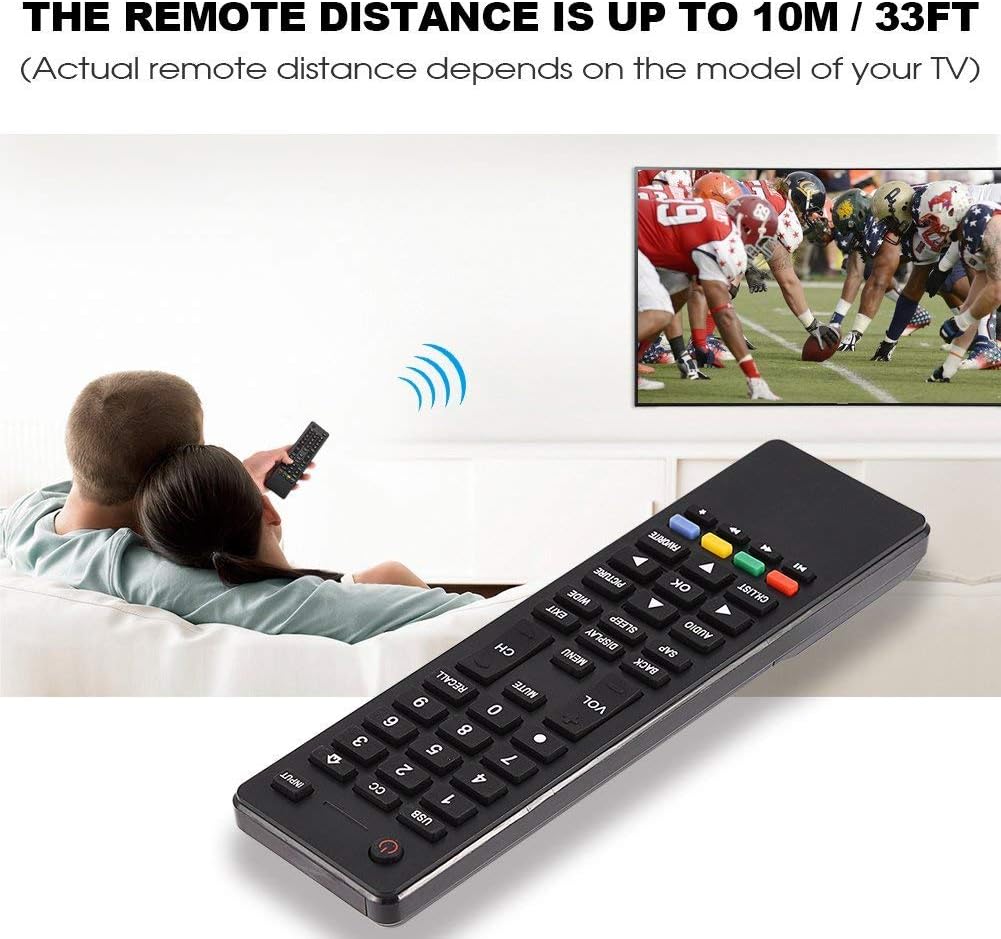
Image 3.2: Visual representation of the remote control's effective operating distance to the television.
4. メンテナンス
4.1 クリーニング
リモコンを清掃するには、柔らかく乾いた布を使用してください。頑固な汚れには、軽くampen the cloth with water or a mild cleaning solution. Avoid using harsh chemicals or abrasive cleaners, as these can damage the remote's surface or internal components.
4.2バッテリーケア
- リモコンの反応が遅くなったり動作しなくなったら、電池を交換してください。
- 古い電池と新しい電池、または異なる種類の電池を混ぜないでください。
- リモコンを長期間使用しない場合は、液漏れを防ぐため電池を取り出してください。
- 使用済みバッテリーは地域の規制に従って責任を持って廃棄してください。
5。 トラブルシューティング
5.1 リモコンが応答しない
- バッテリーのチェック: Ensure batteries are inserted correctly with the correct polarity (+/-) and are not depleted. Replace with fresh AAA batteries if necessary.
- 視線: Make sure there are no obstructions between the remote control and the TV's infrared sensor.
- 距離: Confirm you are within the effective operating range (up to 10 meters / 33 feet).
- テレビ互換性: Verify that your TV model is listed as compatible (Haier HTR-A18M, 55D3550, 40D3500M, 48D3500).
5.2 Buttons Not Working Correctly
- クリーンリモート: Dust or debris under buttons can cause malfunction. Refer to the Maintenance section for cleaning instructions.
- バッテリーチェック: Weak batteries can lead to inconsistent button responses. Replace batteries.
6. 仕様
| 特徴 | 詳細 |
|---|---|
| ブランド | ゼロネ |
| 対応デバイス | Haier HTR-A18M, 55D3550, 40D3500M, 48D3500 TVs |
| 接続技術 | 赤外線 |
| 最大範囲 | 10メートル(33フィート) |
| 電池のタイプ | 2 x AAA(含まれません) |
| コントローラータイプ | ボタンコントロール |
| 材料 | アブソリュート |
| モデル番号 | Zerone9rnag3b5y4-cr |
| 欧州連合 | 647213811490 |

Image 6.1: Physical dimensions of the Zerone Universal Remote Control.
7. 保証情報
この商品はAmazon再生品として販売されています。Amazon再生品は、専門家による検査とテストを経て、新品同様の動作と外観を実現しています。ご購入いただいた再生品にご満足いただけない場合は、Amazon再生品保証に基づき、交換または返金いたします。
Additionally, the manufacturer provides a 90日間の限定保証. For specific details regarding the terms and conditions of this warranty, please refer to the documentation provided at the time of purchase or contact customer support.
8. カスタマーサポート
If you encounter any issues or have questions regarding your Zerone Universal Remote Control that are not addressed in this manual, please contact the seller or Amazon Renewed customer service for assistance.
For Amazon Renewed Guarantee claims, please visit the Amazon Renewed program page or contact Amazon customer support directly.