
1. はじめに
Thank you for choosing the Gembird MUS-6B-01 Optical USB Mouse. This manual provides essential information for setting up, operating, maintaining, and troubleshooting your new mouse. Please read these instructions carefully to ensure optimal performance and longevity of your device.

Image: The official Gembird brand logo, featuring the company name in a stylized font with a geometric design.
2.製品オーバーview
The Gembird MUS-6B-01 is a reliable 6-button optical USB mouse designed for comfortable and precise navigation. Its ambidextrous design makes it suitable for both left and right-handed users.
主な特徴:
- 光学トラッキング: Provides smooth and accurate cursor control.
- 6つのボタン: Includes standard left/right click, scroll wheel, DPI adjustment, and two side buttons for enhanced functionality.
- USB接続: Simple plug-and-play connection to your computer.
- 両手利きのデザイン: 左利き、右利きどちらのユーザーにも快適です。
コンポーネント:
- 左クリックボタン
- 右クリックボタン
- スクロールホイール(中クリックボタンとしても機能します)
- DPI調整ボタン
- 前進ボタン(サイド)
- 戻るボタン(サイド)
- Optical Sensor (underside)
- USB Connector (at the end of the cable)
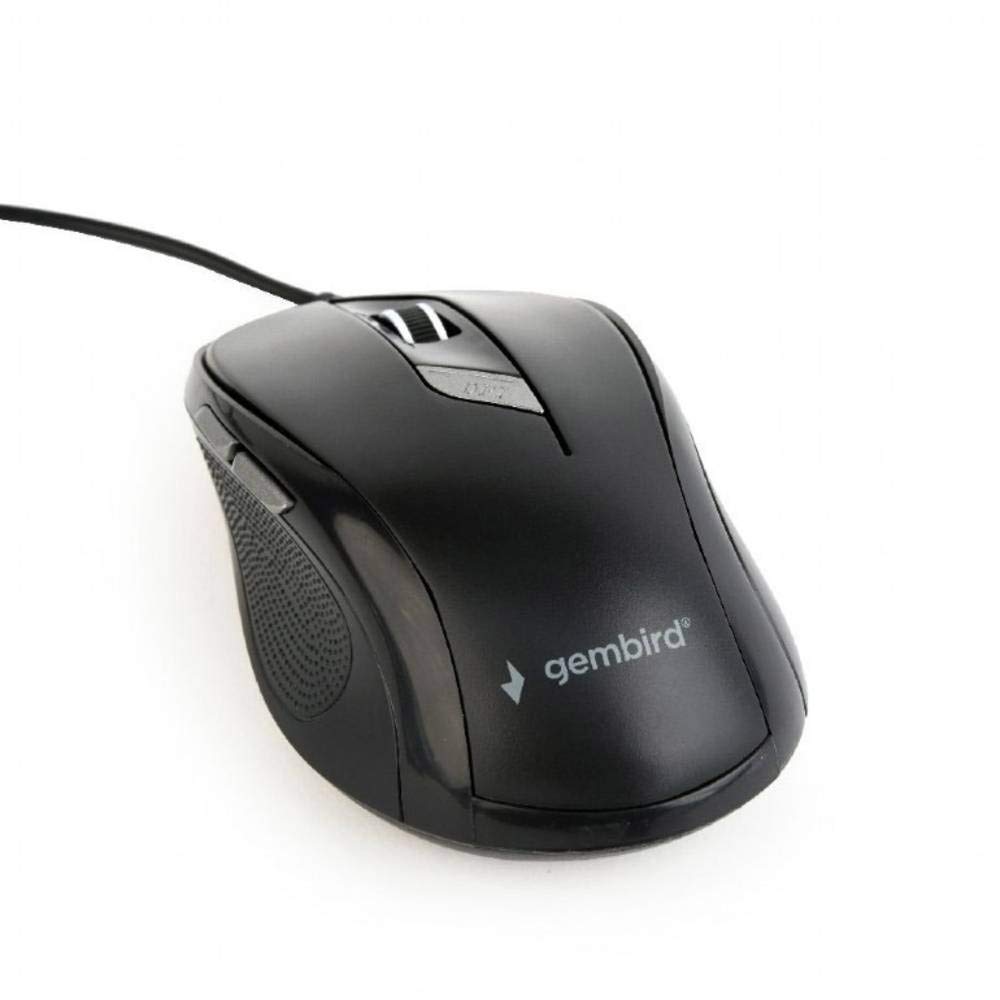
画像: トップダウン view of the Gembird MUS-6B-01 optical USB mouse. The mouse is black with a matte finish, featuring a scroll wheel, left and right click buttons, a DPI button, and two side buttons. A black USB cable extends from the front of the mouse.
3. セットアップ
Setting up your Gembird MUS-6B-01 mouse is a simple plug-and-play process.
インストール手順:
- コンピューターで使用可能なUSBポートを見つけます。
- Plug the USB connector of the Gembird MUS-6B-01 mouse firmly into the USB port.
- Your operating system (Windows, Linux) will automatically detect and install the necessary drivers. This process may take a few moments.
- ドライバーがインストールされると、マウスは使用できるようになります。
通常、基本機能には追加のソフトウェアのインストールは必要ありません。
4. 操作手順
Familiarize yourself with the functions of each button on your Gembird MUS-6B-01 mouse.
基本機能:
- 左クリック: Primary action, selecting items, opening files.
- 右クリック: Opens context menus, provides additional options.
- スクロールホイール: 文書を上下にスクロールして web ページ。
- 中クリック(スクロールホイールを押す): Often used to open links in new tabs or for specific application functions.
高度な機能:
- DPI調整ボタン: Located behind the scroll wheel, this button allows you to cycle through different sensitivity (DPI) settings. Press it to change the cursor speed to suit your preference.
- 前進ボタン(サイド): 通常は前方に移動します web ブラウザまたは file 探検家。
- 戻るボタン(サイド): 通常は後方に移動します web ブラウザまたは file 探検家。
The functionality of the side buttons may vary depending on the application or operating system settings. Some operating systems allow customization of these buttons.
5. メンテナンス
Proper care will help extend the life of your Gembird MUS-6B-01 mouse.
クリーニング:
- 掃除する前に、マウスをコンピューターから取り外してください。
- 柔らかく、少し硬めのamp糸くずの出ない布でマウスの表面を拭きます。
- For stubborn dirt, a small amount of mild soap solution can be applied to the cloth (not directly to the mouse).
- 綿棒または圧縮空気を使用して、スクロール ホイールの周囲とボタンの間を清掃します。
- Ensure the optical sensor on the underside is clean and free of dust or debris.
- 強力な化学薬品や研磨剤を使用したり、マウスを水に浸したりしないでください。
ストレージ:
長期間使用しない場合は、マウスを極端な温度や直射日光を避け、清潔で乾燥した環境に保管してください。
6。 トラブルシューティング
If you encounter issues with your Gembird MUS-6B-01 mouse, try the following troubleshooting steps:
| 問題 | 考えられる解決策 |
|---|---|
| マウスが反応しない |
|
| Erratic or jumpy cursor movement |
|
| ボタンが機能しない |
|
7. 仕様
Detailed technical specifications for the Gembird MUS-6B-01 Optical USB Mouse:
| 特徴 | 仕様 |
|---|---|
| ブランド | ジェムバード |
| モデル名 | MUS-6B-01 |
| 接続技術 | 有線(USB) |
| 動き検出技術 | 光学 |
| ボタンの数量 | 6 |
| 手の向き | 両利き |
| 互換性のあるオペレーティングシステム | Linux、Windows 7、Windows XP(およびそれ以降のバージョン) |
| ハードウェアプラットフォーム | パソコン |
| ケーブル長さ | 5.0メートル |
| アイテム重量 | 74グラム |
| 材料 | プラスチック |
| 色 | 黒 |
| 電池が必要 | いいえ |
8. 安全情報
次の安全ガイドラインを遵守してください。
- マウスを水や過度の湿気にさらさないでください。
- マウスを落としたり、強い衝撃を与えたりしないでください。
- マウスをご自身で分解したり修理したりしないでください。資格のあるサービス担当者にご相談ください。
- デバイスは極端な温度や直射日光を避けて保管してください。
- 電子廃棄物は地域の規制に従って責任を持って処分してください。
9. 保証とサポート
Gembird products are designed for reliability and performance. For specific warranty terms and conditions, please refer to the warranty card included with your product or visit the official Gembird website. For technical support or further assistance, please contact your retailer or the Gembird customer service department.