
1.製品オーバーview
The Lowrance LiveSight Transducer with Mounts provides real-time sonar views, allowing anglers to observe fish and lure movements directly. This system enhances fishing efficiency by offering a wide view of the water column and precise targeting capabilities.
主な特徴:
- Real-Time Fish Tracking: Observe fish reactions and lure movements in real-time with the widest sonar beam and extended range.
- Dual Sonar Views: Integrate traditional sonar with LiveSight's real-time views for comprehensive underwater awareness. Locate fish with traditional sonar, then use LiveSight for precise targeting.
- 多用途アプリケーション: Ideal for various fishing techniques including drop shotting, vertical jigging, and tracking bait in front of the boat.
- 柔軟な取り付けオプション: The transducer can be mounted in a front-facing position for casting or a down-facing position for vertical jigging.
- 互換性: Compatible with HDS LIVE and HDS Carbon (Carbon requires a PSI-1 module) and Semrad NSS evo3 fish finder/chart plotters.
2. 箱の中身
開梱したら、すべてのコンポーネントが揃っていることを確認してください。
- Lowrance LiveSight Transducer
- Transducer Mounting Hardware
- インストールガイド(このマニュアル)

画像: サイド view of the Lowrance LiveSight Transducer with its mounting bracket.
3. セットアップとインストール
Proper installation of the LiveSight Transducer is crucial for optimal performance. The transducer can be mounted in two primary positions:
- Front-Facing Position: Mount the transducer to face forward from your boat. This position is ideal for casting towards fish and observing their movements ahead of your vessel.
- Down-Facing Position: Mount the transducer to look directly downwards. This position is suitable for vertical jigging directly below your boat, allowing you to track your lure and fish in the water column beneath you.
Refer to the detailed diagrams included with your mounting hardware for specific instructions on attaching the transducer to your trolling motor or other suitable location. Ensure all connections are secure and waterproof.
互換性に関する注意:
- For HDS Carbon units, a PSI-1 module is required for LiveSight functionality.
- Ensure your fish finder/chart plotter software is up to date for full compatibility and best performance.
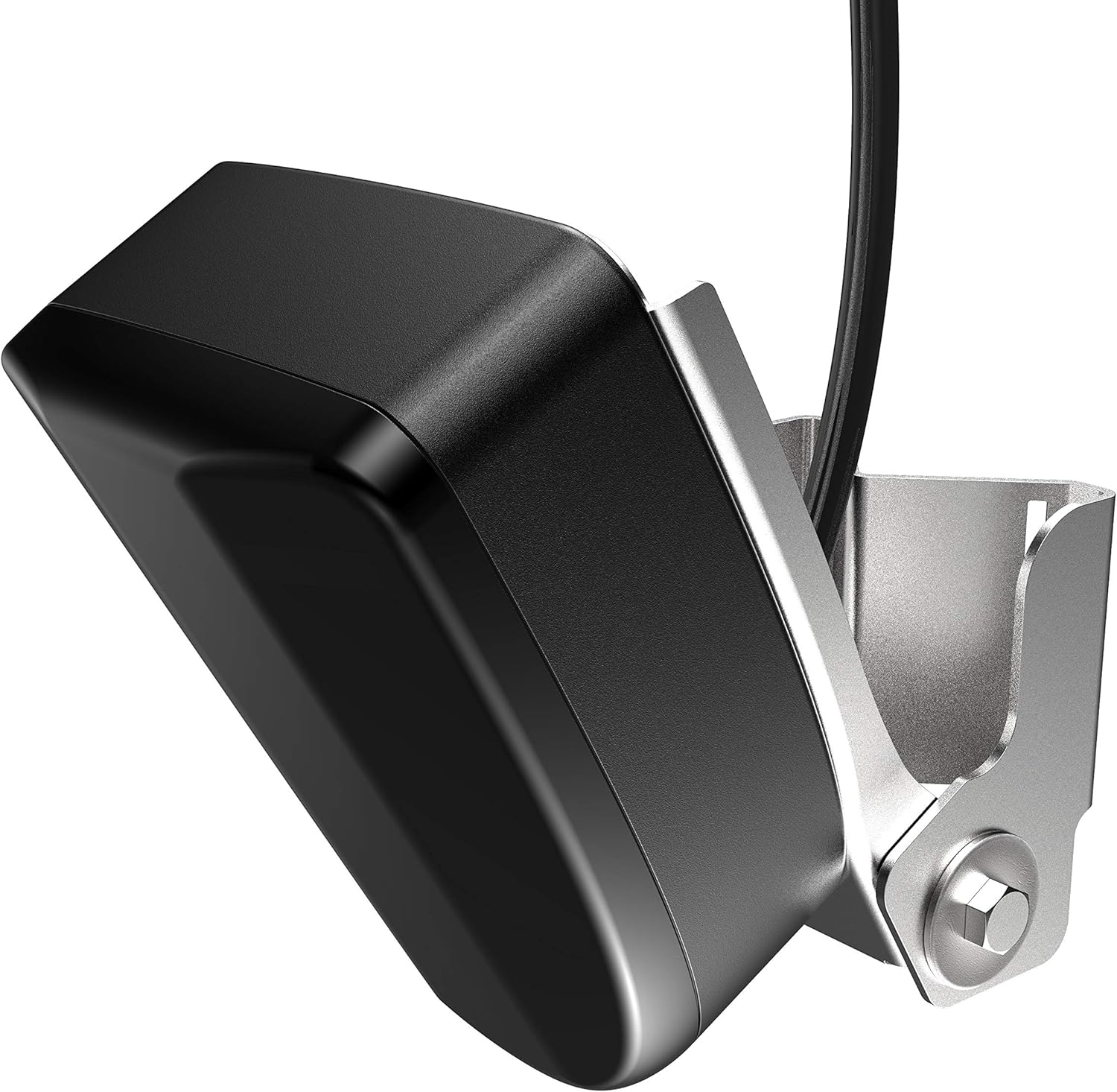
画像: 斜め view of the LiveSight Transducer, showing its compact design and mounting point.
4. 操作
Once installed and connected to a compatible display unit, the LiveSight Transducer provides dynamic real-time sonar data.
Using LiveSight:
- 電源オン: Turn on your compatible Lowrance display unit. The LiveSight sonar view should automatically activate or be selectable from the sonar menu.
- 設定を調整します: Depending on water conditions and target species, you may need to adjust sensitivity, range, and color palette settings on your display unit for optimal clarity.
- Interpret the Display:
- Fish will appear as arches or distinct shapes, moving across the screen in real-time.
- Your lure will also be visible, allowing you to see its depth and how fish react to it.
- Bottom structure and vegetation will be rendered, providing a clear picture of the underwater environment.
- ターゲット魚: Use the real-time feedback to position your boat and present your lure directly to fish. Observe if fish are actively feeding or ignoring your presentation.

画像: 下 view of the LiveSight Transducer, showing the sonar element.
Video: Official Lowrance video showcasing the brand's commitment to fishing technology, including products like the LiveSight Transducer. This video highlights the benefits of advanced sonar in fishing scenarios.
5. メンテナンス
Regular maintenance ensures the longevity and optimal performance of your LiveSight Transducer.
- クリーニング: After each use, especially in saltwater, rinse the transducer and cables with fresh water to remove salt, dirt, and debris. Use a soft cloth to gently wipe the transducer face. Avoid abrasive cleaners or solvents.
- 検査: Periodically inspect the transducer cable for any signs of wear, cuts, or kinks. Check the mounting hardware for tightness and corrosion.
- ストレージ: When not in use for extended periods, store the transducer in a clean, dry place, protected from extreme temperatures and direct sunlight.
6。 トラブルシューティング
If you encounter issues with your LiveSight Transducer, consider the following common troubleshooting steps:
- ソナー画像なし:
- Ensure the transducer is properly connected to the display unit and power source.
- Check for any damage to the transducer cable or connectors.
- Verify that the correct transducer type is selected in your display unit's sonar settings.
- 画質が悪い:
- トランスデューサーの表面を清掃し、海藻やゴミを取り除きます。
- Adjust sonar sensitivity and noise rejection settings on your display unit.
- Ensure the transducer is mounted correctly and is not obstructed by boat components or air bubbles.
- 断続的な信号:
- すべてのケーブル接続に緩みや腐食がないか確認してください。
- Ensure the power supply to the display unit is stable and sufficient.
If these steps do not resolve the issue, please contact Lowrance customer support for further assistance.
7. 技術仕様
| ブランド | ローランス |
| モデル名 | LIVESIGHT TRANSDUCER WITH MOUNTS |
| モデル番号 | 000-14458-001 |
| 電源 | 12ボルトDC |
| Display Type (Compatible) | 導かれた |
| アイテム重量 | 4.1 ポンド |
| 取り付けタイプ | Flush Mount (with included mounts) |
| メーカー | ナビコ |
| GTIN | 09420024172285 |
8. 保証とサポート
The Lowrance LiveSight Transducer with Mounts is covered by a manufacturer's warranty. Please refer to the official Lowrance web具体的な保証条件については、サイトまたは購入書類をご覧ください。
For technical support, service, or warranty claims, please contact Lowrance Customer Service:
- Webサイト: Visit the official Lowrance support page for FAQs, software updates, and contact information.
- 電話: 製品のパッケージまたはLowrance web地域サポートの電話番号のサイト。
When contacting support, please have your product model number (000-14458-001) and proof of purchase readily available.