
製品終了view
The Soundcore Infini Pro is an integrated 2.1 channel soundbar designed to elevate your home audio experience with immersive Dolby Atmos technology. Featuring built-in subwoofers and multiple connectivity options, it delivers powerful, room-filling sound for movies, music, and more.
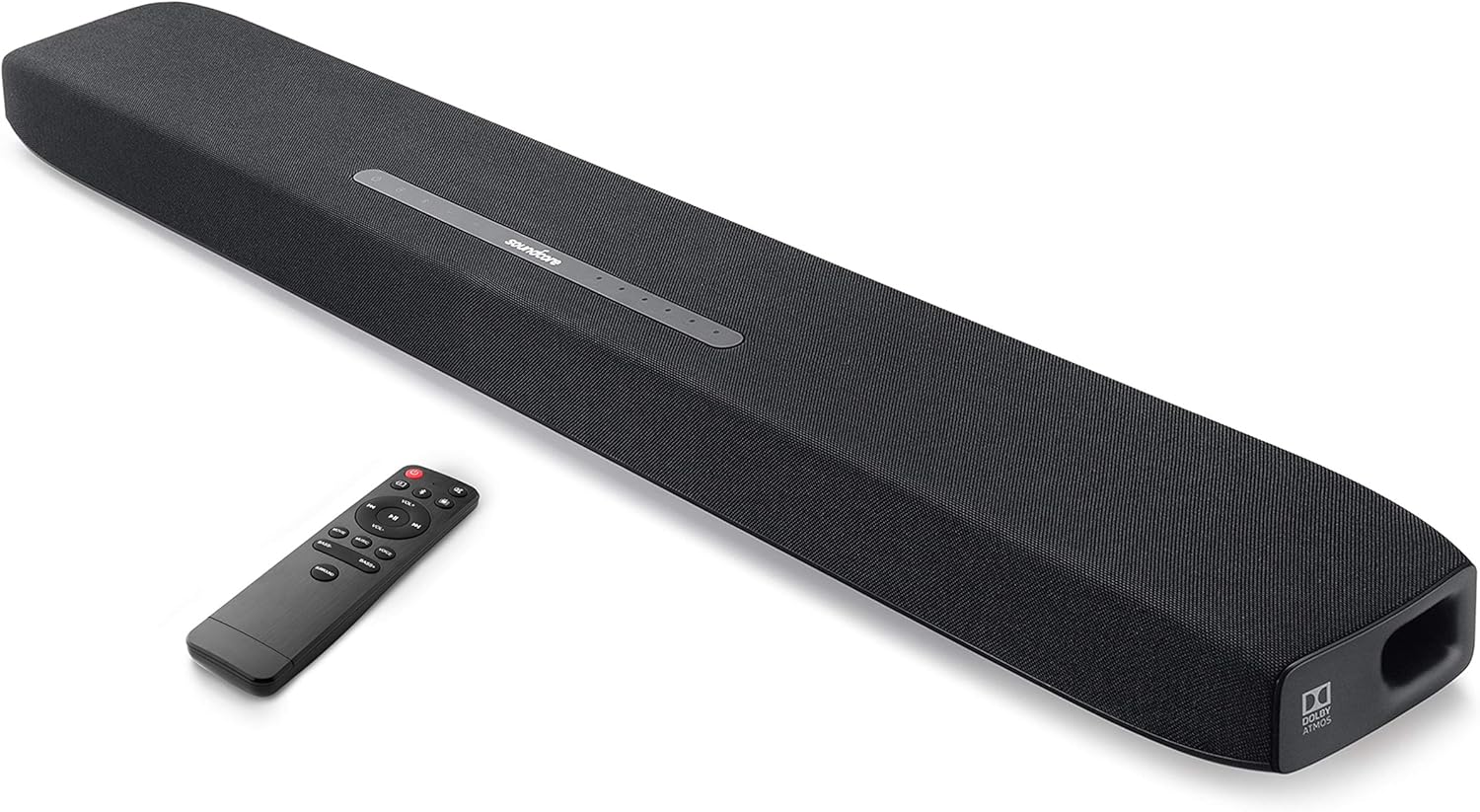
This soundbar integrates two front-facing 2.5-inch mid-range drivers, 1-inch tweeters, and dual up-facing 3-inch built-in subwoofers, complemented by symmetrical bass reflex ports and BassUp technology for intense low frequencies.
箱の中身
Your Soundcore Infini Pro package includes the following items:
- Soundcore InfiniProサウンドバー
- リモートコントロール
- AC電源アダプター
- 3.5mmオーディオケーブル
- 光ケーブル
- ユーザーマニュアル
セットアップガイド
Follow these steps to set up your Soundcore Infini Pro soundbar for optimal performance.
1.配置
Place the soundbar on a stable, flat surface in front of your TV. Ensure there are no obstructions in front of the soundbar to allow for optimal sound projection.

2. 接続
The Soundcore Infini Pro offers various input options for connecting to your devices. Refer to Figure 3 for an overview 背面ポートの。

- HDMI ARC: For the best audio quality and control, connect your TV's HDMI ARC port to the soundbar's HDMI OUT (ARC) port using an HDMI cable. This allows your TV remote to control the soundbar's volume.
- HDMI In/Out (4K HDR Pass-Through): Connect your 4K HDR or Dolby Vision compatible device (e.g., Blu-ray player) to the HDMI IN port on the soundbar, then connect the HDMI OUT (ARC) port to your TV's HDMI IN port. This ensures 4K HDR and Dolby Vision signals pass through to your TV.
- 光学: Connect the soundbar's TV IN (OPT) port to your TV's optical output using the provided optical cable.
- AUX 入力: Use a 3.5mm audio cable to connect your device's audio output to the soundbar's AUX IN port.
- Bluetooth 5.0: ワイヤレスオーディオストリーミングの場合は、Bluetooth 経由でモバイルデバイスとサウンドバーをペアリングします。
3. 電源オン
Connect the AC power adapter to the soundbar's power input and then to a wall outlet. The soundbar will automatically power on or enter standby mode.
操作手順
Familiarize yourself with the controls and sound modes of your Soundcore Infini Pro.
1. トップパネルのコントロール
The top panel of the soundbar features touch-sensitive controls and LED indicators (Figure 4).

- 電源ボタン: 押すとオン/オフになったり、スタンバイ モードになったりします。
- ソースボタン: Press to cycle through input modes (HDMI, TV, AUX, Bluetooth).
- 音量ボタン(+/-): マスターボリュームレベルを調整します。
- 入力インジケーター: LEDs light up to show the currently selected input source (HDMI, TV, AUX, Bluetooth).
- Sound Mode Indicators: LEDs indicate the active sound mode (Movie, Music, Voice, Surround).
2. リモートコントロール
The included remote control provides full functionality for your soundbar. Ensure the remote has 2 AAA batteries installed.
3. サウンドモード
Optimize your audio experience by selecting one of the predefined sound modes:

- 映画モード: Enhances bass and dialogue clarity for cinematic experiences.
- 音楽モード: Optimizes treble for greater depth and three-dimensionality in music.
- 音声モード: Increases clarity and volume level for dialogue, ideal for TV shows and news.
- サラウンドサウンド: Activates the Dolby Atmos surround sound experience, providing moving audio from all directions.
The Soundcore Infini Pro features integrated subwoofers for powerful bass. You can adjust the bass level using the dedicated Bass +/- buttons on the remote control.

Operating with Bluetooth
モバイルデバイスを Bluetooth 経由で接続するには:
- Press the Source button on the soundbar or remote until the Bluetooth indicator lights up.
- On your mobile device, enable Bluetooth and search for "Soundcore Infini Pro" in the list of available devices.
- Select the soundbar to pair. Once connected, the Bluetooth indicator will turn solid blue.
You can now stream music and other audio from your device wirelessly to the soundbar.
メンテナンス
To ensure the longevity and optimal performance of your Soundcore Infini Pro, follow these maintenance guidelines:
- クリーニング: サウンドバーの表面を拭く際は、柔らかく乾いた布をご使用ください。液体クリーナーや研磨剤の使用は避けてください。
- 換気: 過熱を防ぐために、サウンドバーの通気口が塞がれていないことを確認してください。
- ストレージ: 長期間使用しない場合は、サウンドバーを直射日光や極端な温度を避け、涼しく乾燥した場所に保管してください。
トラブルシューティング
If you encounter any issues with your Soundcore Infini Pro, refer to the following common problems and solutions:
| 問題 | 考えられる原因 | 解決 |
|---|---|---|
| サウンドバーから音が出ない | 間違った入力ソースが選択されました | ソースボタンを押して正しい入力を選択します。 |
| サウンドバーから音が出ない | ケーブルが正しく接続されていない | Ensure all audio cables (HDMI, Optical, AUX) are securely connected. |
| サウンドバーから音が出ない | TV audio output settings incorrect | Check your TV's audio output settings (e.g., set to External Speaker, PCM, or Bitstream). |
| リモコンが動作しない | 電池残量が少ないか消耗しています | リモコンの単4電池を交換してください。 |
| リモコンが動作しない | リモコンとサウンドバーの間に障害物がある | Ensure there is a clear line of sight between the remote and the soundbar's sensor. |
| Bluetoothペアリングの問題 | サウンドバーがペアリングモードになっていません | Press and hold the Bluetooth button on the soundbar until the indicator blinks. |
| Bluetoothペアリングの問題 | デバイスはすでに別の Bluetooth デバイスに接続されています | Disconnect your device from other Bluetooth connections and try pairing again. |
仕様
Detailed technical specifications for the Soundcore Infini Pro Soundbar:
- モデル名: インフィニプロ
- モデル番号: AK-A3372111
- スピーカータイプ: サラウンドサウンド、サブウーファー、サウンドバー
- サラウンド サウンド チャネル構成: 2.1
- スピーカーの最大出力: 300ワット
- サブウーファーの直径: 3 Inches (Built-in)
- 接続技術: HDMI (ARC), Optical, AUX, Bluetooth 5.0
- 製品寸法: 36.61 x 4.72 x 2.4インチ
- 商品の重量: 7.28ポンド
- 色: 黒
- メーカー: サウンドコア
- 国際コード: 848061023176
保証とサポート
The Soundcore Infini Pro comes with a limited warranty. For detailed warranty information and support, please refer to the official Soundcore webサイトにアクセスするか、カスタマーサービスにお問い合わせください。
カスタマーサポート: For technical assistance or troubleshooting not covered in this manual, please visit the AmazonのSoundcoreストア またはメーカーの公式サポート チャネルにお問い合わせください。