
1. はじめに
This manual provides essential instructions for the safe and effective use of your Sony Alpha a6400 mirrorless interchangeable-lens camera. Please read this manual thoroughly before operating the camera and retain it for future reference. The Sony Alpha a6400 features a 24.2MP APS-C Exmor CMOS sensor, 4K UHD video recording, and 11 frames per second continuous shooting, paired with the versatile E 18-135mm F/3.5-5.6 OSS lens.
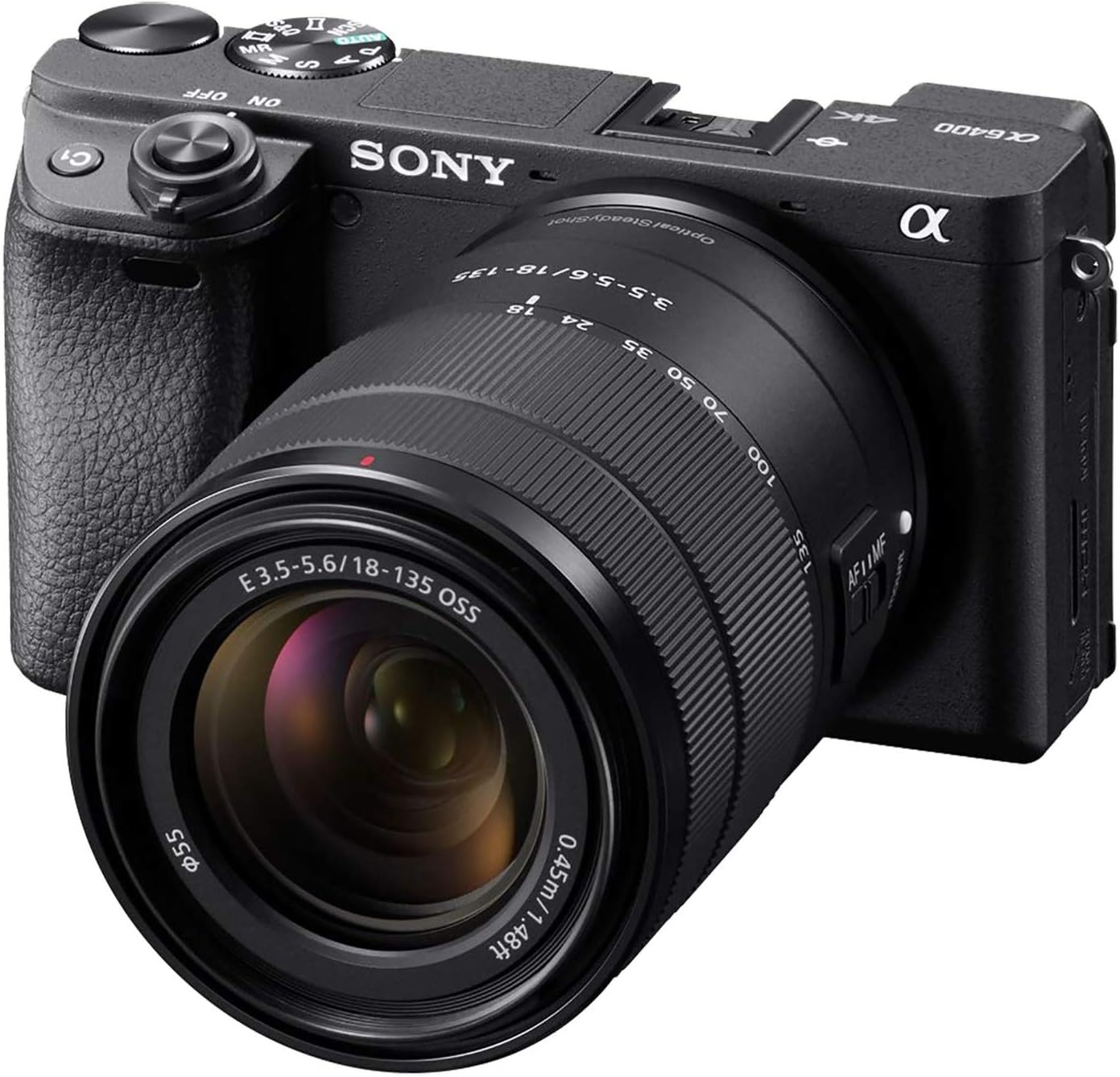
Figure 1: Sony Alpha a6400 Mirrorless Camera with E 18-135mm F/3.5-5.6 OSS Lens.
2. 箱の中身
Verify that all the following items are included in your camera kit:
- Sony Alpha a6400 Camera Body
- E 18-135mm F/3.5-5.6 OSS Lens
- 充電式バッテリー(NP-FW50)
- AC Adaptor (AC-UUD12)
- ショルダーストラップ
- ボディキャップ
- アクセサリーシューキャップ
- 接眼カップ
- マイクロUSBケーブル
3.カメラオーバーview
3.1フロント View

図2: 前面 view of the camera, showing the lens mount, grip, and front dial.
3.2 トップ View

図3:上 view of the camera, highlighting the mode dial, hot shoe, and power switch.
3.3 リア View and Tilting LCD Screen

図4:背面 view of the camera, showing the LCD screen in a tilted position, ideal for various shooting angles.
4. セットアップ
4.1 レンズの取り付け
- カメラのボディキャップとレンズのリアキャップを外します。
- レンズの白いインデックスマークをカメラ本体の白いインデックスマークに合わせます。
- カチッと音がするまで時計回りに回してレンズを取り付けます。
4.2 Inserting the Battery and Charging
- Open the battery cover on the bottom of the camera.
- Insert the NP-FW50 battery with the correct orientation until it locks.
- 電池カバーを閉じます。
- Connect the camera to the AC adaptor using the micro USB cable to charge the battery. The charging lamp 点灯します。
4.3 メモリカードの挿入
- Open the memory card cover.
- Insert a compatible SD/SDHC/SDXC or Memory Stick Duo card into the slot with the contacts facing the correct direction until it clicks.
- メモリカードカバーを閉じます。
4.4 初期設定
初めて電源を入れるときは、画面の指示に従って言語、日付、時刻、地域を設定します。
5. 基本操作
5.1 電源のオン/オフ
Slide the ON/OFF switch located around the shutter button to power the camera on or off.
5.2 Shooting Still Images
The camera offers various shooting modes, including Program Auto, Aperture Priority, Shutter Priority, and Manual. Use the mode dial on top of the camera to select your desired mode.
- オートフォーカス: The camera features a fast 0.02-second autofocus system with 425 phase-detection and 425 contrast-detection points covering 84% of the sensor area.
- 連続撮影: Capture fast-moving subjects with up to 11 frames per second (fps) continuous shooting.

Figure 5: The camera's capability for 11 frames per second continuous shooting.
5.3 動画の録画
The Sony Alpha a6400 supports 4K UHD (2160p) video recording. Press the MOVIE button to start and stop recording.
- Special Movie Functions: Create time-lapse movies or slow/quick motion videos directly in-camera without requiring post-processing.

Figure 6: The camera's ability to record high-quality 4K video.
5.4 LCD画面の使用
The 3-inch LCD screen is tiltable up to 180 degrees, making it suitable for various shooting angles, including vlogging and low-angle shots. It also features touch screen functionality for intuitive control.

Figure 7: The LCD screen tilted 180 degrees for flexible viewing。
6. 高度な機能
6.1 Real-Time Eye AF and Tracking
The camera incorporates advanced Real-Time Eye AF and Real-Time Tracking technologies for precise and reliable subject focus, even with fast-moving subjects.

Figure 8: Demonstration of the Real-Time Eye AF feature, ensuring sharp focus on the subject's eyes.
6.2 接続性
The camera supports Wi-Fi and Bluetooth connectivity for seamless transfer of images and remote control via a smartphone or tablet.
7. メンテナンスとケア
7.1 カメラとレンズのクリーニング
- カメラ本体を清掃する際は、柔らかく乾いた布を使用してください。
- For the lens, use a lens brush to remove dust, then gently wipe with a lens cleaning cloth and solution if necessary. Avoid touching the lens surface directly.
- カメラを清掃する際に、アルコールやシンナーなどの有機溶剤を使用しないでください。
7.2バッテリーケア
- 使用前にバッテリーを完全に充電してください。
- バッテリーを使用しないときは、涼しく乾燥した場所に保管してください。
- バッテリーを極端な温度にさらさないでください。
8。 トラブルシューティング
| 問題 | 考えられる原因 / 解決策 |
|---|---|
| カメラの電源が入りません。 | バッテリーが正しく挿入され、完全に充電されていることを確認してください。 |
| バッテリーの消耗が早いです。 | Frequent use of Wi-Fi, continuous shooting, or video recording can consume battery faster. Consider carrying spare batteries. |
| Camera becomes warm during use. | It is normal for the camera to become warm during extended video recording or continuous shooting. If it overheats, it may shut down automatically to protect internal components. Allow it to cool down. |
| 画像がぼやけてしまいます。 | Check focus settings. Ensure the lens is clean. Use a higher shutter speed or image stabilization (if available on lens) in low light. |
| Wi-Fi/Bluetoothに接続できません。 | Ensure Wi-Fi/Bluetooth is enabled on both the camera and the connecting device. Refer to the camera's network settings. |
9. 仕様
| 特徴 | 詳細 |
|---|---|
| モデル名 | ILCE6400M/B |
| センサータイプ | APS-C type (23.5 x 15.6 mm), Exmor CMOS sensor |
| 実効静止画解像度 | 24.2 MP |
| ビデオ解像度 | 2160p(4K UHD) |
| 連続撮影 | 11FPS |
| オートフォーカスポイント | 850 (425 Phase Detection, 425 Contrast Detection) |
| レンズタイプ | E 18-135mm F/3.5-5.6 OSS Zoom Lens |
| 画面サイズ | 3インチ |
| 表示タイプ | チルト式LCD、タッチスクリーン |
| 接続性 | Wi-Fi、ブルートゥース |
| 電池のタイプ | NP-FW50 Rechargeable Battery |
| ストレージメディア | シングルスロット:SD/SDHC/SDXC/メモリースティック デュオ ハイブリッド(UHS-I) |
| アイテム重量 | 1.61 Pounds (body with lens) |
10. 保証とサポート
10.1 製造元の保証
This Sony Alpha a6400 camera is covered by a 1年間のメーカー保証保証請求のために購入証明書を保管してください。保証は、通常の使用における材料および製造上の欠陥を対象とします。
10.2 カスタマーサポート
For further assistance, technical support, or detailed information not covered in this manual, please visit the official Sony support webサイトをご覧いただくか、ソニーのカスタマーサービスにお問い合わせください。
You can also refer to the official User Guide (PDF) available for download from the Sony support page for comprehensive details.