
導入
This manual provides essential instructions for the safe and effective use of your Technical Precision Replacement for Sharp BT-N1 battery. This battery is designed as a direct replacement for the original Sharp BT-N1 battery, ensuring compatibility and reliable performance for your cordless telephone.
安全情報
- バッテリーを分解したり、押し潰したり、穴を開けたり、ショートさせたりしないでください。
- バッテリーを高温(60°C / 140°F以上)や直射日光にさらさないでください。
- バッテリーを水やその他の液体から遠ざけてください。
- バッテリーを火中に廃棄しないでください。
- お子様の手の届かない場所に保管してください。
- Use only the charger specified for your cordless telephone model.
- 電池が液漏れした場合は、皮膚や目との接触を避けてください。万が一目に入った場合は、直ちに水で洗い流し、医師の診察を受けてください。
設定
- Identify the Old Battery: Locate the battery compartment on your cordless telephone. Refer to your phone's original user manual if needed.
- 古いバッテリーを取り外します。 Carefully open the battery compartment cover. Disconnect the old battery's connector from the phone's terminal. Remove the old battery.
- 新しい電池を挿入します: Connect the new Technical Precision BT-N1 battery's connector to the phone's terminal, ensuring the correct orientation. Place the battery into the compartment.
- コンパートメントを安全に保管する: 電池カバーをしっかりと閉じてください。
- 初期費用: Place the cordless telephone on its charging base for at least 12-16 hours for the initial charge, even if the phone indicates a full charge sooner. This conditions the battery for optimal performance.
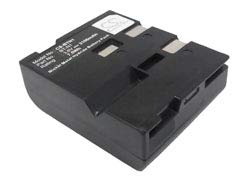
Image: Technical Precision Replacement for Sharp BT-N1 Battery. This image shows the compact design of the replacement battery, featuring its connector and label.
オペレーティング
- 通常充電: For daily use, return the handset to its charging base when not in use. This ensures the battery remains charged and ready.
- バッテリー寿命: The operating time of the battery will vary depending on usage patterns (talk time vs. standby time).
- Full Discharge Cycle (Optional): Occasionally, allowing the battery to fully discharge before recharging can help maintain its capacity, though modern Lithium-Ion batteries are less prone to 'memory effect'.
メンテナンス
- ストレージ: If storing the battery for an extended period, charge it to about 50% and store it in a cool, dry place. Recharge it every 3-6 months to prevent deep discharge.
- クリーニング: Keep the battery contacts and the phone's charging terminals clean and free of dust or debris. Use a dry, soft cloth for cleaning.
- 廃棄: Do not dispose of batteries with household waste. Follow local regulations for proper battery recycling. Many electronics stores and recycling centers accept old batteries.
トラブルシューティング
- バッテリーが充電されていません:
- Ensure the handset is properly seated on the charging base.
- Check that the charging base is connected to a working power outlet.
- ハンドセットとベースの両方の充電接点を清掃します。
- Verify the battery is correctly installed and its connector is secure.
- 短い動作時間:
- Ensure the battery has completed its initial 12-16 hour charge.
- バッテリーの寿命が近づいているため、交換が必要になる場合があります。
- Excessive talk time or use of features like speakerphone can reduce operating time.
仕様
| 特徴 | 詳細 |
|---|---|
| ブランド | 技術的精度 |
| モデル番号 | BT-N1 |
| バッテリーセルの構成 | リチウムイオン |
| 巻tage | 3ボルト |
| 再利用性 | 充電式 |
| ユニット数 | 1.0 カウント |
| 内蔵メディア | 交換部品 |
保証
This Technical Precision Replacement for Sharp BT-N1 battery comes with a 1年間のメーカー保証. Please retain your proof of purchase for warranty claims. For details regarding warranty coverage and procedures, refer to the manufacturer's official documentation or contact customer support.
サポート
For further assistance or inquiries regarding your Technical Precision Replacement for Sharp BT-N1 battery, please contact Technical Precision customer support. Refer to the packaging or the brand's official web連絡先情報のサイト。