
1. はじめに
Thank you for choosing the KWANWA Digital Alarm Clock, Model KW616-3N. This manual provides detailed instructions for setting up, operating, and maintaining your new clock. Designed for clear visibility and convenience, this battery-operated clock features an 8-inch extra-large LED display with 3-inch digits, adjustable brightness, and versatile placement options.

Figure 1: KWANWA Digital Alarm Clock (Model KW616-3N) with large red LED display.
2 製品の特徴
- 読みやすいディスプレイ: 3-inch huge LED time display against a large black backlit screen for excellent visibility.
- 電池式: Operates on 2 D-cell batteries (not included), eliminating messy cords and allowing flexible placement.
- 多彩な配置: Features two unfoldable stand legs for table-top use and three wall-mounting hang holes for wall installation.
- 調整可能な明るさ: Offers 3-level manual brightness adjustment and an automatic night mode (8 PM - 6 AM) to dim the display.
- 高精度: Maintains time accuracy within ±30 seconds per month.
- 毎日のアラーム: Includes a daily alarm with a gradually increasing volume for up to 2 minutes.
3. パッケージ内容
- KWANWA Digital Alarm Clock (Model KW616-3N)
- ユーザーマニュアル
4. セットアップ
4.1. バッテリーの取り付け
- 時計の裏側にある電池収納部を見つけます。
- 電池ボックスのカバーを開きます。
- Insert two (2) D-cell alkaline batteries (not included), ensuring correct polarity (+/-).
- 電池カバーをしっかりと閉じてください。
4.2.配置
The clock offers two convenient placement options:
- Table-top: Unfold the two stand legs located on the back of the clock to place it on a desk, table, bedside, or nightstand.
- 壁掛け: Use the three wall-mounting hang holes on the back of the clock to securely hang it on a wall.
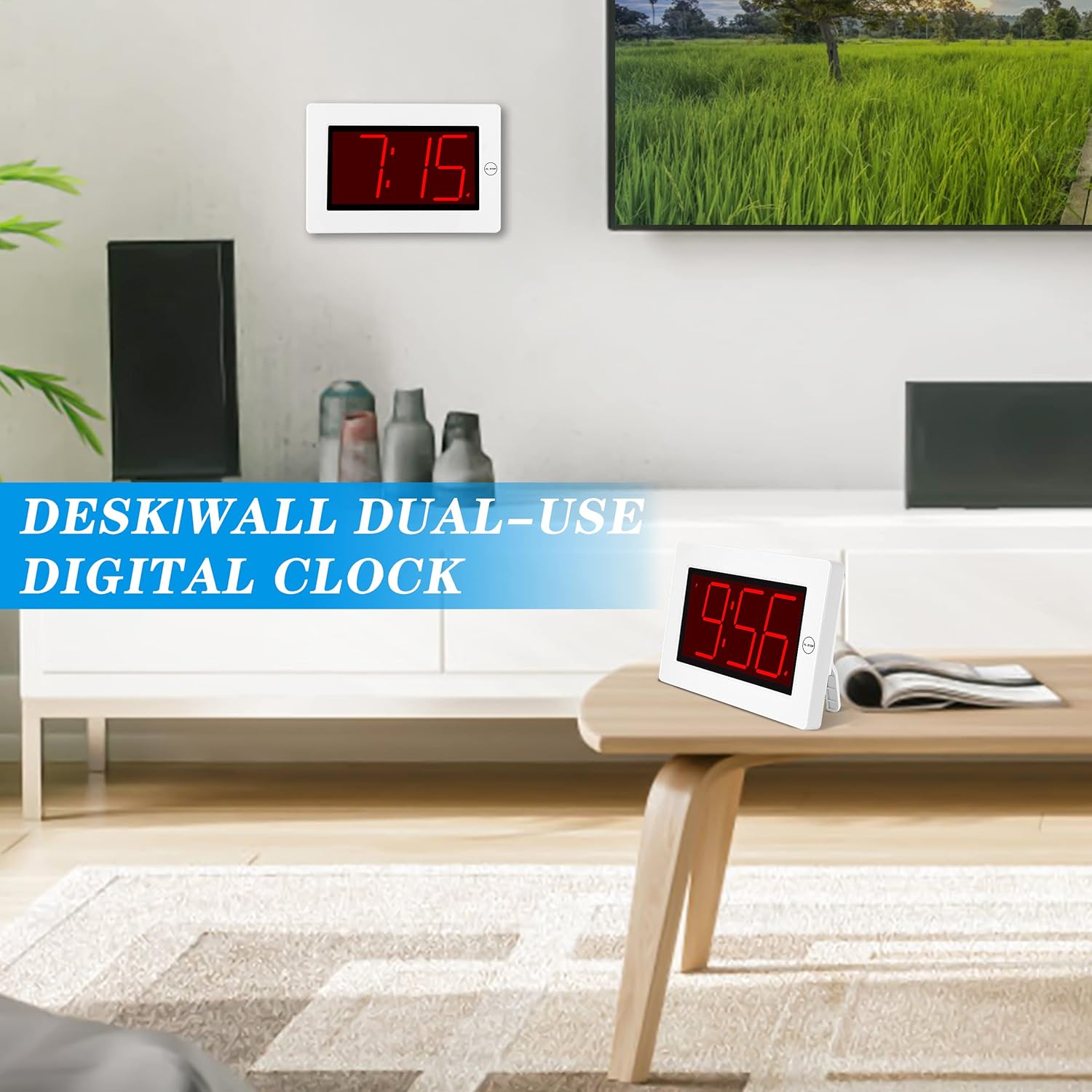
Figure 2: The clock can be used as a table-top or wall-mounted device.
5. 操作手順
All control buttons are located on the back of the clock for easy access.

図3:背面 view of the clock with labeled control buttons.
5.1.時間設定
- を押し続けます 時間設定 ボタンを2秒間押し続けると、時刻設定モードになります。「時」の数字が点滅します。
- を押す 時間 時間を調整するボタン。
- を押す 分 議事録を調整するボタン。
- プレス 時間設定 もう一度確認して終了します。
5.2.アラーム設定
- を押し続けます アラームセット ボタンを2秒間押し続けると、アラーム設定モードになります。アラームの「時」の数字が点滅します。
- を押す 時間 目覚まし時間を調整するボタン。
- を押す 分 アラームの分数を調整するボタン。
- プレス アラームセット もう一度確認して終了します。
5.3. Alarm On/Off & Snooze
- アラームのオン/オフ: を押す アラームのオン/オフ button on the back to activate or deactivate the alarm. An alarm icon will appear/disappear on the display.
- スヌーズ: アラームが鳴ったら、大きな AL STOP button on the top of the clock to activate snooze. The alarm will pause for a short period and sound again later.
- アラーム停止: To stop the alarm for the day, press any button on the back of the clock.

Figure 4: Interacting with the alarm and snooze button.
5.4.明るさの調整
The clock offers both manual and automatic brightness control:
- 手動調光器: を押す MANUAL DIMMER button on the back to cycle through 3 brightness levels (High, Medium, Low) or turn the display OFF.
- 自動調光器: The clock automatically dims the LED display between 8 PM and 6 AM to protect your eyes and save energy. This feature can be toggled ON/OFF using the AUTO DIMMER ON/OFF 背面のボタン。

Figure 5: Visual representation of the three brightness levels.
5.5. 夏時間(DST)
を押す 夏時間 button on the back to adjust the time for Daylight Saving Time. This will advance or set back the time by one hour.
5.6. 音量調整
使用 音量 button on the back to adjust the alarm volume to your preference.
6. メンテナンス
- Clean the clock's exterior with a soft, dry cloth. Avoid using abrasive cleaners or solvents.
- 時計を長期間使用しない場合は、液漏れを防ぐために電池を取り外してください。
7。 トラブルシューティング
- ディスプレイが暗い、またはオフになっている: Check battery levels and replace if necessary. Ensure the manual dimmer is not set to 'OFF' or the lowest setting.
- アラームが鳴らない: Verify that the alarm is activated (alarm icon visible on display). Check the alarm volume setting.
- 時間が間違っています: Re-set the time following the instructions in section 5.1. Ensure DST setting is correct for your region.
8. 仕様
| 特徴 | 詳細 |
|---|---|
| ブランド | クワンワ |
| モデル番号 | KW616-3N |
| 表示タイプ | デジタルLED |
| 表示サイズ | 8 inches (3-inch digits) |
| 製品寸法 | 幅8.7インチ x 高さ5.6インチ |
| 電源 | Battery Powered (2 D batteries required) |
| 取り付けタイプ | Table-top/Wall-mounted |
| 材料 | プラスチック |
| アイテム重量 | 11.7オンス |
| 特集 | Cordless, Adjustable Brightness, Alarm |
9. 保証とサポート
This product comes with a limited warranty. For warranty claims, technical support, or any inquiries regarding your KWANWA Digital Alarm Clock, please contact KWANWA customer service at sales@us-myhome.com.