
1. はじめに
This manual provides comprehensive instructions for the proper use and maintenance of your Zerone Replacement TV Remote Control, model BN59-01199G. This remote is designed as a direct replacement for compatible Samsung Smart TVs, ensuring seamless operation without complex setup.

Image 1.1: The Zerone Replacement TV Remote Control, showcasinボタンのレイアウトと人間工学に基づいたデザイン。
2. パッケージ内容
- 1 x Zerone Replacement TV Remote Control (Model: BN59-01199G)
3. 仕様
| 特徴 | 詳細 |
|---|---|
| シェル素材 | アブソリュート |
| リモコン距離 | Greater than 8 meters (actual distance may vary based on TV model and environment) |
| バッテリーモデル | 単三電池2本(別売) |
| 製品寸法 | 約175 x 45 x 20 mm(6.9 x 1.8 x 0.8インチ) |
| アイテム重量 | 約67 g(2.46オンス) |
| 対応デバイス | Samsung Smart TVs requiring BN59-01199G remote |

Image 3.1: Dimensions of the remote control: 175mm (6.9in) length, 45mm (1.8in) width, and 20mm (0.8in) thickness.
4. セットアップ
4.1 バッテリーの取り付け
- リモコンの背面にある電池収納部を見つけます。
- 電池カバーを下方向にスライドさせて開きます。
- 単三電池 2 本を挿入し、プラス (+) とマイナス (-) の端子がコンパートメント内のマークと正しく揃っていることを確認します。
- バッテリーカバーをカチッと音がするまで所定の位置に戻します。
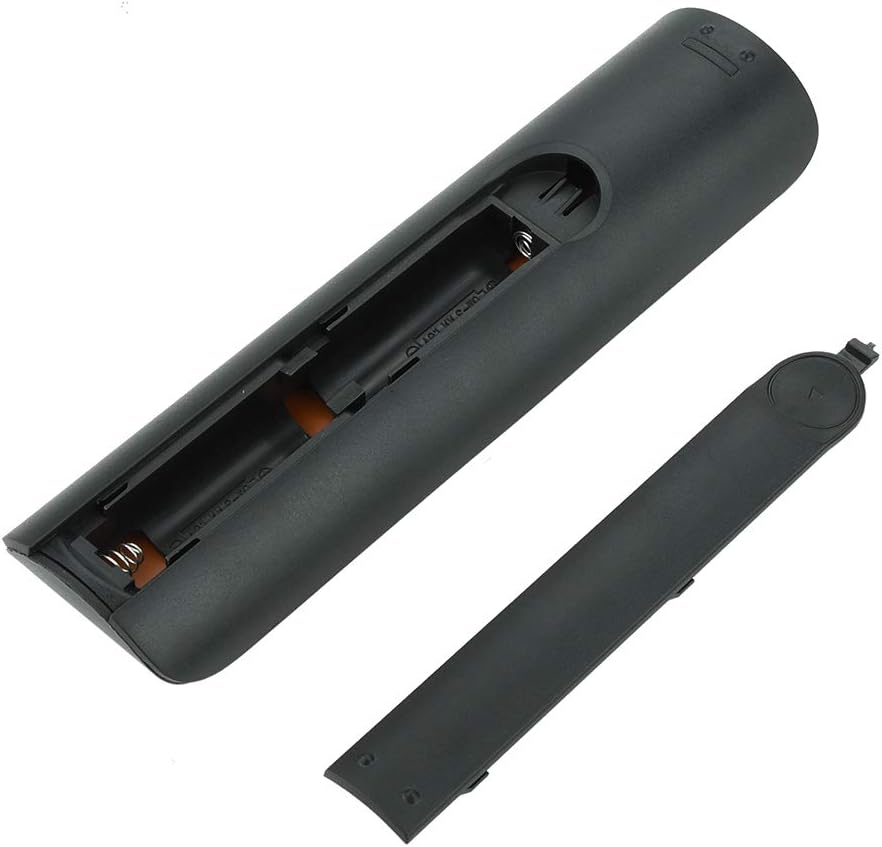
画像4.1: View of the remote control with the battery cover removed, showing the two AA battery slots.
4.2最初の使用
This remote control is designed to work directly with compatible Samsung Smart TVs that originally used the BN59-01199G model. No programming or pairing is typically required. Simply install the batteries and point the remote towards your television.

Image 4.2: The remote control positioned near a television, illustrating its intended use with compatible Samsung models.
5. 操作手順
The remote control features standard buttons for TV operation. Refer to the image below for a visual guide to the button layout.

画像5.1: 詳細な view of the remote control's buttons, including power, number pad, volume, channel, and smart functions.
- 電源ボタン(赤): テレビの電源をオンまたはオフにします。
- 数字キーパッド(0~9): ダイレクトチャンネル入力用。
- 音量アップ/ダウン(+/-): テレビの音量を調整します。
- チャンネルアップ/ダウン(CH +/-): テレビのチャンネルを変更します。
- ミュート: テレビの音声を消音します。
- スマートハブ: Accesses the Smart Hub interface for apps and streaming services.
- メニュー: テレビのメインメニューを開きます。
- ツール: Provides quick access to common TV functions.
- 情報: 現在のプログラムまたは入力に関する情報を表示します。
- ナビゲーション パッド (上、下、左、右、Enter): メニューを移動したりオプションを選択したりするために使用します。
- 戻る: 前の画面またはメニューに戻ります。
- 出口: 現在のメニューまたはアプリケーションを閉じます。
- カラーボタン(A、B、C、D): 機能はテレビのモデルやアプリケーションによって異なります。
- 再生コントロール: メディア再生の再生、一時停止、停止、早送り、巻き戻し。
6. メンテナンス
6.1 クリーニング
リモコンを清掃するには、柔らかく乾いた布で優しく拭いてください。頑固な汚れには、軽くamp布を水または低刺激性の非研磨性洗剤で拭いてください。刺激の強い化学薬品や過度の湿気はリモコンの電子部品に損傷を与える可能性があるため、使用しないでください。
6.2 電池の交換
Replace batteries when the remote control's response becomes sluggish or stops working. Always replace both AA batteries at the same time with new ones. Do not mix old and new batteries, or different types of batteries.
7。 トラブルシューティング
- リモコンが応答しない:
- 電池が正しい極性で正しく挿入されているかどうかを確認してください。
- 新しい電池と交換してください。
- リモコンとテレビの赤外線受信機の間に障害物がないことを確認してください。
- リモコンがテレビに直接向けられていることを確認してください。
- Short remote control distance:
- This can indicate low battery power; replace the batteries.
- Environmental factors or strong light sources can interfere with the infrared signal. Try using the remote in different lighting conditions.
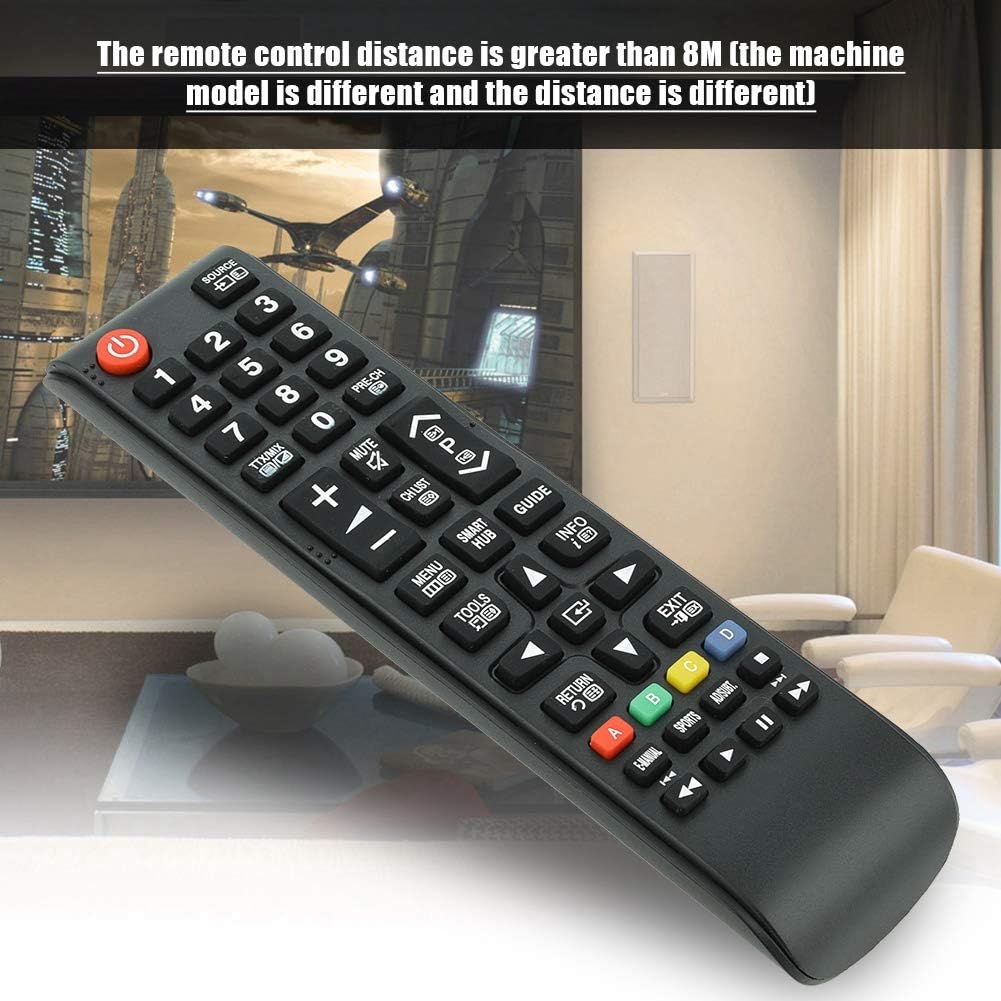
Image 7.1: The remote control in a typical home environment, demonstrating its effective range for TV operation.
8. 保証とサポート
Zerone products are manufactured with quality in mind. If you encounter any issues or are not satisfied with your product, please contact the seller or manufacturer for support. Refer to your purchase documentation for specific warranty terms and contact information.