
導入
This manual provides essential information for the setup, operation, and maintenance of your Apple Watch Series 3 (GPS + Cellular, 42mm). Please read this guide thoroughly to ensure proper use and to maximize the features of your device.

The Apple Watch Series 3 features a Space Gray Aluminum Case and a Black Sport Band, offering advanced connectivity and health tracking capabilities.
箱の中身
製品パッケージにすべてのアイテムが揃っていることを確認します。
- Apple Watch Series 3 (GPS + Cellular, 42mm)
- Black Sport Band (either S/M or M/L length)
- 1m磁気充電ケーブル
- USB電源アダプタ

Included components: Apple Watch, Sport Band, Magnetic Charging Cable, and USB Power Adapter.
設定
- Apple Watchを充電する: Connect the magnetic charging cable to the back of your Apple Watch and plug the USB power adapter into a power outlet. Allow the watch to charge until it powers on.
- iPhoneとペアリング: Ensure your iPhone is updated to the latest iOS version and has Bluetooth enabled. Open the Apple Watch app on your iPhone and follow the on-screen instructions to pair your watch.
- Cellular Setup (GPS + Cellular models only): During the pairing process, you will be prompted to set up cellular service. This requires an active cellular plan with a compatible carrier. Follow the steps provided by your carrier through the Apple Watch app.
- 設定のカスタマイズ: After pairing, customize your watch face, notifications, and app preferences through the Apple Watch app on your iPhone.
Apple Watch Series 3の操作
基本的なナビゲーション
- デジタルクラウン: 回転するとスクロール、ズーム、または値を調整できます。1回押すとウォッチフェイスまたはアプリランチャーに移動します。2回押すと最後に使用した2つのアプリを切り替えます。長押しするとSiriが起動します。
- サイドボタン: 1回押すとDock(最近使ったアプリ)が開きます。2回押すとApple Payが起動します。長押しすると緊急SOSまたは電源オフになります。
- タッチスクリーン: Tap to select, swipe to navigate, force touch for additional options.
主な特徴
- GPS + セルラー: Make calls, send messages, and stream music directly from your watch, even without your iPhone nearby. Requires a cellular plan.
- アクティビティ追跡: Monitor your daily movement, exercise, and standing goals with the Activity rings.
- 心拍数モニタリング: The optical heart sensor continuously measures your heart rate throughout the day and during workouts.
- Swimproof: Designed for shallow water activities like swimming in pools or the ocean. Not recommended for scuba diving, waterskiing, or other high-velocity water activities.
- 緊急SOS: 緊急サービスに素早く電話するには、サイドボタンを長押しします。
- Music, Podcasts, and Audiobooks: Store and play media directly from your watch, or stream with a cellular connection.
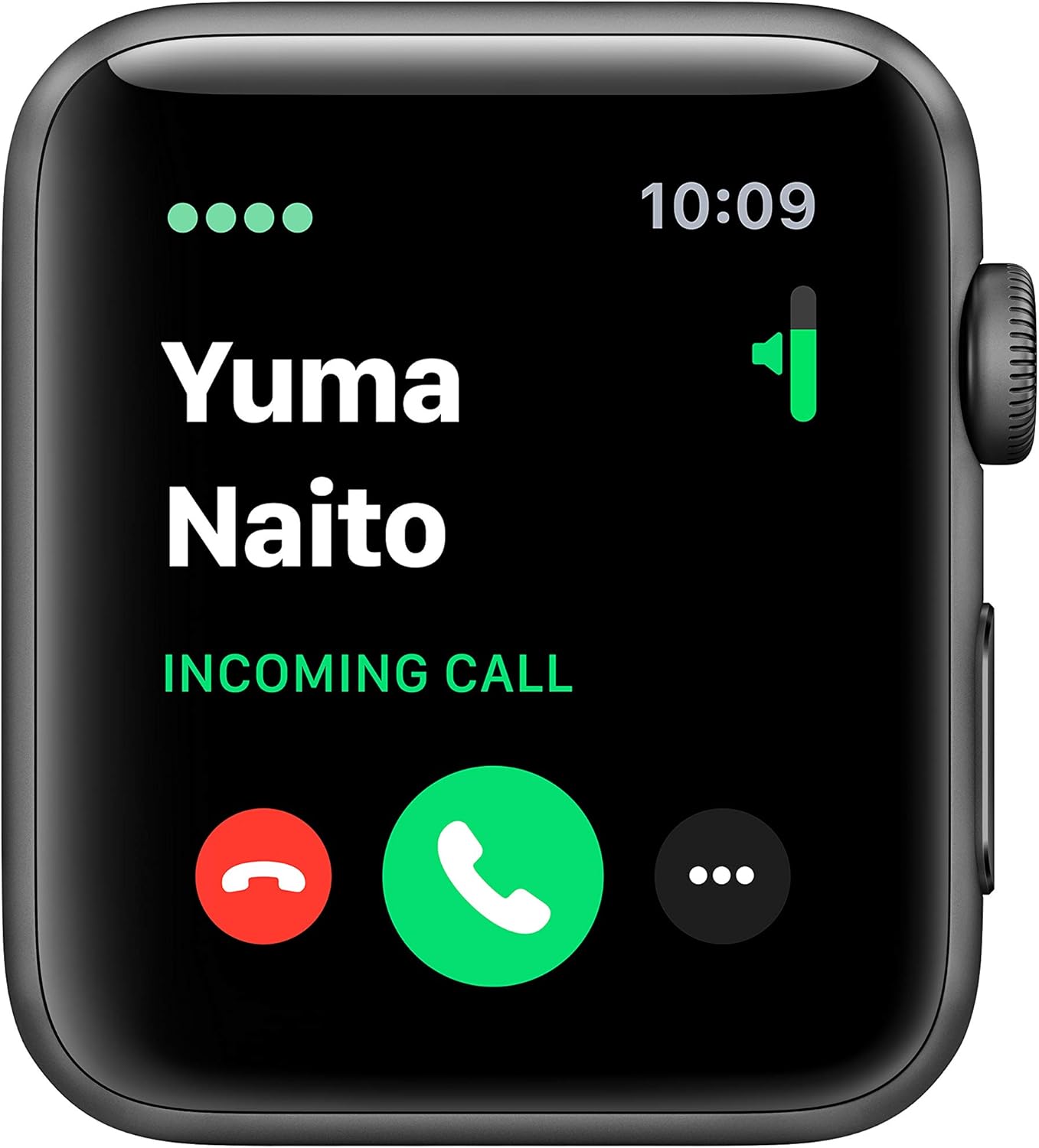
The cellular feature allows you to receive calls directly on your Apple Watch.

Track your fitness progress with detailed activity metrics displayed on the watch face.

Monitor your heart rate with the built-in optical heart sensor.
メンテナンス
To ensure the longevity and optimal performance of your Apple Watch Series 3, follow these maintenance guidelines:
- クリーニング: Regularly clean your Apple Watch and band with a soft, lint-free cloth. If necessary, lightly damp布を真水で拭き取ってください。刺激の強い化学薬品や研磨剤の使用は避けてください。
- 耐水性: The Apple Watch Series 3 is swimproof. After exposure to chlorinated or salt water, rinse the watch with fresh water and dry it thoroughly. Avoid exposing the watch to soaps, shampoos, conditioners, lotions, and perfumes, as these can negatively affect water seals and acoustic membranes.
- バンドのお手入れ: Clean your band according to its material. Sport Bands can be wiped clean with a damp 布。
- ストレージ: Store your Apple Watch in a cool, dry place when not in use.
トラブルシューティング
よくある問題と解決策
- 時計の電源が入らない: Ensure the watch is sufficiently charged. Connect it to the magnetic charging cable and a power adapter for at least 30 minutes.
- ペアリングの問題: Make sure your iPhone's Bluetooth is on and both devices are close to each other. Restart both your iPhone and Apple Watch. If issues persist, unpair the watch from your iPhone (if previously paired) and attempt to pair again.
- Cellular Connectivity Problems: Verify that your cellular plan is active and correctly provisioned for your Apple Watch. Ensure the watch is not in Airplane Mode. Contact your carrier if the issue persists after restarting both devices and checking settings in the Apple Watch app.
- 不正確な心拍数測定: Ensure the back of the watch is clean and making good contact with your wrist. Tighten the band slightly if it's too loose.
- バッテリーの消耗が早い: Review your notification settings and background app refresh in the Apple Watch app on your iPhone. Reduce screen brightness.
仕様
| 特徴 | 詳細 |
|---|---|
| モデル名 | シリーズ3 |
| 商品型番 | MTGT2LL/A |
| ブランド | りんご |
| 接続技術 | Bluetooth、携帯電話、GPS、Wi-Fi |
| 無線通信規格 | 802.11b、802.11g |
| オペレーティング·システム | ウォッチOS |
| 画面サイズ | 42ミリメートル |
| ケースサイズ | 42mm |
| ケース重量 | 34.9グラム |
| 寸法(製品) | 12.95 x 2.93 x 2.26インチ |
| アイテム重量 | 1.92オンス |
| バッテリー寿命 | 最大18時間 |
| 特集 | GPS, GLONASS, Galileo, QZSS, Barometric altimeter, Optical heart sensor, Accelerometer, Gyroscope, Ion-X strengthened glass, Ceramic and sapphire crystal back |
| 耐水性 | Swimproof (up to 50 meters) |
| 初回利用可能日 | 30年2018月XNUMX日 |
保証とサポート
Your Apple Watch Series 3 is covered by a limited warranty. For detailed warranty information, please refer to the documentation included with your product or visit the official Apple support webサイト。
For technical assistance, troubleshooting, or service, please contact Apple Support:
- オンラインサポート: 訪問 support.apple.com/watch
- 電話サポート: Appleの地域別サポート番号については、 webサイト。
Always ensure you are consulting official Apple resources for the most accurate and up-to-date support information.