
導入
This manual provides essential information for the installation, operation, and maintenance of your ZOTAC Gaming GeForce RTX 2080 Ti Blower graphics card. Please read this guide thoroughly before proceeding with installation to ensure proper setup and optimal performance.
製品終了view
The ZOTAC Gaming GeForce RTX 2080 Ti Blower is a high-performance graphics card designed for demanding gaming and professional applications. It features NVIDIA's Turing architecture, 11GB of GDDR6 memory, and a blower-style cooling solution.
- New Turing architecture for advanced graphics processing.
- 11GB 352-bit GDDR6 memory for high-bandwidth performance.
- Virtual Reality Ready for immersive experiences.
- 4K ready for ultra-high-definition gaming.
- Boost Clock 1545 MHz for enhanced speed.

画像: 正面 view of the ZOTAC Gaming GeForce RTX 2080 Ti Blower graphics card, showcasing its black shroud and single blower fan.

Image: Backplate view of the ZOTAC Gaming GeForce RTX 2080 Ti Blower graphics card, featuring a metal backplate for structural rigidity and heat dissipation.
箱の中身
パッケージにすべてのコンポーネントが含まれていることを確認します。
- ZOTAC GAMING GeForce RTX 2080 Ti Blower Graphics Card
- 2 x Dual 6-pin to 8-pin power cables
- User Manual (Quick Installation Guide)
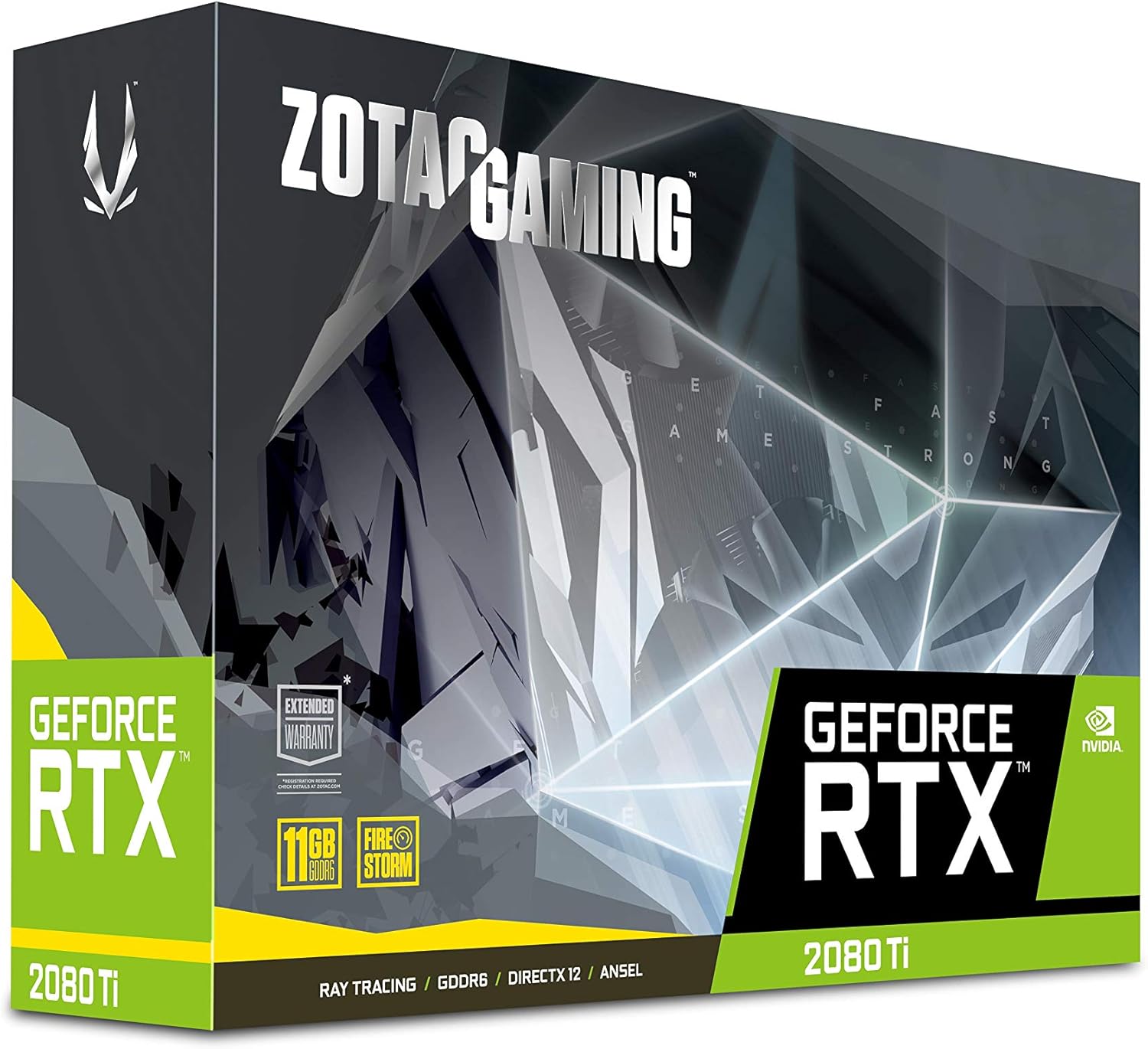
Image: The retail packaging for the ZOTAC Gaming GeForce RTX 2080 Ti Blower graphics card.

Image: The ZOTAC Quick Installation Guide, providing initial setup instructions.
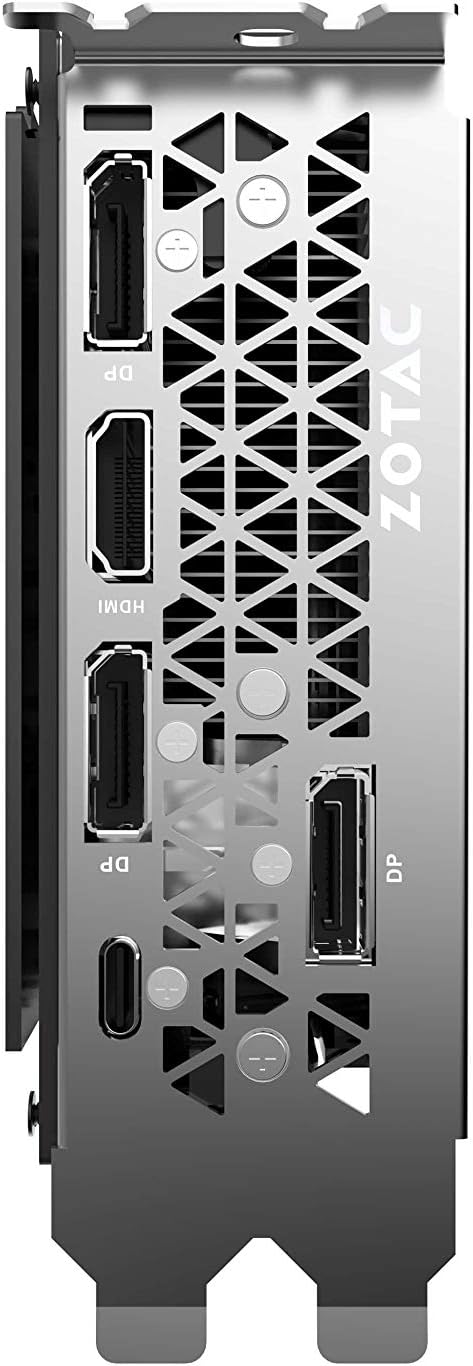
Image: The included 2 x Dual 6-pin to 8-pin power cables for connecting the graphics card to the power supply.
セットアップとインストール
グラフィック カードをインストールするには、次の手順に従います。
- システムを準備する: コンピュータの電源を切り、電源ケーブルを外します。コンピュータのケースを開けます。
- PCIe スロットを見つけます: マザーボード上で使用可能な PCI Express 3.0 x16 スロットを特定します。
- カードをインストールします: グラフィックカードをPCIeスロットに慎重に合わせ、しっかりと固定されるまでしっかりと押し込みます。ケースの固定機構またはネジでカードを固定します。
- 接続電源: Connect the required 8-pin power connectors from your power supply to the graphics card. Use the provided 6-pin to 8-pin adapters if necessary.
- ケースを閉じてディスプレイに接続: Close your computer case, reconnect the power cable, and connect your display cable(s) to the graphics card's output ports.
- ドライバーのインストール: Power on your computer. Once the operating system loads, install the latest NVIDIA drivers from the official NVIDIA webサイト。

画像: 斜めから view of the graphics card, illustrating its form factor for installation into a PCIe slot.
電力要件
To ensure stable operation, your system must meet the following power specifications:
- 推奨電源: 650-watt power supply or greater.
- 最大消費電力: 250ワット。
Note: Insufficient power supply can lead to system instability or damage.
接続
The graphics card provides multiple display output options:
- ディスプレイポート 3 x 1.4
- 1 x HDMI 2.0B
- USB タイプ C x 1
The card is capable of supporting quad simultaneous displays.
Image: The rear I/O panel of the graphics card, showing the DisplayPort, HDMI, and USB Type-C outputs.
ソフトウェアの互換性
Ensure your system meets the following software requirements for optimal performance:
- オペレーティング·システム: Microsoft Windows 10/7 x64
- ドライバー: Game Ready Drivers (available from NVIDIA's official web地点)
- API: Microsoft DirectX 12 API, Vulkan API, OpenGL 4.5
操作手順
After successful installation and driver setup, your ZOTAC Gaming GeForce RTX 2080 Ti Blower graphics card will automatically enhance your system's graphical capabilities. For best performance, ensure your drivers are always up-to-date. You can monitor card performance and temperatures using ZOTAC's FireStorm utility or other compatible third-party software.
メンテナンス
Regular maintenance helps prolong the lifespan and performance of your graphics card:
- ほこりの除去: Periodically clean dust from the fan and heatsink using compressed air. Ensure the system is powered off and unplugged before cleaning.
- 気流: Maintain good airflow within your PC case to prevent overheating. Ensure no cables or other components obstruct the graphics card's fan.
- ドライバーの更新: パフォーマンスの向上とバグ修正のメリットを得るには、グラフィック ドライバーを最新の状態に保ってください。
トラブルシューティング
問題が発生した場合は、次の一般的な解決策を検討してください。
- 表示なし: Ensure the display cable is securely connected to the graphics card and the monitor. Verify the monitor is set to the correct input.
- システムの不安定性/クラッシュ: Check power connections to the graphics card. Ensure your power supply meets the recommended wattage. Update or reinstall graphics drivers.
- 過熱: Verify that the graphics card fan is spinning. Clean any dust buildup from the heatsink and fan. Ensure adequate case airflow.
- ドライバーの問題: Perform a clean installation of the latest graphics drivers from NVIDIA's webサイト。
If problems persist, consult the ZOTAC support webサイトにアクセスするか、カスタマーサービスにお問い合わせください。
仕様
| 特徴 | 仕様 |
|---|---|
| グラフィックプロセッサ | NVIDIA GeForce RTX 2080 Ti |
| CUDA コア | 4352 |
| ビデオメモリ | 11GB DDR6 |
| メモリバス | 352ビット |
| エンジンブーストクロック | 1545 MHz |
| メモリクロック | 14.0Gbps |
| PCIエクスプレス | 3.0 |
| ディスプレイ出力 | 3 x DisplayPort 1.4, 1 x HDMI 2.0B, 1 x USB Type-C |
| マルチディスプレイのサポート | Quad Simultaneous Display Capable |
| 推奨電源 | 650W |
| 消費電力 | 250W |
| 寸法(長さx幅x高さ) | 10.55 x 4.45 x 1.5インチ |
| オペレーティング システムのサポート | Windows 10/7 x64 |
保証とサポート
Your ZOTAC Gaming GeForce RTX 2080 Ti Blower graphics card may be eligible for an extended warranty. Registration is typically required to activate the full warranty period. Please refer to the official ZOTAC website for detailed warranty terms and conditions, and for information on how to register your product.
For technical support, driver downloads, and further assistance, visit the official ZOTAC support page:

Image: Information regarding ZOTAC's 5-year warranty, which typically requires product registration.