
KADAMS K0007STHBL
KADAMS K0007STHBL 防水デジタルシャワークロック ユーザーマニュアル
Model: K0007STHBL
1.製品オーバーview
The KADAMS K0007STHBL is a versatile digital clock designed for use in environments where water exposure is common, such as bathrooms and kitchens. It features a clear LCD display, a countdown timer, and monitors both temperature and humidity. Multiple installation options provide flexibility for placement.
主な特徴:
- デジタル時間表示: Shows time in 12-hour or 24-hour format.
- カウントダウンタイマー: Adjustable up to 99 minutes, with 10-minute and 1-minute increment buttons.
- 温度監視: Displays temperature in Celsius (0°C-50°C) or Fahrenheit (32°F-122°F).
- 湿度モニタリング: Displays relative humidity from 20% to 95%.
- 耐水性: IP24 rated for protection against splashing water.
- 複数の取り付けオプション: Includes a built-in stand, suction cup, and magnetic pad for flexible placement.

図1: 前面 view of the KADAMS K0007STHBL Digital Shower Clock, displaying time, temperature, and humidity, with touch-sensitive buttons for timer control.
2. セットアップ
2.1 バッテリーの取り付け
- 時計の裏側にある電池収納部を見つけます。
- 電池ボックスのカバーを開きます。
- 正しい極性 (+/-) を確認して、単 4 電池 2 本 (別売) を挿入します。
- バッテリーコンパートメントカバーをしっかりと閉じます。
2.2 Initial Time and Unit Settings
After battery installation, the clock will power on. Use the buttons on the back to set the time and preferred units (12/24-hour format, Celsius/Fahrenheit).
- Refer to the detailed instructions provided in the packaging for specific button functions for setting time and units.
2.3取り付けオプション
The clock offers several installation methods:
- テーブルスタンド: Utilize the integrated kickstand on the back for placement on flat surfaces like vanity benches or desks.
- 吸盤: Attach the provided suction cup to a clean, dry, smooth surface such as a mirror or glass shower door. For optimal adhesion, apply a small amount of moisture to the suction cup before pressing it firmly onto the surface. Regularly check the suction strength to prevent accidental falls.
- ウォールマウント: Use the hanging hole on the back to mount the clock on a wall using a screw (not included).
- 磁気パッド: Attach the clock to metallic surfaces using the magnetic pad on its back.

Figure 2: Visual representation of the versatile mounting options available for the clock.
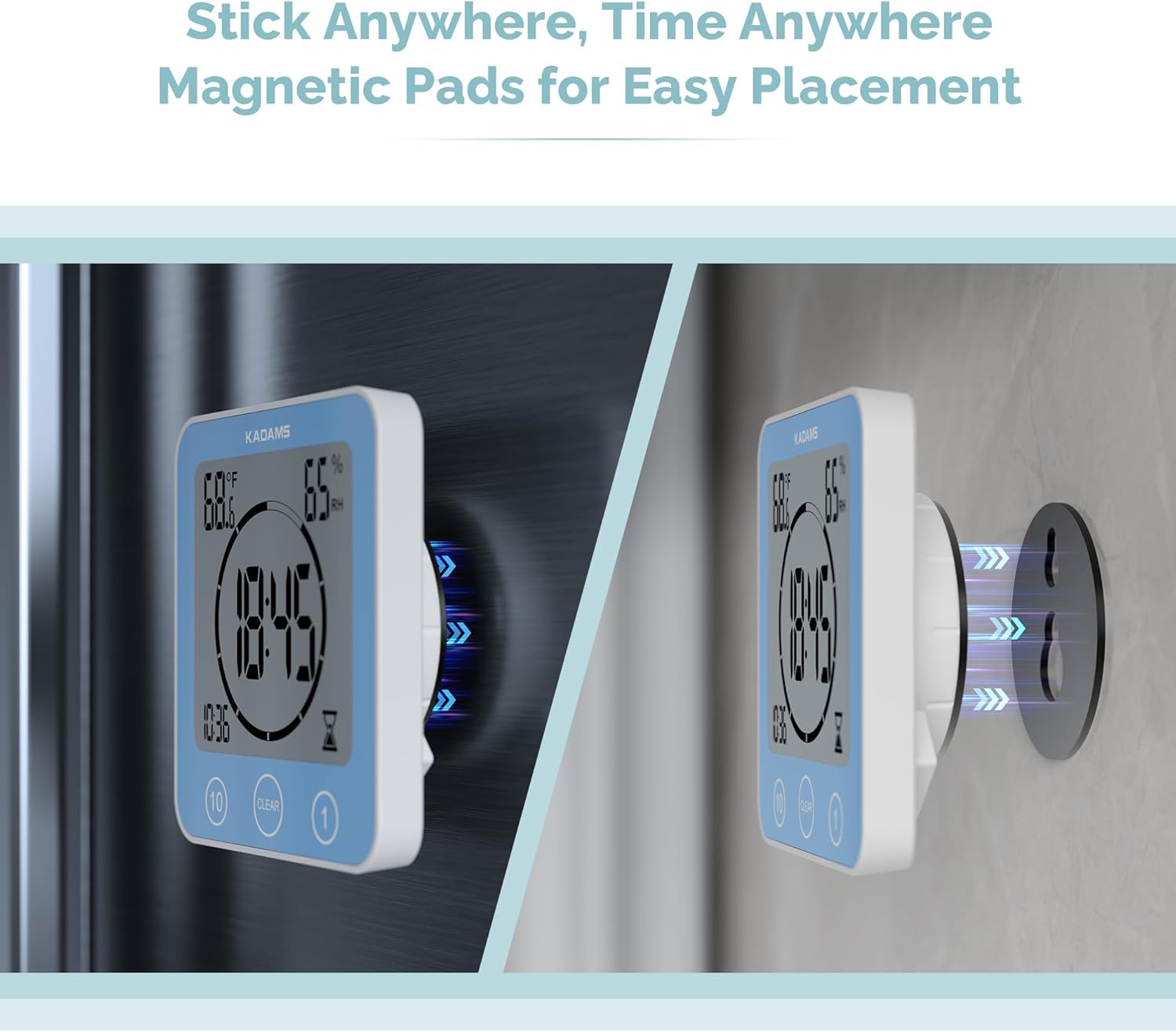
Figure 3: The clock demonstrating its magnetic mounting capability.
3. 操作手順
3.1 時間表示
The clock continuously displays the current time. You can switch between 12-hour and 24-hour formats during the initial setup or via the settings buttons on the back.
3.2カウントダウンタイマー
The integrated countdown timer can be set for durations up to 99 minutes.
- タイマーの設定: Use the touch-sensitive buttons on the front face of the clock. Typically, there are buttons for adding 10 minutes and 1 minute.
- タイマーの開始: Once the desired time is set, the timer will automatically begin counting down.
- タイマーをクリアする: Press the "CLEAR" button on the front face to reset the timer to zero.
- アラーム: When the countdown reaches zero, an audible alarm will sound.

Figure 4: The clock functioning as a countdown timer in a bathroom setting.
3.3 温度と湿度の表示
The clock displays the ambient temperature and relative humidity. The temperature can be toggled between Celsius and Fahrenheit using the appropriate setting button on the back of the unit.

Figure 5: The clock displaying temperature and humidity while mounted in a shower.
4. メンテナンス
4.1 クリーニング
時計を柔らかくてdで拭いてくださいamp 布で拭いてください。研磨剤入りの洗剤や溶剤はディスプレイやコンピューターを損傷する恐れがあるため、使用しないでください。asing.
4.2 耐水性
The clock has an IP24 rating, meaning it is protected against splashing water from any direction. It is not designed for submersion. Ensure the battery compartment is securely closed to maintain water resistance.

Figure 6: The clock demonstrating its water resistance in a bathroom environment.
4.3 電池の交換
When the display dims or functions become erratic, it is time to replace the batteries. Follow the battery installation steps (Section 2.1) to replace the two AAA batteries.
4.4 Suction Cup Adhesion
For continuous secure mounting, periodically check the suction cup's adhesion. If it begins to loosen, remove, clean, and reapply with a small amount of moisture to the suction cup surface.
5。 トラブルシューティング
- ディスプレイが空白または暗い場合:
Check battery installation and replace with fresh AAA batteries if necessary. Ensure correct polarity.
- Segments of numbers are missing on the display:
This can indicate low battery power or potential moisture ingress. Replace batteries. If the issue persists, carefully open the battery compartment and inspect for any signs of moisture. Allow the unit to dry completely in a dry environment. If comfortable, and if the issue is persistent moisture, some users have reported success by applying a thin bead of silicone sealant around the edges of the casing after ensuring the interior is dry, to enhance the water seal. This should only be attempted if other solutions fail and with caution, as it may void any warranty.
- Buttons are unresponsive or erratic:
Ensure the clock is dry. Moisture on the touch-sensitive surface can interfere with operation. If the issue persists after drying and battery replacement, contact customer support.
- Suction cup does not hold:
Ensure the mounting surface is clean, dry, and smooth. Apply a small amount of moisture to the suction cup before pressing firmly. Avoid porous or textured surfaces. Periodically re-apply the suction cup.
6. 仕様
| ブランド | カダムス |
| モデル番号 | K0007STHBL |
| 表示タイプ | 液晶 |
| 電源 | 2 x AAA電池(別売) |
| 製品寸法 | 105.7mm x 109.7mm x 41.5mm (approx. 4.16"W x 4.32"H x 1.63"D) |
| アイテム重量 | 7 オンス (0.44 ポンド) |
| 耐水性評価 | IP24(防滴) |
| 温度範囲 | 0°C - 50°C (32°F - 122°F) |
| 湿度範囲 | 20% - 95% RH |
| 取り付けタイプ | Table Stand, Suction Cup, Wall Mount (Hook), Magnetic Pad |
| 目覚まし時計機能 | はい |

Figure 7: Dimensions of the KADAMS K0007STHBL clock.
7. 保証とサポート
For warranty information or technical support, please refer to the documentation included with your product or contact KADAMS customer service directly. If you encounter any issues not covered in this manual, KADAMS support can provide further assistance.
連絡先情報は通常、メーカーの webサイトまたは製品を購入した小売店を通じて購入できます。
Ask a question about this manual
Ask about setup, troubleshooting, compatibility, parts, safety, or missing instructions. Manuals+ will review the question and use this page’s manual context to help answer it.