
ライツ 80040000
Leitz IQ Office Pro P5+ Micro Cut Shredder
モデル: 80040000
1. はじめに
The Leitz IQ Office Pro P5+ Shredder is designed for secure and efficient document destruction in office environments. Featuring advanced micro-cut technology, it ensures a high level of security for your confidential information. This manual provides essential information for the safe and effective operation, maintenance, and troubleshooting of your shredder.

画像: 正面 view of the Leitz IQ Office Pro P5+ Shredder, showing its sleek design and the waste bin filled with shredded paper.
2. 安全情報
一般的な安全上の注意事項
- 使用前にすべての指示をお読みください。
- Keep hands, hair, loose clothing, and ties away from the paper entry slot.
- 子供やペットをシュレッダーに近づけないでください。
- Do not insert more sheets than specified (7-8 sheets A4, 70-80 gsm).
- Do not shred metal objects, plastic cards, or adhesive labels unless explicitly stated as compatible. This shredder is designed for paper, staples, and paper clips.
- 詰まりを防ぐために、ゴミ箱を定期的に空にしてください。
電気安全
- 電源コンセントが電圧と一致していることを確認してくださいtage requirements of the shredder.
- 電源コードが破損している場合はシュレッダーを使用しないでください。
- Unplug the shredder before moving, cleaning, or performing maintenance.
- Avoid placing the shredder near water or in damp 環境。
3.製品オーバーview
主な特徴
- Micro Cut Security (DIN P5+): Shreds documents into tiny 2x5mm particles for enhanced security.
- 大容量: Shreds up to 7-8 sheets of A4 paper (70-80 gsm) per pass.
- 大型ゴミ箱: 30-liter removable bin holds up to 350 shredded sheets.
- Anti-Jam Technology: Automatically reverses if too much paper is inserted, preventing jams.
- 静かな動作: Designed for a calm working environment.
- 実行時間の延長: Operates continuously for up to 4 hours (240 minutes).
- 直感的なタッチコントロール: Easy-to-use interface for simple operation.

画像: クローズアップ view of the shredder's control panel with touch buttons and the fine micro-cut shredded paper in the bin.
4. セットアップ
開梱
- シュレッダーをパッケージから慎重に取り出します。
- Remove any protective materials or plastic bags.
- Ensure all components are present, including the shredder unit and waste bin.

Image: The Leitz IQ Office Pro P5+ Shredder next to its instruction manual, indicating the contents of the package.
配置
- シュレッダーを平らで安定した場所に置いてください。
- Ensure there is adequate space around the shredder for ventilation and easy access to the waste bin.
- Position the shredder near a power outlet.
電源接続
- Insert the waste bin securely into the shredder unit.
- 電源コードをアース付きコンセントに差し込みます。
- The shredder is now ready for operation.
5. 操作手順
文書のシュレッダー処理
- シュレッダーがコンセントに差し込まれ、ゴミ箱が正しく挿入されていることを確認します。
- Turn on the shredder using the power button on the control panel.
- Insert up to 7-8 sheets of A4 paper (70-80 gsm) into the paper entry slot. The shredder will automatically start shredding.
- The shredder can also handle small staples and paper clips.
- For optimal performance and quiet operation, consider using Leitz pre-lubricated paper.

Image: The shredder with visual indicators for its 7-sheet capacity and 30-liter waste bin, highlighting its efficiency.
アンチジャム技術
The Leitz IQ Office Pro P5+ Shredder features advanced anti-jam technology. If too much paper is inserted, the shredder will automatically reverse to clear the jam. Remove the excess paper and re-insert a smaller quantity.

Image: Graphic illustrating the Anti-Jam feature and the 2+1 year guarantee offered with the shredder.
ごみ箱を空にする
- When the waste bin is full, the shredder will stop operating.
- Pull out the removable waste bin from the front of the shredder.
- 細断した紙は廃棄してください。
- Reinsert the waste bin firmly until it clicks into place. The shredder will then be ready for use again.
6. メンテナンス
クリーニング
- 清掃する前に必ずシュレッダーのプラグを抜いてください。
- シュレッダーの外側は、柔らかく乾いた布で拭いてください。研磨剤入りの洗剤や溶剤は使用しないでください。
- Periodically clean the paper entry area to remove any paper dust or debris.
潤滑
To maintain optimal performance and extend the life of your shredder, it is recommended to lubricate the cutting blades regularly. Use shredder oil or lubrication sheets specifically designed for paper shredders. Follow the instructions provided with the lubrication product.
7。 トラブルシューティング
| 問題 | 考えられる原因 | 解決 |
|---|---|---|
| シュレッダーがオンになりません。 | Not plugged in; Waste bin not fully inserted; Overheat protection activated. | Check power connection; Ensure bin is correctly seated; Allow shredder to cool down for 30-60 minutes. |
| 紙詰まり。 | Too much paper inserted; Paper not inserted straight. | Use the reverse function to clear the jam; Remove excess paper; Insert fewer sheets straight into the slot. |
| シュレッダーが動作中に停止します。 | Waste bin is full; Overheat protection activated. | Empty the waste bin; Allow shredder to cool down. |
| シュレッダーはうるさいです。 | 潤滑が必要です。 | Lubricate the cutting blades with shredder oil. |
8. 仕様
| 特徴 | 詳細 |
|---|---|
| モデル番号 | 80040000 |
| ブランド | Leitz |
| カットタイプ | マイクロカット |
| セキュリティレベル | DIN P5+ |
| シュレッドサイズ | 2x5mm |
| シート容量 | 7-8 sheets (A4, 70-80 gsm) |
| ゴミ箱容量 | 30リットル |
| 連続実行時間 | 240分(4時間) |
| 適合材料 | Paper documents, staples, paper clips |
| 寸法(HxLxP) | 58.9 x 40.6 x 32 cm |
| 重さ | 22キロ |
| 材料 | プラスチック |
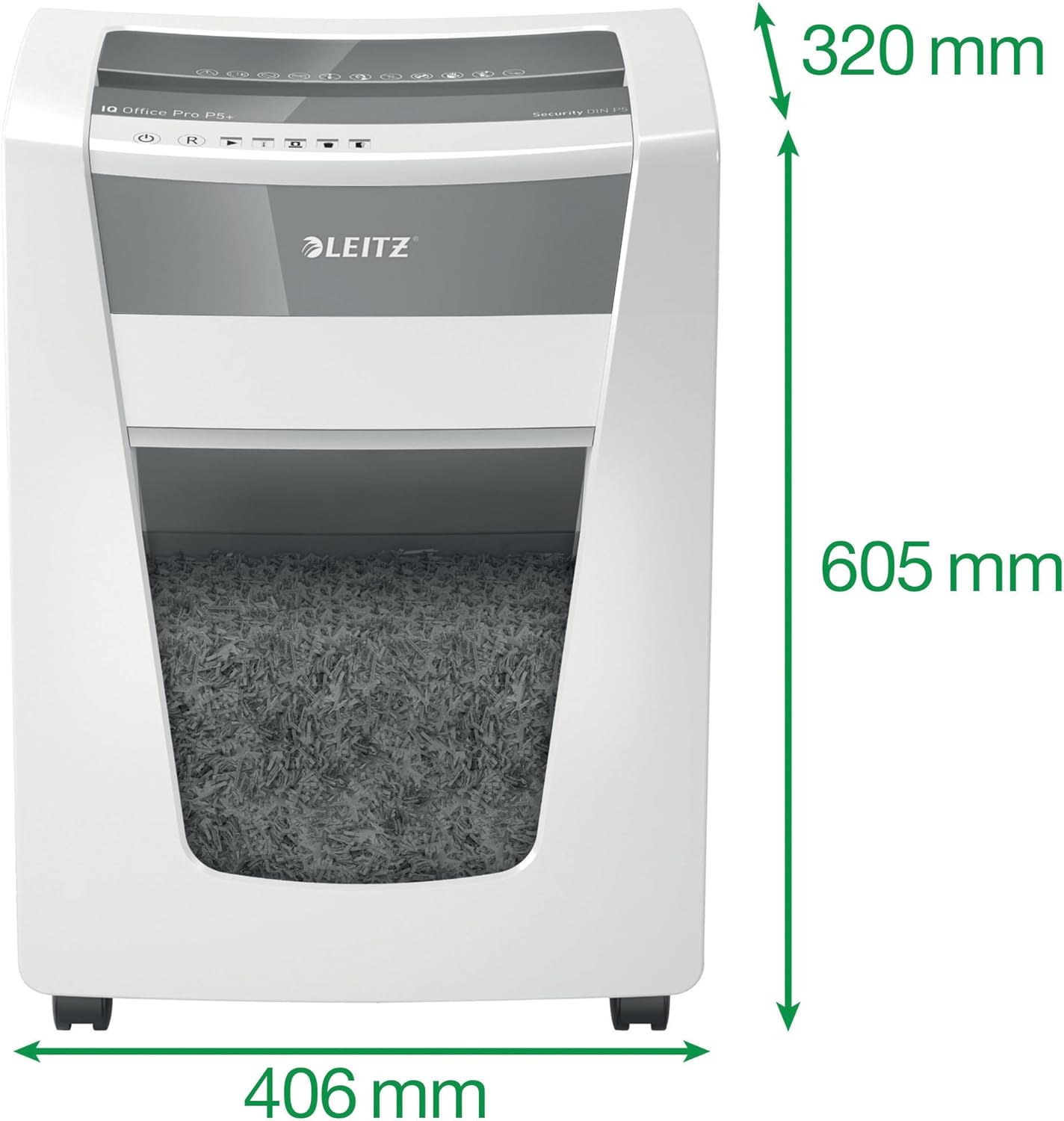
Image: The shredder with its key dimensions (height, width, depth) clearly marked.
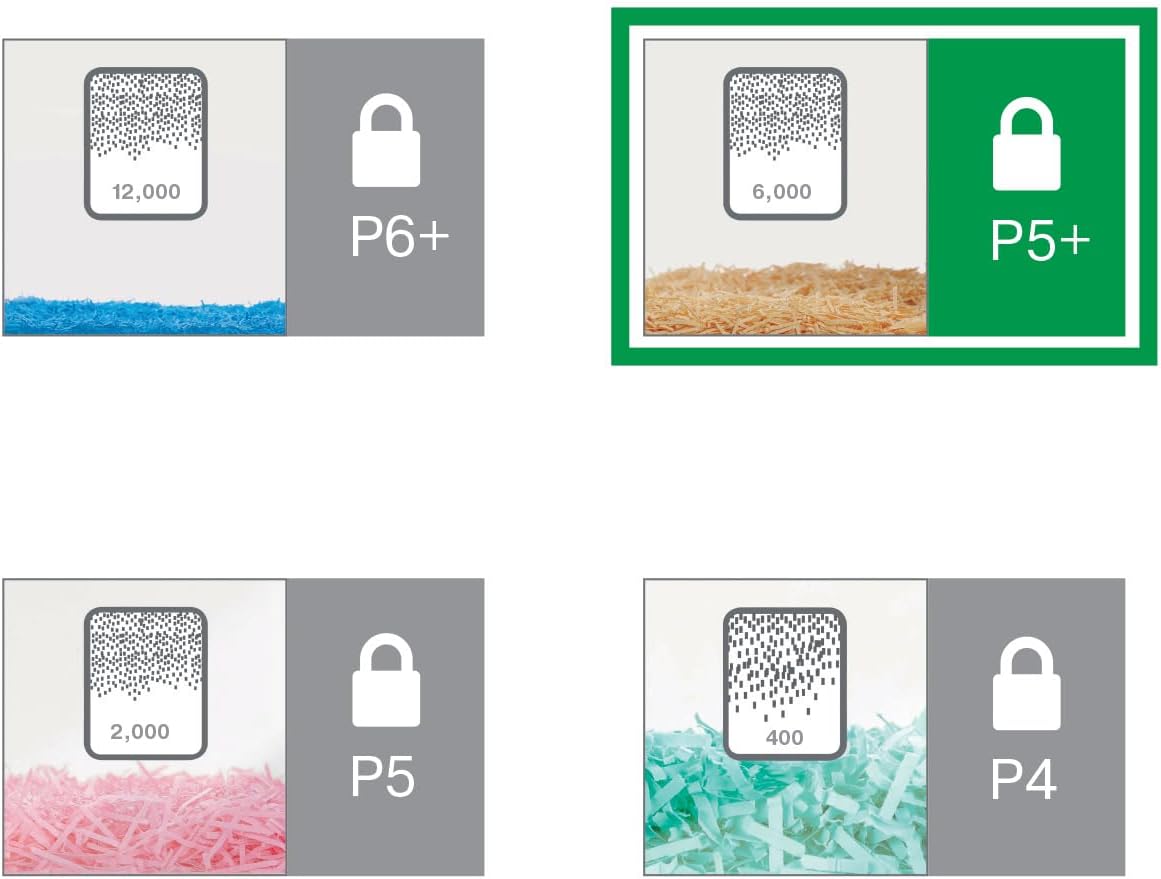
Image: A visual comparison of different DIN security levels (P4, P5, P5+, P6+), illustrating the decreasing particle size for higher security.
9. 保証とサポート
保証情報
This Leitz IQ Office Pro P5+ Shredder comes with a 2-year warranty. An additional 1-year warranty (total 3 years) can be obtained upon product registration. Please refer to the warranty card included with your product for detailed terms and conditions, or visit the official Leitz web登録サイト。
カスタマーサポート
For technical assistance, spare parts, or any inquiries regarding your Leitz shredder, please contact Leitz customer support. Contact information can typically be found on the official Leitz webサイトまたは製品パッケージに記載されています。
また、 Leitz official webサイト 詳細とサポートリソースについては、こちらをご覧ください。
Ask a question about this manual
Ask about setup, troubleshooting, compatibility, parts, safety, or missing instructions. Manuals+ will review the question and use this page’s manual context to help answer it.