導入
The LG Watch W7 is a sophisticated hybrid smartwatch that seamlessly integrates traditional analog watch movement with advanced smartwatch functionalities. Crafted with a premium stainless steel body, it caters to users who appreciate the timeless elegance of a mechanical timepiece alongside the convenience and features of modern smart technology.
This device is powered by Wear OS and utilizes its physical analog hands to enhance the user experience. In 'Just Watch' mode, the LG Watch W7 can operate for an extended period of up to 100 days on a single full charge, focusing solely on accurate timekeeping.
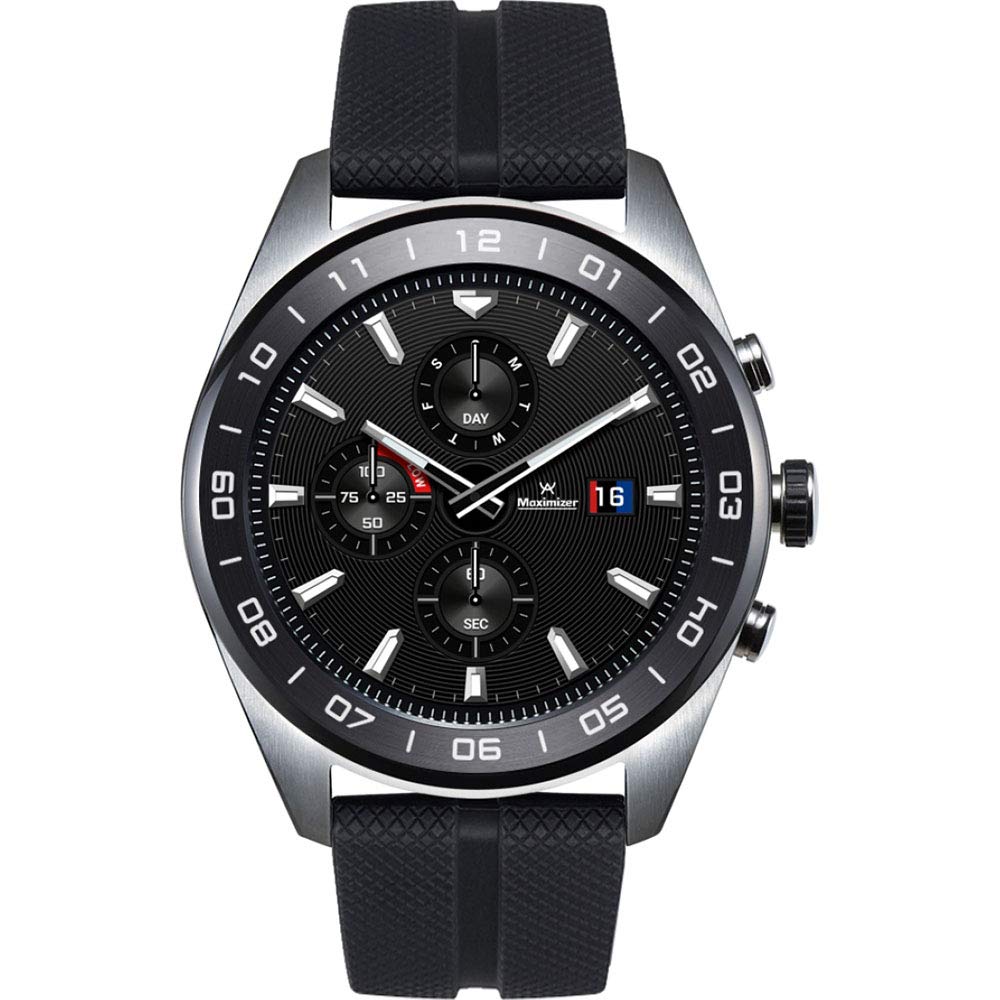
画像: The LG Watch W7, featuring a round black dial with silver hour markers and hands, set within a stainless steel case. The watch is fitted with a textured black silicone strap. Sub-dials indicate day, seconds, and battery level. A digital display is visible behind the analog hands.
設定
1. 開梱と初期充電
Upon unboxing your LG Watch W7, ensure all components are present:
- LG Watch W7
- トラベルアダプター
- データケーブル
- 充電クレードル
- クイックスタートガイド
Before first use, fully charge your watch. Connect the data cable to the travel adapter and the charging cradle. Place the LG Watch W7 onto the charging cradle, ensuring proper alignment. The watch display will indicate charging status. A full charge is recommended for optimal battery calibration.
2. スマートフォンとのペアリング
- ダウンロード Google の Wear OS app from the Google Play Store or Apple App Store on your smartphone.
- Turn on your LG Watch W7 by pressing and holding the power button (usually the middle button on the right side).
- Follow the on-screen instructions on your watch to select your language and accept terms.
- Open the Wear OS app on your smartphone and tap 'Set up a new watch'.
- Your phone will search for nearby devices. Select your LG Watch W7 from the list.
- A pairing code will appear on both your watch and phone. Verify they match and confirm pairing.
- Complete the setup process by following the remaining prompts in the Wear OS app, including signing into your Google account and granting necessary permissions.
操作手順
基本的なナビゲーション
- タッチスクリーン: 上下左右にスワイプしてメニュー、通知、クイック設定を操作します。項目を選択するにはタップします。
- クラウン(中ボタン): Press to return to the watch face or app list. Rotate to scroll through menus and notifications.
- トップボタン: Customizable shortcut, often defaults to Google Fit.
- 下のボタン: Customizable shortcut, often defaults to LG Master Tools.
スマートウォッチの機能
- 通知: Receive alerts for calls, emails, text messages, and other app notifications directly on your wrist. Swipe up from the watch face to view.
- Google アシスタント: Press and hold the crown, or say "Hey Google" to activate the voice assistant for queries, commands, and smart home control.
- Google フィット: Track your daily activity, including steps, distance, and workouts. Access via the top button or app list.
- Wear OS Applications: Google Play ストアからさまざまなアプリを時計に直接ダウンロードして使用できます。
LG Master Tools
The LG Watch W7 features unique tools that utilize its physical analog hands for enhanced functionality:
- コンパス: The analog hands will point north, providing a clear directional indicator.
- 高度計: 現在の高度を表示します。
- バロメーター: Shows atmospheric pressure readings.
- ストップウォッチ: Use the digital display and analog hands for precise timing.
- タイマー: Set countdown timers with visual cues from the analog hands.
接続性
The watch supports Wi-Fi and Bluetooth 4.2LE for seamless connection to your smartphone and network services.
Just Watch Mode
To conserve battery life, you can activate 'Just Watch' mode. In this mode, the digital display and smart features are turned off, and only the analog hands function to tell time. This significantly extends the battery life, allowing for up to 100 days of operation.
メンテナンス
クリーニング
To clean your LG Watch W7, gently wipe the stainless steel case and display with a soft, lint-free cloth. For the silicone strap, a mild soap solution and water can be used, followed by thorough rinsing and drying. Avoid using harsh chemicals or abrasive materials.
耐水性
The LG Watch W7 has an IP68 water resistance rating, meaning it is protected against dust and can withstand immersion in up to 1.5 meters of fresh water for up to 30 minutes. It is suitable for everyday use and light water exposure, but not recommended for swimming, diving, or high-pressure water activities.
バッテリーケア
For optimal battery longevity, avoid fully discharging the watch frequently. Charge the device when the battery level is low. Utilizing 'Just Watch' mode when smart features are not needed can also help preserve battery health over time.
ソフトウェアアップデート
Ensure your watch's Wear OS software is kept up-to-date. Updates often include performance improvements, new features, and security enhancements. You can check for updates through the Wear OS app on your smartphone or directly on the watch settings.
トラブルシューティング
- 時計の電源が入らない: Ensure the watch is fully charged. Place it on the charging cradle for at least 30 minutes.
- 接続の問題 (Bluetooth/Wi-Fi): Check that Bluetooth is enabled on your smartphone and the Wear OS app is running. Try restarting both your watch and smartphone. For Wi-Fi, ensure the network credentials are correct.
- ディスプレイが応答しません: If the touchscreen is not responding, try restarting the watch by holding down the power button until it reboots.
- Inaccurate Sensor Readings (Compass, Altimeter): Ensure the watch is calibrated. Refer to the LG Master Tools section in the watch's settings for calibration options. Environmental factors can also affect accuracy.
- バッテリー寿命が短い: Review your usage patterns. Frequent use of GPS (via smartphone), constant notifications, and high screen brightness can drain the battery faster. Consider using 'Just Watch' mode or adjusting settings to optimize battery life.
- ボタンが反応しない: Ensure no debris is obstructing the buttons. The middle dial button, in particular, may require a firm press.
For more detailed troubleshooting or issues not covered here, please refer to the official LG support webサイトをご覧いただくか、カスタマーサービスにお問い合わせください。
仕様
| 特徴 | 詳細 |
|---|---|
| モデル番号 | LMW315.AUSASK |
| 寸法(長さ×幅×高さ) | 1.75 x 0.5 x 1.78インチ |
| 重さ | 2.72オンス |
| 表示サイズ | 1.2インチ |
| ディスプレイ技術 | 液晶 |
| ヒューマンインターフェイス入力 | タッチスクリーン |
| 接続性 | Bluetooth wifi |
| GPS | スマートフォン経由 |
| 特集 | Compass, Altimeter, Barometer, Stopwatch, Timer |
| センサー | Accelerometer, Magnetic, Gyro, Pressure |
| 耐水性 | IP68 |
| 色 | ステンレス鋼 |
| バッテリー容量 | 2000 (unit not specified, typically mAh) |
箱の中身
The LG Watch W7 package includes the following items:
- LG Watch W7 Smartwatch
- トラベルアダプター
- データケーブル
- 充電クレードル
- クイックスタートガイド
保証とサポート
Your LG Watch W7 is covered by a manufacturer's warranty. Please refer to the warranty card included in your product packaging or visit the official LG web保証条件、規約、登録に関する詳細情報については、サイトをご覧ください。
For technical support, service, or additional inquiries, please visit the official LG support website or contact LG customer service directly. You can find contact information and support resources on their webサイト。
LG公式 Webサイト: www.lg.com