
1. はじめに
This manual provides essential information for the proper installation, operation, and maintenance of your Audiovox Push Button Switch, Model 1364288. This component is designed for automotive applications, featuring a normally open contact type and a surface mount design. Please read this manual thoroughly before installation and use to ensure safe and efficient operation.
2. 安全情報
警告: Failure to follow these safety instructions may result in fire, electric shock, or other injury or damage.
- Always disconnect the vehicle's battery before performing any electrical installation or maintenance.
- 短絡を防止するために、すべての配線接続が安全かつ適切に絶縁されていることを確認してください。
- スイッチに指定された電気定格を超えないでください。
- 取り付け手順が不明な場合は、資格のある自動車整備士にご相談ください。
- Keep the switch away from moisture and extreme temperatures.
3. セットアップとインストール
The Audiovox Push Button Switch (Model 1364288) is designed for surface mounting and features a pin header connector. Follow these steps for proper installation:
- 取り付け面を準備します。 Select a clean, dry, and flat surface for mounting the switch. Ensure there is sufficient space for the switch (dimensions: 0.05 x 0.03 x 0.04 inches) and its wiring.
- スイッチを固定する: Use appropriate fasteners (not included) to securely attach the switch to the chosen surface. Ensure it is firmly in place and will not vibrate loose during vehicle operation.
- 配線接続: The switch features a Normally Open (NO) contact type and a pin header connector. Connect the appropriate wires from your automotive circuit to the switch's pins. Typically, one pin will connect to the power source (or signal input) and the other to the device or circuit you intend to control. When the button is pressed, the circuit will close, allowing current to flow.
- 絶縁接続: After making all electrical connections, ensure they are properly insulated using electrical tape or heat shrink tubing to prevent accidental short circuits.
- テスト機能: Reconnect the vehicle's battery and test the switch's operation to ensure it functions as intended before fully reassembling any removed panels.
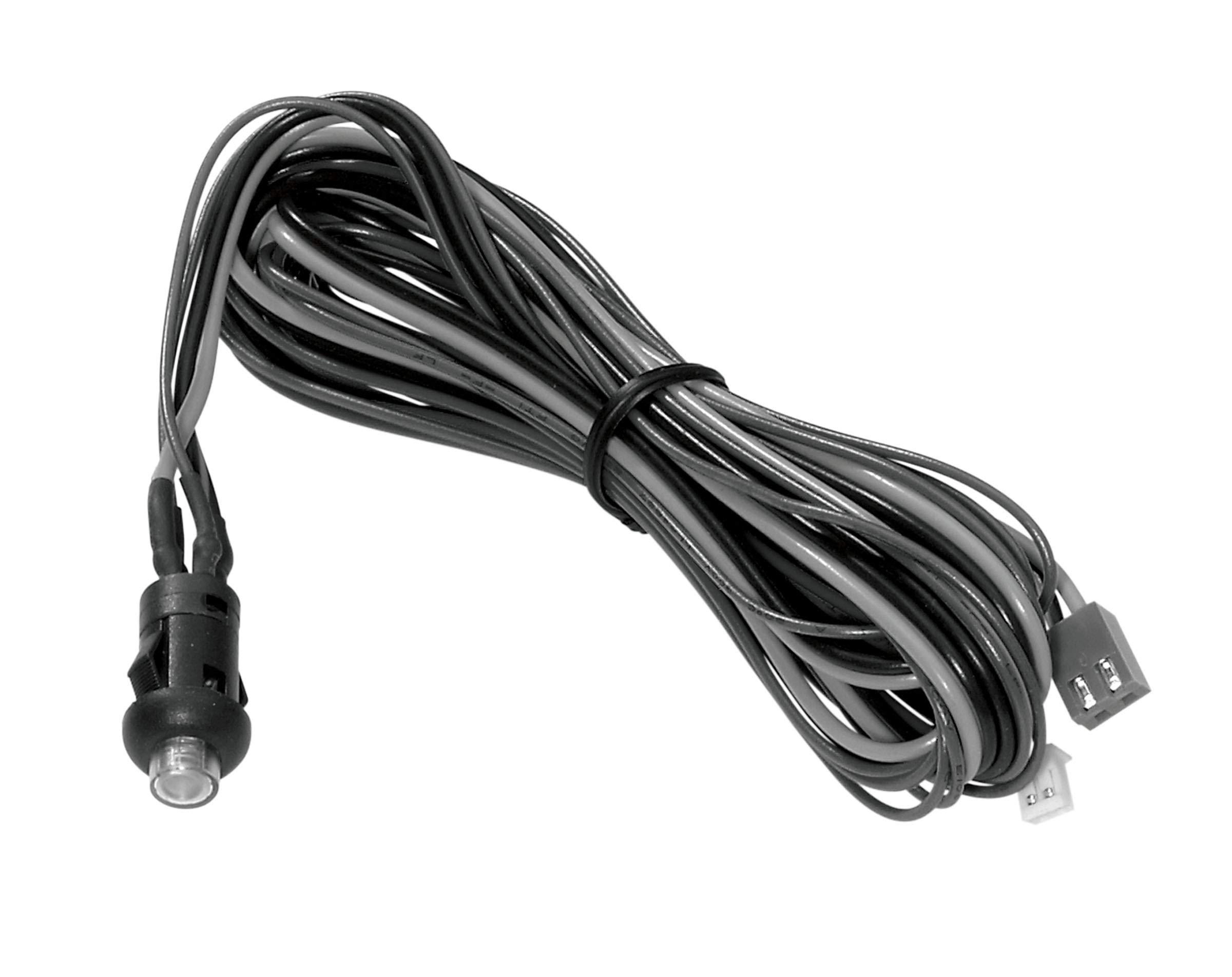
Figure 3.1: The Audiovox Push Button Switch (Model 1364288). This image shows the compact black push-button switch, highlighting its design suitable for surface mounting in automotive applications.
4. 操作手順
The Audiovox Push Button Switch (Model 1364288) operates as a simple momentary switch with a Normally Open (NO) contact type.
- アクティベーション: To activate the connected circuit or device, firmly press the button. While the button is pressed, the internal contacts close, completing the circuit.
- 非アクティブ化: To deactivate the connected circuit or device, release the button. Upon release, the internal contacts open, breaking the circuit.
This switch is designed for applications requiring a temporary electrical connection, such as activating a horn, a momentary light, or a specific function within an automotive system.
5. メンテナンス
The Audiovox Push Button Switch (Model 1364288) is designed for durability and requires minimal maintenance.
- クリーニング: Periodically wipe the exterior of the switch with a soft, dry cloth to remove dust and debris. Avoid using harsh chemicals or abrasive cleaners.
- 検査: Regularly inspect the wiring connections to ensure they remain secure and free from corrosion. Check for any signs of physical damage to the switch housing or button.
- 環境保護: Ensure the switch remains protected from excessive moisture and direct exposure to harsh environmental elements, which could degrade its performance over time.
6。 トラブルシューティング
If you experience issues with your Audiovox Push Button Switch, refer to the following common troubleshooting steps:
| 問題 | 考えられる原因 | 解決 |
|---|---|---|
| スイッチでデバイスがアクティブ化されません。 | 配線接続が緩んでいるか間違っています。 回路に電力が供給されていません。 故障したスイッチ。 | Check all wiring connections for security and correct polarity. Ensure the circuit has power. Test the switch with a multimeter for continuity when pressed. Replace if faulty. |
| 断続的な操作。 | 接続不良。 Internal wear or debris. | Inspect wiring for corrosion or loose terminals. Ensure the switch is clean. If the issue persists, the switch may need replacement. |
| ボタンが動かなくなったり、押しにくくなったりします。 | Debris lodged around the button. 物理的なダメージ。 | Carefully clean around the button. Do not force the button. If damaged, replace the switch. |
7. 仕様
| 特徴 | 詳細 |
|---|---|
| ブランド | オーディオボックス |
| モデル番号 | 1364288 |
| 操作モード | Push button (Momentary) |
| 連絡先の種類 | 通常開(NO) |
| コネクタタイプ | ピンヘッダー |
| スイッチタイプ | プッシュボタン |
| 寸法(長さ×幅×高さ) | 0.05 x 0.03 x 0.04インチ |
| 回路タイプ | 1ウェイ |
| 取り付けタイプ | 表面実装 |
| アクチュエータタイプ | プッシュボタン |
| 制御方法 | 触る |
| 接続プロトコル | X-10 (Note: This may refer to a specific internal component or compatibility, not necessarily a direct user interface protocol.) |
| 色 | 黒 |
| ユニット数 | 1 カウント |
| 欧州連合 | 044476040528 |
| ASIN | B07HP882SM |
8. 保証情報
Audiovox products are manufactured to high-quality standards. This product is covered by the manufacturer's standard limited warranty. Please refer to the official Audiovox website or contact customer support for detailed warranty terms and conditions, including coverage period and claim procedures. Keep your proof of purchase for warranty validation.
9. カスタマーサポート
For technical assistance, troubleshooting beyond this manual, or warranty inquiries, please contact Audiovox customer support.
- Webサイト: Visit the official Audiovox webサポート リソース、FAQ、および連絡先情報に関するサイト。
- 電話/メール: Refer to the Audiovox webカスタマー サービスの最新の電話番号とメール アドレスについては、このサイトをご覧ください。
サポートにお問い合わせの際は、製品のモデル番号 (1364288) と購入証明書をご用意ください。