
Logitech C922/960-001088
ロジクール HD プロ Webcam C922 取扱説明書
Model: C922 / 960-001088
導入
This manual provides detailed instructions for the setup, operation, maintenance, and troubleshooting of your Logitech HD Pro Webcam C922. Please read this manual thoroughly before using the product to ensure optimal performance and longevity.
ロジクール C922 HD Pro Webcam is designed for high-definition video calls and streaming, offering clear 1080p video capture and reliable performance.
製品終了view
Familiarize yourself with the components of your Logitech C922 Webカム。

図1: フロント view ロジクール C922 HD Pro Webcam, showing the lens and "HD 1080p" branding.

図2: ロジクール C922 HD プロ Webcam with its adjustable clip extended, suitable for mounting on monitors or laptops.
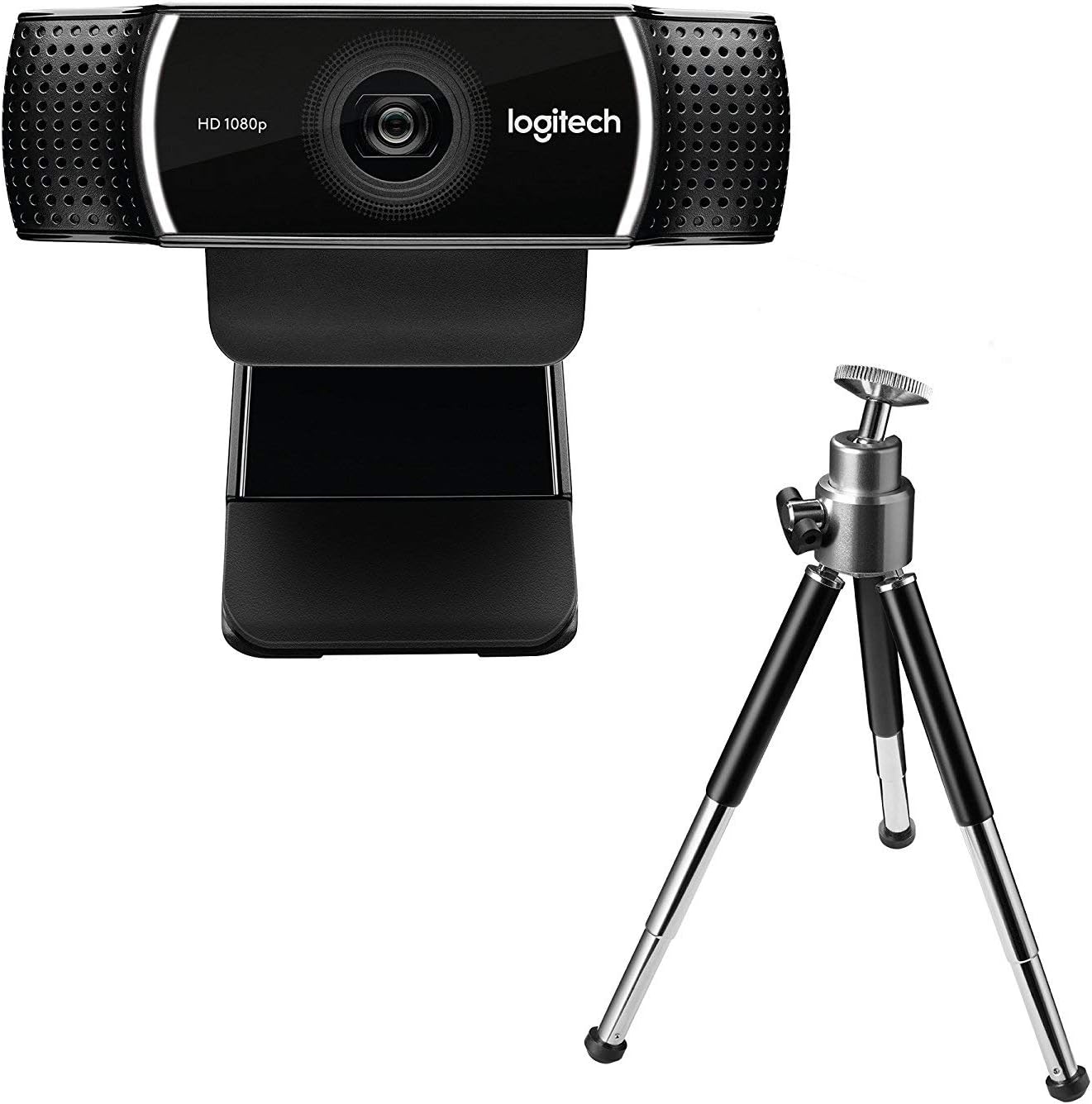
図3: ロジクール C922 HD プロ Webcam shown with its included mini-tripod, offering alternative placement options.
設定
システム要件
- Windows 7以降
- macOS 10.10以降
- Chrome OS
- USB 2.0 ポート
- ソフトウェアダウンロード用のインターネット接続
インストール手順
- 開梱 Webカム: Carefully remove the C922 webcam and any accessories from its packaging.
- コンピュータに接続します: Plug the USB cable of the C922 webcam into an available USB 2.0 or 3.0 port on your computer.
- 配置する Webカム:
- モニター/ラップトップの場合: Open the flexible clip base and place it over the top edge of your monitor or laptop screen. Adjust the front part of the clip so the webcam sits securely.
- 三脚の場合: If using the included tripod, screw the webcam onto the tripod mount. Place the tripod on a stable, flat surface.
- ソフトウェアのインストール: Your operating system should automatically detect and install basic drivers. For full functionality, including advanced settings and features, download and install the Logitech G HUB software from the official Logitech web地点 (www.logitech.com/ghub).
- テスト Webカム: Open a video conferencing application (e.g., Zoom, Skype, Google Meet) or your computer's camera application to verify the webカムは正常に動作しています。
操作手順
基本操作
- Once connected and drivers are installed, the C922 webcam is ready for use with most video applications.
- Select "Logitech C922 Pro Stream Webcam" as your video device within your chosen application's settings.
- The integrated dual microphones will automatically be selected as the audio input.
Logitech G HUBソフトウェアの使用
The Logitech G HUB software provides advanced control over your C922 webカム:
- 解像度とフレームレート: Adjust video resolution (up to 1080p) and frame rate (up to 60fps at 720p, 30fps at 1080p).
- 分野 View: フィールドをカスタマイズする view.
- オートフォーカス: オートフォーカスを有効または無効にします。
- 露出とホワイトバランス: Manually adjust exposure, white balance, and other image settings for optimal lighting conditions.
- ChromaCam (Background Replacement): Utilize the ChromaCam feature for virtual background replacement (requires compatible system).
- プロfiles: カスタムプロを作成して保存files for different applications or lighting scenarios.
メンテナンス
- レンズの掃除: 光学部品専用の柔らかい糸くずの出ない布で優しく拭いてください。 webカメラレンズ。研磨剤や刺激の強い化学薬品の使用は避けてください。
- 本体のクリーニング: 本体を拭く webソフトでdのカムamp 布を水に浸さないでください web水中に放置したり、過度の湿気を含んだままにしないでください。
- ストレージ: 使用しないときは、 web極端な温度や直射日光を避け、清潔で乾燥した場所に保管してください。
- ケーブルのお手入れ: 損傷を防ぐため、USB ケーブルを過度に曲げたり、圧迫したりしないでください。
トラブルシューティング
| 問題 | 解決 |
|---|---|
| Webカメラがコンピューターによって検出されません。 |
|
| ビデオが表示されないか、画面が黒くなります。 |
|
| ビデオ品質が悪い (ぼやけている、暗い、粒状感がある)。 |
|
| 音声が出ない、または音質が悪い。 |
|
仕様
| 特徴 | 詳細 |
|---|---|
| モデル番号 | 960-001088 |
| ブランド | ロジテック |
| ビデオキャプチャ解像度 | 1080p (Full HD) at 30fps, 720p (HD) at 60fps |
| 画像センサー技術 | シーモス |
| 最大絞り | 1.8F |
| 最大焦点距離 | 52ミリメートル |
| 接続技術 | USB2.0 について |
| サポートされているオーディオ形式 | オーストラリア |
| ビデオキャプチャフォーマット | MP4 |
| 色 | 黒 |
| 配送寸法 | 12.8 x 8.6 x 5.2 cm; 162 グラム |
| 初回利用可能日 | 11年2019月XNUMX日 |
Note: Some specifications from the source data (e.g., "Removable Memory Type: SD", "Connectivity Technology: Wi-Fi") appear to be generic or incorrect for this specific webcam model and have been omitted or corrected for accuracy. The C922 is a wired USB webカム。
保証とサポート
ロジクール製品には通常、限定ハードウェア保証が付帯します。保証の詳細、登録、テクニカルサポートについては、ロジクールの公式サポートサイトをご覧ください。 webサイト:
You can also find FAQs, driver downloads, and community forums on their support page.
Ask a question about this manual
Ask about setup, troubleshooting, compatibility, parts, safety, or missing instructions. Manuals+ will review the question and use this page’s manual context to help answer it.