
GoPro CHDHX-701
GoPro Hero7 Black 取扱説明書
Model: CHDHX-701
以上view 主な特徴
The GoPro Hero7 Black is engineered to capture your adventures with unparalleled stability and clarity. Its robust design makes it ready for any environment, from underwater explorations to high-speed action.
- ハイパースムーズ安定化: Get gimbal-like stabilization without the gimbal. HERO7 Black corrects for camera shake to deliver insanely smooth footage.
- 4K60 Video + 12MP Photos: Shoots stunning 4K60 video and vibrant 12MP photos.
- TimeWarp Video: Capture super stabilized time lapse videos while you move about a scene. Increase the speed up to 30x for shareable moments.
- Live Streaming in 720p: Share your experiences live on social media with HyperSmooth stabilization.
- Rugged + Waterproof: Built tough and waterproof without a housing to 33 feet (10m).
- スーパーフォト: Intelligently applies HDR, local tone mapping, or noise reduction for optimized shots.
- 音声コントロール: Go hands-free with 16 voice commands.
箱の中身
- HERO7 ブラックカメラ
- 充電式バッテリー
- The Frame (HERO7 Black)
- 曲面粘着マウント
- フラット粘着マウント
- 取り付けバックル
- USB-Cケーブル
設定
Before using your GoPro Hero7 Black, ensure it is properly set up and charged.
1. バッテリーの充電
Connect the included USB-C cable to the camera's USB-C port and a USB power adapter. The status lights will indicate charging status and turn off when fully charged.
2. SDカードの挿入
Open the side door of the camera. Insert a compatible microSD card (Class 10 or UHS-1 rating recommended, up to 128GB) with the label facing the battery compartment. Gently push until it clicks into place.

GoPro Hero7 Black with the side door open, revealing the battery and microSD card slot.
3. GoProアプリへの接続
Download the GoPro app on your smartphone. Turn on your GoPro by pressing the Mode button. Follow the in-app instructions to connect your camera via Bluetooth and Wi-Fi. This allows for remote control, media transfer, and firmware updates.

フロント view of the GoPro Hero7 Black, showing the lens and front display.
カメラの操作
Familiarize yourself with the camera's controls and touch screen interface for optimal use.
基本操作
- シャッターボタン(上部): Press to start/stop recording video or take photos.
- モードボタン(側面): Press to cycle through video, photo, and time lapse modes. Hold to power on/off.

Diagram showing the main components and buttons of the GoPro Hero7 Black.
タッチスクリーンナビゲーション
The rear touch screen allows for intuitive control and settings adjustments.
- スワイプダウン: Access preferences and settings.
- 上にスワイプする: View キャプチャされたメディア。
- 左/右にスワイプ: Switch between video, photo, and time lapse modes.

後方 view of the GoPro Hero7 Black, highlighting the touch screen interface.
撮影モード
The Hero7 Black offers various modes to suit different capture needs:
- ビデオ: Capture smooth, stabilized video in resolutions up to 4K60.
- 写真: Take high-quality 12MP photos with SuperPhoto intelligent optimization.
- TimeWarp Video: Create hyper-stabilized time-lapse videos while moving.
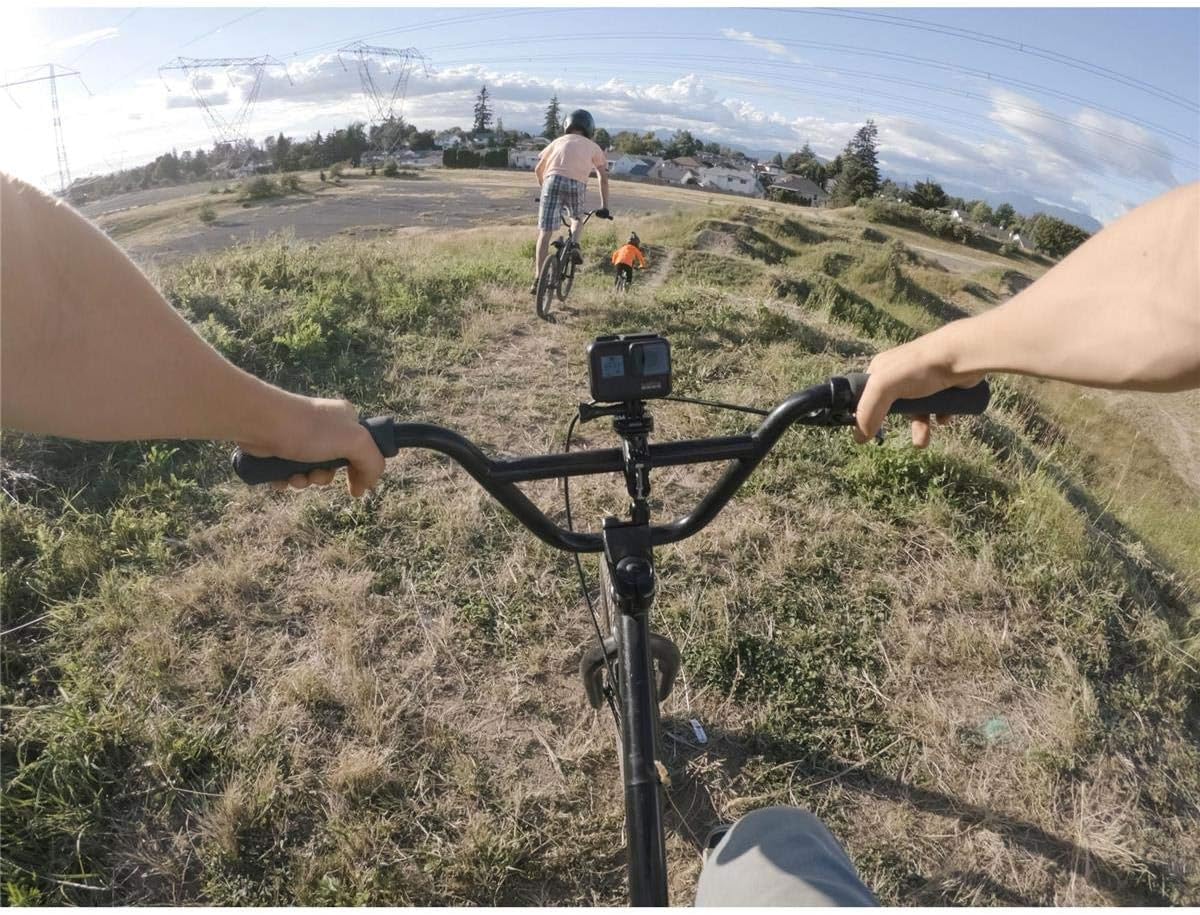
ポイントオブview shot captured with a GoPro Hero7 Black.
音声コントロール
Control your camera hands-free with simple voice commands. For example, say "GoPro, take a photo" or "GoPro, start recording."
メンテナンス
Proper maintenance ensures the longevity and optimal performance of your GoPro Hero7 Black.
クリーニング
- レンズ: Use a soft, lint-free cloth to clean the lens. For stubborn spots, use a lens cleaning solution.
- 体: カメラ本体を拭くamp 布で拭いてください。清掃前にすべてのポートが閉じていることを確認してください。
- 水への露出: After saltwater use, rinse the camera with fresh water and dry thoroughly.
Battery & SD Card Care
- 電池は涼しく乾燥した場所に保管してください。極端な温度を避けてください。
- Regularly format your SD card using the camera's settings to prevent data corruption and ensure optimal recording performance.
トラブルシューティング
Here are solutions for common issues you might encounter with your GoPro Hero7 Black.
Camera Freezing/Unresponsive
- バッテリーを取り外して再度挿入してください。
- Ensure firmware is up to date via the GoPro app.
接続の問題(Wi-Fi/Bluetooth)
- Reset Wi-Fi connections in the camera's settings.
- スマートフォンの Bluetooth と Wi-Fi が有効になっていることを確認してください。
- Try restarting both the camera and your smartphone.
ビデオ品質が悪い
- レンズがきれいで汚れがないことを確認してください。
- Check your resolution and frame rate settings. Higher settings (e.g., 4K60) provide better quality.
- Use a recommended SD card with sufficient write speed.
仕様
| 製品寸法 | 1.75 x 2.44 x 1.26インチ |
| アイテム重量 | 4.2オンス |
| 商品型番 | CHDHX-701 |
| バッテリー | リチウム金属電池 1 個が必要 (付属) |
| フォトセンサー技術 | CCD |
| ビデオキャプチャ解像度 | 1080p、720p、4K |
| フラッシュメモリタイプ | SD |
| 画面サイズ | 2インチ |
| 接続技術 | USB |
| 色 | 黒 |
保証とサポート
GoPro products typically come with a limited manufacturer's warranty. For detailed warranty information, product registration, and technical support, please visit the official GoPro webサイトをご覧いただくか、カスタマー サービスに直接お問い合わせください。
保証請求に備えて購入証明書を保管してください。