
導入
Thank you for choosing the AGPTEK M16SB 16GB Bluetooth MP3 Player. This manual provides detailed instructions for setting up, operating, and maintaining your device. Please read it carefully to ensure proper use and to maximize your listening experience.
製品終了view
デバイスのコンポーネントとコントロールについて理解しておいてください。

画像: 前面と側面 view of the AGPTEK M16SB MP3 player with numbered labels indicating each button and port function.
ボタンの定義:
- 戻る: Navigates back to the previous menu.
- Bluetooth/FM Radio: Short press for Bluetooth, long press for FM Radio.
- Submenu/Screen-lock: Accesses submenus or locks/unlocks the screen.
- 上に移動: メニュー内を上へ移動します。
- Previous/Fast rewind: Skips to the previous track or fast rewinds during playback.
- 下に移動: メニュー内を下に移動します。
- Next/Fast forward: 再生中に次のトラックにスキップしたり、早送りしたりします。
- 入力/再生/一時停止: 選択を確定するか、メディアを再生/一時停止します。
- ボリューム+: 音量を上げます。
- ボリューム-: 音量を下げます。
- Power on/off; Screen on/off: Powers the device on/off or turns the screen on/off.
ポートと機能:
- Card slot (TF): For Micro SD card expansion up to 128GB.
- イヤホンジャック: 有線ヘッドフォン用の 3.5mm オーディオ出力。
- マイクロUSBポート: 充電やデータ転送に。
- 内蔵スピーカー: ヘッドフォンなしでオーディオを再生します。
- マイク(MIC): 音声録音用。
設定
1. デバイスの充電
Before first use, fully charge the MP3 player. A full charge takes approximately 2 hours using a 5V/500mA charger or a computer USB port.

画像: A person relaxing while listening to the MP3 player, with text indicating "2 HOURS for full charge" and "28-30 hours playtime".
- Connect the Micro USB cable to the player's Micro USB port and the other end to a USB power source.
- 画面上のバッテリーインジケーターに充電状態が表示されます。
- Once fully charged, the device offers up to 28 hours of music playback (screen off, medium volume) or 5 hours via Bluetooth headphones.
2. 電源のオン/オフ
- 電源を入れるには、 電源ボタン(11) 画面が点灯するまで。
- 電源を切るには、 を長押しします 電源ボタン(11) デバイスがシャットダウンするまで。
- を短く押すと、 電源ボタン(11) will turn the screen on or off.
3. Micro SDカードの挿入
The device has 16GB of internal memory and supports external Micro SD cards up to 128GB (not included).

画像: 詳細な view of the MP3 player's side, highlighting the TF card slot with a Micro SD card partially inserted, indicating 16GB internal memory and support for up to 128GB external storage.
- 見つける Card slot (TF) (12) on the side of the player.
- Micro SD カードをカチッと音がするまでゆっくりとスロットに挿入します。
- 取り外すには、カードが飛び出すまで少し押し込みます。
操作手順
1. 基本的なナビゲーション
- 使用 Move up (4) そして Move down (6) buttons to navigate through menus.
- を押す Enter/Play/Pause button (8) オプションを選択します。
- を押す Return button (1) 前の画面に戻ります。
- を使用して音量を調整します Volume + (9) そして Volume - (10) 側面のボタン。
2.音楽の再生
The player supports MP3, WMA, OGG, APE, FLAC, WAV, AAC-LC, and ACELP audio formats.

画像: A person holding the AGPTEK MP3 player, displaying the music playback interface with track information and a Bluetooth connection indicator.
- メインメニューから「音楽」を選択します。
- Browse by Artist, Album, Songs, Playlists, or Folder.
- プレス Enter/Play/Pause (8) 再生を開始または一時停止します。
- 使用 Previous/Fast rewind (5) そして Next/Fast forward (7) to change tracks or fast forward/rewind.
- Access submenus (e.g., Equalizer, Repeat Mode) by pressing the Submenu button (3) 再生中。
3.Bluetoothペアリング
Connect your MP3 player to Bluetooth headphones or speakers for wireless audio.

画像: An illustration demonstrating three audio output options for the MP3 player: wired headphones for private listening, the built-in speaker for sharing, and a Bluetooth speaker for party settings.
- メインメニューから「Bluetooth」を選択します。
- または、 Bluetooth/FM Radio button (2) to quickly enable Bluetooth.
- Bluetooth デバイス (ヘッドフォン/スピーカー) がペアリング モードになっていることを確認します。
- プレーヤーは利用可能なデバイスをスキャンします。リストからペアリングするデバイスを選択してください。
- The player supports automatic reconnection to previously paired devices.
4. FMラジオ
Listen to FM radio stations. Wired headphones must be connected as they act as the antenna.
- Connect wired headphones to the Earphone jack (13).
- メインメニューから「FMラジオ」を選択します。
- Alternatively, long press the Bluetooth/FM Radio button (2) to quickly enter FM Radio mode.
- Use the navigation buttons to scan for stations or select from presets.
- The radio function allows saving up to 30 preset stations and supports FM recording.
5. その他の機能
- ボイスレコーダー: Select "Record" from the main menu to use the built-in microphone for voice recording.
- 電子書籍: Read TXT format e-books by selecting "E-book".
- ビデオ: Play AMV format videos by selecting "Video".
- 画像 Viewえー: Browse JPG, GIF, and BMP images by selecting "Pictures".
- 設定: Access various device settings, including equalizer, volume limit, display brightness, and timed shutdown.
メンテナンス
1. ファームウェアのアップデート
Free firmware updates are available to improve device performance and add new features.
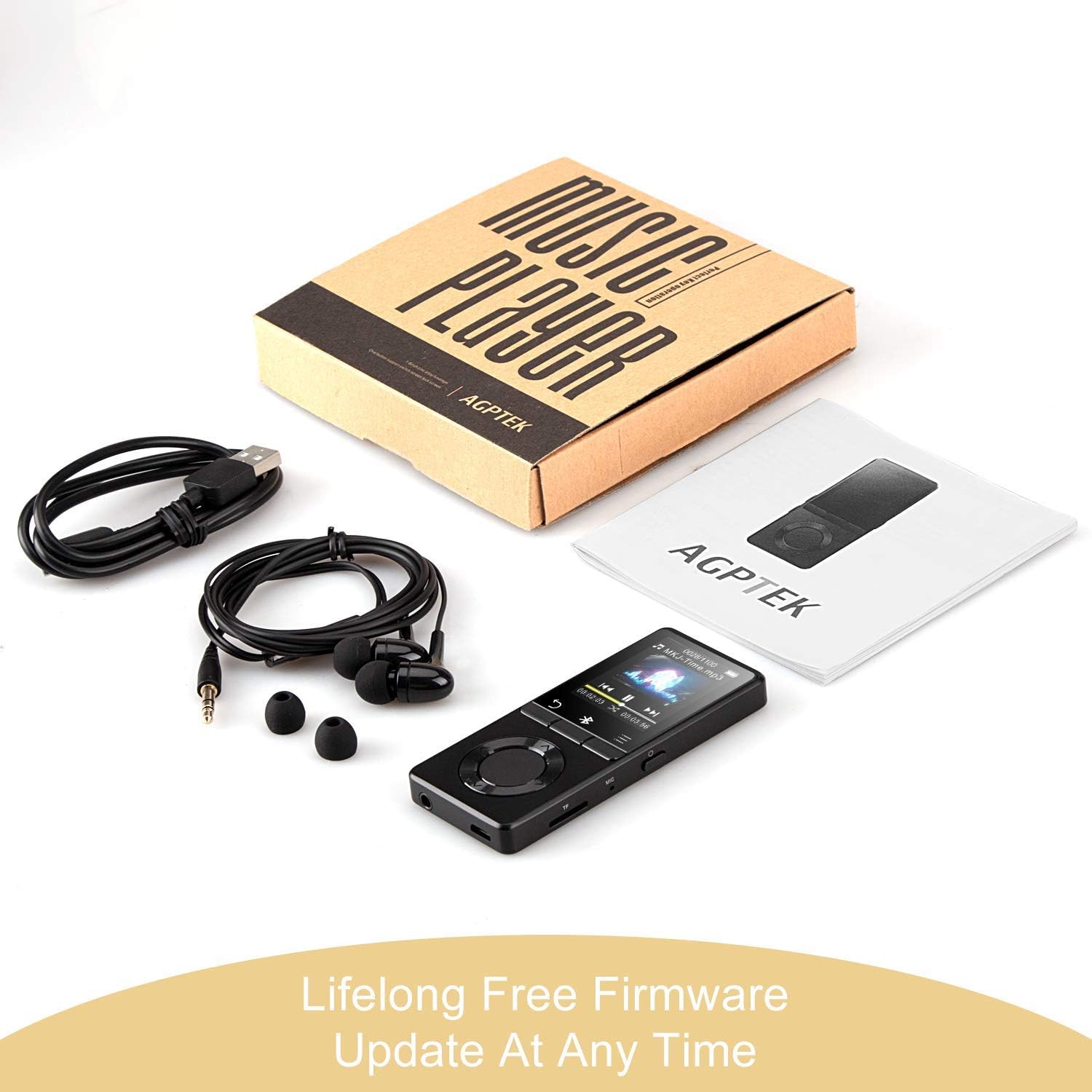
画像: The AGPTEK MP3 player, its packaging, and included accessories (earphones, USB cable), emphasizing the availability of lifelong free firmware updates.
- AGPTEKの公式ウェブサイトをご覧ください web最新のファームウェアと手順については、サイトをご覧ください。
- Follow the provided instructions carefully to update your device.
2. 清掃
- デバイスの外側を清掃するには、柔らかく乾いた布を使用してください。
- 液体クリーナーや研磨材の使用は避けてください。
トラブルシューティング
- デバイスの電源が入らない: バッテリーが充電されていることを確認してください。充電器に接続してもう一度お試しください。
- 音が出ない: Check volume levels. Ensure headphones are properly connected or Bluetooth device is paired and connected. If using the built-in speaker, ensure it is enabled in settings.
- Bluetooth接続の問題: Ensure the Bluetooth device is in pairing mode and within range. Disconnect the MP3 player from other Bluetooth devices if it was previously paired elsewhere.
- File再生されません: オーディオ/ビデオを確認する file format is supported (MP3, WMA, OGG, APE, FLAC, WAV, AAC-LC, ACELP for audio; AMV for video).
- デバイスが応答しません: Press and hold the Power button for 10-15 seconds to force a reset.
- Micro SD カードが検出されません: Ensure the card is inserted correctly. Try reinserting or using a different card to rule out card issues.
- Issues during PC sync: Avoid altering files directly in the player's window while synced. Make changes on the PC, then re-upload. If the player crashes, perform a long press on the power button to reset.
仕様
| ブランド | AGPTEK |
| モデル名 | AGPTEK 16GB Bluetooth 4.0 MP3 Player with Touch Buttons |
| モデル番号 | M16SB-EU |
| 接続技術 | ブルートゥース |
| メモリストレージ容量 | 16 GB(Micro SD カードで最大 128 GB まで拡張可能) |
| 色 | 黒 |
| 画面サイズ | 1.8インチ |
| 対応デバイス | Headphones, Personal Computer |
| メディアタイプ | MP3 |
| サポートされているオーディオ規格 | AAC, ACELP, APE, FLAC, MP3, OGG, WAV, WMA |
| サポートされているビデオ規格 | AMV |
| Supported Image Standards | JPG, GIF, BMP |
| バッテリー寿命(音楽再生) | Up to 28 hours (screen off, medium volume) |
| バッテリー寿命(Bluetooth再生) | 最大5時間 |
| 充電時間 | 約2時間 |
保証とサポート
AGPTEK is committed to providing reliable and high-quality products. While specific warranty details are not provided in this manual, AGPTEK offers free firmware updates and customer support.
- For any product issues or inquiries, please contact AGPTEK customer service.
- Refer to the official AGPTEK website for support contact information and the latest firmware updates.