
1. はじめに
The Aputure Amaran AL-F7 is a compact and versatile LED video light designed for various photographic and videographic applications. It features 256 high-CRI LED lights, offering a strong output and a wide color temperature range. The AL-F7 provides precise brightness and color temperature controls, multiple charging options, and a lightweight, portable design.
This manual provides detailed instructions for the safe and effective use of your Amaran AL-F7 LED video light. Please read it thoroughly before operation and retain it for future reference.
2. 安全情報
To prevent damage to the product or injury to yourself or others, always observe the following basic safety precautions:
- Do not disassemble or modify the product. Unauthorized modifications may cause damage or malfunction.
- Keep the product away from water and other liquids. Do not operate with wet hands.
- 通気口を塞がないでください。過熱によりデバイスが損傷する可能性があります。
- Avoid direct eye exposure to the LED light. The light is very bright and can cause temporary vision impairment.
- Use only recommended power sources and accessories.
- お子様の手の届かない場所に保管してください。
3. パッケージ内容
下記のすべてのアイテムがパッケージに含まれていることを確認してください。
- Amaran AL-F7 LED Video Light
- Hot-shoe mounting ball head
- キャンバスバッグ
- USB Type-C charging cable (may vary by region)
- ユーザーマニュアル
4.製品オーバーview
Familiarize yourself with the components and controls of your Amaran AL-F7.
4.1 Front Panel (LED Array)
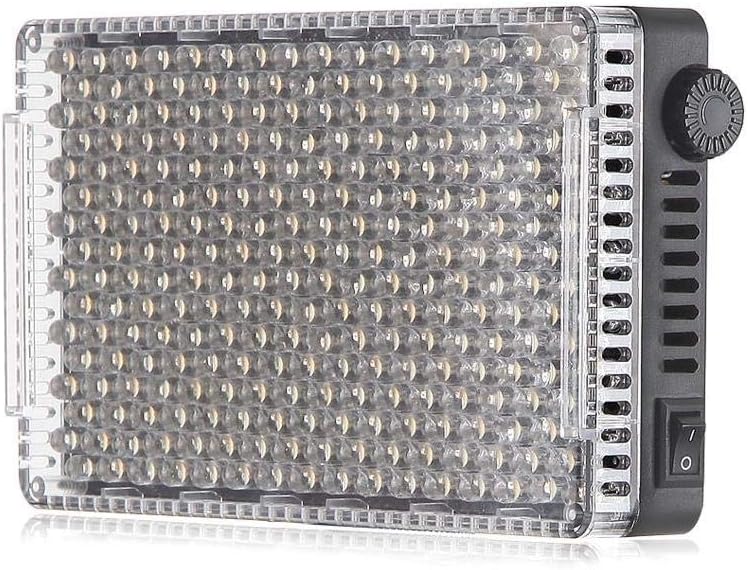
図1: 前面 view of the AL-F7 LED panel, displaying the light-emitting diodes.
4.2 Rear Panel (Display and Battery Mount)

Figure 2: Rear panel of the AL-F7, featuring the LCD screen, battery mount, and control interface.
- LCDディスプレイ: Shows brightness percentage, color temperature (CT), and battery status.
- コントロールダイヤル: Used to adjust brightness and color temperature. Press to switch between modes.
- バッテリープレート: Compatible with Sony NP-F series batteries for portable power.
4.3 Side Panels (Controls and Ports)

図3:側面 view showing the power switch and control dial.

図4:側面 view displaying the D-Tap input, 1/4" mounting point, and USB Type-C port.
- 電源スイッチ: ユニットのオン/オフを切り替えます。
- D-Tap Input: For external power supply (e.g., V-mount battery).
- USB Type-Cポート: For charging and powering the unit.
- 1/4" Screw Threads: Located on three sides for versatile mounting options.
5. セットアップ
5.1 Powering the AL-F7
The Amaran AL-F7 can be powered using one of three methods:
- Sony NP-F Series Battery: Attach a compatible NP-F battery to the battery plate on the rear of the unit.
- USBタイプC: Connect a USB Type-C cable from a power bank or USB power adapter to the USB-C port on the side.
- Dタップ: Connect a D-Tap cable from a compatible power source (e.g., V-mount battery) to the D-Tap input.
Ensure the power source provides sufficient voltage and current for stable operation.
5.2 Mounting the AL-F7
The AL-F7 features 1/4" screw threads on three sides for flexible mounting. Use the included hot-shoe mounting ball head to attach the light to a camera's hot shoe or a light stand with a 1/4" screw.
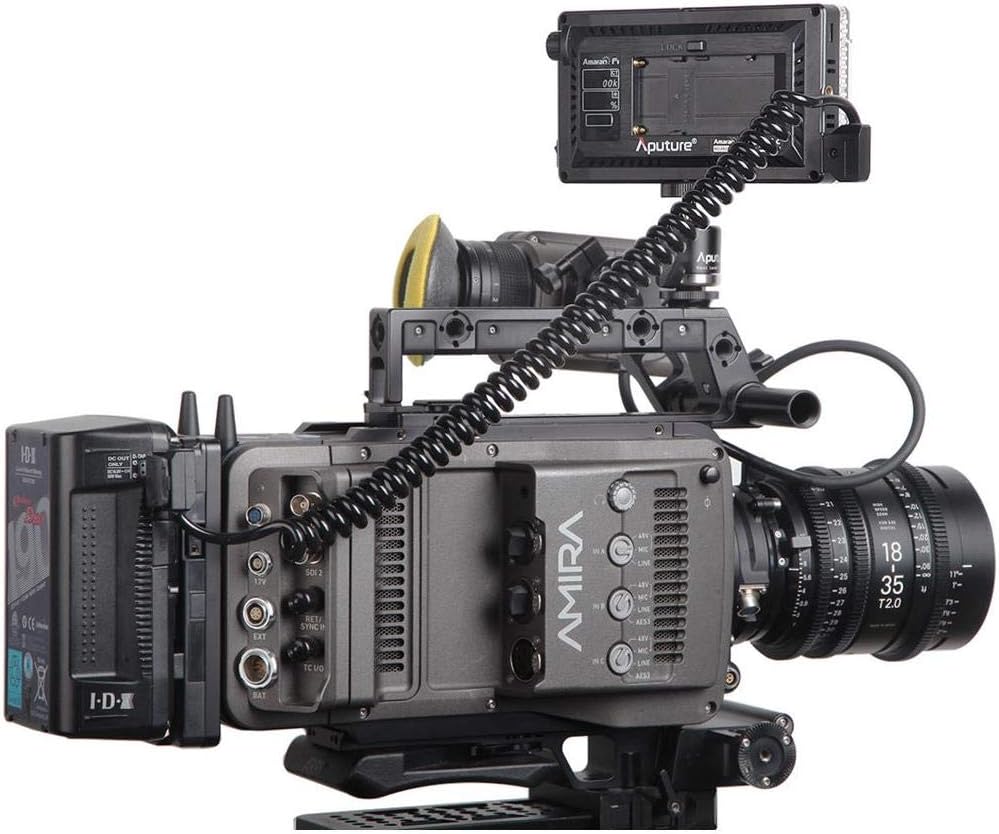
Figure 5: AL-F7 mounted on a camera rig, demonstrating a typical setup.
- Screw the hot-shoe mounting ball head into one of the 1/4" threads on the AL-F7.
- Secure the ball head to your camera's hot shoe or a light stand.
- Adjust the angle of the light using the ball head.
6.運用
6.1 電源オン/オフ
Locate the power switch on the side of the unit. Flip the switch to the 'ON' position to power on the light. Flip it to 'OFF' to power off.
6.2 明るさの調整
After powering on, the LCD display will show the current brightness percentage. Rotate the control dial to adjust the brightness from 1% to 100%. The AL-F7 offers stepless control for fine-tuning.
6.3 色温度の調整
To switch to color temperature adjustment mode, press the control dial. The display will show the current color temperature in Kelvin (K). Rotate the control dial to adjust the color temperature within the range of 3200K to 9500K. Press the dial again to switch back to brightness adjustment.
The AL-F7's maximum output is achieved at approximately 5500K, which corresponds to daylight balanced light.
6.4メモリ機能
The AL-F7 features a built-in memory function that automatically stores the last brightness and color temperature settings used. When the light is powered on again, it will recall these settings.
7. メンテナンス
- クリーニング: ライトのお手入れには、柔らかく乾いた布をご使用ください。刺激の強い化学薬品や研磨剤は使用しないでください。
- ストレージ: Store the light in a cool, dry place, away from direct sunlight and extreme temperatures. Use the provided canvas bag for protection during transport and storage.
- バッテリーのケア: If using NP-F batteries, follow the manufacturer's guidelines for charging and storage to prolong battery life.
8。 トラブルシューティング
| 問題 | 考えられる原因 | 解決 |
|---|---|---|
| ライトが点灯しない | No power supply; battery depleted; power switch off | Ensure power switch is ON. Connect to a power source (USB-C, D-Tap) or replace/charge NP-F battery. |
| ライトがちらついたり、予期せず暗くなったりする | Low battery; unstable power connection; overheating | Charge or replace battery. Check power cable connections. Ensure adequate ventilation. |
| 明るさ/色温度を調整できない | Control dial malfunction; incorrect mode selected | Press the control dial to switch between brightness and color temperature modes. If issue persists, contact support. |
9. 仕様
| 特徴 | 詳細 |
|---|---|
| モデル番号 | AL-F7 |
| 製品寸法 | 6.69 x 2.76 x 1.57 インチ (170 x 70 x 40 mm) |
| アイテム重量 | 9.2オンス(260g) |
| 色温度範囲 | 3200K - 9500K |
| 明るさコントロール | 1% - 100% 無段階 |
| 電源入力 | D-Tap, USB Type-C, Sony NP-F series battery |
| 接続技術 | USB |
| 取り付け | 1/4" screw thread (3 sides) |
| 電池が必要 | 1 Lithium Polymer (NP-F type, not included) |
10. 保証とサポート
Aputure products are covered by a limited warranty. For detailed warranty information, please refer to the warranty card included with your product or visit the official Aputure webサイトでご確認ください。保証請求の際は購入証明として領収書を保管してください。
技術サポート、サービス、またはお問い合わせについては、Aputureの公式カスタマーサービスまでお問い合わせください。 website or authorized distributors. Do not attempt to repair the unit yourself, as this may void your warranty.