
1. はじめに
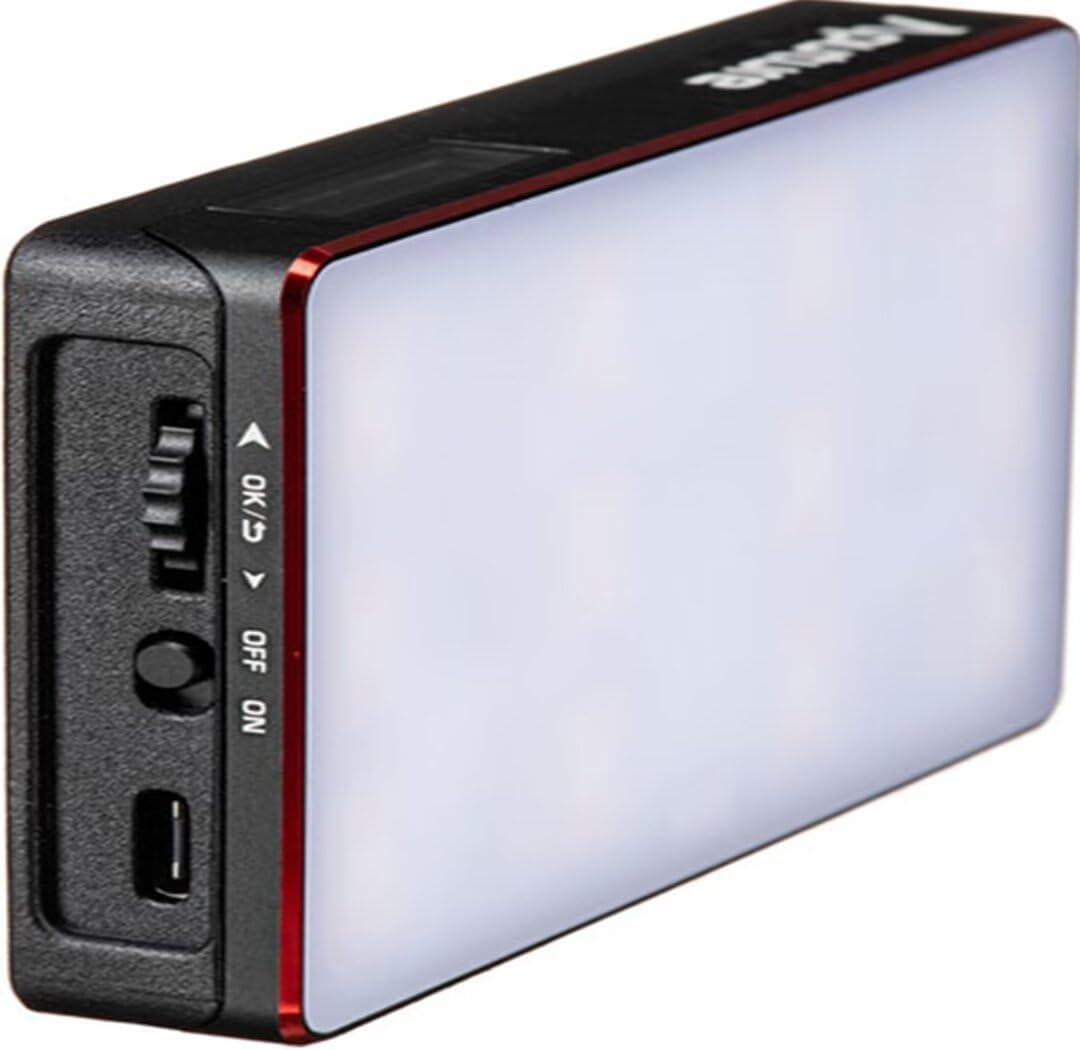
The Aputure Amaran MC is a compact and versatile RGBWW LED on-camera light designed for photographers and videographers. It offers full Hue, Saturation, and Intensity (HSI) color control, adjustable white light in CCT mode, and various built-in lighting effects. With its high color rendition, Sidus Mesh technology for app control, and multiple charging options, the Amaran MC provides flexible lighting solutions for diverse creative needs.
2. 箱の中身
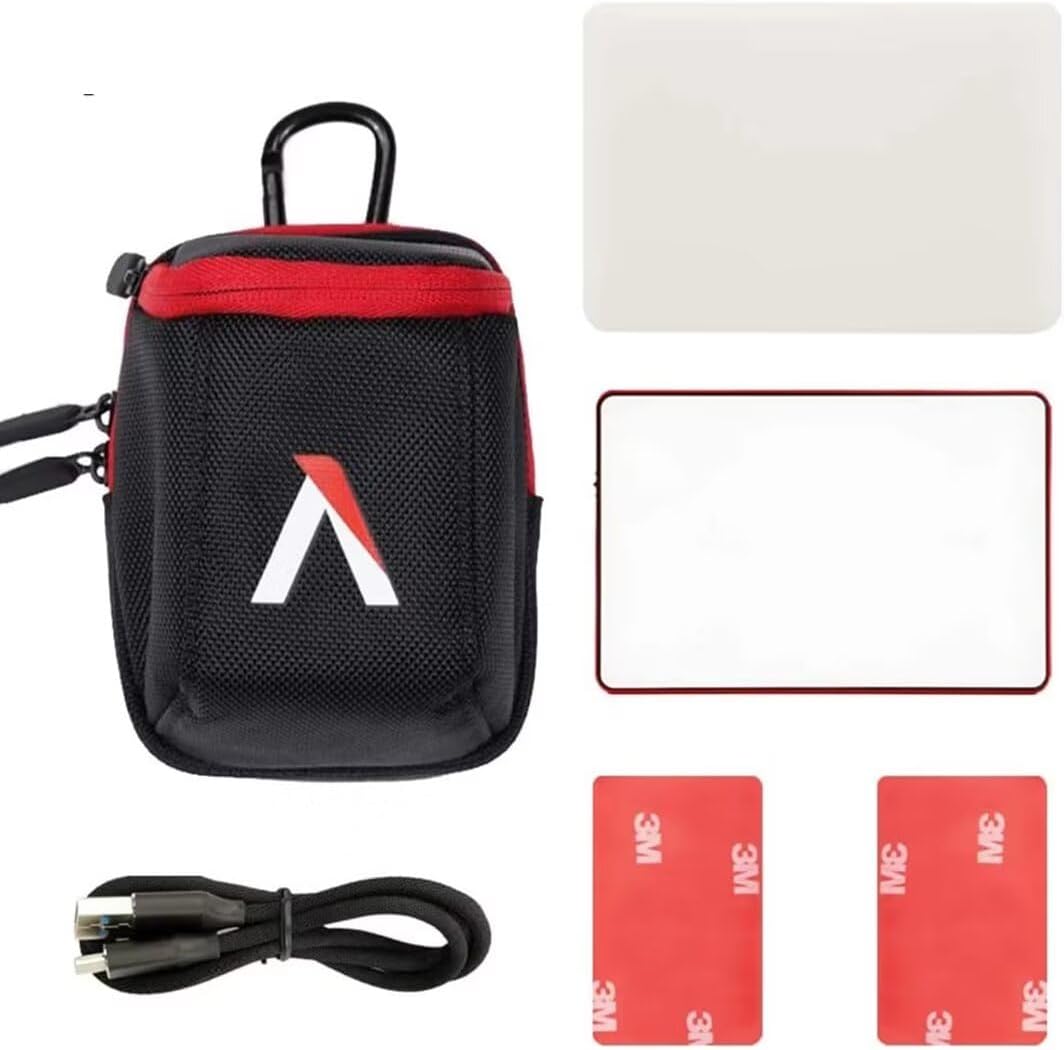
- Aputure MC Light *1
- USBType-C充電ケーブル*1
- Silicone Rubber Diffuser *1
- Adhesive Mounting Tape *2
- Aputure Carrying Bag *1
3 製品の特徴
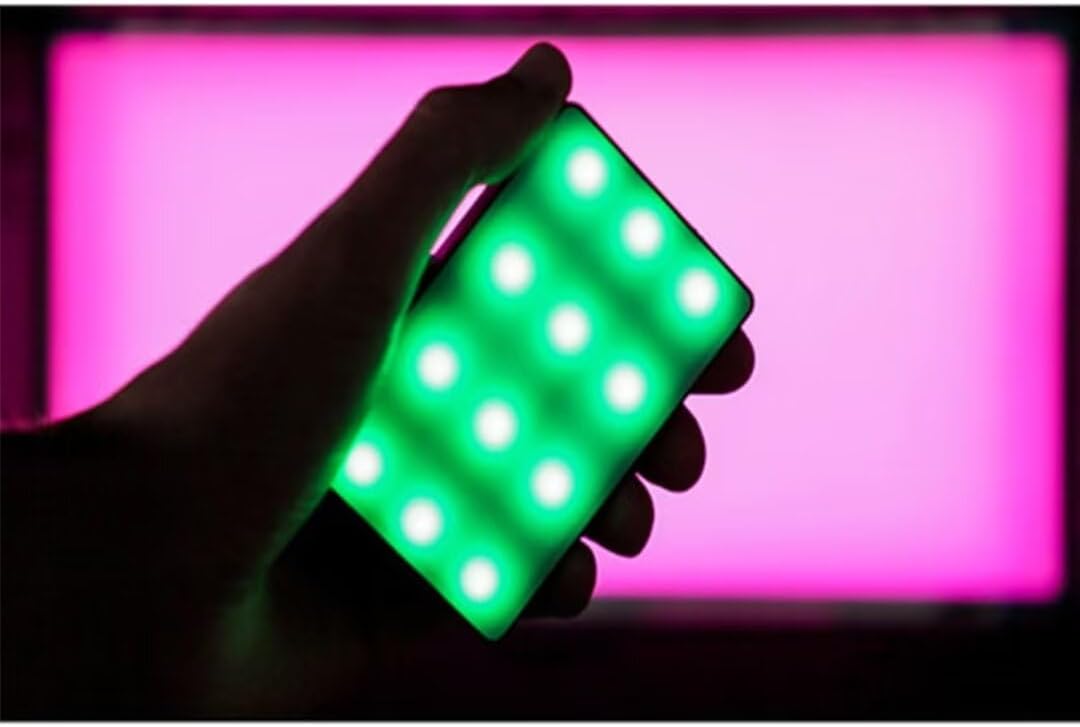
- Full HSI Color Control: The Amaran MC offers 360° of hue and 100 levels of saturation adjustment, allowing for convenient reproduction of any color.
- CCTモード: Adjust white light color temperature from 3200K to 6500K.
- FX Lighting Modes: Includes 9 built-in lighting effects: Paparazzi, Fireworks, Faulty bulb, Lightning, TV, Pulsing, Fire, Party, and Cop Car.
- Stellar Color Quality: Achieves high color rendition with CRI and TLCI scores of 96+, and SSI scores of 84 (tungsten) and 74 (daylight).
- Sidus Link Control: Utilizes Sidus Mesh technology for controlling up to 100 lights simultaneously via the Sidus Link mobile app. Features a Color Picker function to match colors from your phone's camera.
- USB Type-C PD Charging & Wireless Charging: Supports 18W USB-C Power Delivery (PD) for a full charge in approximately 90 minutes. Compatible with Qi wireless charging protocols.


4. セットアップ
4.1デバイスの充電
Before initial use, fully charge your Amaran MC. You have two charging options:
- USBタイプC: Connect the provided USB Type-C charging cable to the USB-C port on the side of the Amaran MC and to a compatible USB power adapter (not included). The device supports 18W PD quick charging.
- ワイヤレス充電: Place the Amaran MC on any Qi-compatible wireless charging pad. Ensure the light is properly aligned for efficient charging.

4.2取り付けオプション
The Amaran MC offers several versatile mounting options:
- 1/4インチ-20ネジマウント: Use the integrated 1/4"-20 screw mount to attach the light to tripods, light stands, or camera rigs.
- 磁気吸着: The light features built-in magnets, allowing it to be securely attached to metallic surfaces.
- Adhesive Mounting Tape: For non-metallic surfaces, use the included adhesive mounting tapes to create a temporary mounting point for the magnets.

5. 操作手順
5.1 電源オン/オフ
Locate the power switch on the side of the Amaran MC. Slide the switch to the 'ON' position to power on the device. Slide it to 'OFF' to power it down.
5.2 照明設定の調整
The Amaran MC features a function control wheel and an OLED screen for on-device adjustments:
- モード選択: Press the control wheel to cycle through different lighting modes: HSI, CCT, and FX.
- パラメータ調整: Rotate the control wheel to adjust parameters within the selected mode (e.g., Hue, Saturation, Intensity, Color Temperature).
- 強度: In any mode, rotate the wheel to adjust the brightness (0-100% stepless dimming).
5.3 Sidus Link アプリコントロール
For advanced control and features, download the Sidus Link mobile app (available on iOS and Android).
- ペアリング: Ensure Bluetooth is enabled on your mobile device. Open the Sidus Link app and follow the on-screen instructions to discover and pair with your Amaran MC.
- リモートコントロール: Adjust HSI, CCT, and FX functions remotely.
- カラーピッカー: Use your phone's camera to capture a color from your environment, and the Amaran MC will reproduce it instantly.
- メッシュネットワーク: Control multiple Amaran MC lights (up to 100) in a stable network, extending the control range.
6. メンテナンス
- クリーニング: ライトの外側を拭く際は、柔らかく乾いた布をご使用ください。刺激の強い化学薬品や研磨剤は使用しないでください。
- ストレージ: Store the Amaran MC in its carrying bag in a cool, dry place away from direct sunlight and extreme temperatures.
- バッテリーのケア: バッテリーを長持ちさせるには、バッテリーを頻繁に完全に放電させないでください。長期間保管する場合は、バッテリーを約50~70%まで充電してください。
7。 トラブルシューティング
| 問題 | 考えられる原因 | 解決 |
|---|---|---|
| ライトが点灯しない | Low battery or power switch off | Charge the battery or ensure the power switch is in the 'ON' position. |
| Sidus Linkアプリに接続できません | Bluetooth off, app not updated, or light not in pairing mode | Ensure Bluetooth is on, update the app, and restart the light. Refer to app instructions for pairing. |
| 一貫性のない光出力 | バッテリー残量不足または干渉 | Charge the light fully. Ensure no strong magnetic or electronic interference nearby. |
8. 仕様
| 特徴 | 詳細 |
|---|---|
| 製品寸法 | 6.22 x 3.43 x 1.34 インチ (15.8 x 8.7 x 3.4 cm) |
| アイテム重量 | 1.12ポンド(0.51kg) |
| 商品型番 | 926308 |
| バッテリー | 非標準バッテリー1個必要 |
| メーカー | アプチャー |
| 接続技術 | ブルートゥース |
| ハードウェアインターフェイス | USB、USBタイプC |
| 欧州連合 | 712350147426 |
9.保証とサポート
保証情報およびテクニカルサポートについては、Aputureの公式ウェブサイトをご覧ください。 web公式サイトをご覧いただくか、カスタマーサービスに直接お問い合わせください。保証請求のために購入時のレシートを保管してください。
Aputure Official Webサイト: www.aputure.com