
導入
Thank you for choosing the SmartHeart Digital WeightScale, Model 19-101. This manual provides essential information for the safe and effective use of your new digital weight scale. Please read this manual thoroughly before operation and retain it for future reference. The SmartHeart Digital WeightScale is designed for reliable and accurate body weight measurements in the comfort of your home.

Image: The SmartHeart Digital WeightScale, featuring a clear digital display showing a weight of 126.0 lbs. The scale has a sleek, minimalist design with a light blue tempered glass platform.

Image: The complete package contents of the SmartHeart Digital WeightScale, including the scale itself, its retail packaging, and two AAA batteries, indicating it's ready for use out of the box.
安全情報
Please read and observe all precautions to prevent personal injury or equipment damage.
- Do not use the scale on slippery surfaces such as certain tiles or laminates.
- Ensure your feet are completely dry before using the scale. Do not use with wet feet.
- Avoid using the scale near electronic devices that emit strong electromagnetic fields, such as cell phones or microwave ovens.
- Do not drop the scale, as this may cause damage to the device or personal injury.
- Keep the scale out of the reach of infants, children, or incapacitated persons to prevent misuse or injury.
法的免責事項:実際の製品のパッケージや素材には、当社のウェブサイトに表示されているものよりも多くの情報や異なる情報が含まれている場合があります。 webサイトに掲載されている情報のみに頼らず、製品を使用または摂取する前に必ずラベル、警告、および指示をよくお読みになることをお勧めします。
設定
- バッテリーの取り付け: The SmartHeart Digital WeightScale requires 2 AAA batteries. These batteries are typically pre-installed with a protective plastic tab. Gently pull and remove this tab from the battery compartment located on the underside of the scale.
- 配置: For accurate readings, place the scale on a hard, flat, and stable surface. Avoid using the scale on carpets, rugs, or uneven flooring, as this can lead to inaccurate measurements.
- ユニット選択: The scale offers three modes of weighing: pounds (Lb.), kilograms (Kg), and stone (St). To change the measurement unit, locate the unit selection button on the underside of the scale, next to the battery compartment. Press this button to cycle through the available units until your desired unit is displayed.

Image: The SmartHeart Digital WeightScale highlighting its dimensions of 11.75 inches by 11.75 inches, emphasizing its compact and square design with a tempered glass platform.
操作手順
- 電源オン: The SmartHeart Digital WeightScale features an auto-on sensor. Simply step onto the center of the scale to activate it. There is no need to tap or press any buttons to turn it on.
- 測定を行う: Once activated, stand still on the scale with your weight evenly distributed. The display will show your weight measurement. Remain still until the reading stabilizes and locks.
- 測定モード: The scale can display weight in pounds (Lb.), kilograms (Kg), or stone (St). Ensure the desired unit is selected as described in the 'Setup' section.
- 自動遮断: バッテリー寿命を節約するために、数秒間操作がないと体重計は自動的にオフになります。
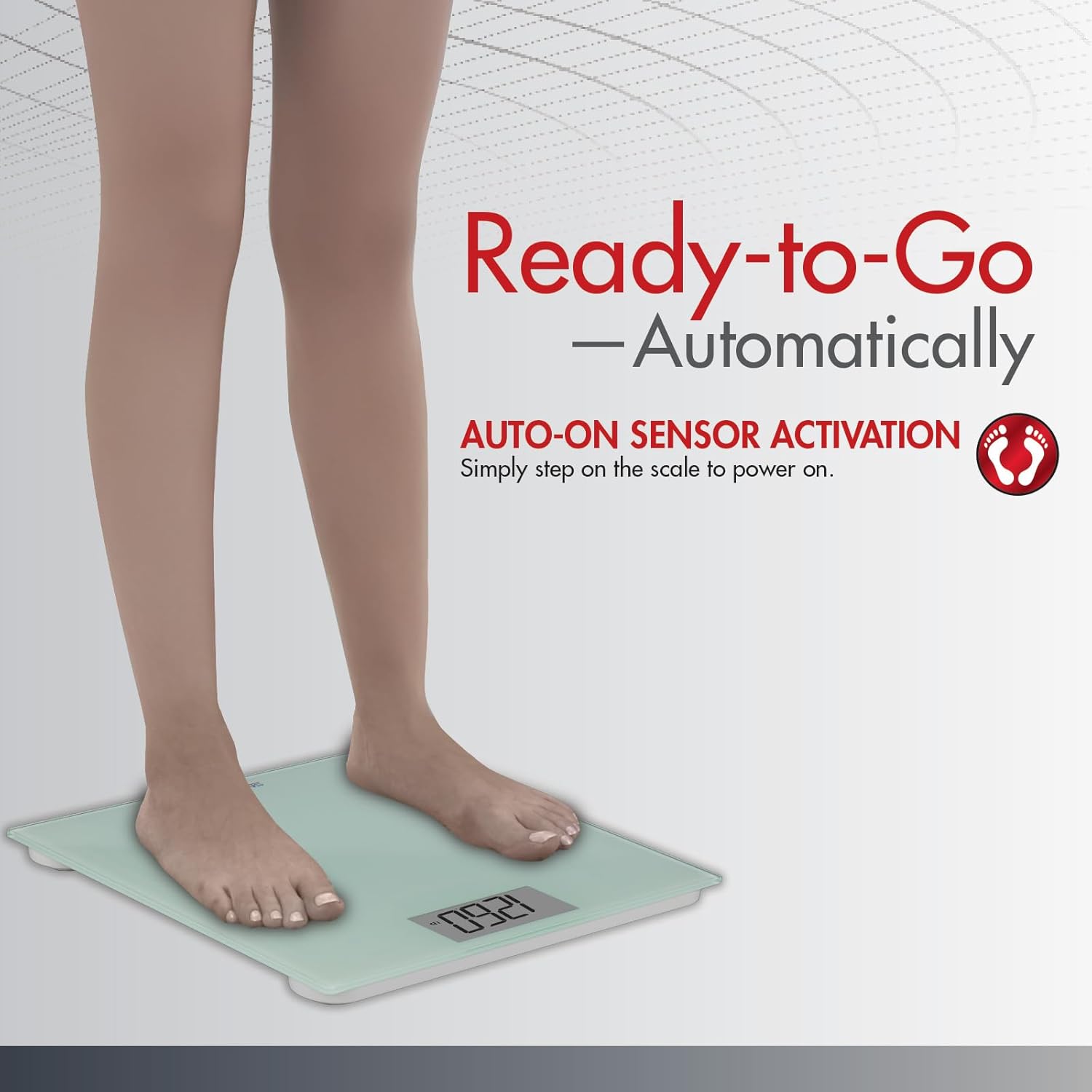
Image: A person's feet stepping onto the SmartHeart Digital WeightScale, demonstrating the auto-on sensor activation feature. The scale is ready to provide a reading as soon as weight is applied.

Image: The SmartHeart Digital WeightScale illustrating its capability to display measurements in three different units: pounds (LB), kilograms (KG), and stone (ST), providing flexibility for user preference.
メンテナンス
- クリーニング: スケールを掃除するには、表面を柔らかくて乾いた布で拭いてください。amp 布で拭いてください。研磨剤入りの洗剤を使用したり、スケールを水に浸したりしないでください。
- バッテリー交換: When the display shows a low battery indicator or fails to turn on, replace both AAA batteries with new ones. Ensure correct polarity when inserting the batteries.
- ストレージ: 体重計は直射日光や極端な温度を避け、涼しく乾燥した場所に保管してください。
トラブルシューティング
| 問題 | 考えられる原因 | 解決 |
|---|---|---|
| 不正確または一貫性のない読み取り | Scale is on an uneven or soft surface (e.g., carpet); user movement during measurement. | Place the scale on a hard, flat, and stable surface. Stand still and centered on the scale during measurement. |
| No display or scale does not turn on | Batteries are low or depleted; protective plastic tab not removed. | Replace batteries with new AAA batteries. Ensure the protective plastic tab has been completely removed from the battery compartment. |
| ディスプレイに「Lo」と表示される | バッテリー残量が少なくなっています。 | 両方の単 4 電池を交換します。 |
| ディスプレイに「Err」と表示される | Weight exceeds maximum capacity; scale malfunction. | Ensure weight is within the 438 lb (200 kg) limit. If the issue persists, contact customer support. |
仕様
- ブランド: SmartHeart
- モデル番号: 19-101
- メーカー: ベリディアン
- 製品寸法: 34.29 x 5.08 x 33.81 cm(13.5 x 2 x 13.3インチ)
- 製品重量: 約453.59 g(1ポンド)
- 重量制限: 438ポンド(約200kg)
- 電源: 単4電池2本(必須)
- 特集: バックライトディスプレイ
- プラットフォーム素材: 強化ガラス
- 測定モード: Pounds (Lb.), Kilograms (Kg), Stone (St)
保証とサポート
Specific warranty information for the SmartHeart Digital WeightScale, Model 19-101, is not provided within this manual. For details regarding warranty coverage, terms, and conditions, please refer to the documentation included with your purchase or contact the manufacturer, Veridian, directly through their official webサイトまたはカスタマー サービス チャネル。
For technical support, troubleshooting assistance beyond what is covered in this manual, or inquiries about replacement parts, please reach out to the manufacturer's customer support. Contact information can typically be found on the product packaging or the manufacturer's official webサイト。