
導入
This manual provides detailed instructions for the DELTACO GAMING GAM-030 Wired Gaming Headset. Please read this manual carefully before using the product to ensure proper operation and to maximize your gaming and audio experience.
パッケージ内容
以下にリストされているすべてのアイテムがパッケージに含まれていることを確認してください。
- DELTACO GAMING GAM-030 Headset
- 1x 3.5mm to 2x 3.5mm Y-adapter

Image: Retail packaging of the DELTACO GAMING GAM-030 headset.

Image: Close-up of the headset's USB connector (for LED power) and 3.5mm audio jack.

Image: The included 3.5mm Y-adapter, splitting a single 3.5mm jack into separate audio and microphone jacks.
製品終了view
The DELTACO GAMING GAM-030 headset is designed for an immersive audio experience across various platforms.

画像: 正面 view of the DELTACO GAMING GAM-030 headset, showing the earcups and microphone.
- Circumaural Design: Over-ear design with artificial leather ear cushions for comfort and passive noise reduction.
- 57mm Speaker Drivers: Large drivers deliver clear stereo sound.
- 柔軟なマイク: Omnidirectional microphone with an orange LED indicator for clear voice communication.
- 統合された音量コントロール: A discreet volume control wheel is located on the rear of the left earcup.
- 調節可能なヘッドバンド: Soft foam padded vegan leather headband for comfortable fit, with height adjustment.
- 耐久性のあるフレーム: Strong and lightweight aluminum frame construction.
- LED照明: Orange LED lights on earcups and microphone, powered via USB.

Image: Close-up of the headset earcup, illustrating the 57mm speaker element for immersive sound.
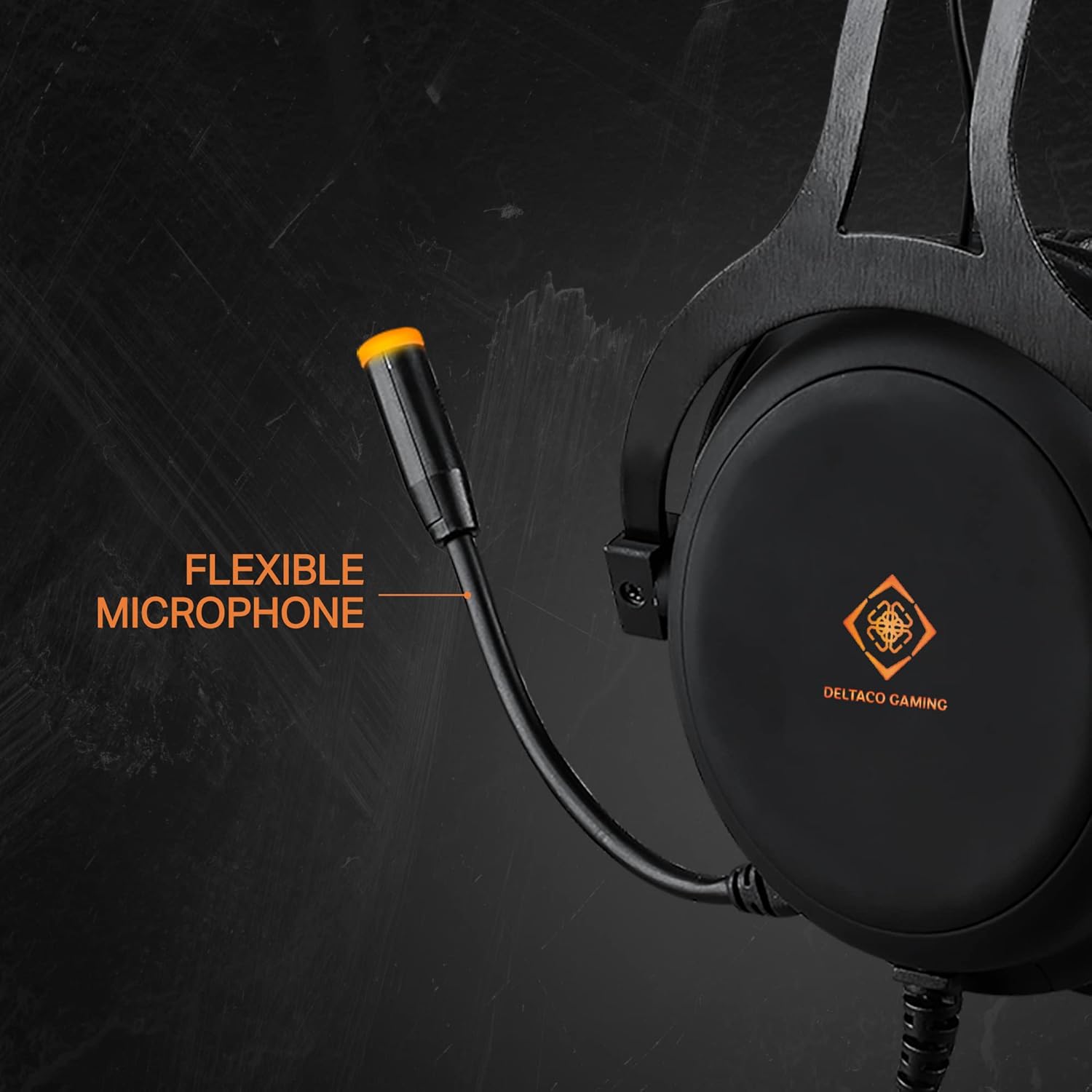
Image: The flexible microphone of the headset, designed for optimal positioning.

画像: サイド view of the earcup, highlighting the over-ear design with soft foam padding and the easily accessible volume control.

Image: The soft foam padded vegan leather headband, illustrating its height adjustability.

Image: Detail of the headset's aluminum frame, emphasizing its strong and lightweight construction.
設定
1. Connecting for Audio and Microphone (3.5mm Jack)
- For devices with a single 3.5mm combo jack (e.g., PS4, Switch, Xbox One, most laptops, mobile phones): Connect the headset's 3.5mm jack directly to the device's audio port.
- For devices with separate audio and microphone 3.5mm ports (e.g., PC desktops): Use the included 1x 3.5mm to 2x 3.5mm Y-adapter. Connect the headset's 3.5mm jack to the adapter, then connect the adapter's green plug to the audio output port and the pink plug to the microphone input port on your computer.
2. Connecting for LED Lighting (USB)
Connect the headset's USB cable to any available USB port on your computer, console, or a USB power adapter. This connection is solely for powering the orange LED lights on the earcups and microphone. It does not transmit audio or microphone signals.
操作手順
- 音量コントロール: Adjust the audio output level using the control wheel located on the rear of the left earcup. Rotate it upwards to increase volume and downwards to decrease volume.
- マイクの使用: Position the flexible microphone close to your mouth for optimal voice pickup during communication.
- LED照明: The DELTACO GAMING logo on the earcups and the microphone tip will illuminate with an orange LED when the USB cable is connected to a power source.
メンテナンス
クリーニング
- ヘッドセットの表面を柔らかく乾いた布で拭いてください。
- 頑固な汚れには、軽くこすったamp 布に中性洗剤をつけて拭き、すぐに乾かしてください。
- 強力な化学薬品、溶剤、研磨剤入りの洗剤は使用しないでください。
- スピーカーグリルやマイクに湿気が入らないようにしてください。
ストレージ
- ヘッドセットは、直射日光や極端な温度を避け、涼しく乾燥した場所に保管してください。
- ヘッドセットの上に重い物を置かないでください。
- Do not twist or pull the cables excessively.
トラブルシューティング
- 音が出ない:
- Check if the 3.5mm audio jack is fully inserted into the device.
- Ensure the volume control wheel on the headset is turned up.
- Verify the audio output settings on your device (PC, console, etc.) are configured to use the headset.
- デバイス固有の問題を除外するために、別のデバイスでヘッドセットをテストします。
- マイクが機能しない:
- Ensure the 3.5mm microphone jack (or the Y-adapter's pink plug) is correctly connected to the microphone input port on your device.
- Check the microphone input settings on your device. Ensure the headset microphone is selected as the default input device and its volume is not muted or set too low.
- 別のアプリケーションまたはデバイスでマイクをテストします。
- LED ライトが動作しない:
- Confirm the USB cable is securely connected to a powered USB port.
- USB ケーブルを別の USB ポートまたは電源に接続してみてください。
- Note that the USB connection is only for LED power and does not affect audio or microphone functionality.
仕様
| 特徴 | 詳細 |
|---|---|
| モデル番号 | GAM-030 |
| 接続性 | 有線(3.5mmジャック、LED用USB) |
| ドライバーサイズ | 57mm |
| 周波数応答 | 20 Hz - 20 kHz |
| インピーダンス | 32オーム |
| 感度 | 122デシベル |
| マイクタイプ | Omnidirectional, Flexible |
| イヤーカップ | Circumaural, Artificial Leather |
| ヘッドバンド | Adjustable, Soft Foam Padded, Vegan Leather |
| フレーム素材 | アルミニウム |
| ケーブル長さ | 2.10メートル |
| 重さ | 349グラム |
| LED照明 | Orange (USB powered) |
| コントロール | 音量調節ホイール |
| 対応デバイス | PC, Laptops, Desktop Computers, Game Consoles (PS4, Switch, Xbox One), Mobile Phones |
| 含まれるコンポーネント | Headset, 1x 3.5mm to 2x 3.5mm Y-adapter |
| メーカー | デルタコ |
| 原産国 | オランダ |
保証とサポート
This DELTACO GAMING product is covered by a 5-year warranty for spare parts availability within the EU. For technical support or warranty claims, please contact your retailer or visit the official DELTACO GAMING webさらにサポートが必要な場合は、サイトをご覧ください。