
1. はじめに
The ADA Cosmo 120 Video is a professional digital laser distance meter designed for precise measurements up to 120 meters (394 feet). It features a unique combination of a digital viewfinder and a 360° tilt sensor, enabling measurements that are challenging for ordinary laser distance meters. This device is ideal for both indoor and outdoor applications, providing accurate results with an error margin of ±1.5 mm.
主な機能は次のとおりです。
- デジタル Viewfinder with 3X Zoom: Allows for precise targeting and measurement in unfavorable light conditions or over long distances, even when the laser dot is not visible.
- Integrated 360° Tilt Sensor: Enables horizontal distance measurement even with obstacles, and functions as a digital level for surface inclination.
- Bluetooth接続: Facilitates data transmission to other devices.
- Painter Function: Automatically calculates the total area of walls in a room.

Image 1.1: The ADA Cosmo 120 Video displaying multiple distance measurements on its digital screen.
2. パッケージ内容
パッケージに以下の項目が含まれているか確認してください。
- ADA Cosmo 120 Video Laser Distance Meter
- ホルスター
- 単三電池2本
- 反射板
- ユーザーマニュアル
3. セットアップ
3.1 バッテリーの取り付け
The device requires two AA batteries. To install:
- デバイスの背面にある電池ボックスのカバーを見つけます。
- カバーを開けます。
- 極性 (+/-) が正しいことを確認して、単三電池 2 本を挿入します。
- 電池カバーをしっかりと閉じてください。
3.2 電源オン/オフ
- 電源を入れるには: 測定 ボタン。
- 電源を切るには: 片付けます ボタンを数秒間押し続けます。
3.3測定単位の変更
The device can display measurements in meters (m) or feet (ft). To change the unit:
- ユニットの電源がオフになっていることを確認してください。
- を押し続けます 測定 ボタンを約8〜10秒間押し続けます。
- The unit will beep, and the measurement unit displayed on the screen will change.
4. 操作手順
4.1 基本的な距離測定
単一の距離測定を実行するには:
- Point the laser distance meter at the target object.
- を押す 測定 ボタンを押します。レーザーが作動します。
- を押す 測定 もう一度ボタンを押すと測定が始まります。測定結果は画面に表示されます。
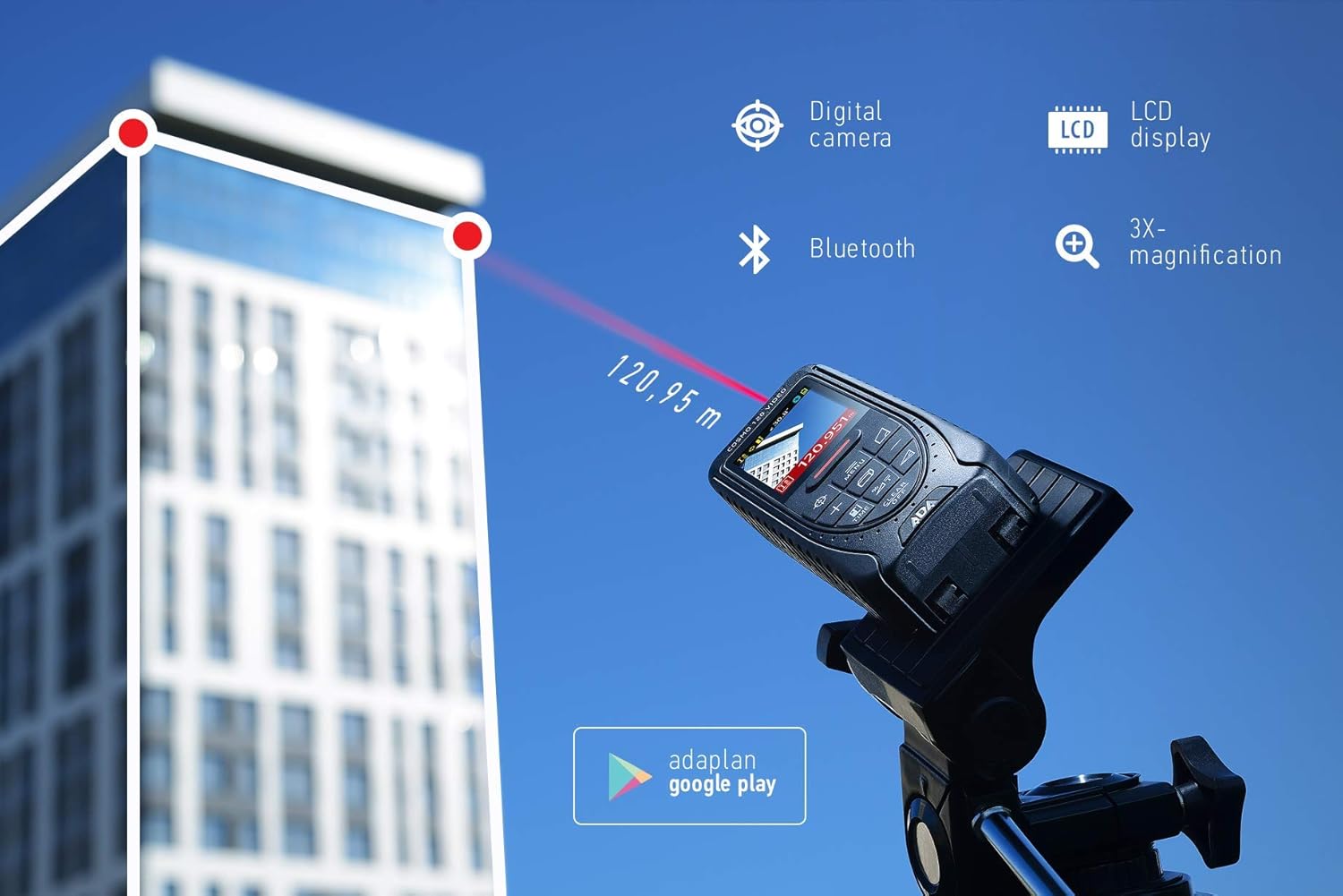
Image 4.1: The ADA Cosmo 120 Video in use, measuring a distance of 120.95 meters to a building.
4.2 デジタルの使用 Viewファインダ
統合デジタル viewfinder with 3X zoom allows for accurate targeting, especially in bright outdoor conditions or when measuring long distances where the red laser dot might be invisible. The viewfinder displays a reticle on the screen, helping you precisely aim the device at your target.
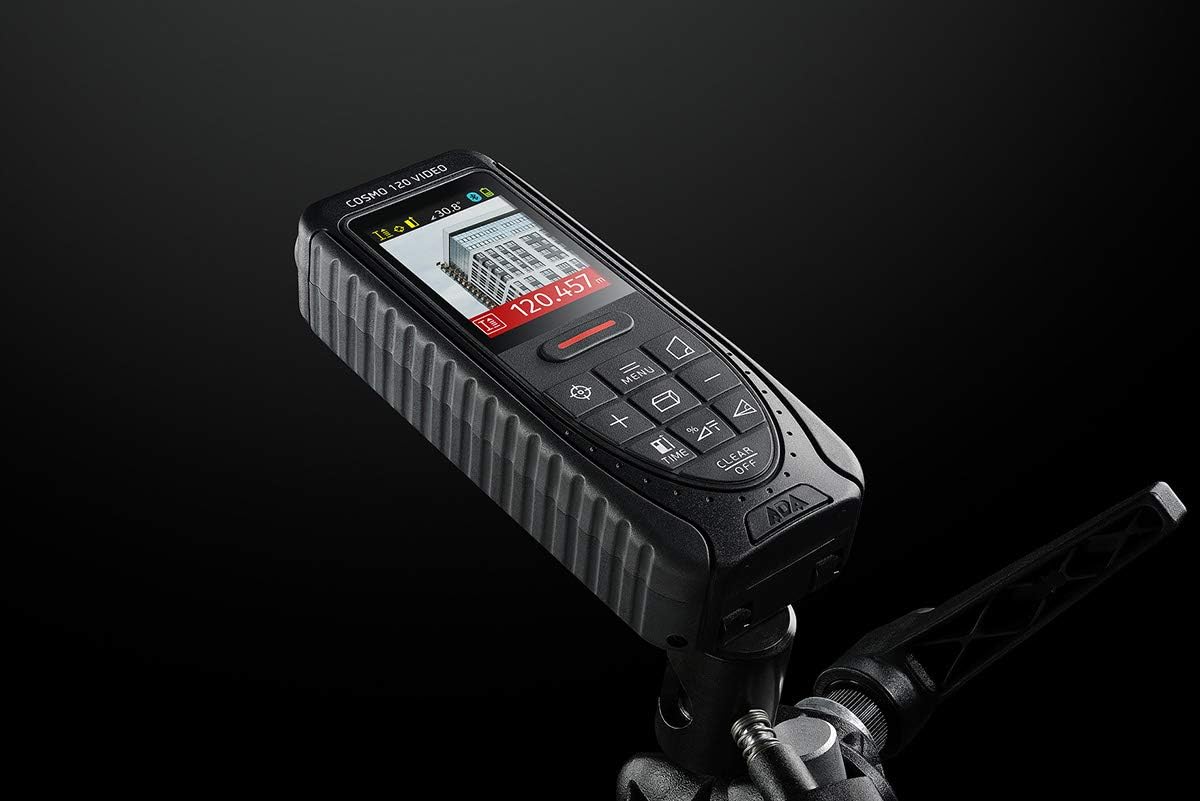
Image 4.2: The ADA Cosmo 120 Video mounted on a tripod, with its screen displaying a digital view of a building and measurement data.
4.3 360° Tilt Sensor
The integrated 360° tilt sensor allows for:
- 水平距離測定: Combine distance and inclination measurements to determine horizontal distances, even when direct line-of-sight is obstructed.
- Digital Level Function: Use the device to measure the inclination of any surface.
4.4 Painter Function
This function simplifies the calculation of the total wall area in a room. To use:
- Measure the height of the wall once.
- Measure the length of all walls.
- The device will automatically calculate the total area.
4.5 Bluetooth接続
The ADA Cosmo 120 Video supports Bluetooth for transmitting measurement data to compatible applications or devices. Refer to the specific application's instructions for pairing and data transfer procedures.
4.6 Using the Reflective Plate
For measurements over very long distances, in bright sunlight, or on surfaces with poor reflection properties, use the included reflective plate. Place the plate at the target point to improve laser detection and measurement accuracy.

Image 4.3: The reflective plate included with the ADA Cosmo 120 Video, used to enhance laser detection.
5. メンテナンス
To ensure the longevity and accuracy of your ADA Cosmo 120 Video, follow these maintenance guidelines:
- クリーニング: 柔らかくてamp cloth to clean the device. Do not use harsh chemicals or abrasive cleaners. Pay special attention to the lens and display, keeping them free of dust and smudges.
- ストレージ: Store the device in its holster in a dry, cool place, away from direct sunlight and extreme temperatures.
- 電池: 長期間使用しない場合は、液漏れを防ぐため電池を取り外してください。
- 衝撃を避ける: Protect the device from drops and impacts, as this can affect its calibration and functionality.
6。 トラブルシューティング
If you encounter issues with your ADA Cosmo 120 Video, try the following solutions:
- デバイスの電源が入らない: 電池が正しく挿入され、十分に充電されていることを確認してください。必要に応じて電池を交換してください。
- 不正確な読み取り: Ensure the target surface is suitable for laser measurement. Use the reflective plate for difficult surfaces or long distances. Check for obstructions in the laser path.
- Laser dot not visible: This is normal in bright conditions or over long distances. Use the digital viewfinder for targeting.
- Bluetooth接続の問題: Ensure Bluetooth is enabled on both the device and your receiving unit. Check the pairing process according to your application's instructions.
If problems persist, contact ADA Instruments customer support for assistance.
7. 仕様
| 特徴 | 仕様 |
|---|---|
| メーカー | ADAインスツルメンツ |
| モデル番号 | A00502 |
| 寸法 | 13.7 x 5.2 x 2.8 cm |
| 重さ | 150グラム |
| 電源 | 単三電池2本(アルカリ) |
| 作業範囲 | 0.05~120メートル |
| 測定精度 | ±1.5mm |
| Tilt Sensor Accuracy | ±0.3° |
| 表示タイプ | デジタル |
| 材料 | ゴムコーティングされたプラスチック |
| 使用環境 | 屋内と屋外 |
8. 保証とサポート
For warranty information or technical support, please refer to the documentation provided with your purchase or visit the official ADA Instruments webサイトでご確認ください。保証請求に備えて購入証明書を保管してください。