
導入
Thank you for choosing the PRORECK UK-2000 UHF 2 Channel Wireless Microphone System. This system is designed to provide clear, distortion-free audio for various applications, including parties, weddings, church events, conferences, and speeches. It features a stable UHF signal transmission and offers 560 selectable frequencies for optimal performance. This manual provides detailed instructions for setting up, operating, and maintaining your wireless microphone system.
パッケージ内容
以下にリストされているすべてのアイテムがパッケージに含まれていることを確認してください。
- 1xレシーバーユニット
- ハンドヘルドマイク2本
- 1 x 6.35mm TS Cable
- 電源充電器 x 1
- ユーザーマニュアル (本書) x 1
製品終了view
Receiver Unit (Rear Panel)
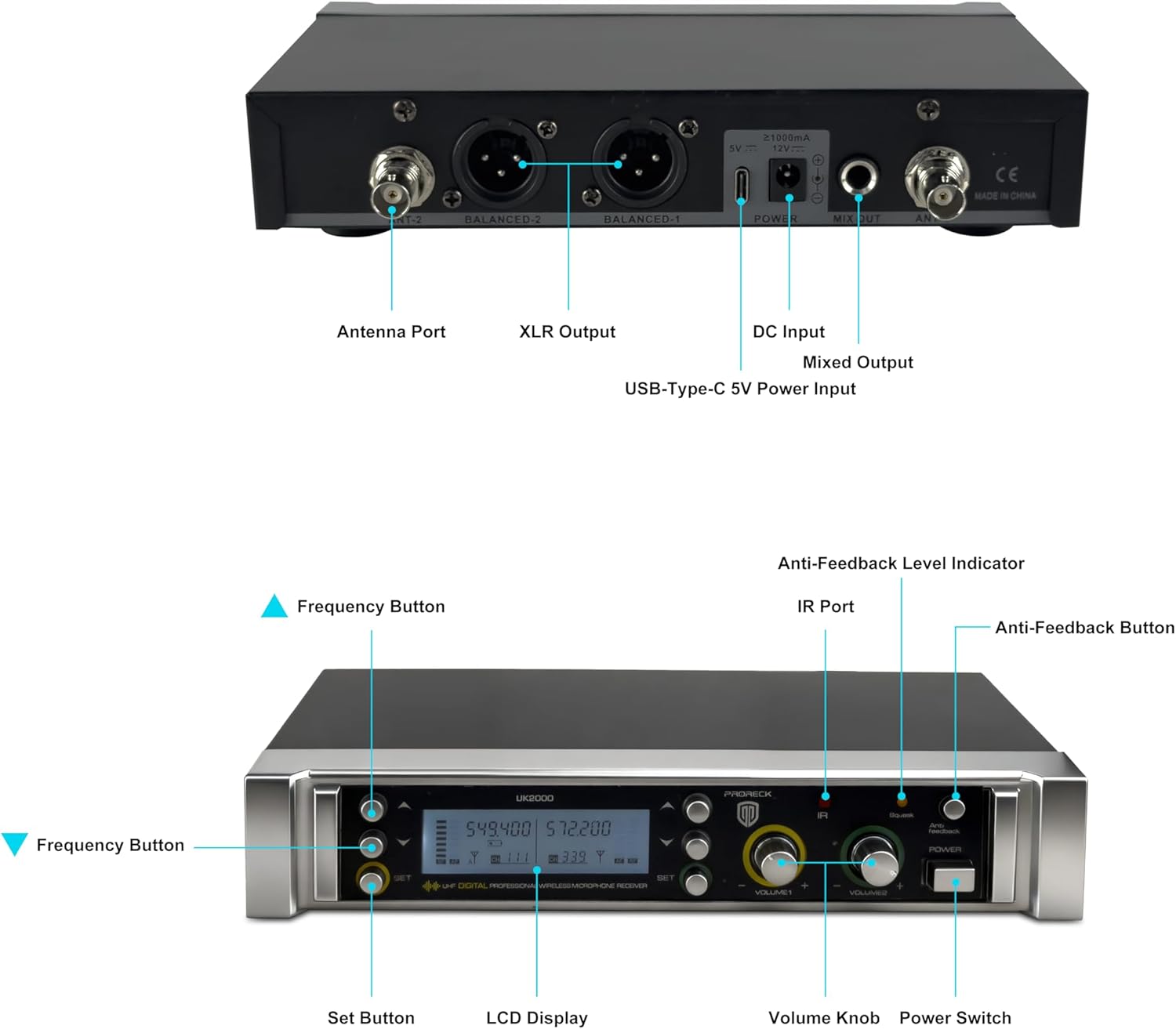
Image: Rear panel of the PRORECK UK-2000 receiver. This view highlights the Antenna Ports, Balanced XLR Outputs (1 and 2), DC Input for power, Mixed Output (6.35mm), and USB-Type-C 5V Power Input.
- アンテナポート: Connect the included antennas for signal reception.
- XLR Output (BALANCED 1/2): Balanced audio outputs for connecting to a mixer or amplifier。
- DC入力: Connect the provided power charger.
- Mixed Output (MIX OUT): Unbalanced 6.35mm (1/4") audio output for connecting to various audio devices.
- USB-Type-C 5V Power Input: Alternative power input, useful with a portable power bank.
Receiver Unit (Front Panel)

Image: Front panel of the PRORECK UK-2000 receiver. This view shows the Frequency Buttons, Set Button, LCD Display, IR Port, Volume Knobs, Power Switch, Anti-Feedback Level Indicator, and Anti-Feedback Button.
- Frequency Buttons: Used to adjust the operating frequency.
- 設定ボタン: Confirms frequency selection and other settings.
- LCDディスプレイ: Shows channel, frequency, signal strength, and battery status.
- IRポート: Infrared sensor for syncing frequencies with microphones.
- ボリュームノブ: 各マイク チャンネルの出力音量を調整します。
- 電源スイッチ: 受信機ユニットの電源をオンまたはオフにします。
- Anti-Feedback Level Indicator: Displays the level of anti-feedback processing.
- Anti-Feedback Button: Activates or deactivates the anti-feedback function.
ハンドヘルドマイク

画像: 分解図 view of the handheld microphone. This shows the Mic Grill, LCD Display, Metal Construction, Battery Compartment, and Battery Cover.
- Mic Grill: Protects the microphone capsule.
- LCDディスプレイ: 周波数とバッテリーの状態を表示します。
- 金属構造: Durable housing for the microphone.
- バッテリーコンパートメント: 単三電池2本を収納します。
- バッテリーカバー: Secures the batteries in place.
- IR Sync Sensor: Located on the microphone body, used for automatic frequency synchronization with the receiver.
セットアップ手順
1. マイクに電池を入れる
- Unscrew the battery cover at the bottom of each handheld microphone.
- Insert two AA batteries into the battery compartment, ensuring correct polarity (+/-).
- 電池カバーをしっかりと締め直してください。
注記: Each microphone requires 2xAA batteries (not included).
2. 受信機を接続する
- Attach the antennas to the Antenna Ports on the rear panel of the receiver. Position them vertically for optimal signal reception.
- Connect the power charger to the DC Input on the receiver and plug it into a power outlet. Alternatively, you can use a portable power bank with the USB-Type-C 5V Power Input.
- レシーバーをオーディオシステム(ミキサー、 amplifier, powered speaker) using either the Balanced XLR Outputs or the Mixed Output (6.35mm TS cable).
3. Power On and Sync
- Turn on the receiver unit using the Power Switch on the front panel. The LCD display will illuminate.
- Turn on each handheld microphone.
- To synchronize the microphone with the receiver, press the セット button on the receiver. The display will show "IR---".
- Align the IR Sync Sensor on the microphone with the IR Port on the receiver (within a few inches). The frequency will automatically sync. Repeat for the second microphone.

Image: Connectivity diagram illustrating how the PRORECK UK-2000 system can connect to a mixer, TV, amplifier, PA system, computer, powered speaker, or pad/phone.
操作手順
周波数選択
The PRORECK UK-2000 system offers 560 selectable UHF frequencies (280 per channel) to avoid interference.
- If you experience interference, press the 周波数ボタン on the receiver to cycle through available frequencies.
- Once a clear frequency is selected on the receiver, perform the IR sync process again with the corresponding microphone to match its frequency.

Image: Microphone display showing frequency selection. The system offers 560 selectable frequencies, with each channel having 280 options, ranging from 539.000 MHz to 599.000 MHz.
ボリュームコントロール
Adjust the output volume of each microphone independently using the dedicated Volume Knobs on the receiver's front panel. Start with a low volume and gradually increase it to prevent feedback.
動作範囲
The system has an operating range of up to 328 feet (100 meters) within the line of sight. Obstacles, walls, and other wireless devices may reduce this range.
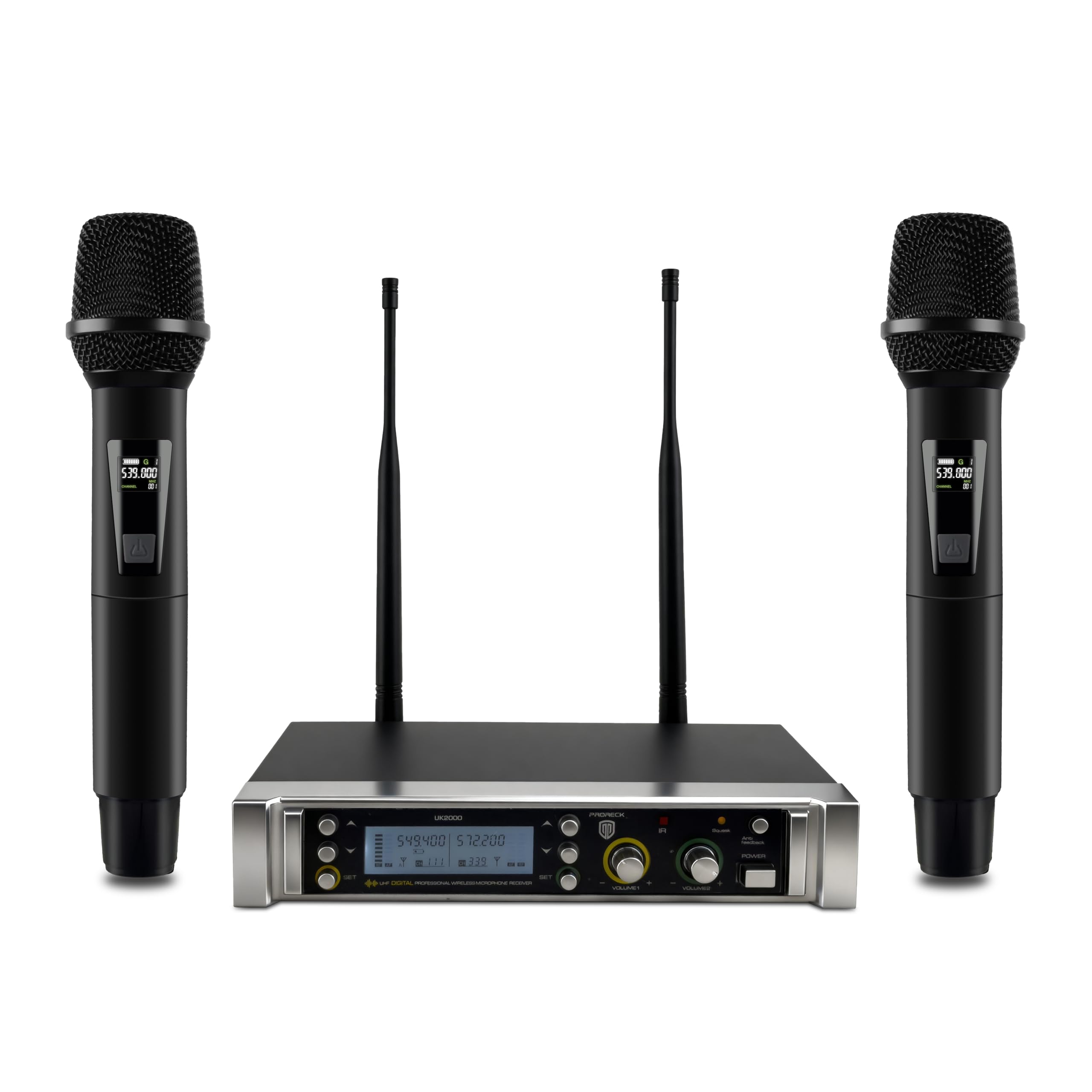
Image: Operating range diagram. A microphone wirelessly transmits to the receiver, indicating an effective operating range of up to 328 feet.
Anti-Feedback Function
The receiver includes an anti-feedback function to minimize unwanted audio feedback. Press the Anti-Feedback Button to activate or deactivate this feature. The Anti-Feedback Level Indicator will show its status.
メンテナンス
- Keep the receiver and microphones clean by wiping them with a soft, dry cloth.
- システムを極端な温度、湿度、または直射日光にさらさないでください。
- 長期間使用しない場合は、液漏れを防ぐためにマイクから電池を取り外してください。
- Store the system in a dry, dust-free environment.
トラブルシューティング
| 問題 | 考えられる原因 | 解決 |
|---|---|---|
| 音声出力なし |
|
|
| 干渉または雑音 |
|
|
| 音が弱い、または歪んでいる |
|
|
| フィードバック(ハウリング音) |
|
|
仕様
| モデル名 | イギリス-2000 |
| ブランド | プロレック |
| チャンネル数 | 2 |
| 周波数範囲 | 538.3MHz to 599MHz (560 selectable frequencies) |
| 動作範囲 | 最大 328 フィート (見通し線) |
| 接続技術 | UHFワイヤレス、XLR |
| コネクタタイプ | XLR, 6.35mm (1/4") |
| マイク電源 | 2 x AA batteries (per microphone) |
| 材料 | 金属(マイク) |
| 極性パターン | 一方向 |
| アイテム重量 | 3.79ポンド(システム) |
| パッケージ寸法 | 11 x 8 x 4インチ |
保証とサポート
PRORECK products are designed for reliability and performance. For any questions, technical support, or warranty inquiries, please refer to the contact information provided with your purchase or visit the official PRORECK webサイトでご確認ください。保証サービスを受けるために購入証明書を保管してください。