
導入
The Anchor Audio LIB2-AIR Liberty 2 AIR is a powerful and versatile wireless companion speaker designed to expand your existing Liberty 2 sound system. This portable PA speaker delivers 200 watts of power, producing 117dB of clear sound suitable for crowds of over 1,500 people. It features a 10-inch woofer for robust low-end and a ceramic compression driver for clear articulation. The unit includes a built-in digital mixer with various input/output options, wireless microphone compatibility, and Bluetooth connectivity. An integrated Anchor AIR receiver allows seamless wireless connection with other Liberty 2 speakers. The LIB2-AIR is powered by a rechargeable lithium-ion battery, offering up to eight hours of continuous use.
箱の中身
Carefully unpack your Anchor Audio LIB2-AIR and ensure all components are present:
- One (1) 200-watt Powered PA Speaker
- One (1) 8-hour Rechargeable Battery (pre-installed or separate)
- One (1) Wireless Mic Receiver (integrated)
- One (1) Ceramic HF Driver (integrated)
- One (1) Anchor AIR Receiver (integrated)
- 電源ケーブル
設定
Follow these steps for initial setup of your Liberty 2 AIR Wireless Companion Speaker:
- 開梱と検査: Remove all packaging materials. Inspect the speaker for any signs of damage during transit.
- 初期バッテリー充電: Before first use, fully charge the internal lithium-ion battery. Connect the provided power cable to the speaker's power input and a suitable electrical outlet. A full charge takes approximately 8 hours. The speaker can be used while charging.
- 配置: Position the speaker on a stable, flat surface. The LIB2-AIR is designed for floor mounting. Ensure adequate space around the unit for ventilation.
- 電源オン: Locate the power switch, typically on the rear or side panel. Flip the switch to the 'ON' position. Indicators will illuminate to confirm power.
- Connecting as a Wireless Companion: To use the LIB2-AIR as a wireless companion speaker with another Liberty 2 system, ensure both units have their Anchor AIR receivers active. Refer to your primary Liberty 2 system's manual for specific pairing instructions.
- オーディオ ソースの接続: Utilize the built-in digital mixer's I/O for wired connections. For wireless audio, proceed to the 'Operating' section for Bluetooth pairing.
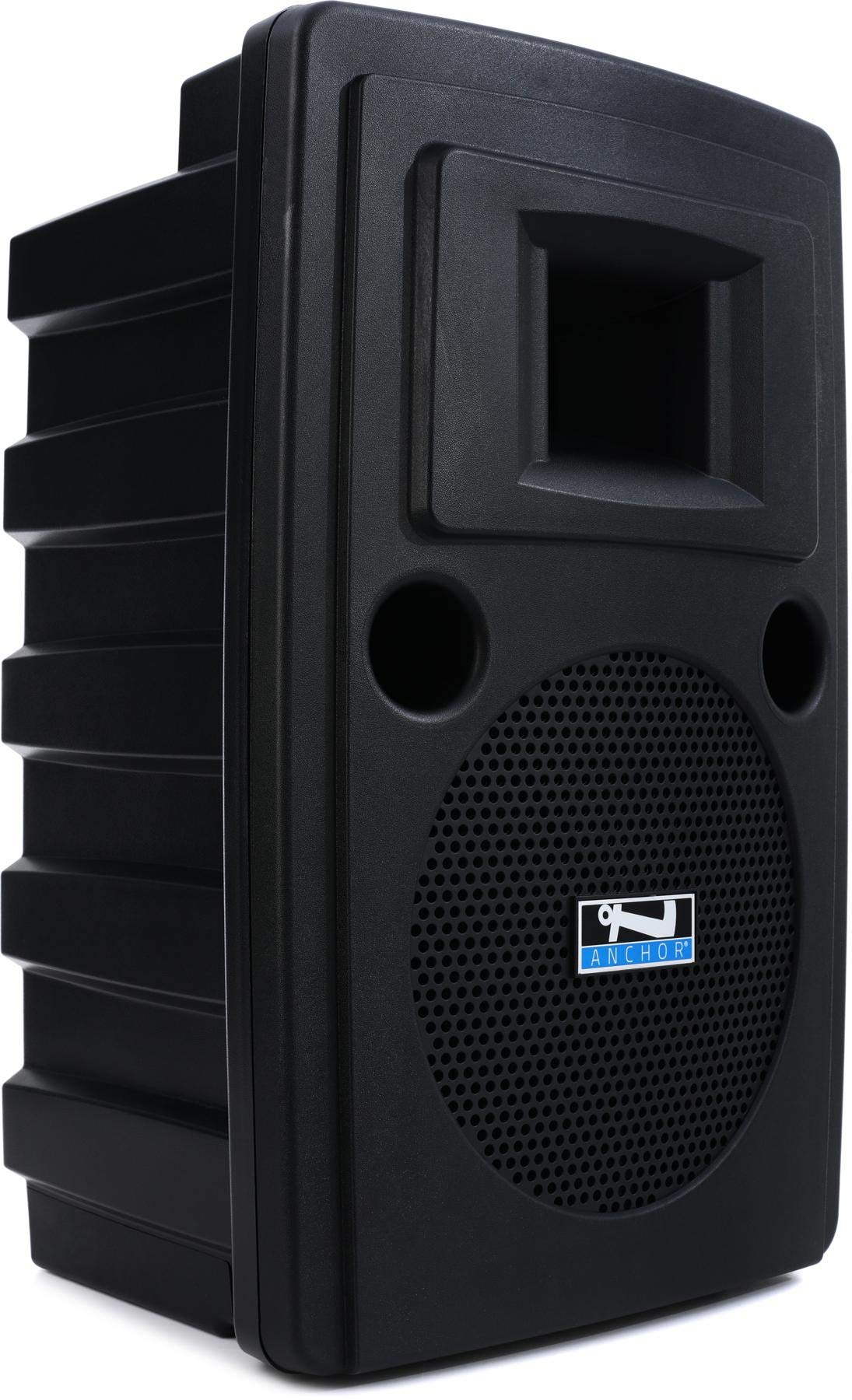
フロント view of the Anchor Audio LIB2-AIR Liberty 2 AIR Wireless Companion Speaker, showing its robust design and speaker grille.
オペレーティング
This section details the operational functions of your Liberty 2 AIR speaker.
電源のオン/オフ
- To power on, press the main power switch to the 'ON' position.
- To power off, press the main power switch to the 'OFF' position.
Bluetooth接続
The Liberty 2 AIR supports Bluetooth wireless communication for connecting compatible devices such as smartphones, tablets, and laptops.
- スピーカーの電源が入っていることを確認します。
- ソースデバイス(例:スマートフォン)で Bluetooth を有効にします。
- On the speaker's control panel (or via the dedicated app, if available), activate Bluetooth pairing mode.
- 検索する available devices on your source device. The speaker should appear as "Liberty 2 AIR" or similar.
- Select the speaker to pair. A confirmation tone or indicator light will signal a successful connection.
ワイヤレスマイクの使用方法
The integrated wireless mic receiver allows for wireless microphone operation. Refer to your specific wireless microphone's manual for pairing and frequency settings. Ensure the microphone and receiver are on compatible channels.
Using as an Anchor AIR Wireless Companion Speaker
The LIB2-AIR can wirelessly link with other Anchor Audio Liberty 2 speakers equipped with Anchor AIR technology. This creates an expanded sound system without the need for long audio cables.
- Ensure both the primary Liberty 2 speaker and the LIB2-AIR companion speaker are powered on.
- Activate the Anchor AIR transmission on the primary speaker and reception on the LIB2-AIR.
- Follow the pairing instructions provided with your primary Liberty 2 system to establish the wireless link.
Digital Mixer and I/O
The built-in digital mixer provides various inputs and outputs for connecting external audio sources. Consult the control panel for specific input types (e.g., XLR, 1/4-inch, RCA) and corresponding level controls. Adjust input gains and master volume as needed for optimal sound.
アプリコントロール
The speaker supports control via a dedicated application. Download the official Anchor Audio app from your device's app store and follow the in-app instructions to connect and control your LIB2-AIR speaker.
メンテナンス
Proper maintenance ensures the longevity and optimal performance of your Liberty 2 AIR speaker.
- クリーニング: スピーカーの外側は、柔らかく乾いた布で拭いてください。頑固な汚れには、軽く湿らせた布で拭いてください。amp 中性洗剤を含ませた布で拭き、その後乾いた布で拭いてください。研磨剤入りの洗剤や溶剤の使用は避けてください。
- バッテリーのケア: The speaker uses a rechargeable lithium-ion battery. For best battery life, avoid completely draining the battery frequently. Recharge the battery regularly, especially if the unit will be stored for extended periods. Store the speaker in a cool, dry place.
- 環境条件: The Liberty 2 AIR is 防水ではありません. Protect the speaker from rain, moisture, and extreme temperatures. Avoid exposing it to direct sunlight for prolonged periods.
- ストレージ: When not in use, store the speaker in a clean, dry environment, preferably in its original packaging or a protective case.
トラブルシューティング
If you encounter issues with your Liberty 2 AIR speaker, refer to the following common problems and solutions:
- 電源なし:
- 電源ケーブルがスピーカーと正常な電源コンセントの両方にしっかりと接続されていることを確認します。
- Check if the battery is charged. If not, charge the unit for at least 30 minutes before attempting to power on again.
- 電源スイッチが「オン」の位置にあることを確認します。
- 音が出ない:
- Check all volume controls (master volume, input gain) on the speaker and the connected audio source.
- Ensure audio cables are properly connected and not damaged.
- If using Bluetooth, confirm the device is paired and connected, and the volume on the source device is up.
- If using a wireless microphone, ensure it is powered on, paired, and on the correct frequency.
- 歪んだ音:
- スピーカーとオーディオソースの両方の音量を下げます。
- ケーブル接続が緩んでいないか確認してください。
- Ensure the input signal is not too strong (clipping). Adjust input gain as necessary.
- Bluetoothの切断:
- Ensure your source device is within the effective range of the speaker.
- 他のワイヤレス デバイスからの干渉がないか確認してください。
- Try unpairing and re-pairing the Bluetooth connection.
If the problem persists after attempting these solutions, please contact Anchor Audio customer support.
仕様
| 特徴 | 仕様 |
|---|---|
| モデル名 | Liberty 2 AIR |
| 商品型番 | LIB2 |
| ブランド | アンカーオーディオ |
| スピーカータイプ | Wireless Companion |
| 取り付けタイプ | フロアマウント |
| スピーカー最大出力 | 200ワット |
| ワットtage | 200ワット |
| ウーファー直径 | 10インチ |
| オーディオドライバータイプ | ダイナミックドライバ |
| 接続技術 | ブルートゥース |
| 無線通信技術 | ブルートゥース |
| 制御方法 | アプリ |
| 電源 | 電池駆動 |
| バッテリー充電時間 | 8時間 |
| アイテム重量 | 33.8 ポンド |
| 製品寸法 | 27.8 x 16.45 x 14.35インチ |
| 色 | 黒 |
| 防水です | 間違い |
| 欧州連合 | 819941015772 |
| GTIN | 819941015772 |
保証
The Anchor Audio LIB2-AIR Liberty 2 AIR Wireless Companion Speaker comes with a 限定保証. For specific terms, conditions, and duration of the warranty, please refer to the warranty card included with your product or visit the official Anchor Audio webサイトでご確認ください。保証請求に備えて購入証明書を保管してください。
サポート
For further assistance, technical support, or service inquiries regarding your Anchor Audio LIB2-AIR Liberty 2 AIR Wireless Companion Speaker, please contact Anchor Audio customer support directly. Contact information can typically be found on the manufacturer's webサイトまたは製品のパッケージ内。